# SMS Portal Settings
The SMS Portal Settings screen is used to **switch registration by mobile phone number on or off** on the welcome screen. The guest enters their number, is verified by the confirmation SMS, and gets internet access.
> **How do I open this screen?** From the left menu, go to **Captive Portal → SMS Portal Settings**.
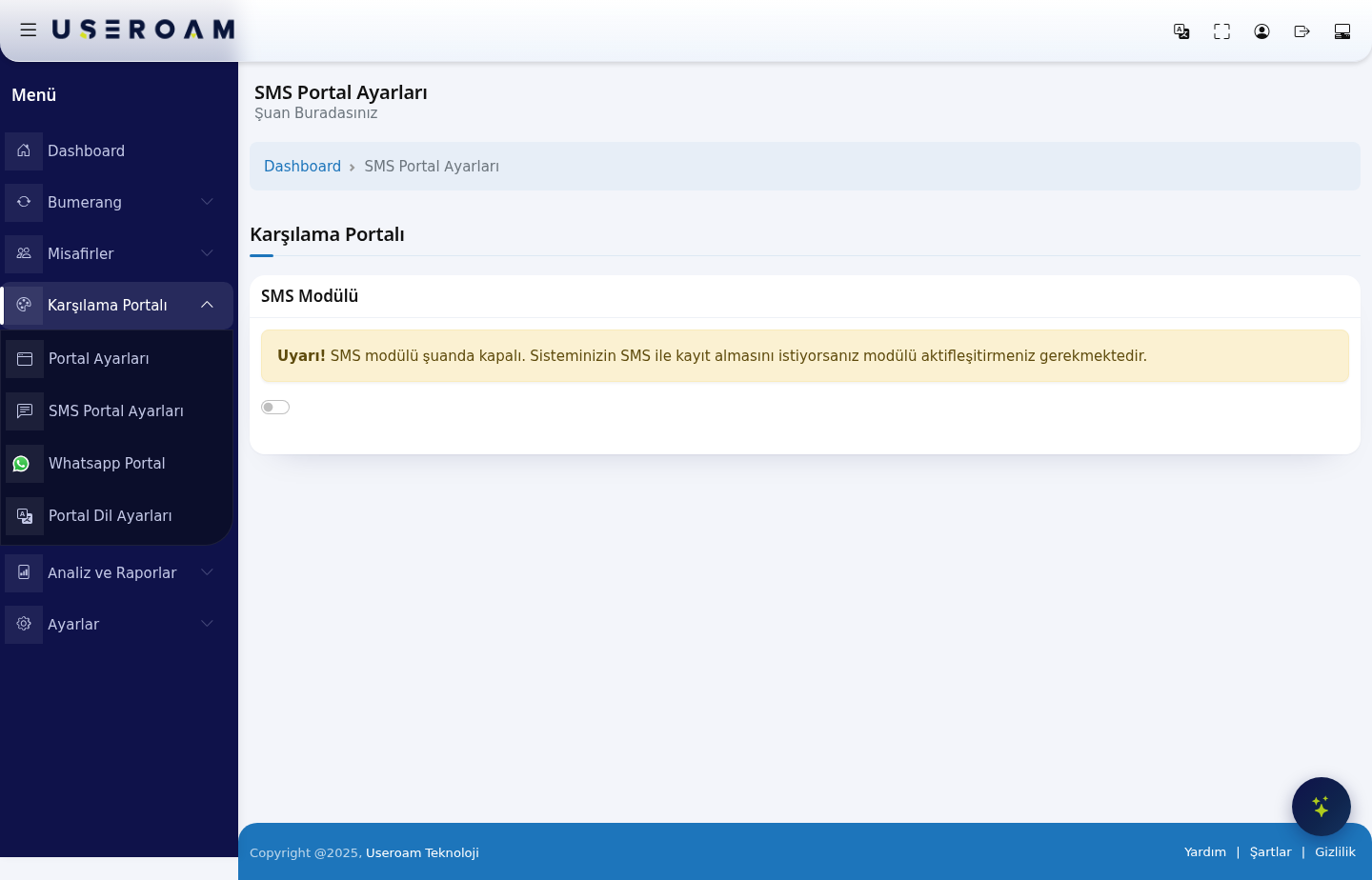
**In practice this screen does one job: turning the module on or off.** The welcome screen's title, appearance, the details requested and the legal texts are all managed on **Captive Portal → Portal Settings**. The detailed fields on this page are no longer used.
---
## SMS Module
The **SMS Module** switch sits at the top of the page. While the module is off, the screen shows only this warning:
> *"Warning! SMS module is currently turned off. If you want your system to accept registration via SMS, you must activate the module."*
- **Switch off:** the guest does not see the SMS login option on the welcome screen.
- **Switch on:** the SMS registration flow becomes available.
**Turning the module on is not enough on its own:** for the guest to receive a verification code, your provider details, the message text and the group the guest is added to must be configured under **Settings → SMS Settings**. If the module is on but the SMS settings are missing, the guest never gets a code and cannot log in.
---
## How do I test the result?
After saving, open the welcome screen as the guest sees it. Connect a device to your test network's portal address (for example `http://192.168.2.1:8090/`) and confirm the login options appear as expected.
---
> **Related pages:** **Captive Portal → Portal Settings** (appearance and login fields), **Settings → SMS Settings** (provider and message), **Guests → SMS / WhatsApp Users**, **Analytics and Reports → SMS / WhatsApp Reports**.