
Events
Events lets you create event invitation pages opened by QR code: design one, turn it into a code, share it. It is the practical way to announce a concert, a brunch, an opening or a special evening to your guests.
How do I open this screen? From the left menu, go to Bumerang → BUSINESS → Events.
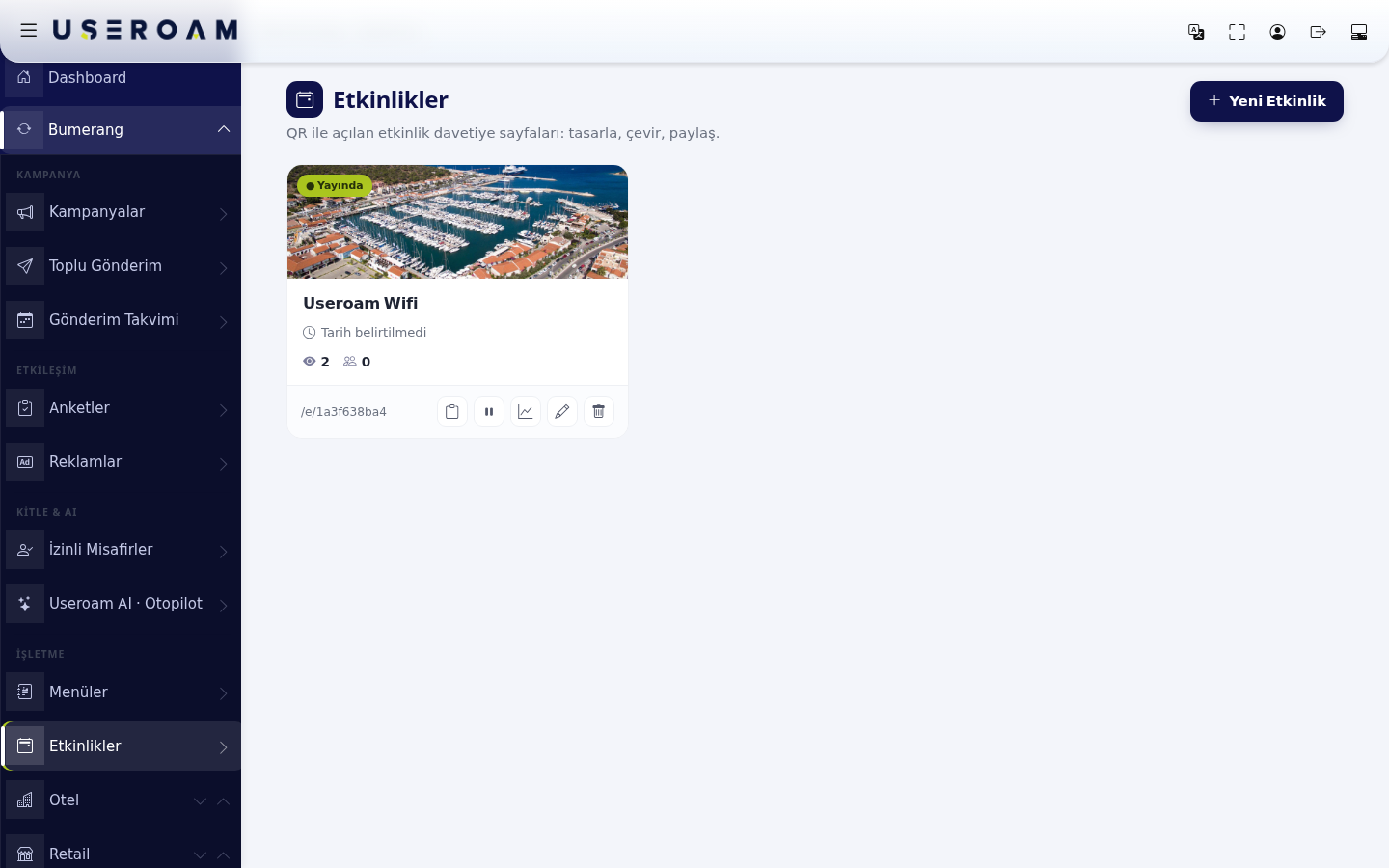
The event list
The events you create are listed as cards. Each card shows:
- Status: the ● Live label means the event is visible to guests.
- Event name.
- Date: if none is set it reads "No date specified". Always enter the date — attendance drops when the guest cannot see when it happens.
- View and engagement counts.
- Link address: a short address starting with
/e/(for example/e/1a3f638ba4). Share this link on social media or by SMS.
New Event
Combine the announcement with a campaign: add the event link to Bumerang → Bulk Sending or to a campaign message and send it straight to your opted-in guests.
Related pages: Bumerang → Bulk Sending, Sending Calendar, Hotel Solution → Guest Portal (hotel events).