
Summary
The Marketing Command Centre is Bumerang's one-page summary: did guests come in, did campaigns go out, were they clicked, did anyone return. This is the screen to open in the weekly meeting.
How do I open this screen? From the left menu, go to Bumerang → ANALYTICS → Summary. The Command centre button on the Dashboard brings you here too.
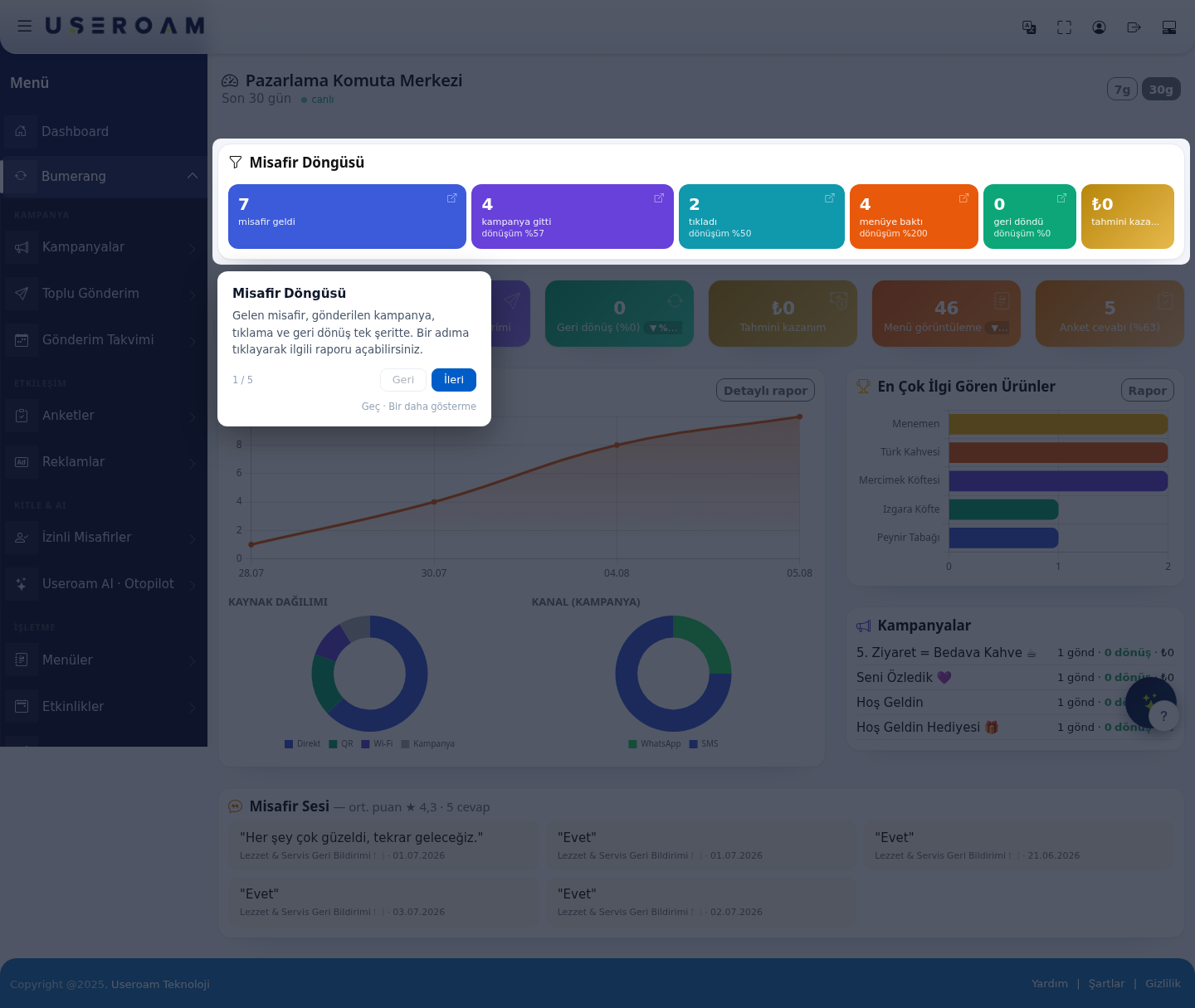
Switch the period with the 7d / 30d buttons at the top.
1. The Guest Cycle
Shows the marketing funnel in a single strip, with a count and a conversion rate against the previous step at each stage:
guests arrived → campaigns sent → clicked → viewed the menu → returned → estimated revenue
How to read it: whichever step the conversion collapses at is where the problem is. High sends with low clicks means a weak message; high clicks with no returns means the offer is not attractive enough. Click a step to open the matching report.
2. Summary cards
Each card shows the period's value and the change against the previous period (▲/▼):
- Unique guests
- Campaign sends
- Returns (and the rate)
- Estimated revenue
- Menu views
- Survey responses (and the rate)
3. Charts and breakdowns
4. Campaigns
Lists the period's campaigns with the sends · returns · revenue triple, so you can see at a glance which scenario is working.
5. Voice of the Guest
Shows the average score and response count from surveys along with recent guest comments; under each comment you see which survey it came from and when.
When the average drops, look for the reason in the comment text — the number tells you there is a problem, the comments tell you what it is.
Related pages: Bumerang → Bumerang Reports, Campaigns, Guest 360°, Surveys.