
Portal Language Settings
Portal Language Settings
Here you manage how many languages the welcome screen is shown in, so foreign guests can see the portal in their own language.
How do I open it? From the left menu, go to Captive Portal → Portal Language Settings.
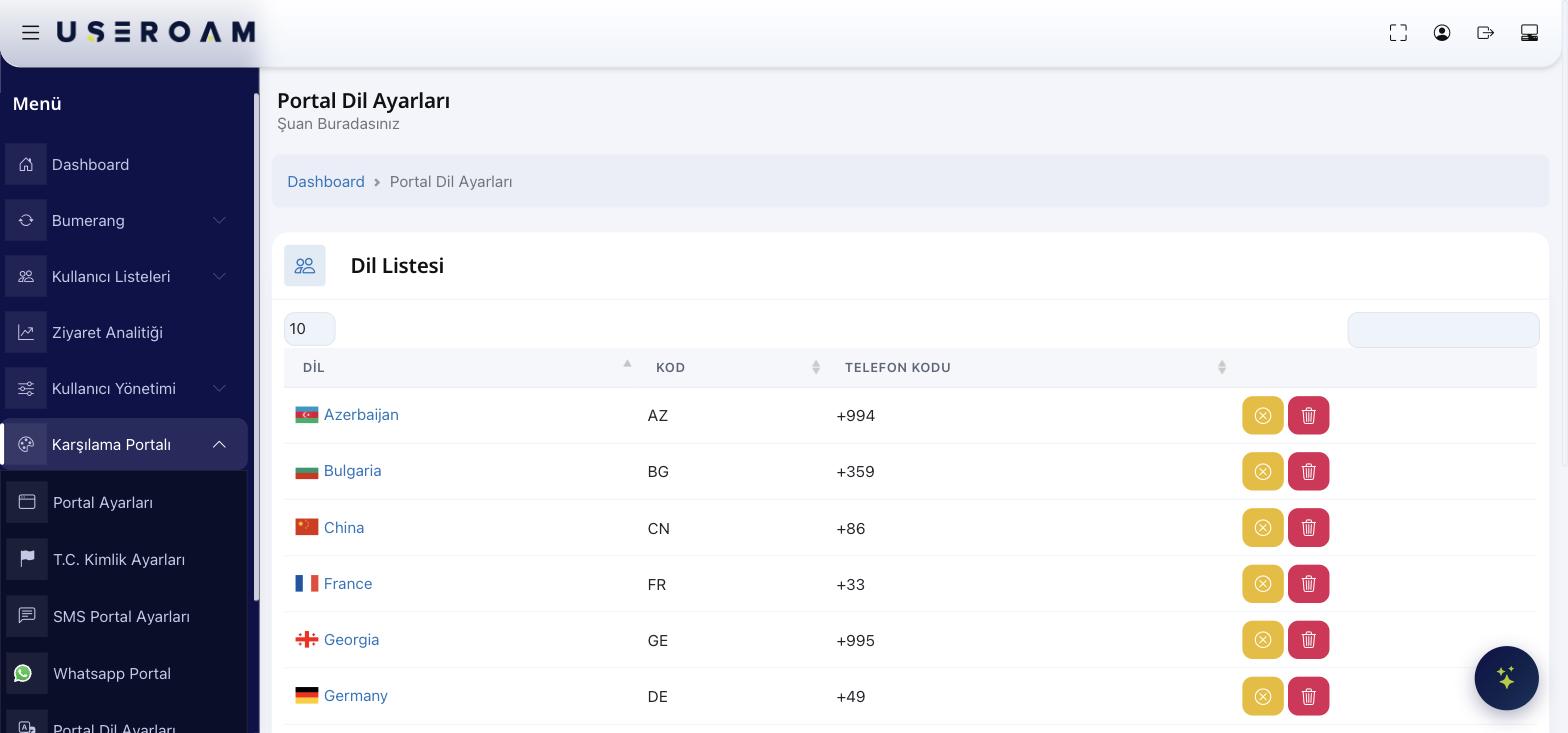
Language List
The languages you add appear in the table:
- Language: Country/language name and flag (e.g. Azerbaijan).
- Code: The short code (e.g. AZ).
- Phone Code: The country's dialing code (e.g. +994) — added before the number during SMS/WhatsApp login.
Each row has two buttons on the right:
Use 10 / 25 / 50 / 100 / All at the top to set how many languages show per page. Add a new language from the box at the top right.
Tips
- Add languages that match your guests — e.g. add relevant countries if you host many tourists.
- Remove unused languages to keep the language picker clean.
- The default language (the one the portal opens in) is set under Portal Settings → General Settings.