
Portal Language Settings
Portal Language Settings show which languages the welcome screen is offered in. When a guest switches language on the portal, they choose from the languages defined in this list.
How do I open this screen? From the left menu, go to Captive Portal → Portal Language Settings.
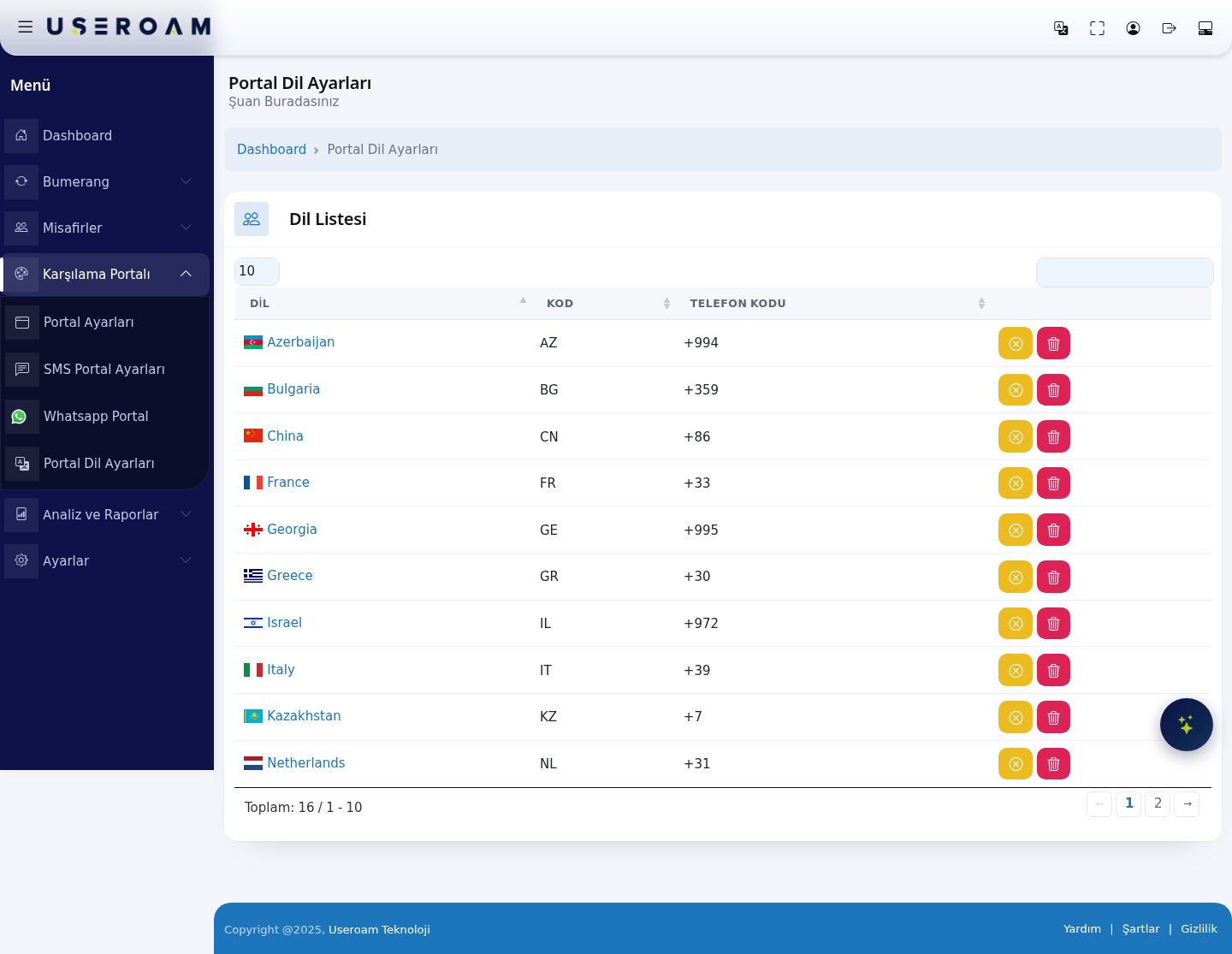
Language list
The page contains a single table with three columns:
- LANGUAGE: the name of the language (for example Turkey, France, Netherlands).
- CODE: the two-letter country/language code (for example
TR,FR,NL). - PHONE CODE: that country's international dialling prefix (for example
+90,+33,+31). This prefix list is used in the SMS and WhatsApp registration flows when the guest enters their number.
16 languages are defined in the system: Azerbaijan (AZ, +994), Bulgaria (BG, +359), China (CN, +86), France (FR, +33), Georgia (GE, +995), Greece (GR, +30), Israel (IL, +972), Italy (IT, +39), Kazakhstan (KZ, +7), Netherlands (NL, +31), Poland (PL), Romania (RO), Serbia (RS), South Korea (KR), Spain (ES) and Turkey (TR).
Navigating the list
- The 10 / 25 / 50 / 100 / All selector at the top left sets how many records appear per page. The default is 10, so the list is split across two pages.
- The search box at the top right filters instantly on language name, code or phone code.
- Use the ← 1 2 → links below the table to move between pages; the record count is shown on the left as "Total: 16 / 1 - 10".
Which language does the portal open in? The startup language is not set here but under Portal Settings → General Settings → Default Language. The list on this page determines the options available in that field.