
Portal Language Settings
Portal Language Settings
Hereshow you manage how manywhich languages the welcome screen is shownoffered in,in. soWhen foreigna guestsguest canswitches seelanguage on the portalportal, they choose from the languages defined in theirthis own language.list.
How do I open
it?this screen? From the left menu, go to Captive Portal → Portal Language Settings.
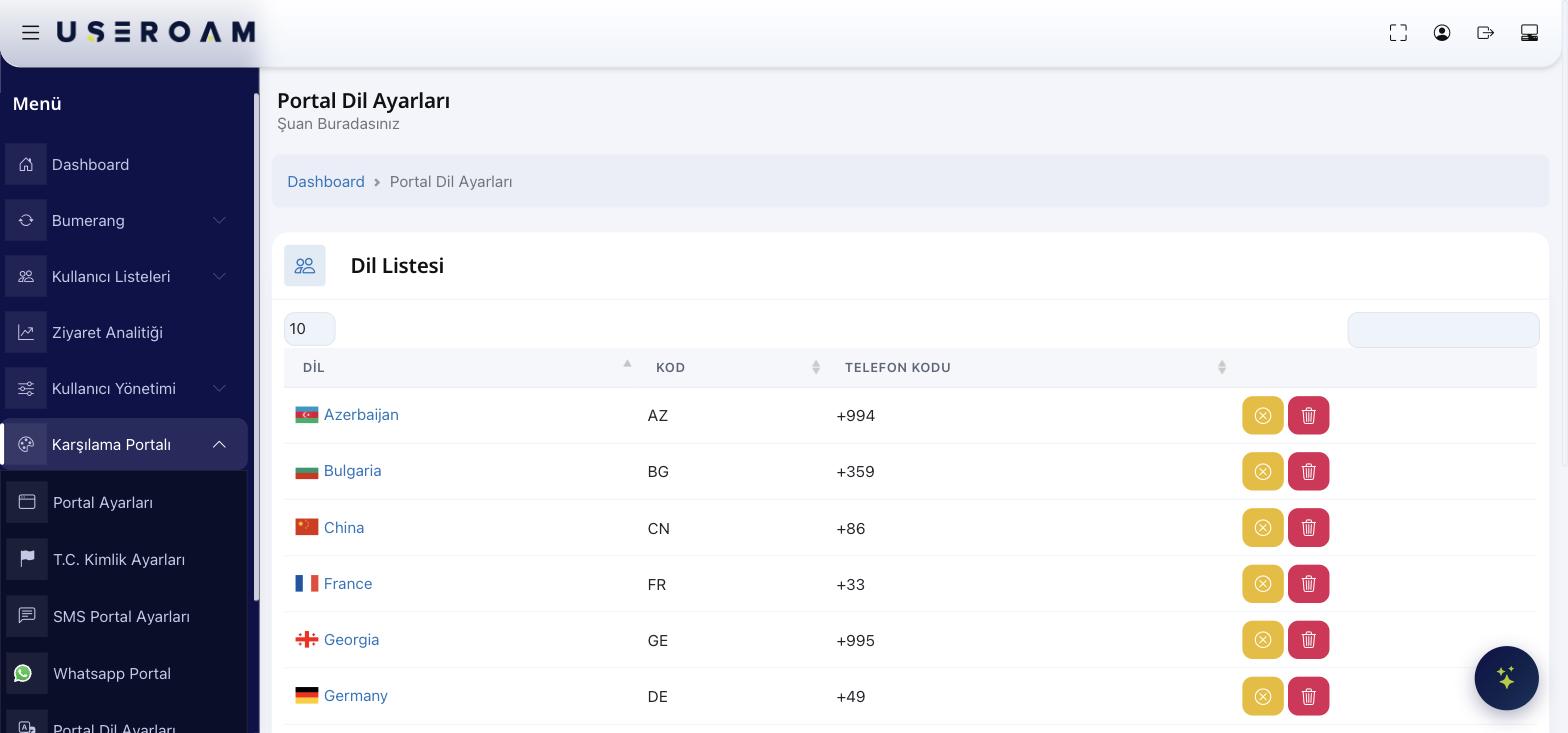
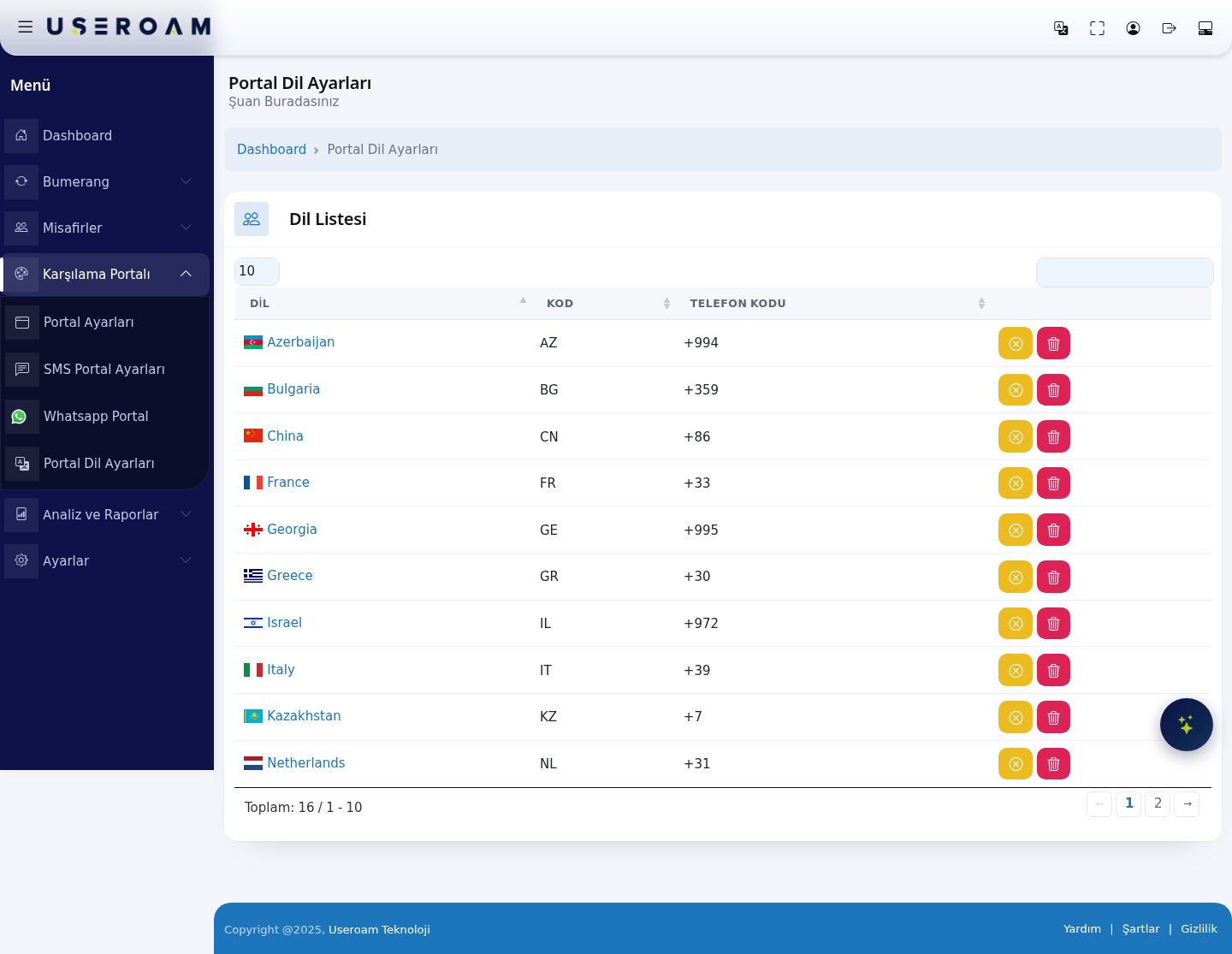
Language Listlist
The languagespage youcontains adda appearsingle intable thewith table:three columns:
Language:LANGUAGE:Country/languagethe nameandofflagthe language (e.g.forAzerbaijan)example Turkey, France, Netherlands).Code:CODE:Thetheshorttwo-letter country/language code (e.g.forAZ)exampleTR,FR,NL).PhonePHONECode:CODE:Thethat country'sdialinginternationalcodedialling prefix (e.g.for example+,994)90—+33,added+31).beforeThis prefix list is used in thenumberSMSduringandSMS/WhatsApplogin.registration flows when the guest enters their number.
Each16 rowlanguages hasare twodefined buttons onin the right:system: Azerbaijan (AZ, +994), Bulgaria (BG, +359), China (CN, +86), France (FR, +33), Georgia (GE, +995), Greece (GR, +30), Israel (IL, +972), Italy (IT, +39), Kazakhstan (KZ, +7), Netherlands (NL, +31), Poland (PL), Romania (RO), Serbia (RS), South Korea (KR), Spain (ES) and Turkey (TR).
Navigating the list
Yellow button:Edit / deactivate the language.Red trash icon:Remove the language from the list.
UseThe 10 / 25 / 50 / 100 / All at the top to set how many languages show per page. Add a new language from the boxselector at the top right.
Tips
sets Add languages that match your guests — e.g. add relevant countries if you hosthow manytourists.records Removeappearunusedperlanguagespage.toThekeepdefault is 10, so thelanguagelistpickerisclean.split across two pages.- The
defaultsearch box at the top right filters instantly on language name, code or phone code. - Use the ← 1 2 →
(links below theonetable to move between pages; the record count is shown on the left as "Total: 16 / 1 - 10".
Which language does the portal
opensopenin)in? The startup language is not set here but under Portal Settings → General Settings → Default Language. The list on this page determines the options available in that field.