
SMS Portal Settings
SMS Portal Settings
SMSmanage loginthe letsflow in which guests enterregister on the welcome screen with their mobile phone number. The guest enters their number, is verified by the confirmation SMS the system sends, and connectthen togets Wi-Fiinternet using a code sent by SMS. This page configures the SMS login screen.access.
How do I open
it?this screen? From the left menu, go to Captive Portal → SMS Portal Settings.
Use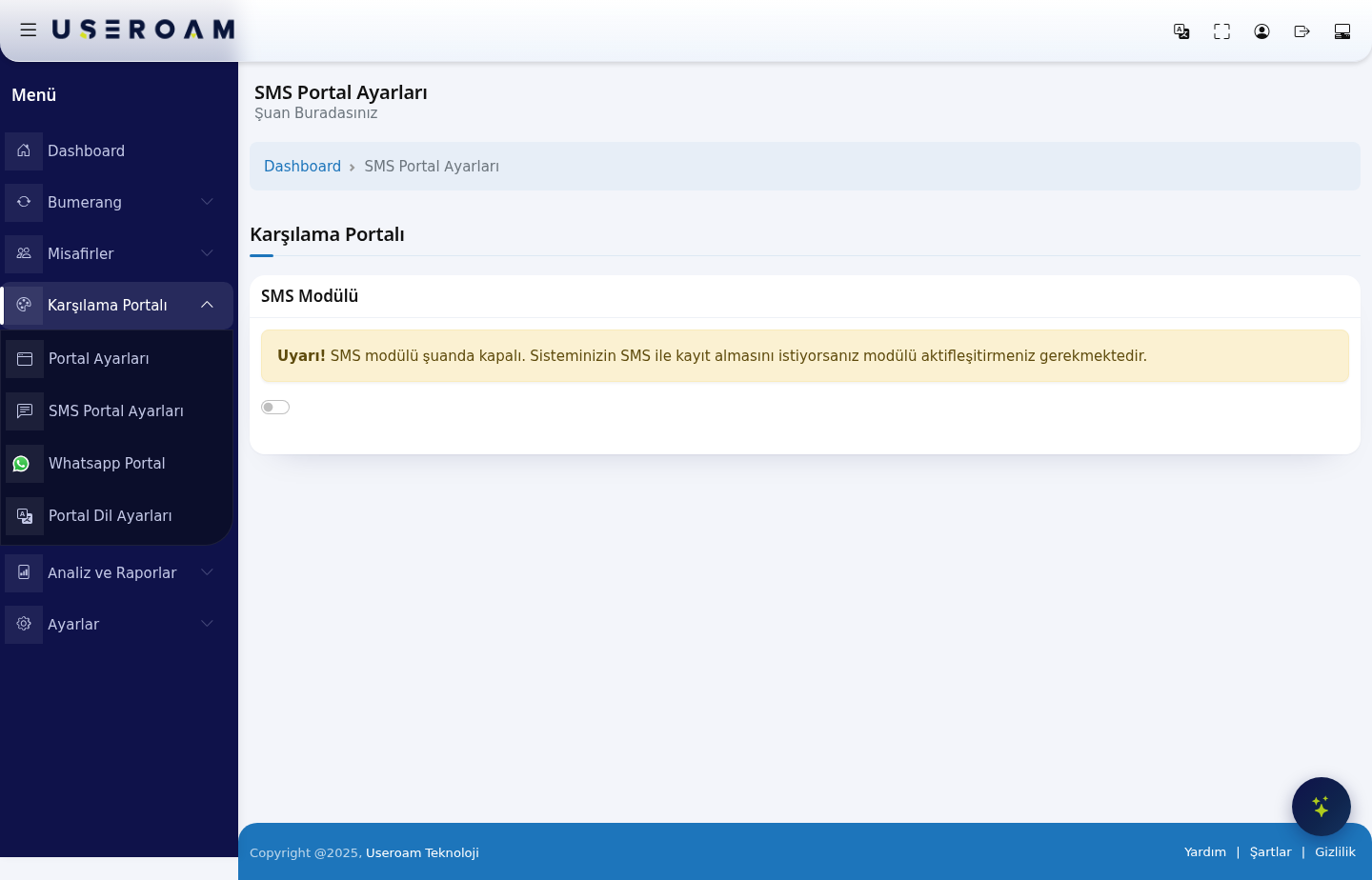
SMS Module
The SMS Module switch (SMS Module)sits at the top toof turnthe page. While the module is off, the screen shows only this loginwarning:
Warning! SMS module is currently turned off. If you want your system to accept registration via SMS, you must activate the module.
Turning the switch on or off. When off, guests don't seereveals the SMS option. The page has two tabs: General Settings and Theme Settings. tabs and the fields below.
Important: for the module to actually send messages, your provider details must also be configured under Settings → SMS Settings. If the module is on but the SMS settings are missing, the guest never receives the verification code.
1. General Settings
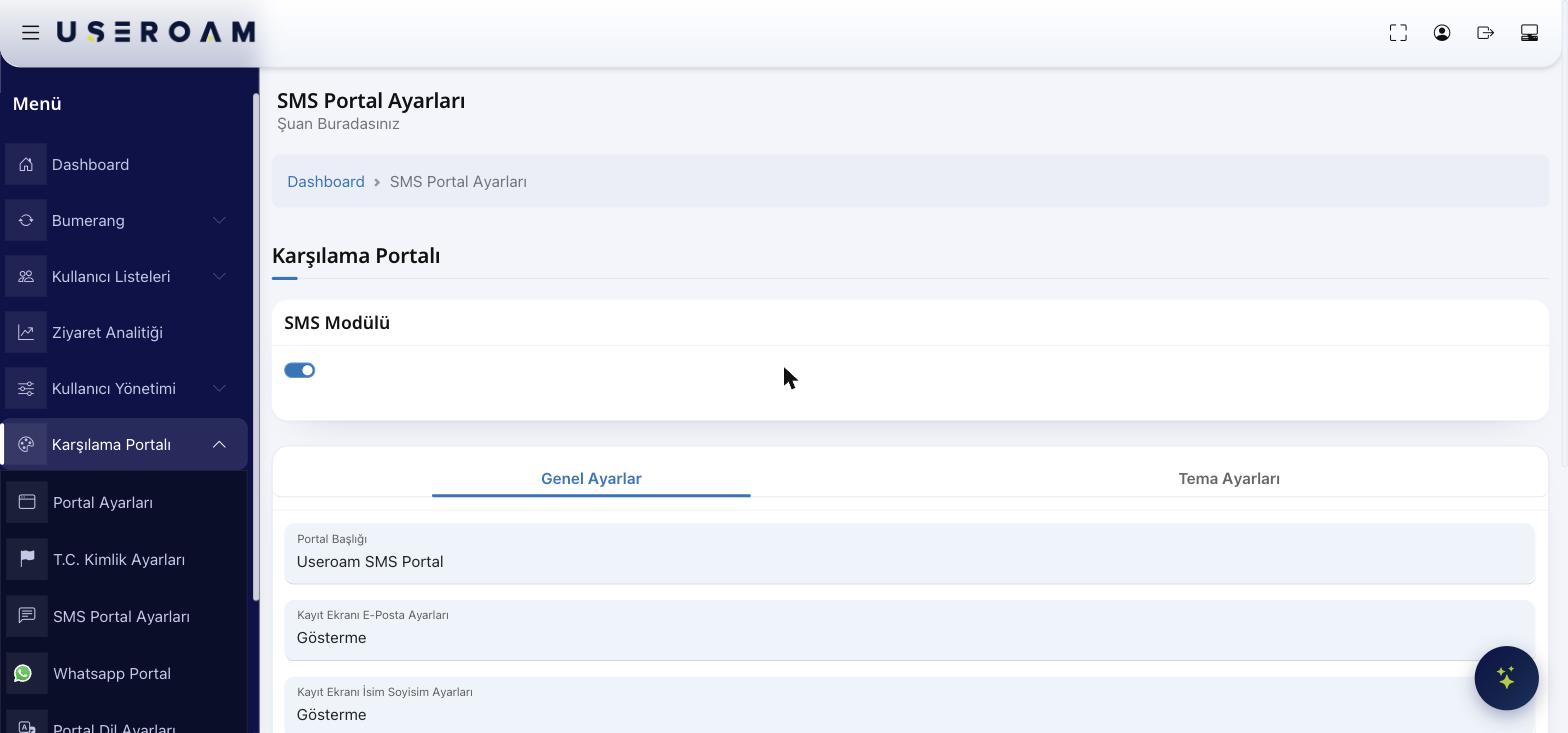
- Portal Title:
Thethe text shown at the top of the SMSloginregistration screen. RegistrationEmailE-mailsettingsSetting:on the registration screen:Whethercontrolsto askwhether the guest is asked for ane-mail.email address. Three options: Show=(fieldoptional,visible, not mandatory), Show andRequiredrequire= must(cannot beentered,left empty), Hide=(field neverasked.appears).- Name and surname settings on the registration screen: the same three options apply to the name field.
- Registration
Name/SurnamewithSetting:coupon:Samewhenthree options for name & surname. Register with Coupon:Turn on ifenabled, guestsshouldcanlogregisterinbywithentering a couponcode.code you issued. Codes are generated on the Guests → Coupon Codes page.City/District/Neighborhood:Email permission:Turnshows a marketing-email consent checkbox ontothecollectregistration screen. Guests who consent are marked as opted in for Bumerang campaigns.- Province / district / neighbourhood selection: when enabled, the guest is asked for location
detailsdetails.fromThisthedataguest.is used in reports and segmentation. - Status:
Thedeterminesportal'swhetheroverallthestatusSMS—portalActive,isPassiveorPending Approval.live.
PressConfirm your changes with Save after making changes..
2. Theme Settings
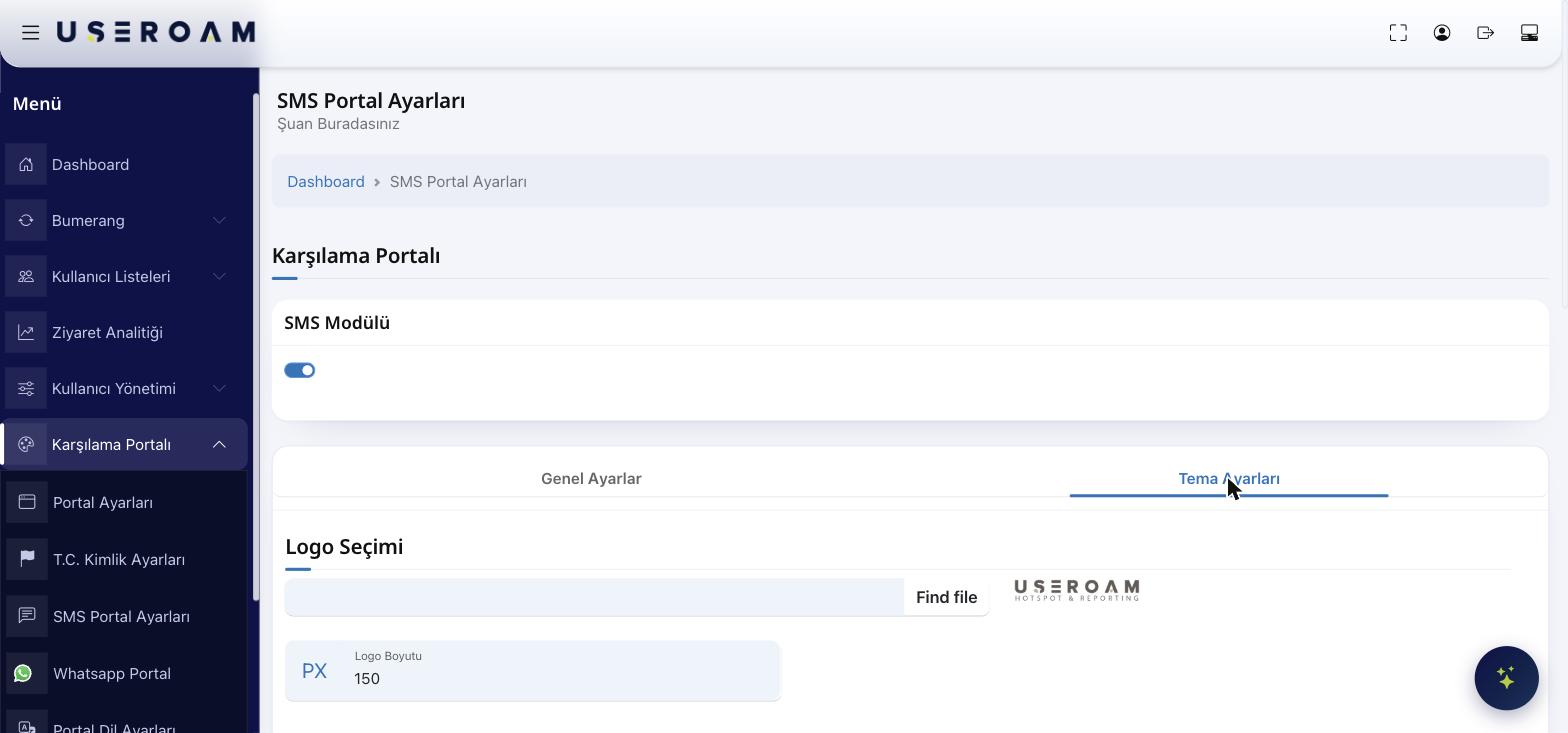
Matchappearance of the lookSMS toregistration yourscreen brand:follows the same logic as Portal Settings and is configured independently:
- Logo Selection
,and Logo Size - Background Selection
, - Colour
colorsSettings:—Login BoxColor,Colour, ButtonColor,Colour, ButtonHover,Hover, Button TextColor,Colour, LinkColor,Colour, TextColor. UseReset Colorsto return to defaults.Tips & FAQAsking for e-mail/name slows down login; only make itRequiredif truly necessary.If the SMS module is off, guests never see this option.ColourWhatResetdoes "Pending Approval" mean?ColoursThereturnsguesteverythingcantologthein but stays offline until an administrator approves them.defaults.
Related pages: Settings → SMS Settings (provider configuration), Guests → SMS / WhatsApp Users (registered guests), Analytics and Reports → SMS / WhatsApp Reports (delivery report).