
Coupon Codes
Coupon Codes let you generate single-use access codes to hand to guests. The code printed on a café receipt, the ticket given to an event attendee, or the card handed out at a hotel reception all work this way.
How do I open this screen? From the left menu, go to Guests → Coupon Codes.
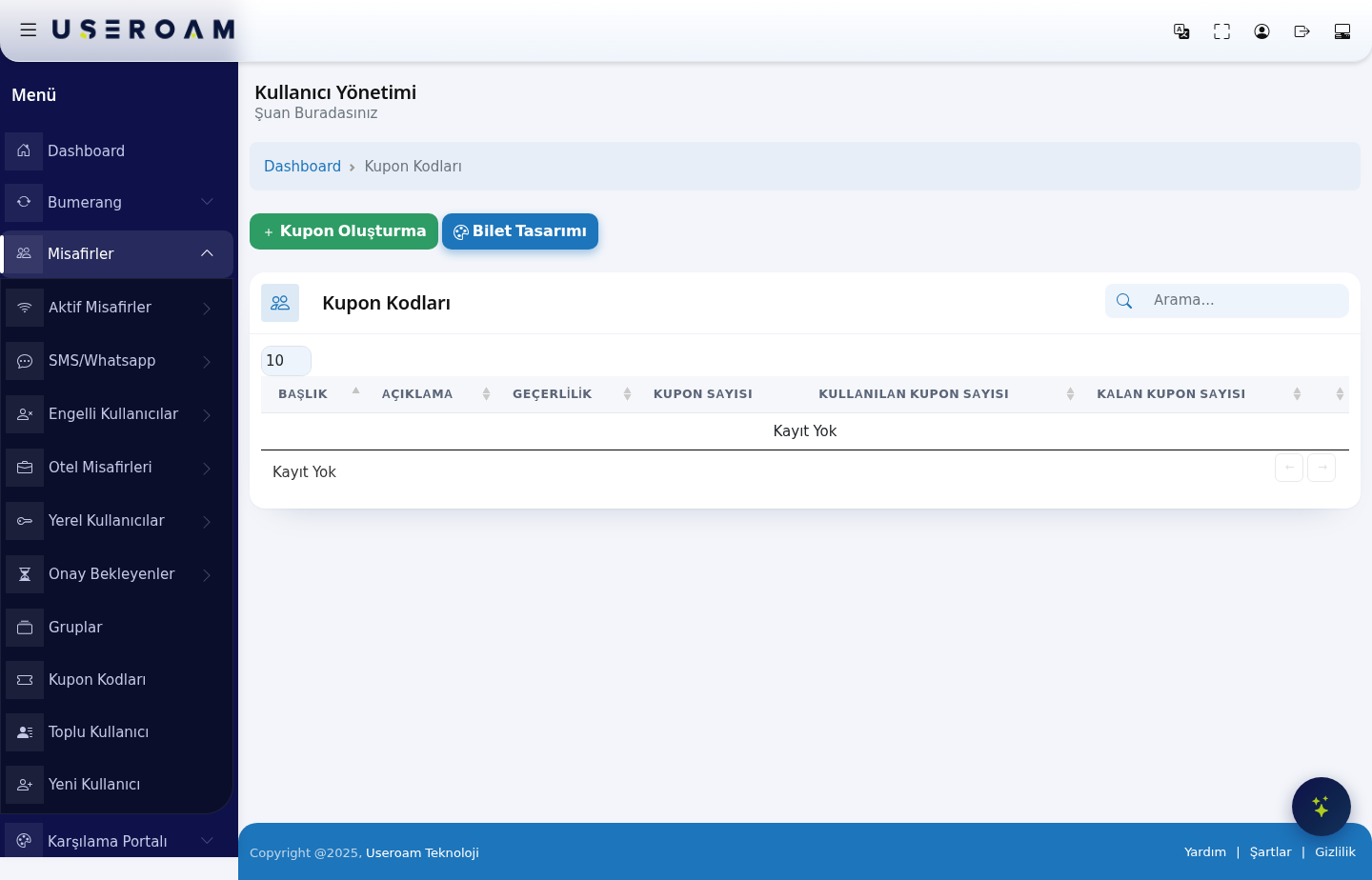
Table columns
- TITLE: the name of the coupon batch (for example "May Event").
- DESCRIPTION: free text describing the batch.
- VALIDITY: how long the coupons can be used for.
- COUPON COUNT: the total number of codes generated in the batch.
- USED COUPONS: how many codes guests have redeemed.
- REMAINING COUPONS: how many are still unused — this is how you track how much of your printed stock is left.
When there are no records, the table reads "No Record".
Create Coupons
The Create Coupons button generates a new coupon batch. You set the batch title, description, validity period and how many codes to generate. Code length and character type follow the rules on the Settings → SMS Settings page.
Ticket Design
The Ticket Design button edits the ticket template the coupons are printed on. Set your business name, logo and description text here, then print — so the codes can be cut out and handed over directly.
Enabling coupon login
For guests to be able to enter a coupon code on the portal, the Registration with coupon option must be enabled in the relevant portal settings: Captive Portal → SMS Portal Settings or WhatsApp Portal.
Related pages: Guests → Bulk Users, Guests → Groups, Analytics and Reports → Audit Log (
coupon_check/coupon_redeementries).