
Hotel Guests
The Hotel Guests list shows guests who signed in through the hotel portal with a room number and identity details. Use it to see who is on the network during their stay and when access expires based on the checkout date.
How do I open this screen? From the left menu, go to Guests → Hotel Guests.
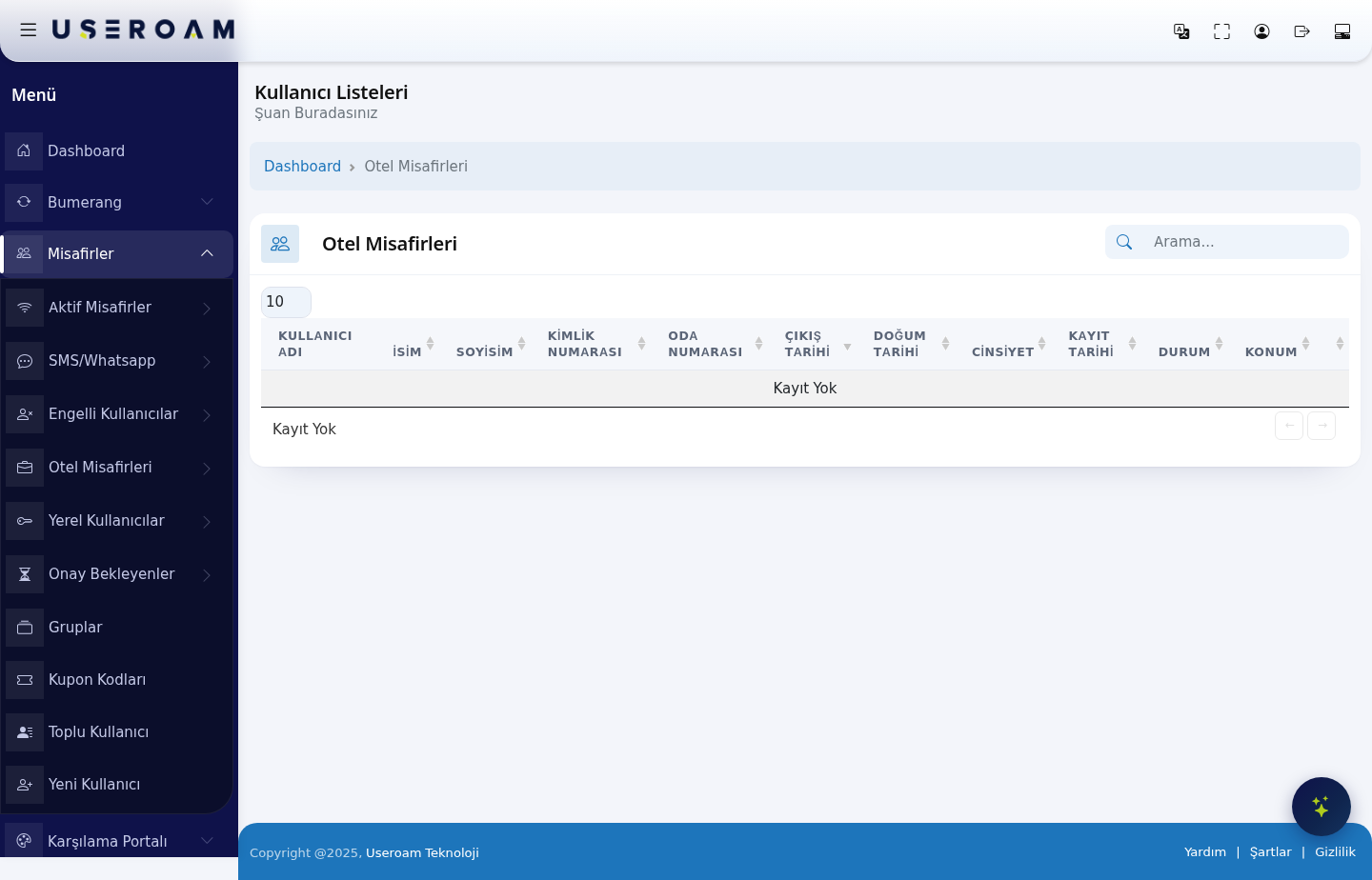
Table columns
- USERNAME: the guest's identity in the system.
- FIRST NAME / LAST NAME: the guest's name.
- ID NUMBER: the identity number verified at login. This field is populated in deployments where identity verification is required under Law No. 5651.
- ROOM NUMBER: the room the guest is staying in — this is how you match a guest to a room during a complaint or support request.
- CHECKOUT DATE: the end of the stay. The guest's Wi-Fi access ends on this date — if the stay is extended, the date must be updated.
- DATE OF BIRTH and GENDER: demographic details captured at registration.
- REGISTRATION DATE: when the guest signed in to the system.
- STATUS: whether the account is active.
- LOCATION: the device/hotel the guest belongs to.
When there are no records, the table reads "No Record".
Navigating the list
The Search box filters instantly across all columns — the fastest way to find a guest by room number. The 10 / 25 / 50 / 100 / All selector sets records per page.
Related pages: Hotel Solution → Guest Portal (login screen settings), Hotel Solution → Room Board, Hotel Solution → Speed Package Sales.