
SMS / WhatsApp Users
The SMS/WhatsApp list shows every guest who registered with a phone number through the captive portal. It is the main list of your guest database; campaign targeting and data-protection requests both run through it.
How do I open this screen? From the left menu, go to Guests → SMS/WhatsApp.
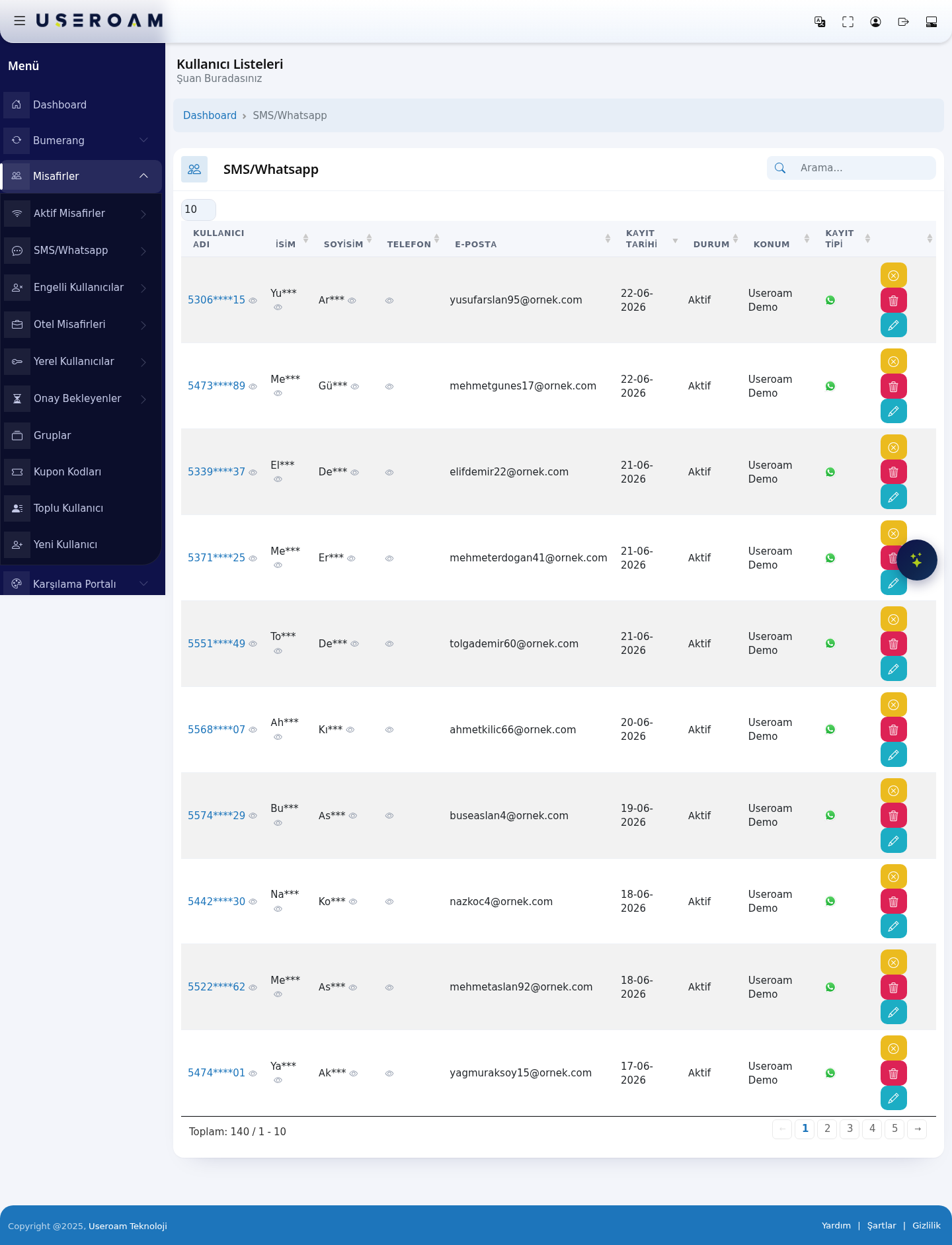
Data masking: phone numbers (
5306****15) and names (Yu*** Ar***) are shown masked in the list. This is a data-protection measure that keeps personal data from being exposed unnecessarily on the panel screen.Table columns
- USERNAME: the guest's identity in the system (masked phone number).
- FIRST NAME / LAST NAME: populated (masked) if the name field is enabled on the portal.
- PHONE: the guest's number.
- E-MAIL: populated if the email field is enabled on the portal.
- REGISTRATION DATE: when the guest first registered.
- STATUS: the account's state (Active / inactive). Blocked guests are listed on the Blocked Users page.
- LOCATION: the device/location where the guest registered — in multi-site businesses this shows which branch.
- REGISTRATION TYPE: the channel the registration came through (SMS or WhatsApp).
Navigating the list
The Search box at the top filters instantly across all columns; the 10 / 25 / 50 / 100 / All selector sets records per page. The total ("Total: 140 / 1 - 10") and the page numbers sit below the table.
Related pages: Analytics and Reports → SMS / WhatsApp Reports (date-ranged report), Bumerang → Guest 360° (guest profile), Bumerang → Opted-in Guests (those with marketing consent).