
Hotel Studio
Hotel Studio is where you edit the design of the guest page directly on a live preview. Tap the text and type, drag rows by their handle, tap the cover or logo to replace them — no code required.
How do I open this screen? From the left menu, go to Bumerang → BUSINESS → Studio. (The Studio button on the Hotel Guest Portal screen opens it too.)
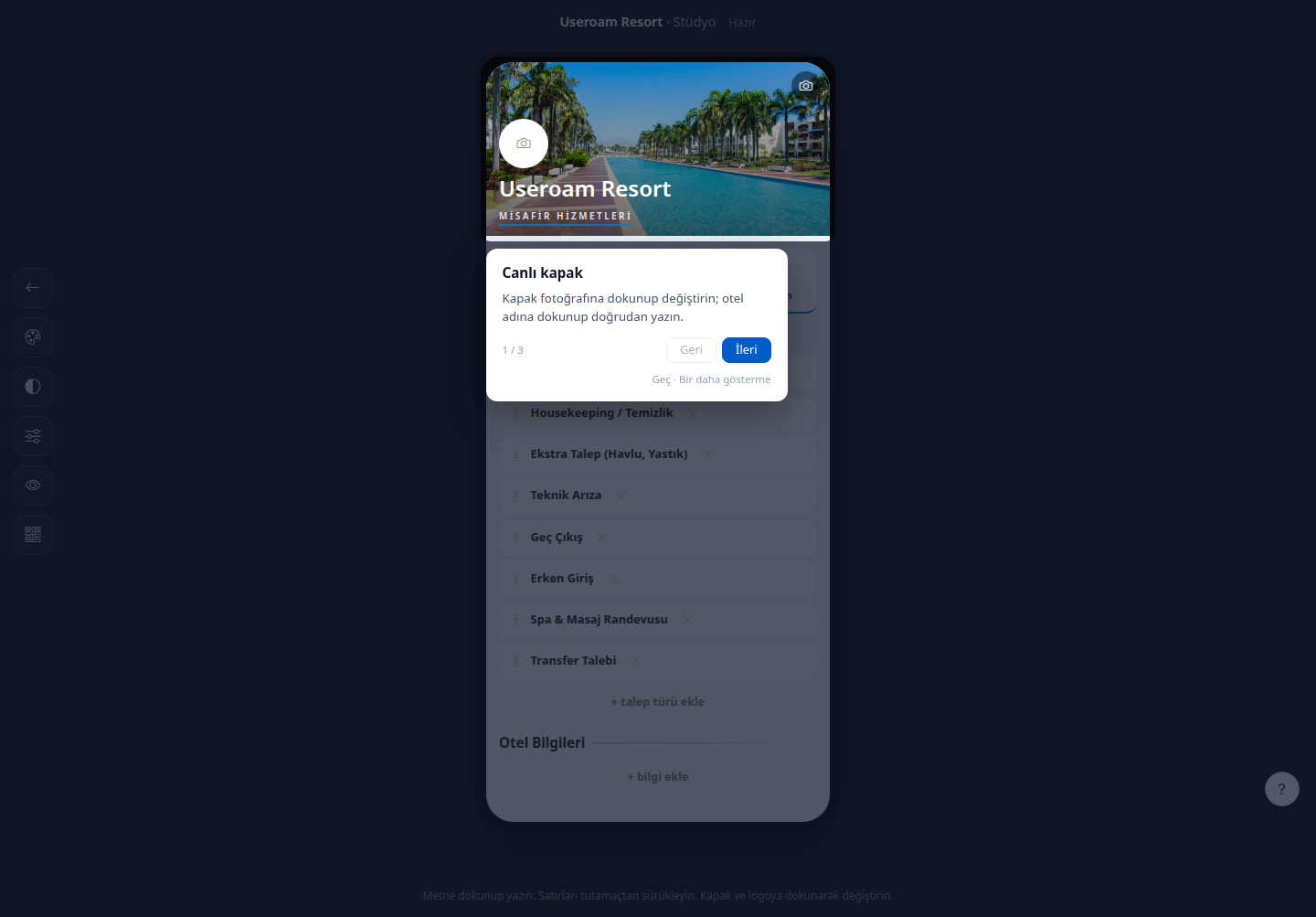
1. Direct editing
- Text: tap any text on the page and type straight into it.
- Order: reorder rows by dragging the handle on the left.
- Cover and logo: tap the cover photo or the logo to replace it.
- Hotel name: tap the heading and type.
Page sections are managed here too: + add request type adds a new request type and + add information adds a new hotel-information row.
2. Ready-made themes
Choosing a theme bundle changes all colours and typography in one move:
- Automatic / my own theme — keeps your existing settings.
- Resort — warm gold, night tones.
- Boutique — anthracite and champagne.
- Coastal — pale sand and sea.
- Business — navy and brass.
3. Typography and shape
- Font: ready-made pairings for heading and body — Corporate (Lora + Inter), Editorial (Fraunces + Inter), Clean (Inter), Luxury (Cormorant + Inter), Classic (Cormorant + Nunito), Modern (Oswald + Rubik), Elegant (Lora + Noto Sans), Soft (Quicksand), Plain (Rubik).
- Font size, Corner rounding (Small / Medium / Large), Shadow (Low / Medium / High) and Spacing (None / Light / Pronounced).
- Secondary accent colour: set with a colour picker.
4. Cover settings
- Cover height: Short / Medium / Tall.
- Background: theme default, solid colour, gradient or pattern.
- Pattern: dots, lines, squares or diagonal.
- Cover dimming: Light / Medium / Dark. This setting determines how readable the text over the image is — increase the dimming on light-coloured photos.
- Cover text position: Top / Middle / Bottom.
5. Buttons
6. Finding images
- Upload my own photo: upload your own image.
- Suggest a free image: type a keyword in the search box (for example pool, spa, lobby) to get royalty-free image suggestions. A practical option when you have no professional photography.
The Reset to theme button returns every visual setting to the selected theme's defaults.
Related pages: Hotel Solution → Guest Portal (content and request types), Retail Studio.