
Automation
Automation (Otomasyon) reports faults to your service company for you. For example, when a ventilation fault is opened in the kitchen, an e-mail goes to your ventilation company on your venue's behalf. The screen is shared by the restaurant and hotel modules.
How do I open it? In the left menu, go to Venue → Automation (İşletme → Otomasyon).
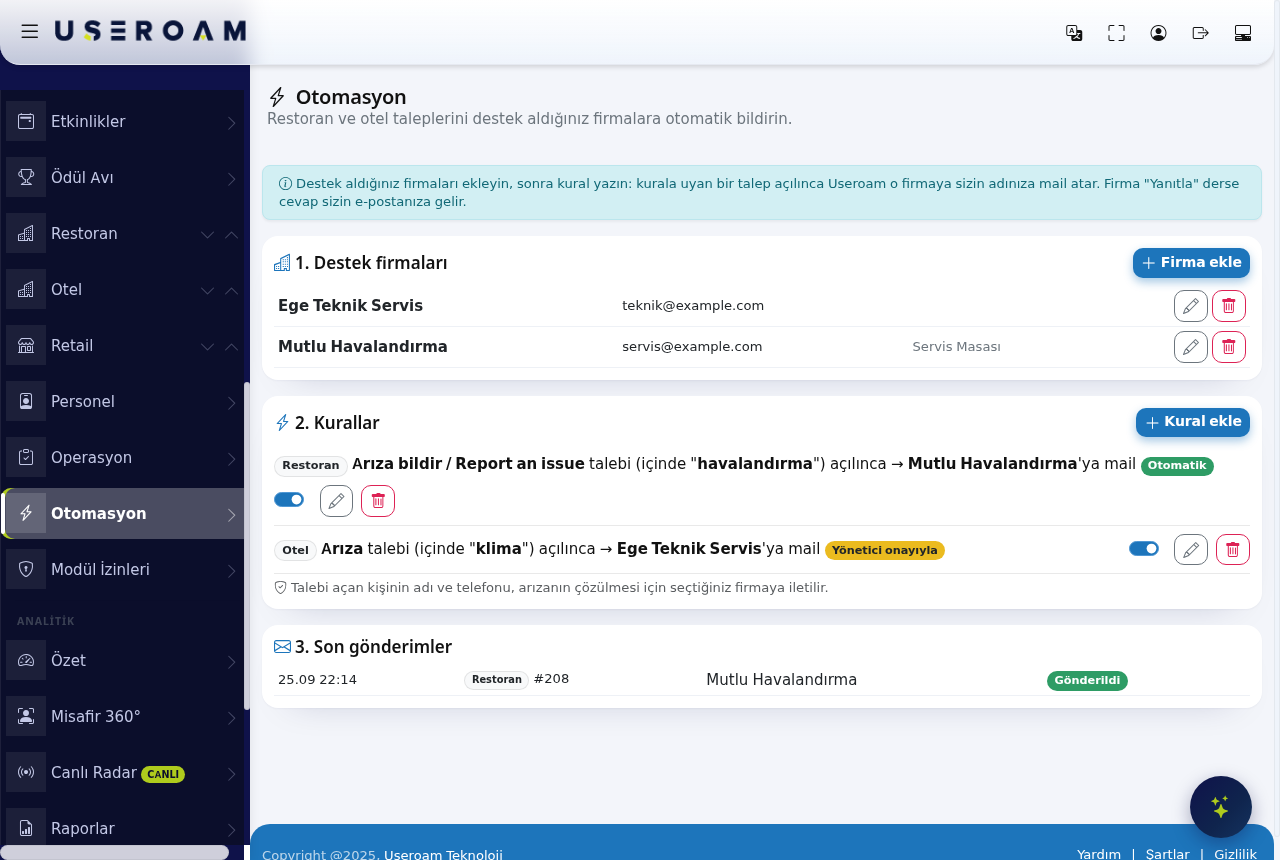
1. Service companies
- Press + Add company.
- Enter the company's name and e-mail address. Both are required.
- Phone and contact person are optional.
- Press Save.
2. Rules
A rule answers "when which request is opened, which company should be told?" and reads like a sentence on screen: Restaurant · Report an issue request (containing "havalandırma") opened → mail to Mutlu Havalandırma.
- Press + Add rule.
- Pick the section: Restaurant or Hotel.
- Pick the request type (e.g. Fault).
- Optionally narrow it with a place and a keyword. The keyword is a word that appears in the request description (e.g. air conditioning).
- Pick the company to notify.
- Pick how it runs:
- Automatic: the mail goes as soon as the request is opened.
- Manager approval: the mail waits and goes when a manager approves it.
- Press Save. You can switch a rule off temporarily with its toggle.
3. Recent sends
Lists which company was written to, for which request and when. Pending, sent and failed sends appear here.
How the mail is sent
- The mail is sent on behalf of your venue. If the company presses Reply, the answer comes to your e-mail address.
- The mail contains the request subject, place, description and photo if there is one.
- In the request list, a reported request shows ✉ Company name · Sent. To send a request that matches no rule, use the Notify company button on its row.
- In the staff app, managers see the same information as a badge on the request card.
Privacy note (KVKK): The name and phone number of the person who opened the request are passed to the company you chose, so the fault can be fixed. Make sure your agreement with the company covers this sharing.
Related pages: Restaurant Solution → Requests, Operations; Hotel Solution → Request Management.