
Calls
The Calls tab collects the calls guests make from the table QR: calling a waiter and asking for the bill. The phone gets a notification when a call arrives.
How do I open it? The Calls tab in the bottom bar. The number on the tab is the count of waiting calls.
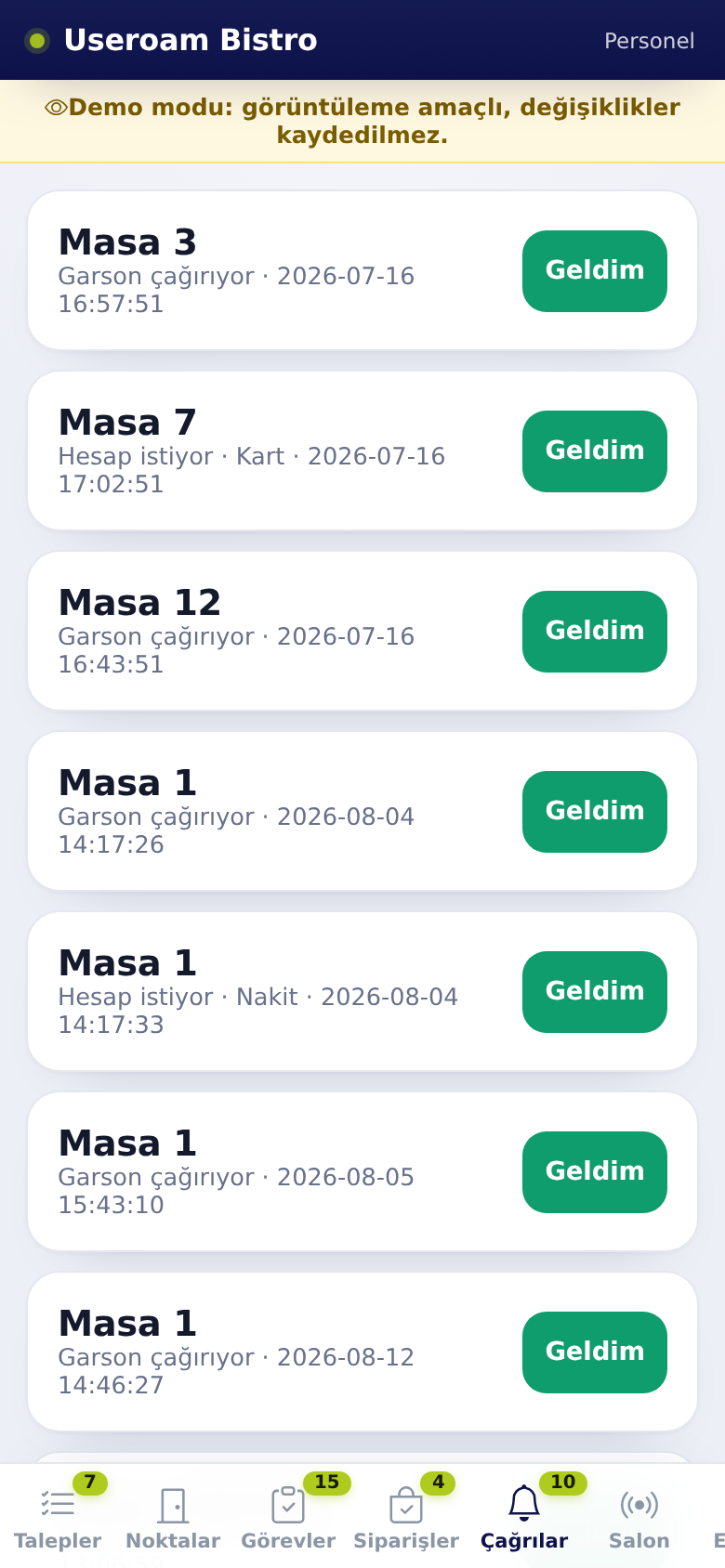
1. Answering a call
- Check the table number, call type and time: Calling waiter or asking for the bill (Hesap istiyor). Bill calls also show the payment choice (card / cash).
- Go to the table.
- Tap Geldim (I am here). The call closes and the screen shows Closed. It also drops from the panel's Operations screen.
With no calls waiting you see "No pending calls.".
Where does the table number come from? From the table QR code the guest scanned. Without table QR codes, calls arrive without a table. Waiters who picked tables under My tables only get notifications for their own tables (see Orders).
Related pages: Useroam Go → Orders; Menu Operations.