
Manager Tools and Tasks
This page is for people who use the app with the manager role. A manager sees everything; staff see only the work of their own departments and their own points. Managers also get the tools below.
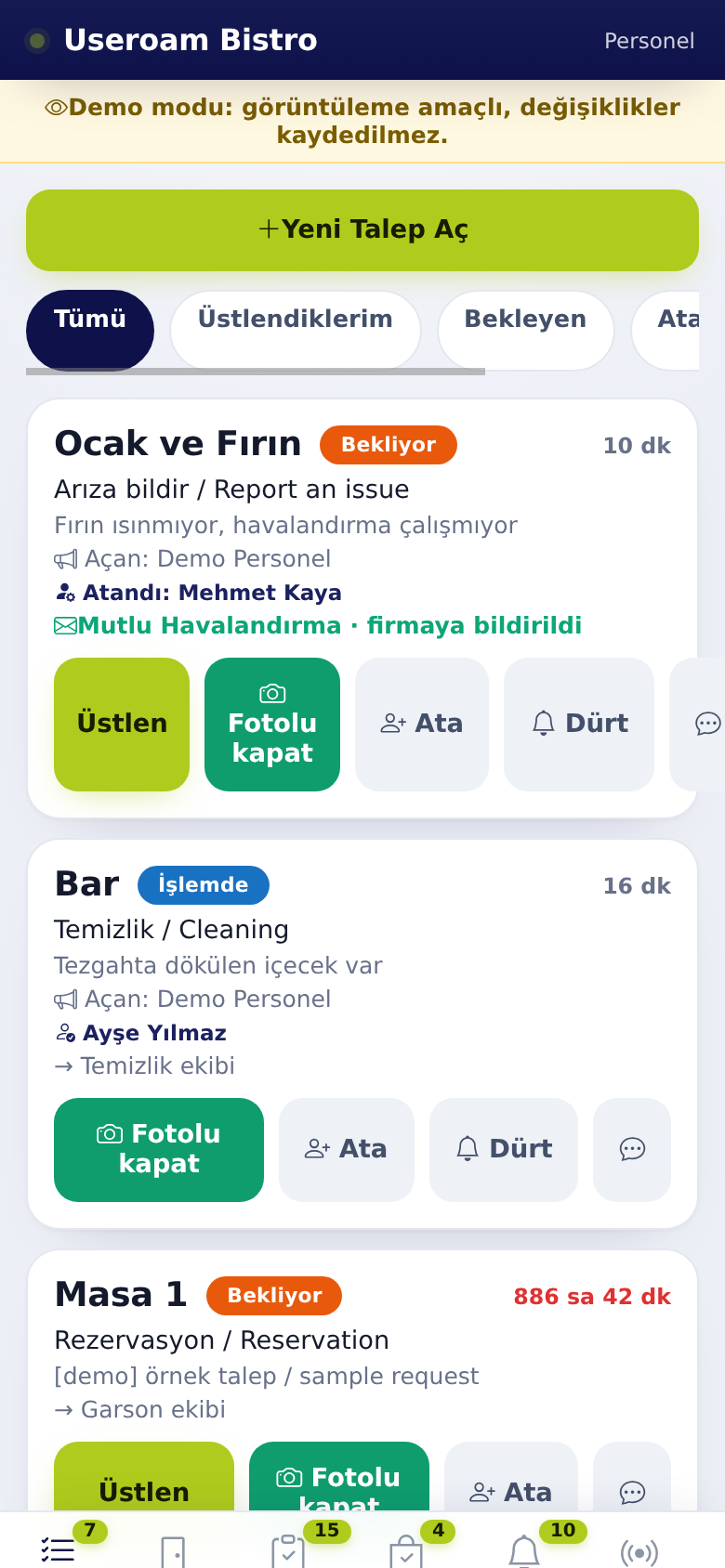
1. Giving a job to someone: Assign
- Tap Assign (Ata) on the request card.
- Pick the person from the list.
The chosen person gets a notification. If the job was with someone else before, the previous owner gets a "Job moved to someone else" notification.
If no one is picked, the system assigns the job itself: first to the least busy staff member of the request's department. A manager gets the job only if no one else is in the department.
2. Reminding: Nudge
Nudge (Dürt) sends a reminder notification to the person holding the job. It can be used once every 5 minutes for the same job. The request list in the panel also has a 🔔 Nudge button.
3. Quick filters
On the Requests tab, managers see two extra chips: Unassigned (jobs no one holds) and Late (jobs past their time).
4. Adding and editing tasks
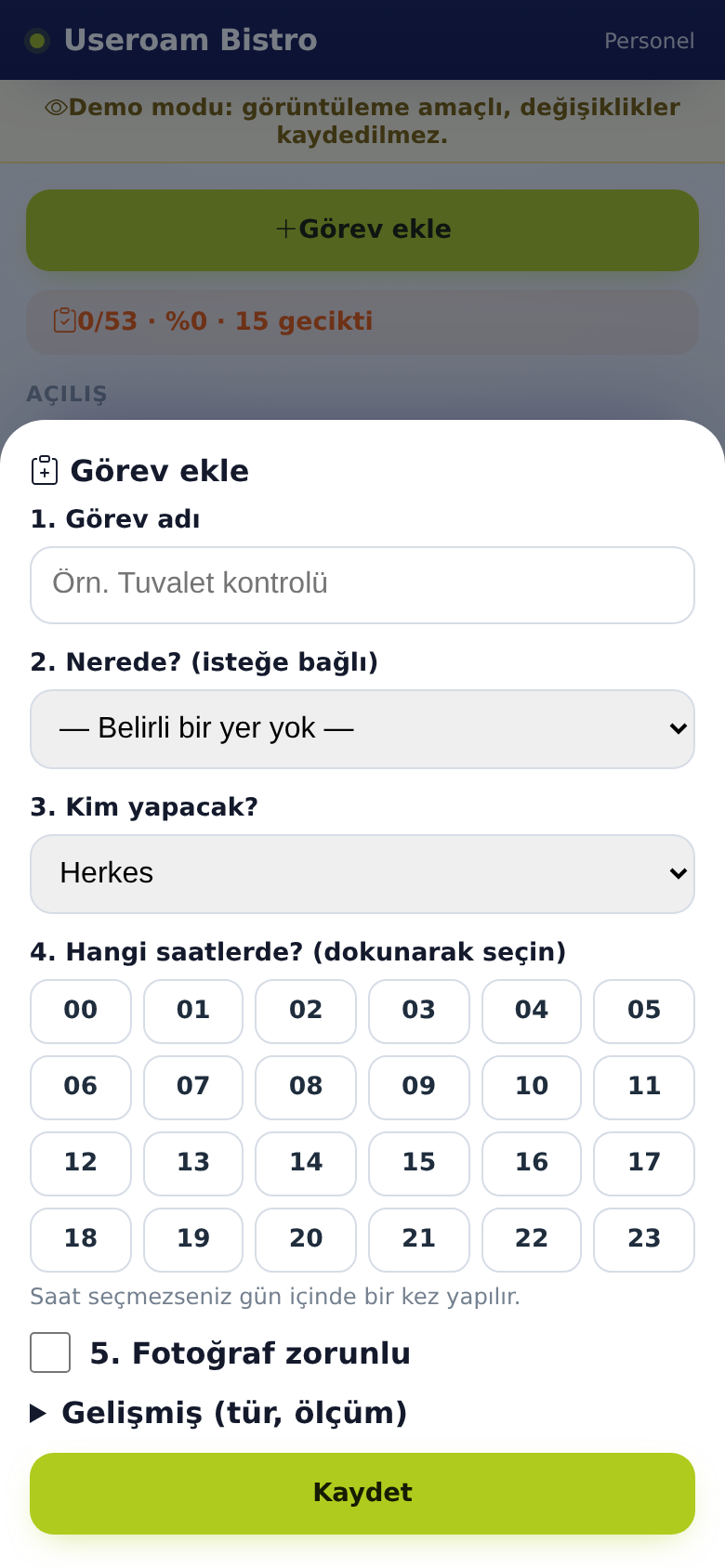
- On the Tasks tab, tap + Add task.
- Type the task name.
- Pick the place under Where? (optional).
- Pick a department or a person under Who does it?.
- Tap the hours to select them. If you select none, the task is done once during the day.
- Tick Photo required if needed.
- For measurement tasks, enter the type and limits under Advanced.
- Tap Save.
Edit next to an existing task opens the same window, where you can also delete it. On a late task, Nudge reminds the responsible team.
5. Room owner (hotel)
On the Rooms tab, tap a room and use Assign room owner to give it to a staff member. Cleaning jobs for that room go to this person.
6. Alerts
Requests that break an SLA rule (run past their time) reach managers as an app notification in addition to SMS. Requests reported to a service company show a company notified badge on the card.
Related pages: Useroam Go → Requests, Rooms; Operations, Automation.