
Role Guide: Floor and Event Staff
This page is for waiters, floor staff and event entrance staff: orders, table calls and event QR scanning.
1. What this role sees
- If your department has Orders, calls, floor ticked: Orders, Calls, Floor.
- If Event QR scanning is ticked and there is an active event: Event.
- Always: Profile.
2. Pick your tables at the start of the shift
- On Orders, open My tables.
- On each table you serve, tap I am serving this table.
- New orders from these tables now notify only you. At the end of the shift tap Release.
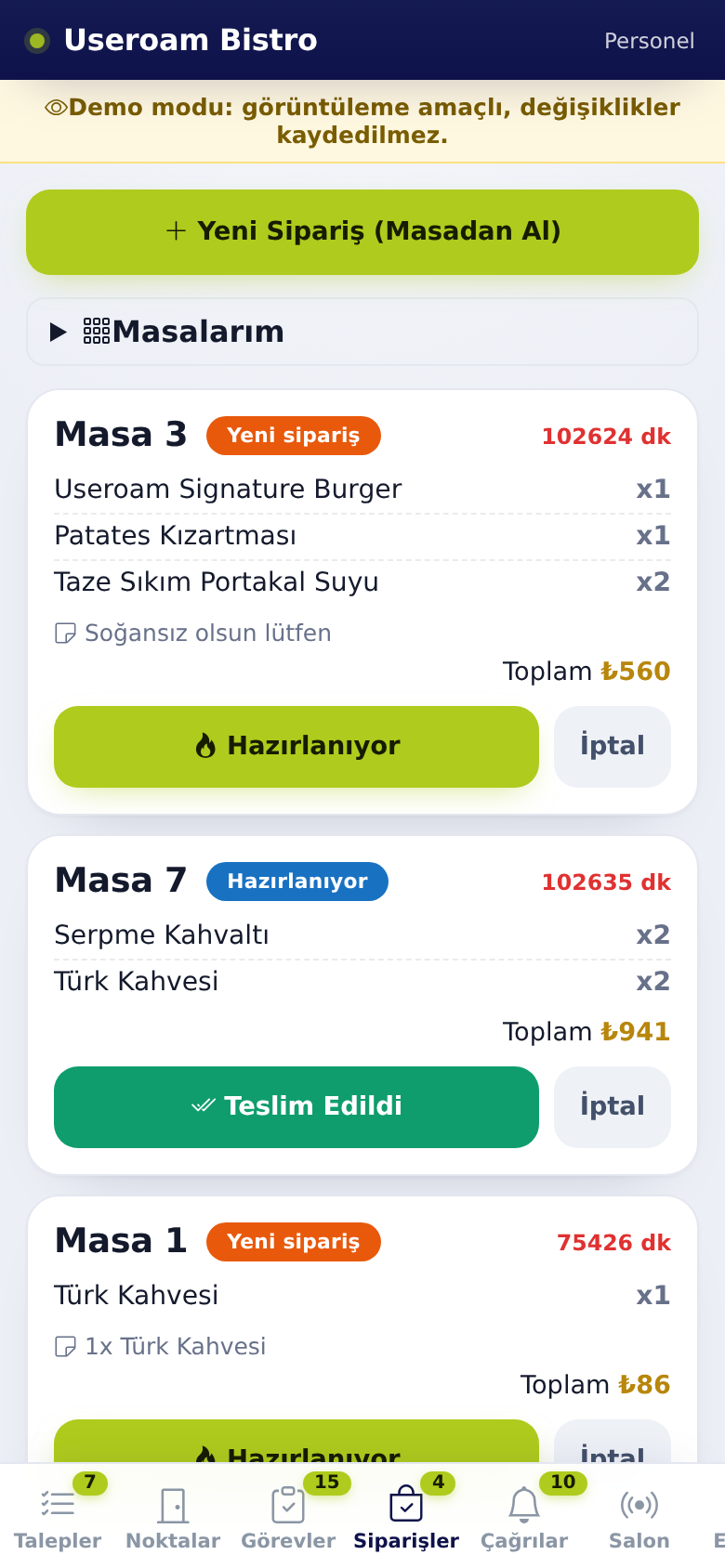
Screenshot taken from a manager account; your bottom bar only shows your own tabs.
3. Order flow
- When a new order arrives the phone alerts you; the card shows New order.
- Pass it to the kitchen and tap 🔥 Preparing.
- When you take it to the table, tap Teslim Edildi (Delivered).
- If a guest orders verbally, use New Order (From Table), choose the table and items, and tap Create Order.
4. Table calls
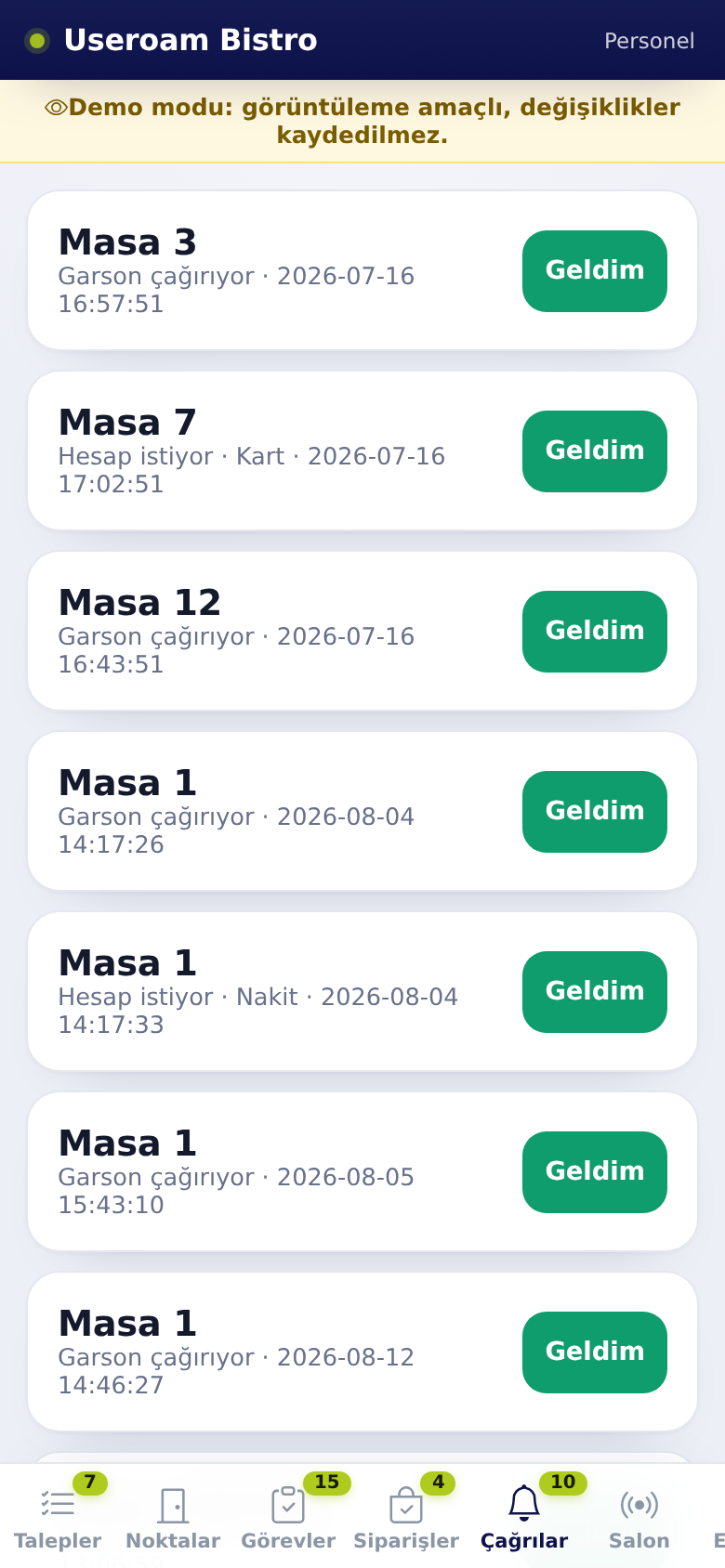
- On Calls, see Calling waiter or bill requests.
- Go to the table and tap Geldim (I am here).
5. Event entrance
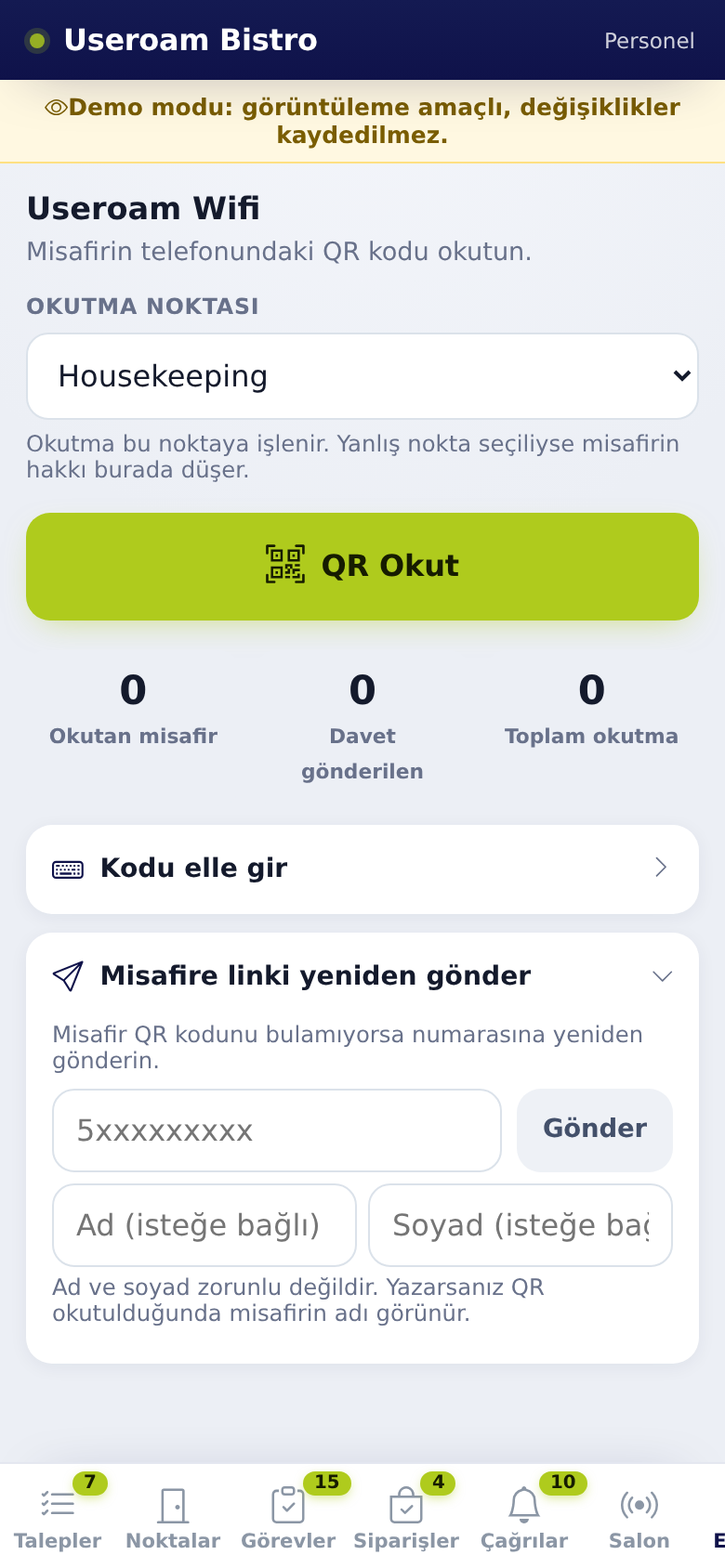
- On Event, choose the Scanning point.
- Tap Scan QR and scan the guest's QR code.
- If it will not scan use Enter code manually; if the guest cannot find the code use Resend link to guest.
6. FAQ
I do not get orders from another waiter's table. Correct; that table shows Served by {ad}. If you need it, that person must tap Release.
A call has no table number. The guest may have scanned the general menu QR instead of a table QR; your manager creates table QR codes in the panel.
"This guest has already used their entitlement in this department". The guest's allowance at this point is used up; do not scan again.
There is no Orders tab. Your department does not have Orders, calls, floor ticked, or the digital menu is off; tell your manager.
Related pages: Useroam Go → Orders, Calls, Floor, Event.