
Role Guide: Restaurant Staff
This page is for restaurant staff doing cleaning, technical or kitchen work. It walks through your day step by step.
1. What this role sees
- Requests: requests for your department and requests you opened.
- Points: only the places you are responsible for (e.g. Oven and Stove under Kitchen).
- Tasks: daily tasks given to you or your department.
- Profile.
If your department also has Orders, calls, floor ticked, you see those tabs too. The Summary tab and the Assign and Nudge buttons are for managers.
2. Starting the day
- Open the app and sign in with your mobile number and password.
- On Requests, tap the Assigned to me chip to see what you hold.
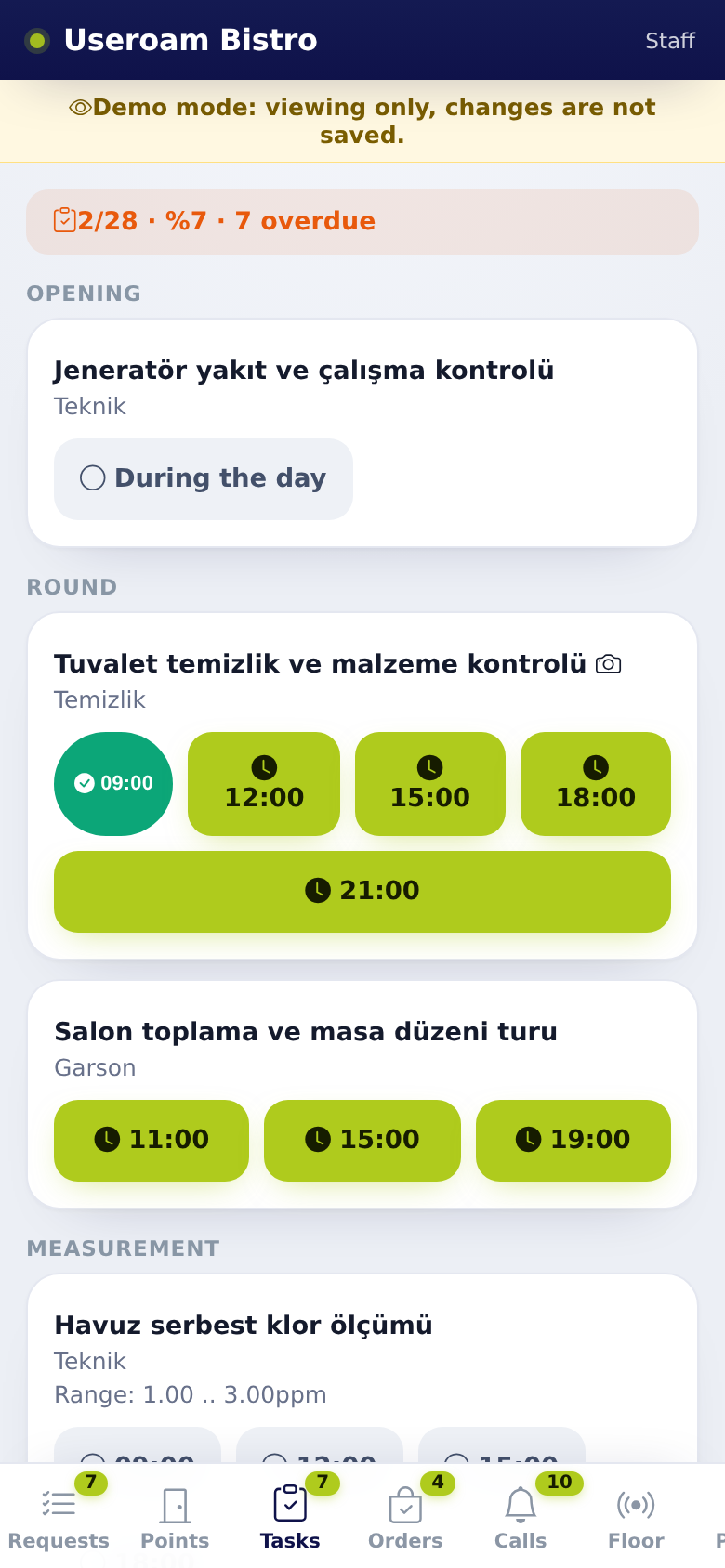
- On Tasks, check today's timed tasks.
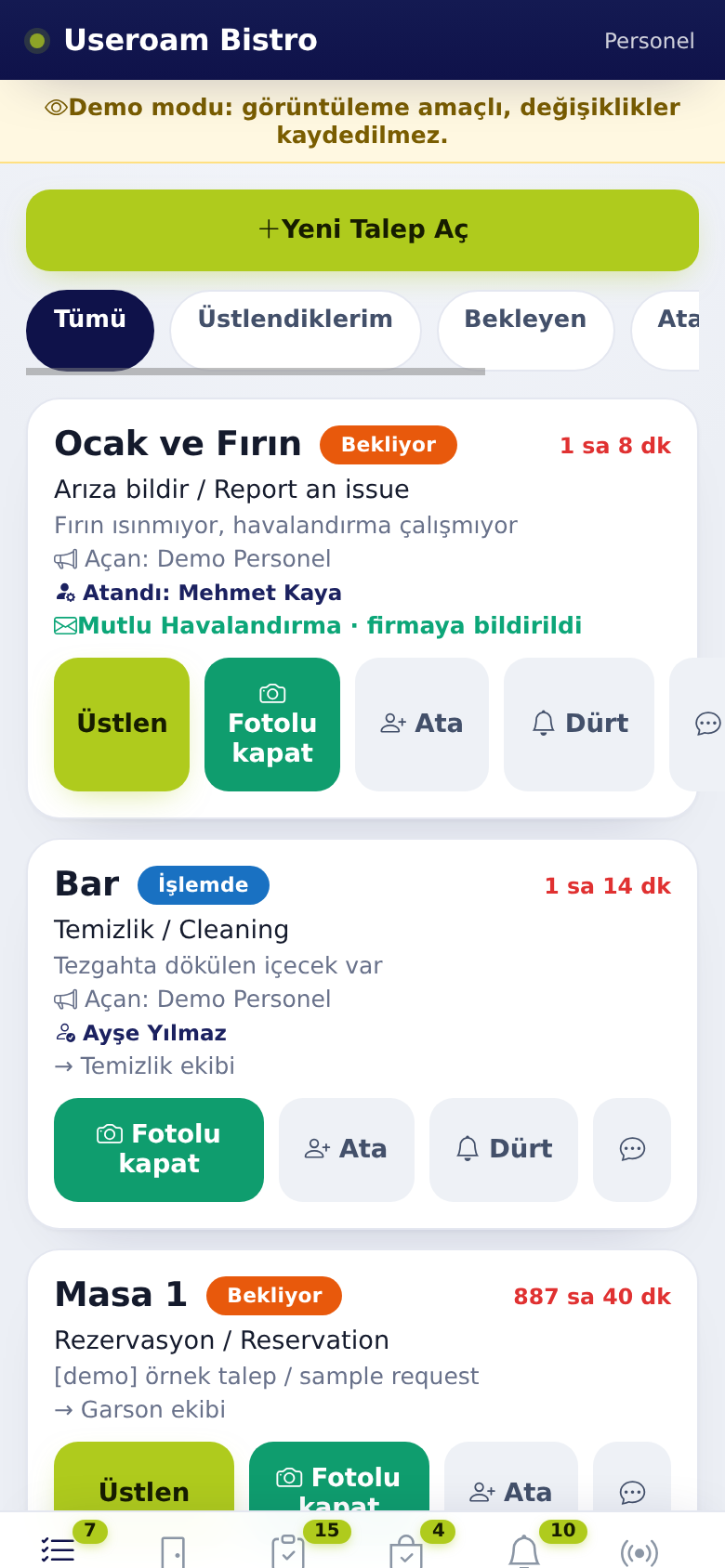
Screenshot taken from a manager account; staff do not see Assign, Nudge, Unassigned/Overdue or Assign room owner.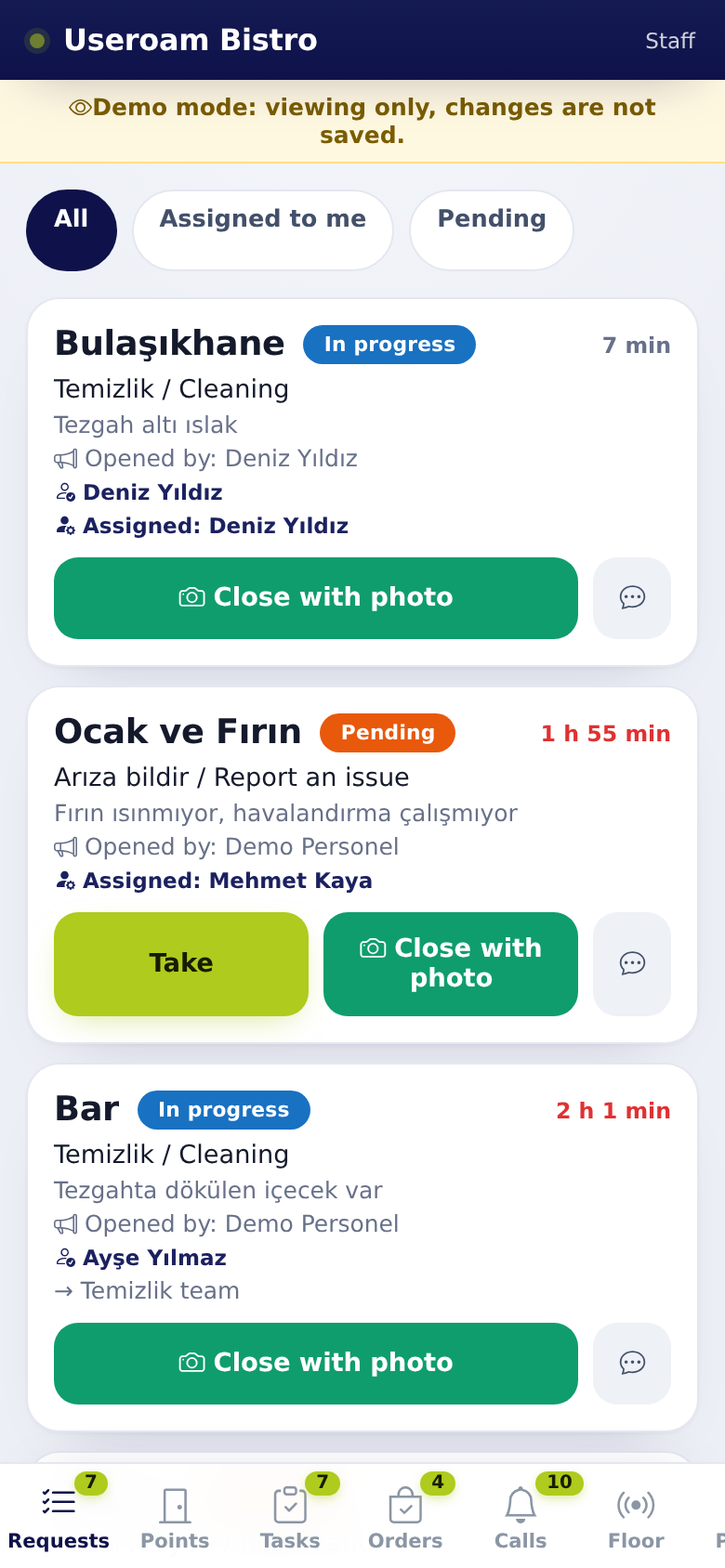
3. Doing a request
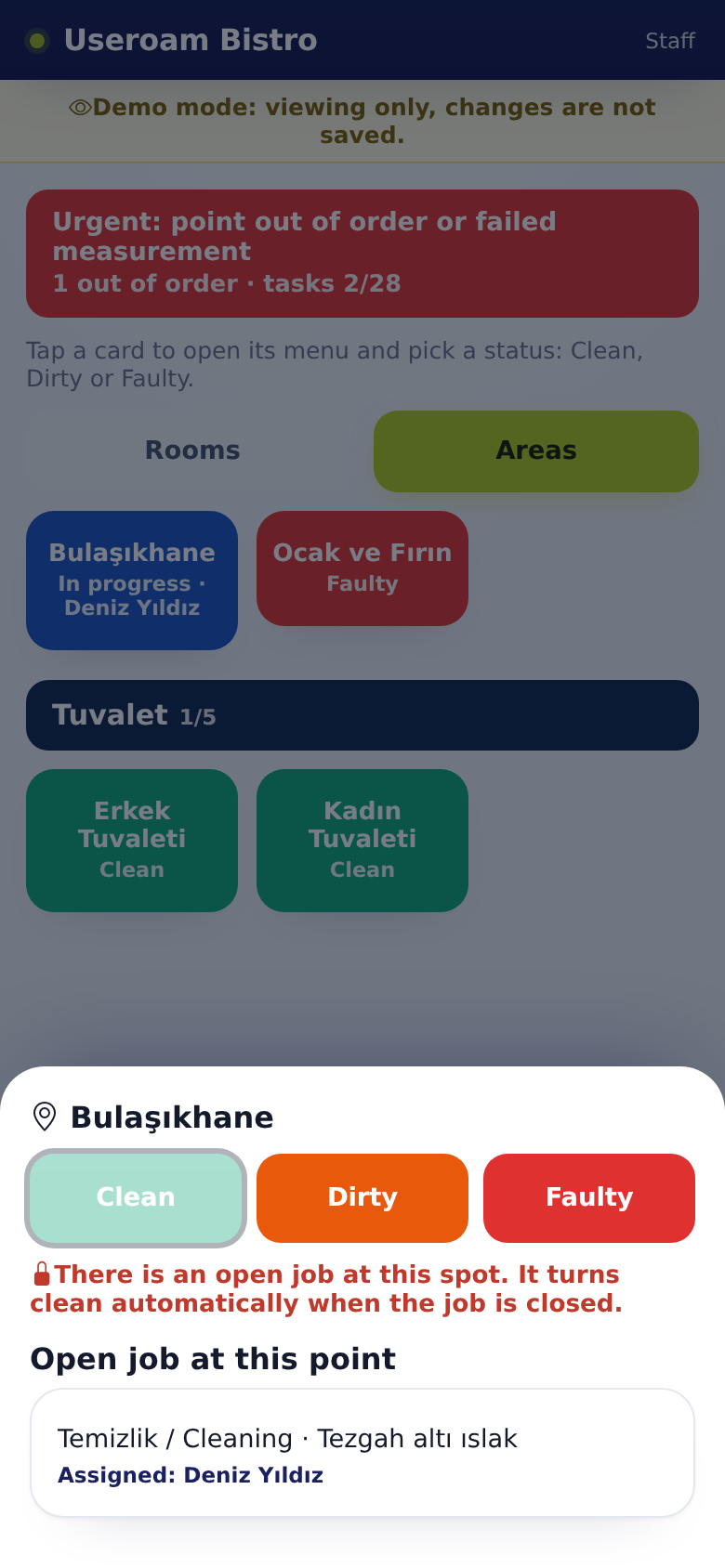
- Take the job: tap Take on the request card or, on site, tap the place on Points and choose ▶ Start job. Both do the same; use one. The tile turns blue and shows In progress · Your name.
- Do the work.
- On the request card tap
Fotolu kapat(closeClose withphoto)photo, take a photo of the finished job and close. - The place turns Clean (green) by itself.
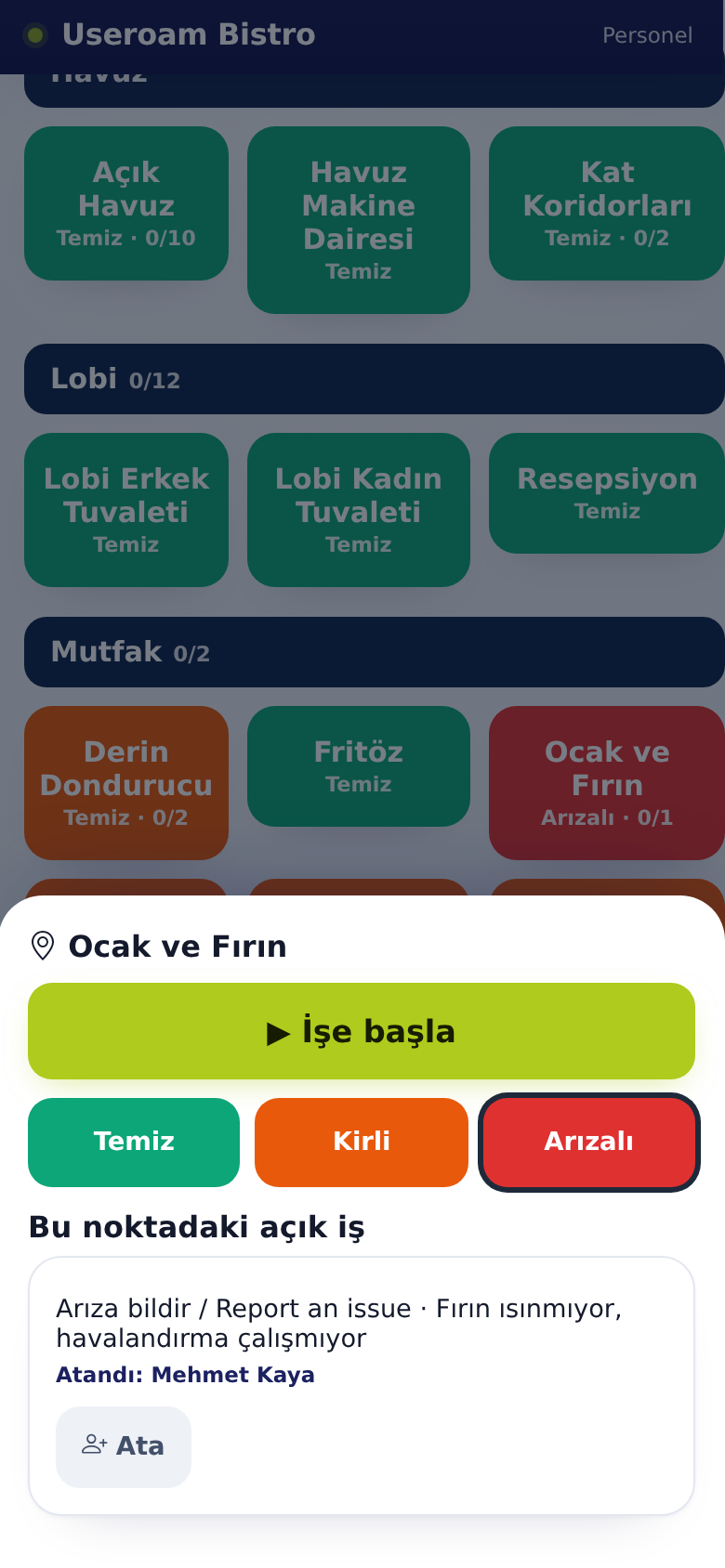
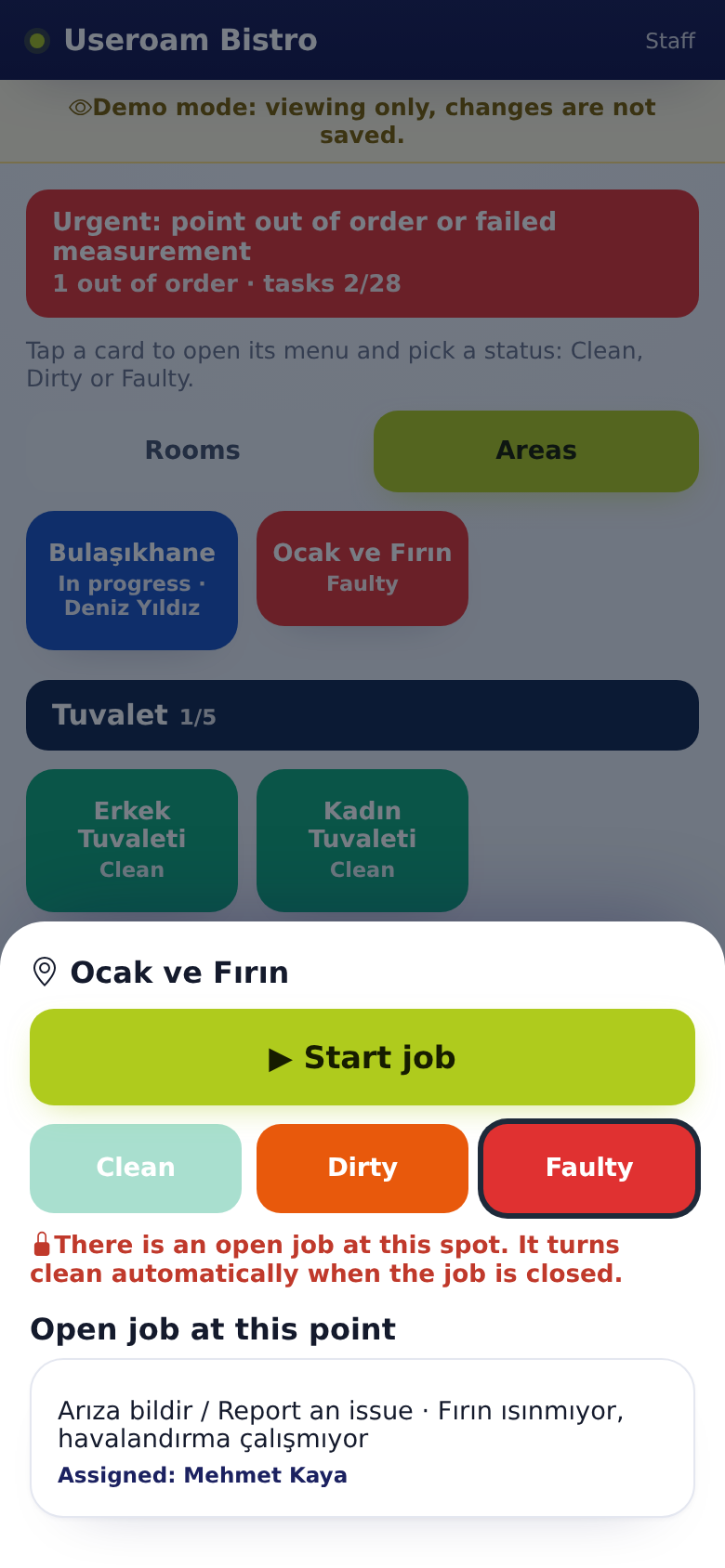
ScreenshotOnce takenyou fromtake athe managerjob, account;the stafftile doon notPoints seeturns Assign,blue:
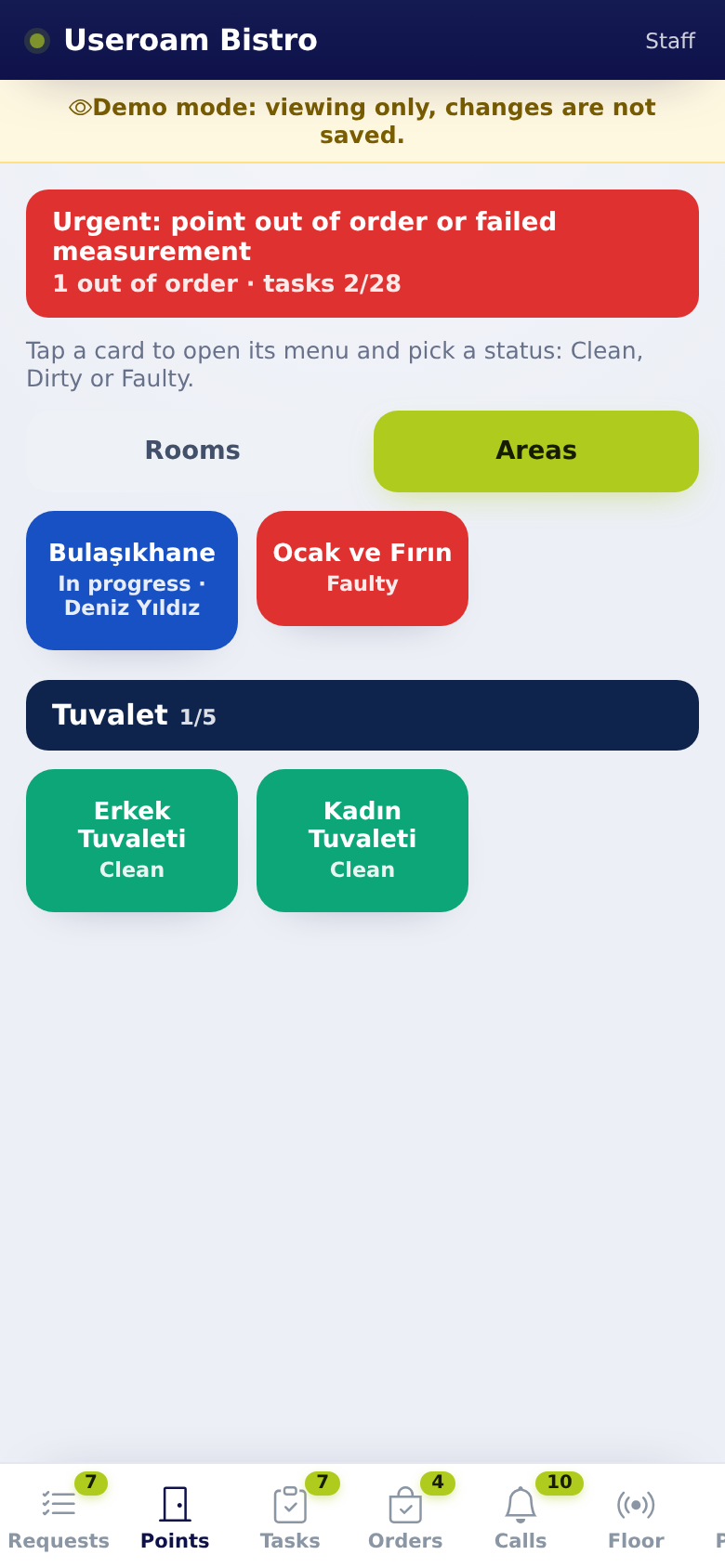
4. Reporting a problem you see
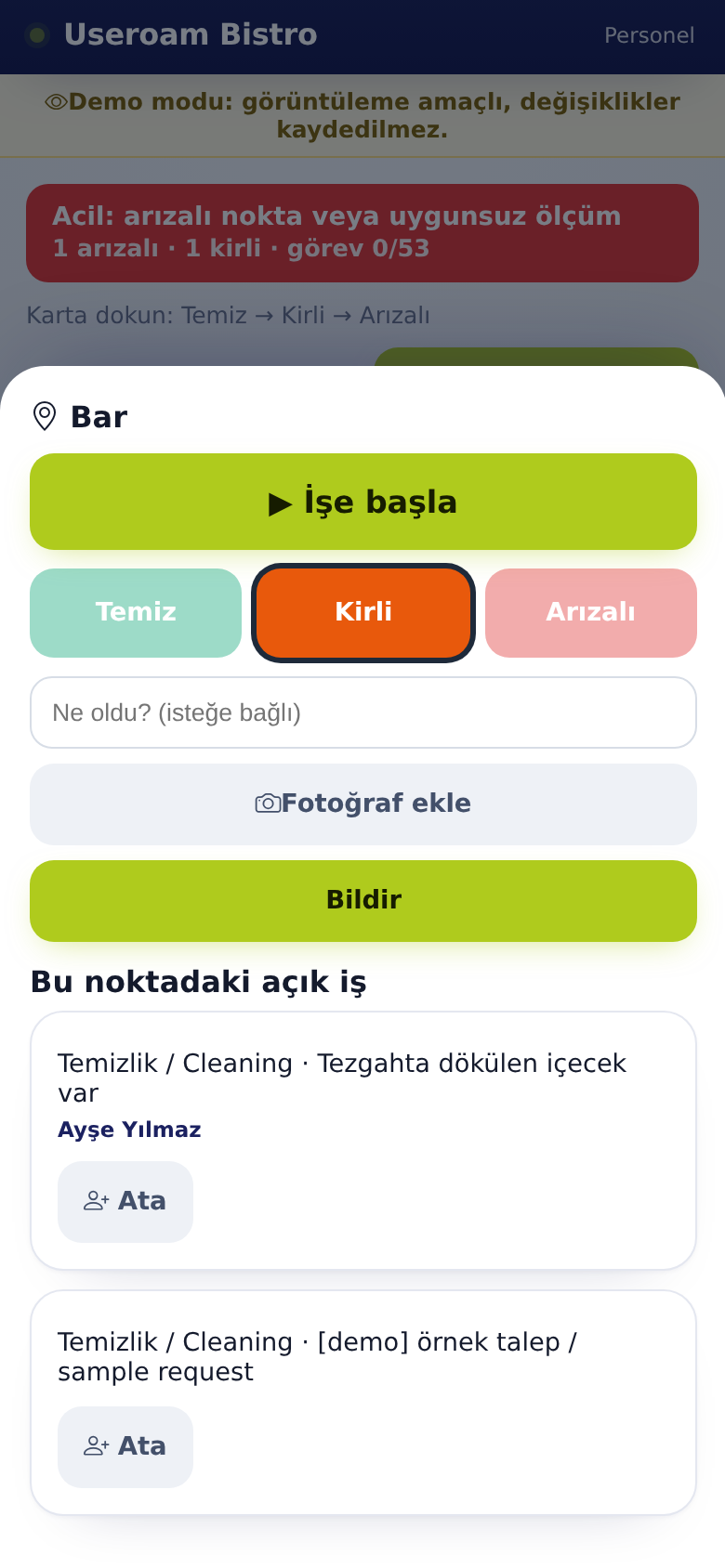
- On Points, tap the place.
- Choose Dirty (needs cleaning) or Faulty (something is broken).
- Write a short note in What happened? (optional) and tap Add photo if you like.
- Tap Report. A request opens and goes to the least busy person.
Screenshot taken from a manager account; staff do not see Assign, Nudge, Unassigned/Overdue or Assign room owner.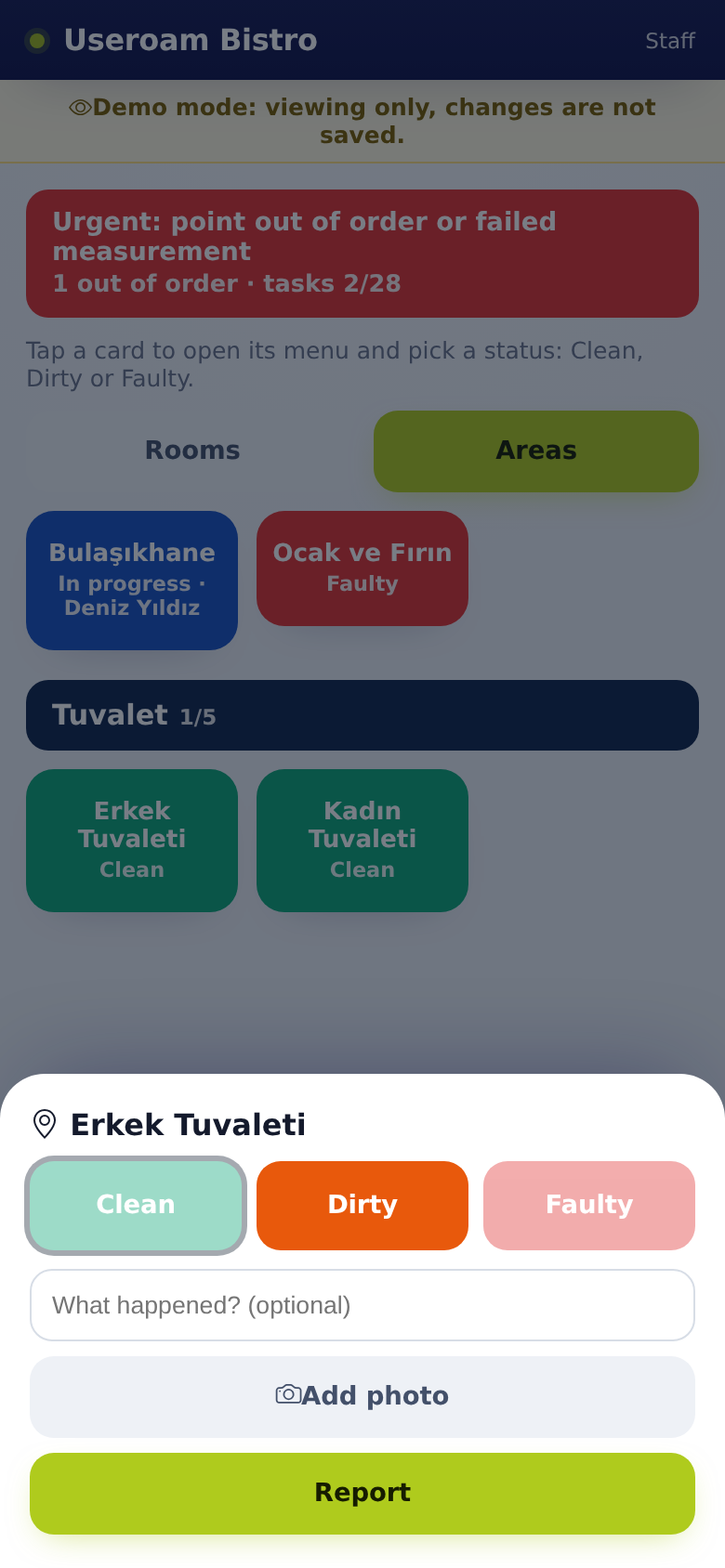
5. Doing a task
- On Tasks, tap the task's hour.
- For a measurement task, enter the value (e.g. fridge temperature).
- If it says Photo required, take a photo.
- Tap Complete.
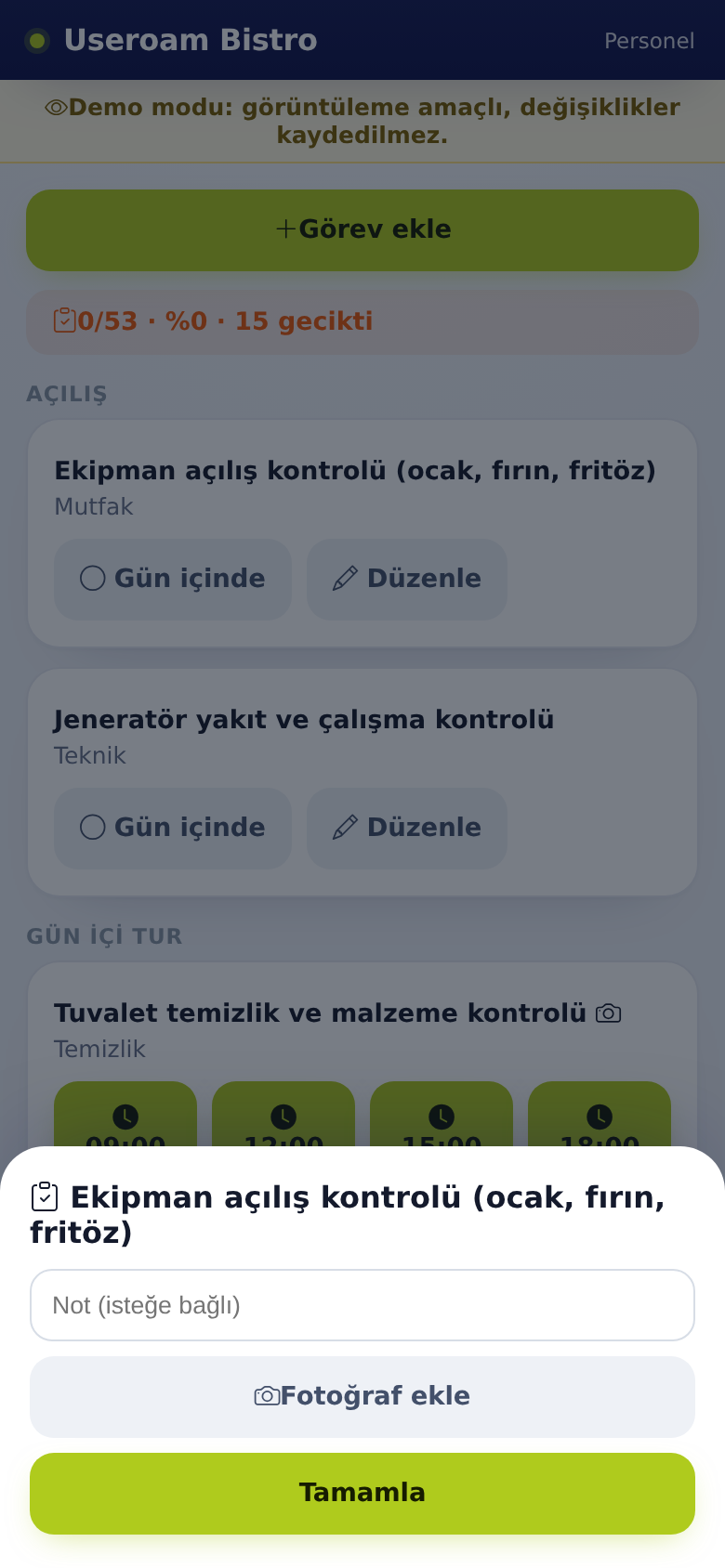
An hour you have done turns green with a tick (09:00 below):
6. FAQ
A point is missing from my list. You only see places you are responsible for. Ask your manager to make you responsible for it.
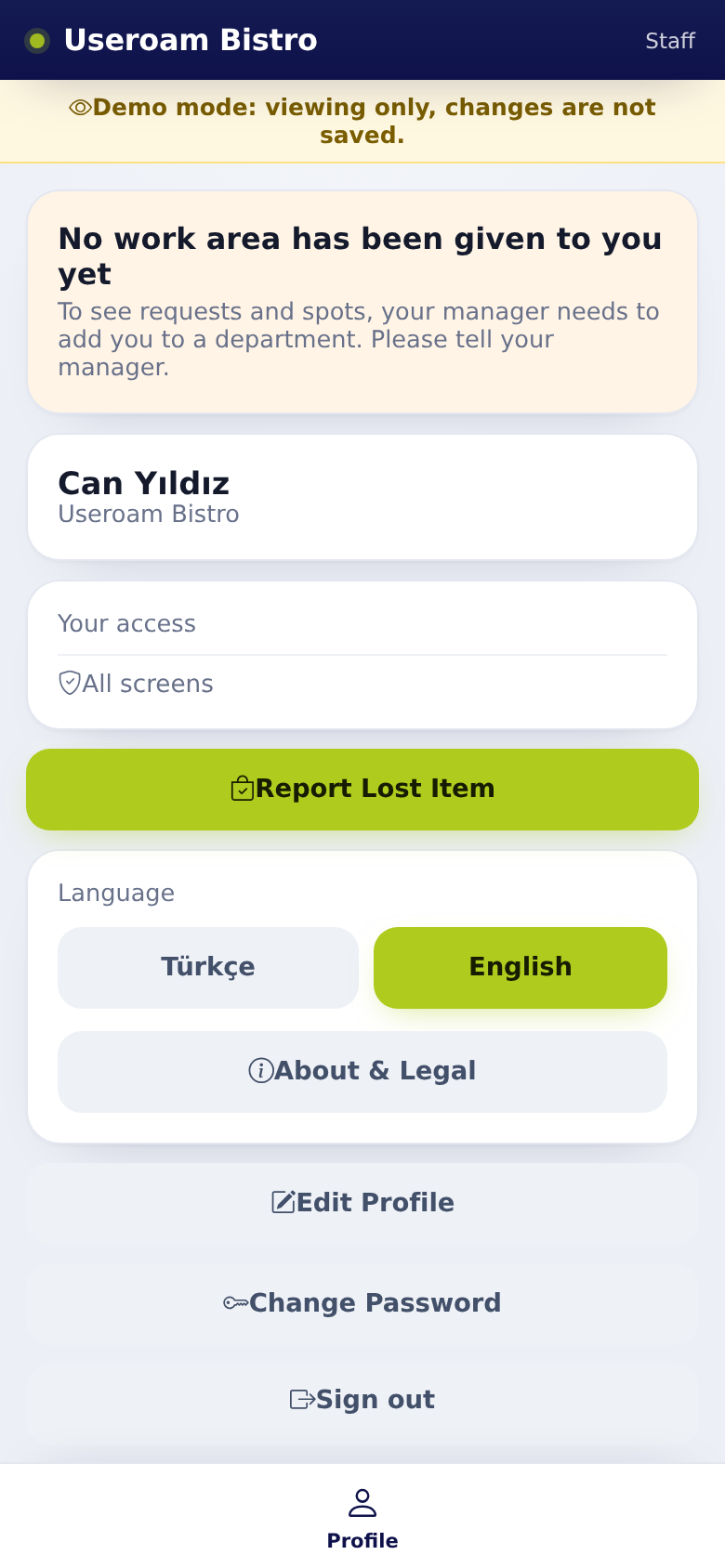
IIt onlysays see"No thework Profilearea tab.has been given to you yet". You have not been added to a department yet;yet, tellso you cannot see requests or points. Tell your manager.
It asks for photos when closing. The venue requires photos for this request type; add the required number.
I got a "Nudge" notification. Your manager is reminding you of a job; do it and close it.
Can I open a request myself? If the venue allows it, + New Request appears at the top of Requests.
Related pages: Useroam Go → Requests, Rooms, Tasks, Messages and Errors.