
Summary
What is it for?
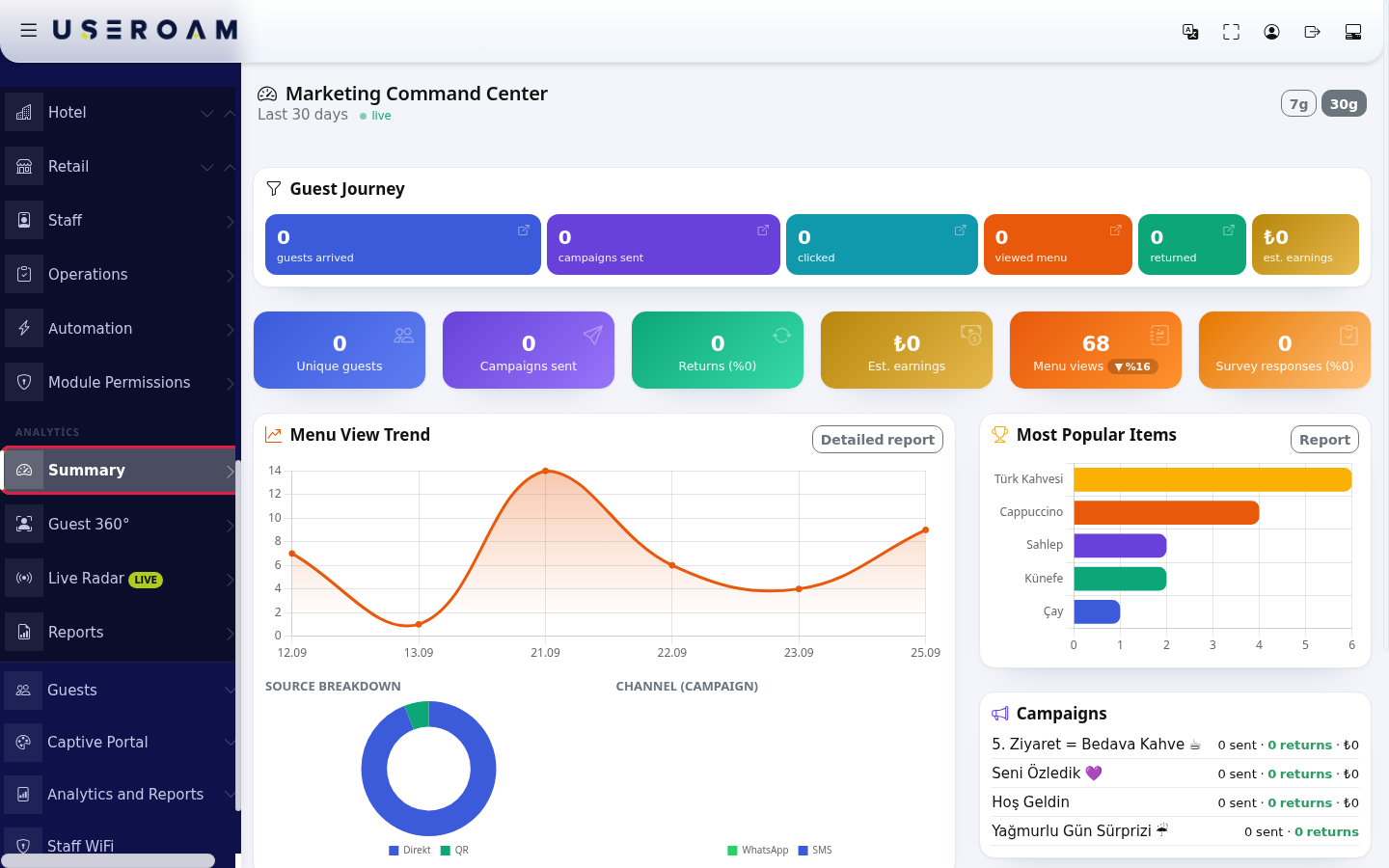
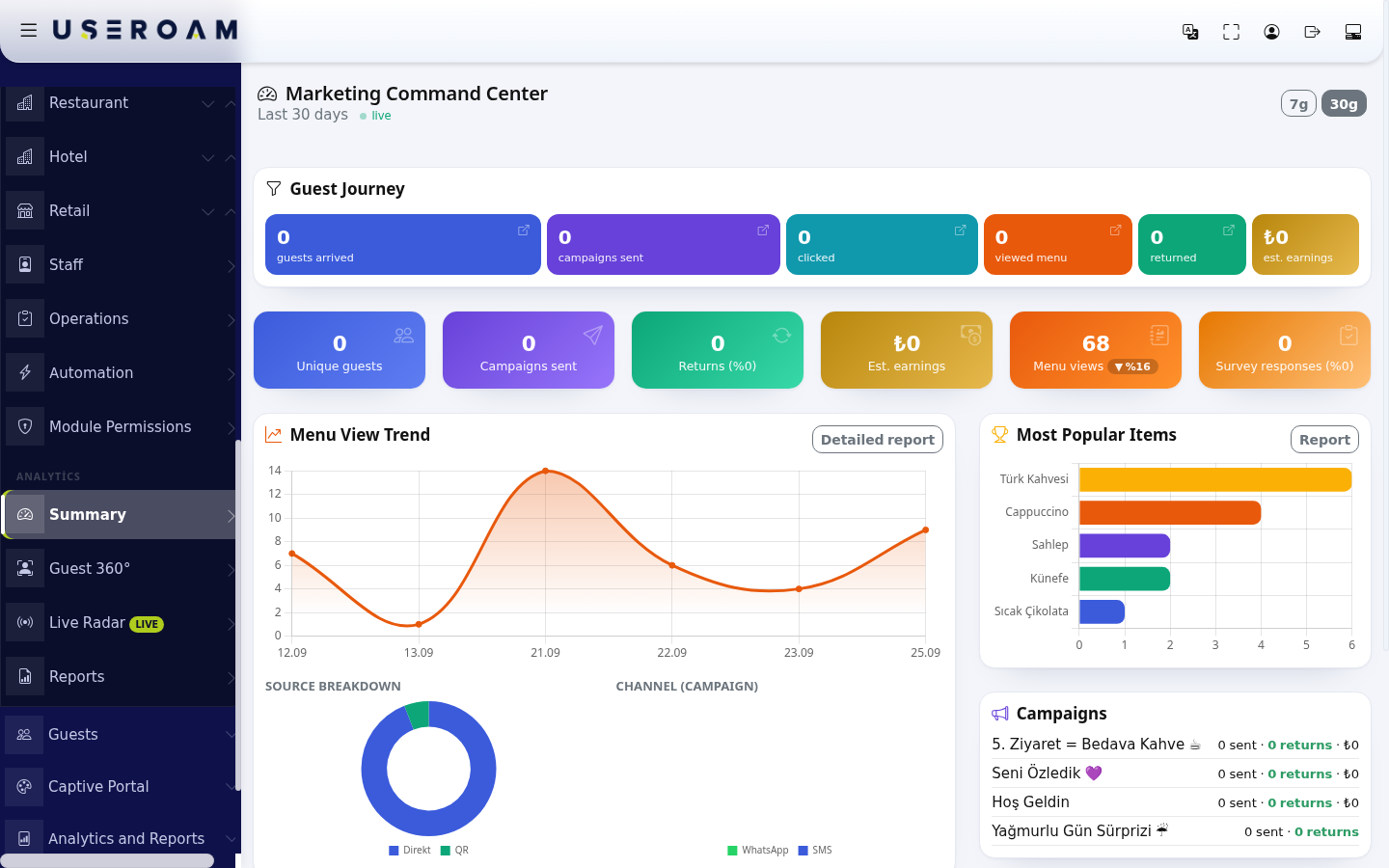
The Summary screen (titled Marketing Command CentreCenter) is Bumerang's one-page summary:summary: didhow many guests comecame, in,how didmany campaignscampaign gomessages went out, how many were they clicked, didhow anyonemany return.guests Thiscame back and what that is roughly worth. It is the screen to open in the weekly meeting. Each box opens the related detailed report.
list
HowWhen do
Iyouopenusethisit?screen?
From- When you want a quick look at how marketing is going overall.
- When you want to see which campaign works best and which product draws most interest.
- When you want to quickly read what guests wrote in surveys.
Step by step
- In the left menu,
gounder the ANALYTICS heading, click Summary. Under the title you see the selected period ("Last 30 days") and a green live mark.
- Use the 7g or 30g button at the top right to choose the last 7 or 30 days (the buttons keep the Turkish "g" for day).
- Read the
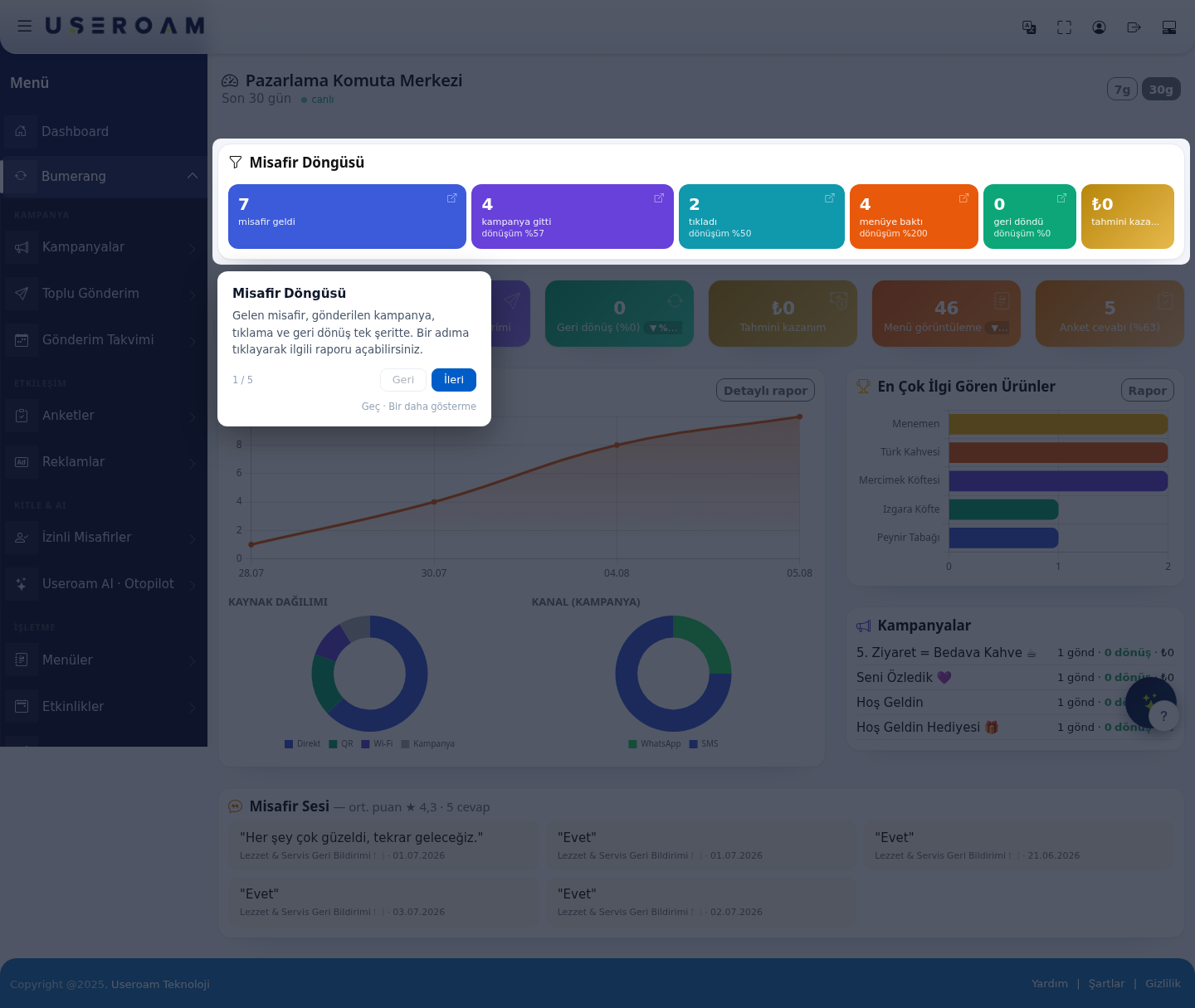
BumerangGuest→JourneyANALYTICSstrip→fromSummaryleft to right: guests arrived, campaigns sent, clicked, viewed menu, returned, est. earnings. Click a step (Open report) to open the related report. The six cards below it (Unique guests, Campaigns sent, Returns, Est. earnings, Menu views, Survey responses) are clickable too; the percentage next to them is the conversion %.
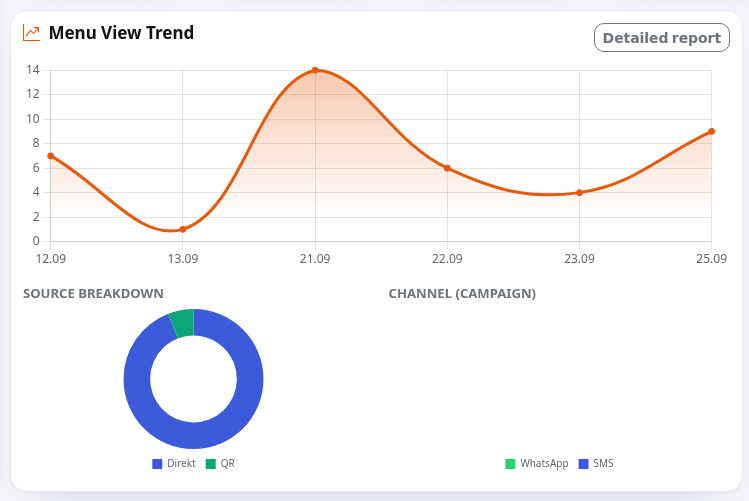
- The Menu View Trend chart shows daily menu opens. Below are the SOURCE BREAKDOWN (Direct, QR, Wi-Fi, Campaign) and CHANNEL (CAMPAIGN) (WhatsApp, SMS) charts. Press Detailed report for more.
- The Most Popular Items list on the right shows the most opened menu items; under it you see how many were never opened ("… items never viewed"). The
Command centreReport buttononopens theDashboardProductbringsPerformanceyoureport.hereThetoo.Campaigns


Switcheach campaign's sends (sent), returns and earnings; the periodbest withcampaign thehas a BEST badge.
1. The Guest Cycle
Showsshows the marketingavg. funnelscore, inthe anumber singleof strip,responses and the latest written comments from surveys.

Empty states and hints
| Text | What to do |
|---|---|
| "No campaigns yet" with a | Press the link to set up your first campaign (see Creating your first campaign). |
| In Guest Voice: "No text comments yet" and | Add an |
| Page | Guest
("Six core metrics. Each card is clickable; the related report opens pre-filtered."), Period selection ("Switch between the 7- and 30-day view."), Your campaigns ("Your active campaigns' performance is here. Use the Report button for details."), Guest Voice ("Survey scores and recent comments are collected here."). |
2.Frequently Summaryasked cardsquestions
EachEverything cardshows 0.
There was no activity in the selected period (7 or 30 days). For a longer period, widen the date range in Bumerang Reports.
Guest Voice shows short comments like "Evet" (Yes).
The section shows the period'stext valueanswers andfrom surveys; short answers are listed too.
How is the changeestimated againstearnings figure calculated?
Returning guests times the previousaverage periodcheck (▲/▼):
- entered
Unique guestsCampaign sendsReturns(andin therate)campaign, Estimated revenueMenu viewsSurvey responses(andminus therate)coupon
cost.
3.Related Charts and breakdownspages
MenuBumerangView Trend:how menu views moved over the period. TheDetailed reportlink takes you deeper.ReportsSOURCE BREAKDOWN:which channel guests came from.CampaignsCHANNELGuest(CAMPAIGN):the SMS / WhatsApp split of your campaigns.Most Popular Products:the most-viewed items on the menu; theReportbutton opens the product performance report.360°
4. Campaigns
Lists the period's campaigns with the sends · returns · revenue triple, so you can see at a glance which scenario is working.
5. Voice of the Guest
Shows the average score and response count from surveys along with recent guest comments; under each comment you see which survey it came from and when.
When the average drops, look for the reason in the comment text — the number tells you there is a problem, the comments tell you what it is.
Related pages:Bumerang → Bumerang Reports,Campaigns,Guest 360°,Surveys.