
Useroam AI · Autopilot
What is it for?
Useroam AI · Autopilot is thean AI layerassistant that watchesscans your guest data continuouslyregularly and does marketing work on your behalf.behalf. It reads survey responses, notices dormantguests guests,who draftshave thenot come for a while and prepares a win-back messagecampaign, promotes a menu item that gets many views, and putswarns you about missing event settings. Under the heading "This week I did … things for you." you see what it todid, item by item.
When do you use it?
- When you have no time for campaigns and want to leave the work to automation.
- When reviewing the work Autopilot prepared that is waiting for your approval.
- When
Howyoudowant to stop Autopilot or change how it works (fully automatic or with approval).
Before you start
- Autopilot is off by default. When off, the screen says "Leave Bumerang to me.": "I
openreadthisyourscreen?guest data, spot the opportunity, and run campaigns, surveys and menus on your behalf." Press Start AutopilotFromto start it ("Off by default · you can stop it anytime"). - Campaigns prepared by Autopilot also go only to consented guests.
Step by step
- In the left menu,
go tounder Bumerang,→open the AUDIENCE & AI→heading and click Useroam AI · Autopilot.TheIfReviewAutopilotsuggestionsisbutton onon, theDashboard brings you here too.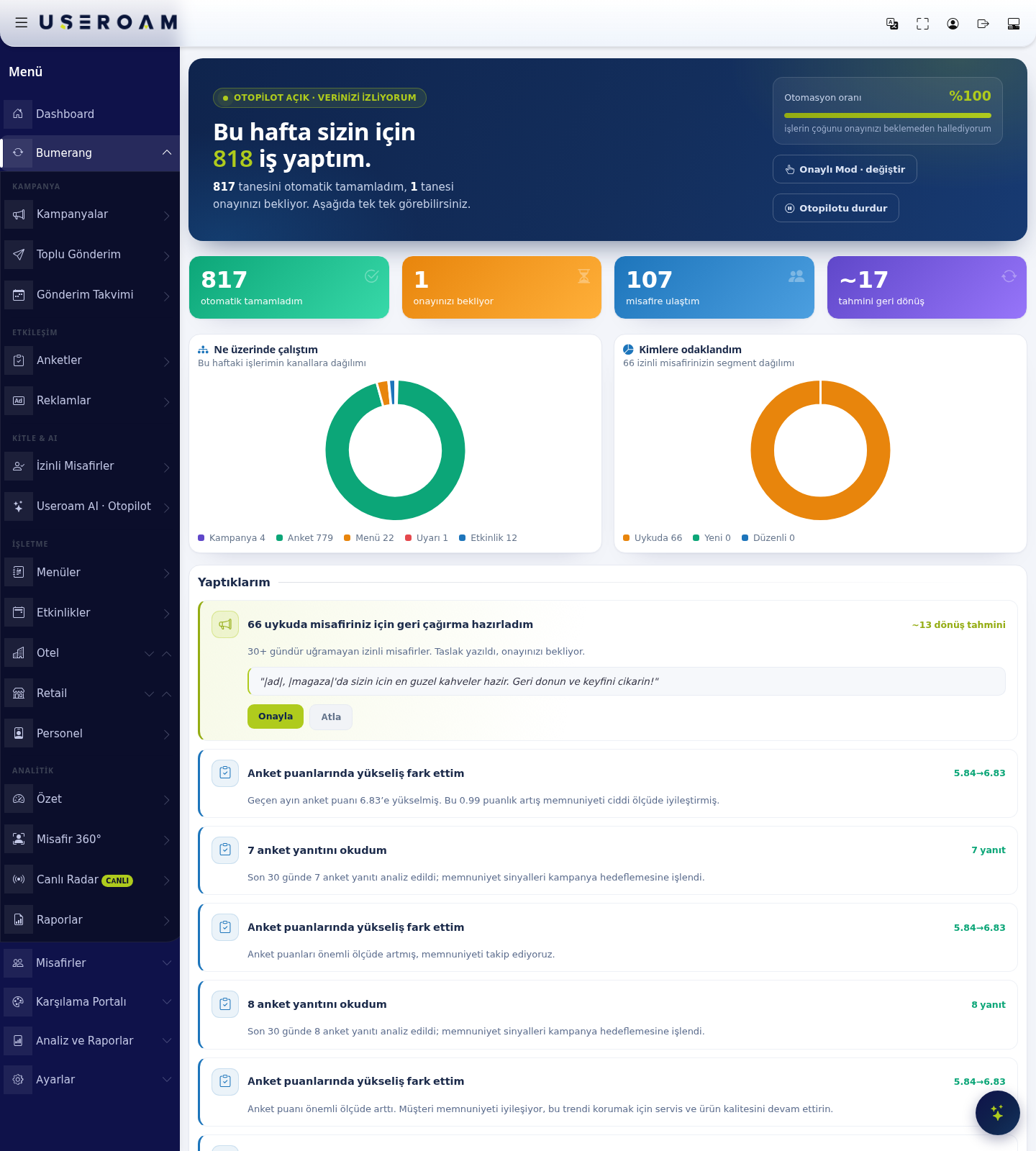
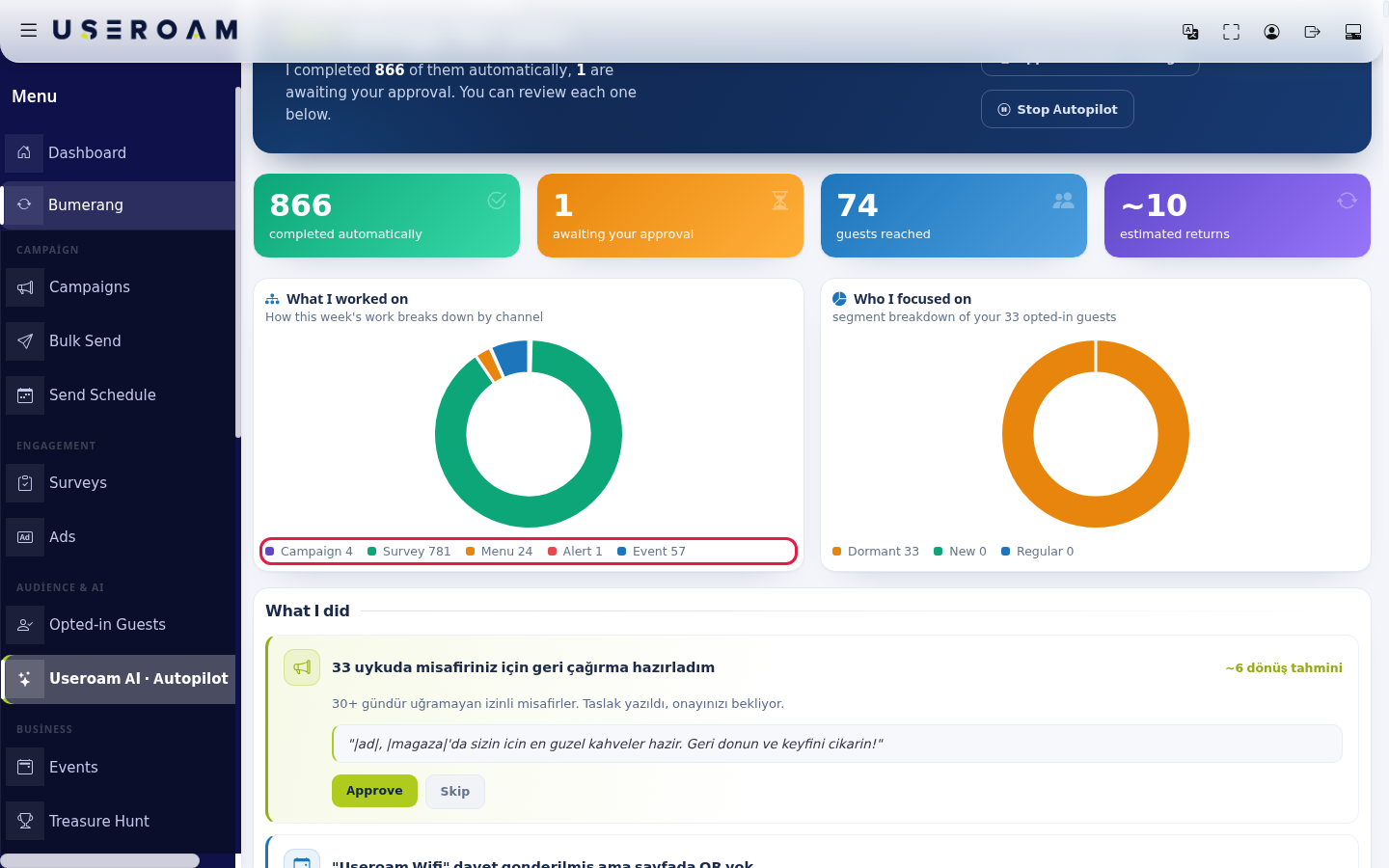
1. Weekly summaryThetopof the screenshows thestatus"Autopilot on · watching your data" badge andthethis week'swork:work count ("AUTOPILOT ON · WATCHING YOUR DATA"and"I did X jobs for you this week.I completedY… of them automatically,Z… arewaiting forawaiting your approval.").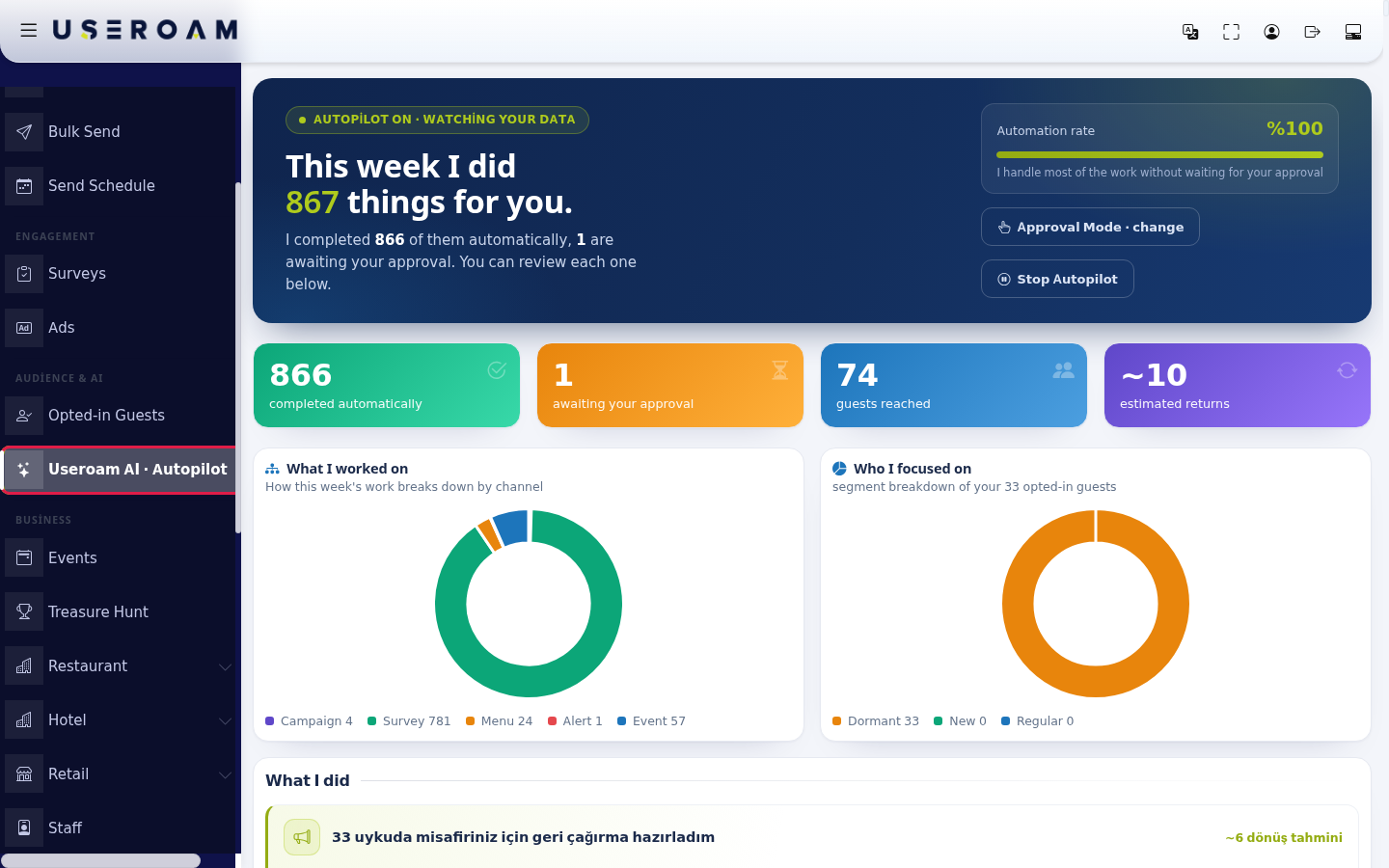
- Choose how it works at the top right. The Automation
rate:ratehowboxmuchshows what share of the workitishandlesdone withoutwaitingapproval. The mode button shows the current mode: Approval Mode (asks forapproval.your approval before sending) or Fully Automatic (sends without asking); press the button (change) to switch. To turn Autopilot off, press Stop Autopilot.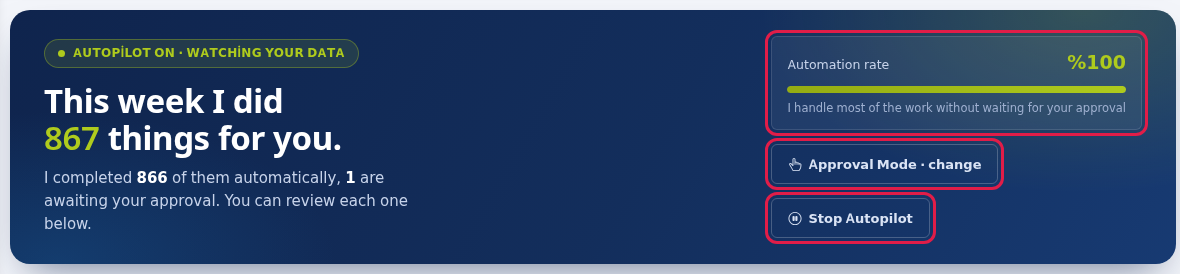
- Read the summary in the four boxes and two charts. Boxes:
Completedcompleted automatically/, awaiting your approval,counts. Guests reached:how manyguestswerereached,touched.estimated - returns . The
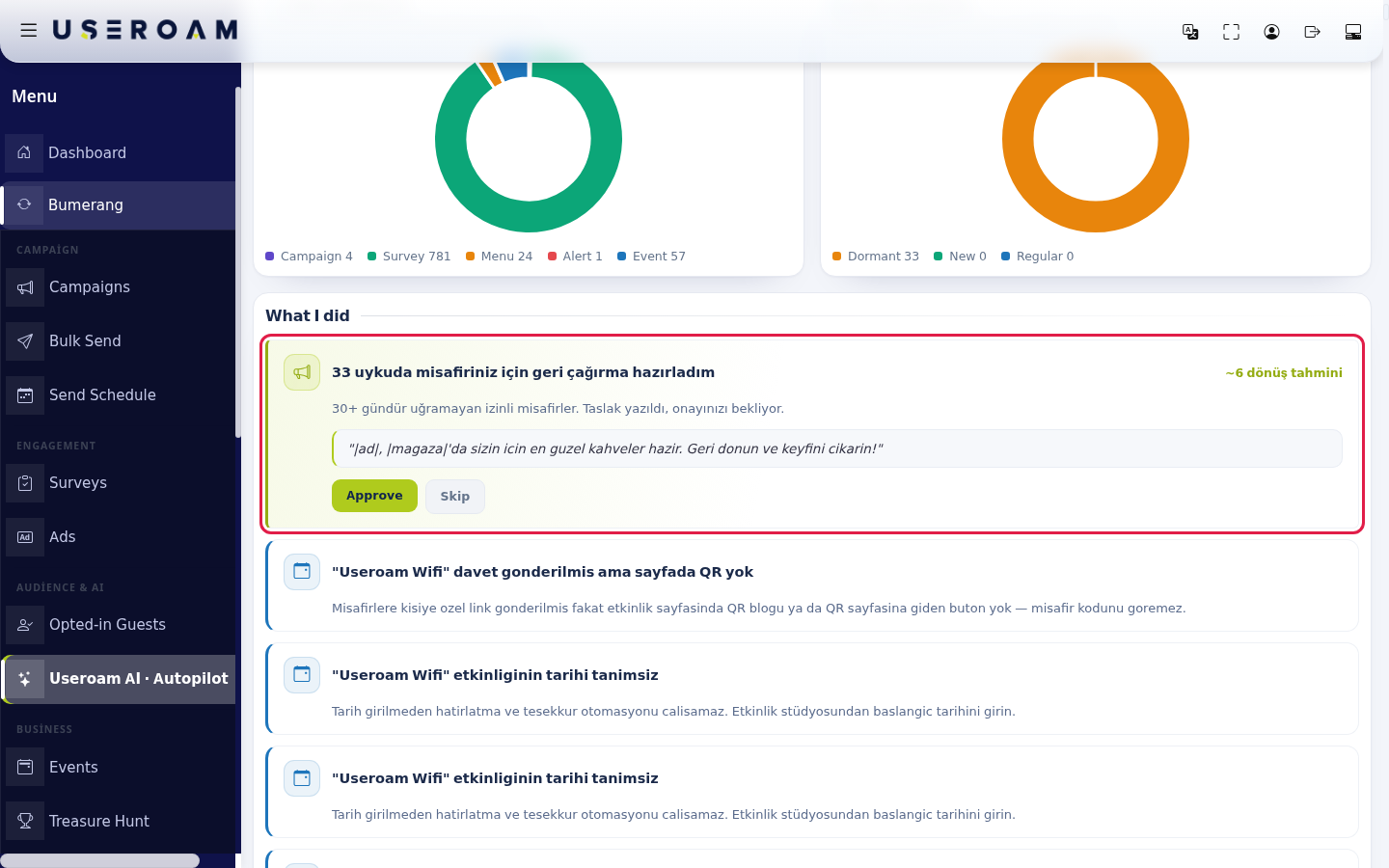
Approved Mode · change:sets how freely Autopilot operates. In approved mode, anything going to a guest waits for your sign-off.Stop Autopilot:halts the layer entirely.- In the What I did list, items awaiting approval are at the top on a yellow background. Read the prepared message draft (the draft texts are in Turkish). If it is fine, press Approve: the campaign is set up and starts sending (for an event reminder the SMS goes out at once). If you do not want it, press Skip; the item leaves the approval queue and nothing is sent.
2. Operating mode
Recommendation:if you are just starting, stay in Approved Mode. Read the suggestions for a few weeks, judge their quality, and only then increase automation.
3. What I worked on
Showschart howshows the week'ssplit of work splitsinto across channels: Campaign, Survey, Menu, Alert and Event; the Event.
4. Who I focused on chart shows consented guests as Dormant, New, Regular.
Items and messages on the screen
The
| Item | Meaning |
|---|---|
| Automation rate subtitle | "I handle most of the work without waiting for your approval" (short form "I handle most of the work without approval"). |
| Mode descriptions | On hover: "Fully automatic: sends without asking for approval" or "Approval mode: asks for your approval before sending". |
| Chart subtitles | "How this week's work breaks down by channel" and "segment |
Work
| Each
|
| Result of an approved event item | "… guests were sent an SMS", "All of them had already been messaged for this event", "License not eligible, nothing was sent" or "Event not eligible (inactive or its page has no QR)". |
| First opening | "Scanning your data…": "I |
| Below the list | Last scan: date and time ("now" if there has been no scan yet). |
Frequently asked questions
Should I choose Fully Automatic or Approval Mode?
Approval Mode is recommended at first: Autopilot prepares, and it is sent only if you read it and press Approve. Once you trust its messages you can switch to Fully Automatic.
I approved it. When does the message go out?
When a campaign targeting.item is
Approval buttons
Approve:runsapproved, thepreparedcampaignjobis set up; the messages go out through the campaign engine within a few minutes, over the guest's login channel (WhatsApp or SMS). You see the new campaign on the Campaigns screen.The same alert appears many times in the list.
Autopilot may report a missing setting again at every scan. Fix what the alert describes (for examplesendsenter thewin-backstartmessage)date in the Event Studio).How do I turn Autopilot off completely?
Press Stop Autopilot. Existing campaigns keep their own status; you can pause them on the Campaigns screen.Related pages
- Campaigns
Skip:rejects the suggestion.
Do not approve without reading the message.Autopilot writes the text in your brand's name; if the tone or the offer does not fit your business, pressSkipand build the campaign yourself.Related pages:Bumerang → Campaigns,Surveys,Opted-in Guests,- Event
360°.Studio