
WhatsApp Portal Settings
The WhatsApp Portal Settingsscreen manageis theused flowto inswitch whichWhatsApp guestslogin registeron fromor off on the welcome screen over WhatsApp.screen. The guest taps "Log in with WhatsApp", sends the message in the chat that opens, and is logged in automatically once delivery is confirmed. Because it uses no SMS credit, it is the preferred option at busy locations.
How do I open this screen? From the left menu, go to Captive Portal → WhatsApp Portal.
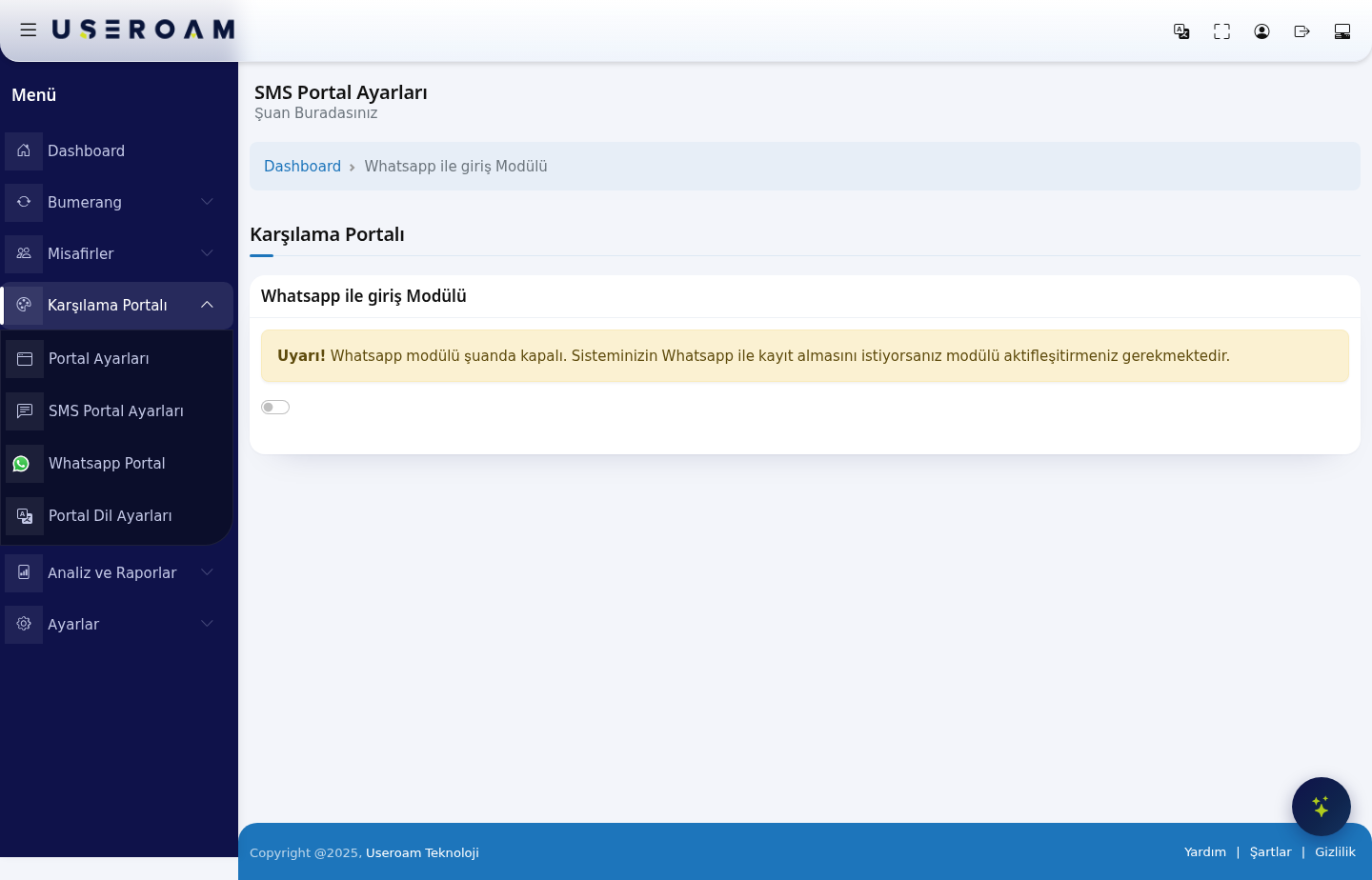
WhatsApp login module
The WhatsApp login module switch sits at the top of the page. While the module is off, the screen shows only this warning:
"Warning! Whatsapp module is currently turned off. If you want your system to accept registration with Whatsapp, you must activate the module."
Turning
- Switch off: the
switchguest does not see the WhatsApp login option onrevealsthe welcome screen. - Switch on: the
GeneralWhatsAppSettingsregistrationandflowThemebecomesSettingsavailable.
*.wa.me, *.whatsapp.com, *.whatsapp.net, g.whatsapp.net, mmg.whatsapp.net, fbsbx.com and *.useroam.com. Without these rules the WhatsApp login screen will not The
1.message General Settings
Portal Title:text, thetext shown at the top of the WhatsApp registration screen.Email settings on the registration screen:Show,Show and requireorHide.Name and surname settings on the registration screen:the same three options.Registration with coupon:lets guests register with a coupon code. Codes are generated on theGuests → Coupon Codespage.Email permission:shows the marketing-email consent checkbox; guests who consent count asopted inin Bumerang.Province / district / neighbourhood selection:asksgroup the guestforislocationaddeddetails, used in reportingto andsegmentation.the - service configuration are set on
Status:Settingsdetermines whether the→ WhatsAppportal is live.
Confirm your changes with SaveSettings.
2.How Themedo SettingsI test the result?
TheAfter appearancesaving, ofopen the welcome screen as the guest sees it. Connect a device to your test network's portal address (for example http://192.168.2.1:8090/) and confirm the WhatsApp registrationlogin screenbutton is configured independently: Logo Selectionappears and Logo Size, Background Selection, and six colour fields (Login Box Colour, Button Colour, Button Hover, Button Text Colour, Link Colour, Text Colour). Reset Colours returns everything to the defaults.chat opens.
Related pages: Captive Portal → Portal Settings, Settings → WhatsApp Settings
(line/service configuration), Guests → SMS / WhatsApp Users,AnalyticsInstallationand Reports → SMS / WhatsApp ReportsGuides.