
Coupon Codes
What is it for?
Coupon Codes letcreates you generate single-use accessWi-Fi login codes to hand out to guests. You download the codes as a PDF, print them and give them to guests on paper or a receipt. The guest types the code printedon onthe login screen and stays online for the time you set.
When do I use it?
- You want to give short-term Wi-Fi to guests who do not want to give a
caféphonereceipt,number,the ticket givenor to aneventevent. - You want to give Wi-Fi together with a service such as breakfast, a meeting or a waiting lounge.
- You want to track how many codes were used.
Before you start
- For coupon login to work, the
cardcouponhandedloginoutoptionatmustabehotelonreceptionforallyourworkcaptivethisportal.way.Ifyour
HowlogindoscreenIhasopennothiscouponscreen?box,Fromcontact support. - Codes are created for the selected device.
Step by step: creating coupons
- In the left
menu,menugo toopen Guests→and click Coupon Codes.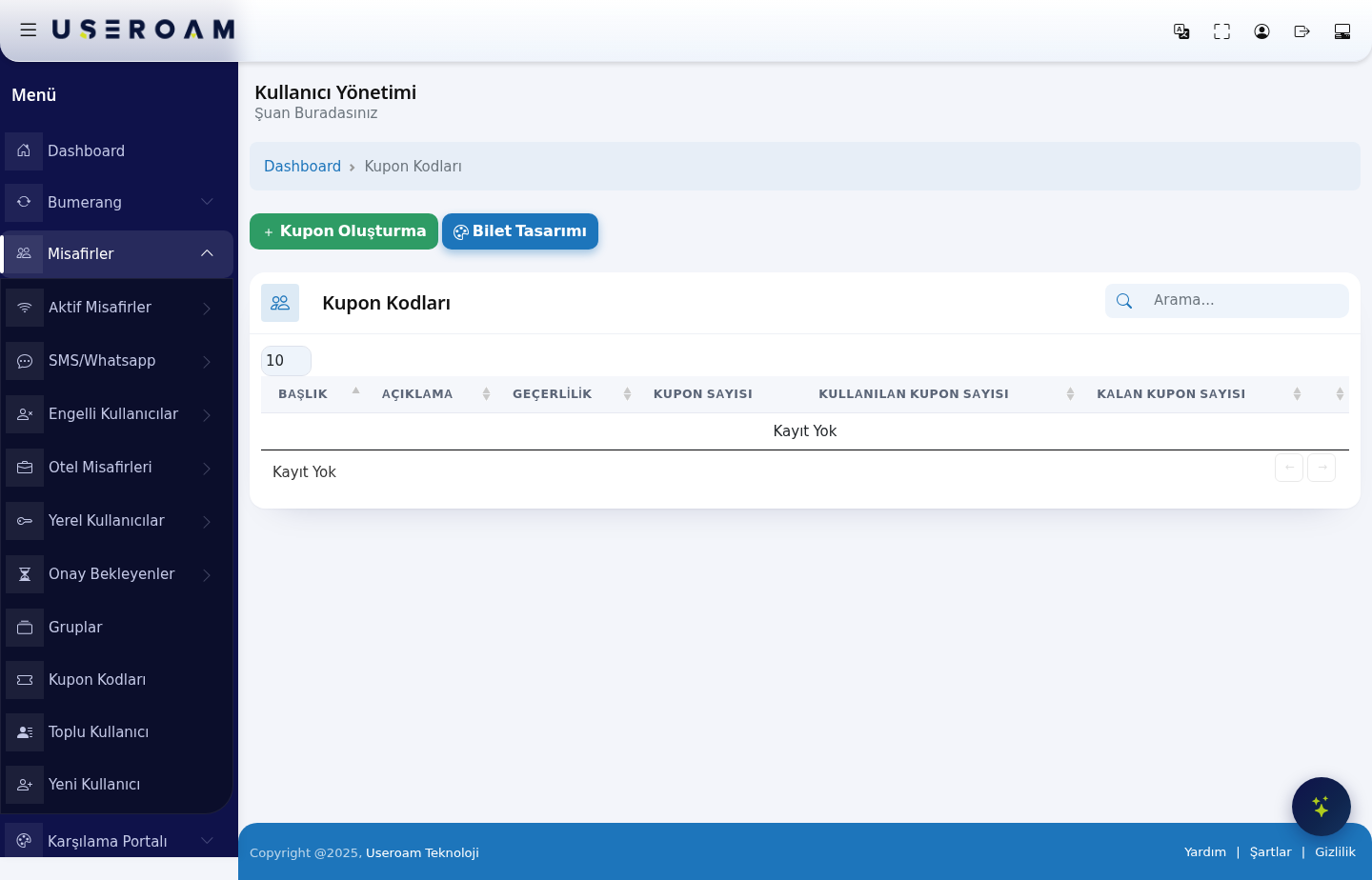
Table columnsTITLE:Press thenamegreen Coupon Creation button.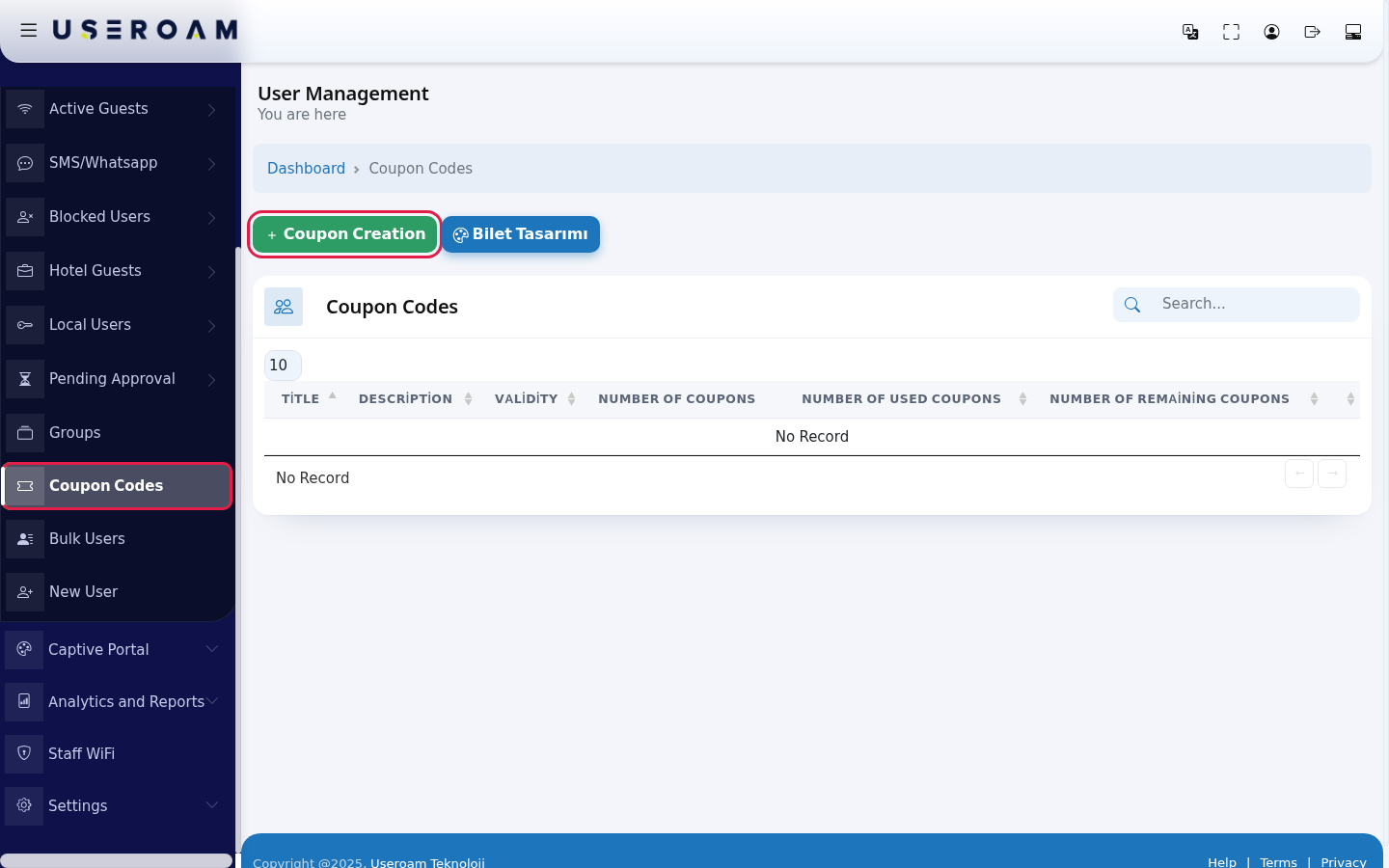
- Fill in the New Coupon form: Title (example:
Breakfast-Coupon), Description, Number of Coupons (how many codes, example:50), Character Length (characters per code, 6 by default) and Character Type (All, Letters Only, Numbers Only, Lowercase Letters Only, Uppercase Letters Only). The Unlimited switch is on by default; to set a time limit, turn it off and choose Validity and Duration (Hours / Minutes). Choose the language of the printed cards in PDF Language and press Save.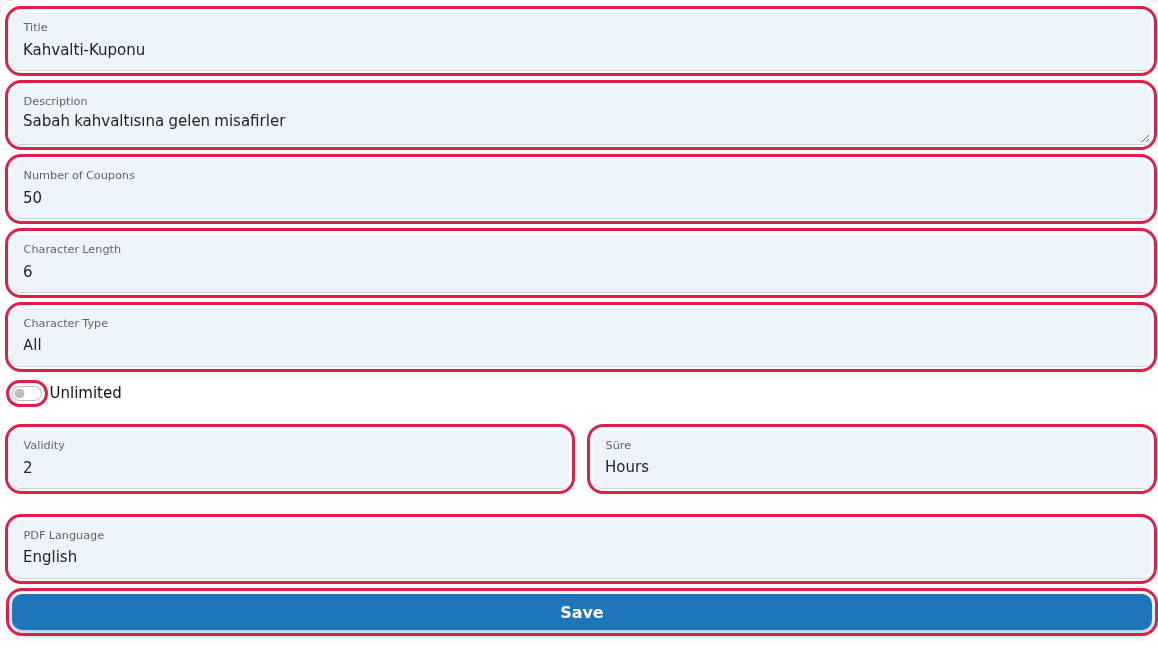
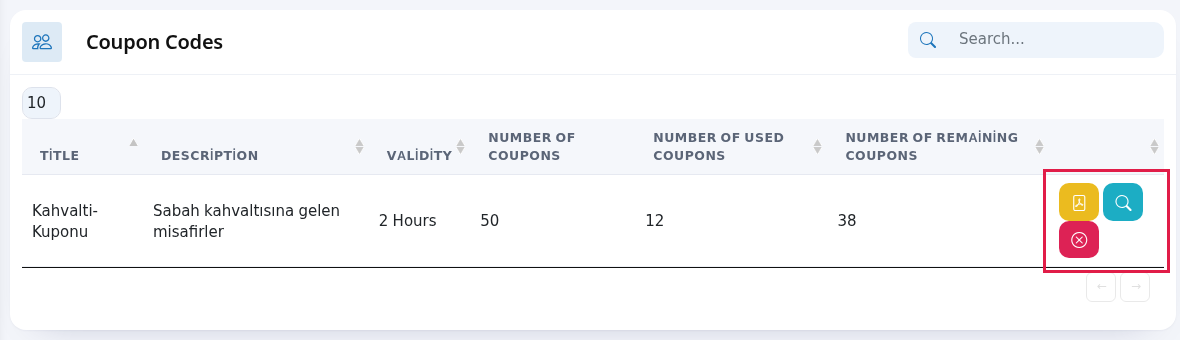
- The coupon batch appears in the list with Number of Coupons, Number of Used Coupons and Number of Remaining Coupons. Use the yellow PDF button on the row to download the codes as printable cards, the blue magnifier to see each code and whether it was used (Coupon Detail), and the red button to delete the batch.
- To change how the cards look, use the Bilet Tasarımı (ticket design) button above the list (background, colours, font, logo). Details are on the Bulk Users page.
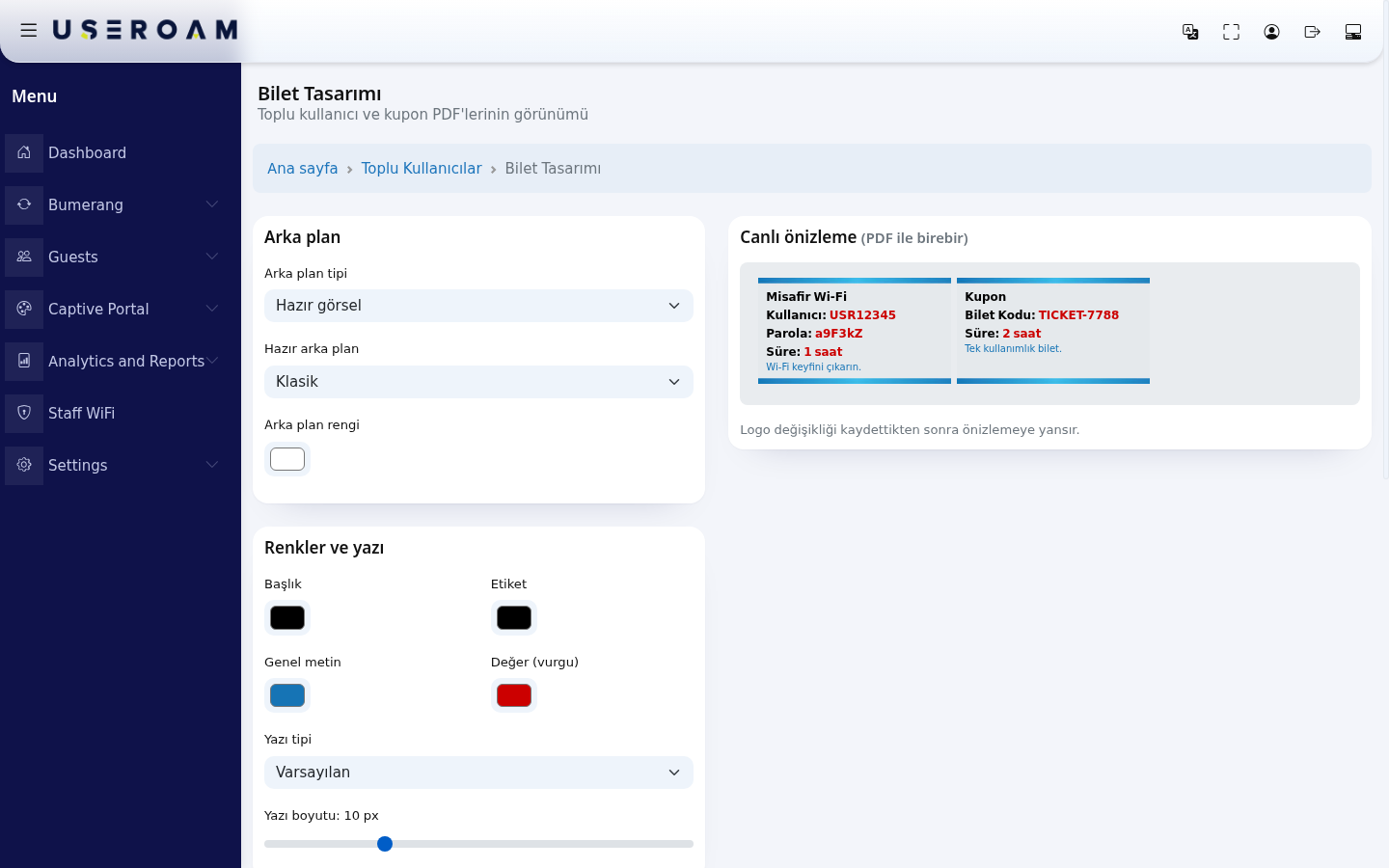
Every field and button on the screen
| Field / Button | What it does |
|---|---|
| Coupon Creation | Opens the New Coupon form. |
| Bilet Tasarımı | Opens the design screen for the PDF cards (Turkish only). |
| Title, Description | Name and note of the coupon |
| How many codes to |
| Character Length | Characters per code. 6 by default. |
| Character Type | Which characters the code uses. Numbers only is the easiest for guests to type. |
| Unlimited | When on, the code has no time limit. |
| Validity and | How |
| PDF Language | Language of the text on the printed cards. |
| Creates the |
| Title, Description, Validity (list) | Details of the |
| Number | Total, used and |
| Yellow | Downloads the codes |
| Blue magnifier | Coupon Detail: each code with Coupon Code, Validity, Title, Description and / No). |
| Red button | Deletes the coupon batch without asking. |
EnablingFrequently asked questions
The guest types the code but cannot sign in.
Check in Coupon Detail that the code is unused; it may have expired or already been used. If there is no coupon box on the login screen, coupon login is not on; contact support.
ForCan guestsone tocode be ableused toby enterseveral guests?
No, codes are single-use.
What is the difference between coupons and Bulk Users?
With a coupon code on the portal,guest thetypes Registrationone withcode. coupon option must be enabled in the relevant portal settings: Captive Portal → SMS Portal Settings or WhatsApp Portal.
Related pages:Guests →With Bulk Users,Guestsevery→guestGroups,getsAnalyticsa user name andReportsa→ Audit Log(coupon_check/coupon_redeementries).password.