
Hotel Guests
What is it for?
The Hotel Guests list shows hotel guests who sign in to the Wi-Fi with their room number and ID details. You can follow who is online during the stay, which room they are in and when their access ends. You can also block, delete or edit a guest.
When do I use it?
- You want to check whether the guest in a room is registered on the Wi-Fi.
- A guest extends their stay and you want to change the check-out date.
- You want to stop a guest's sign-ins.
Before you start
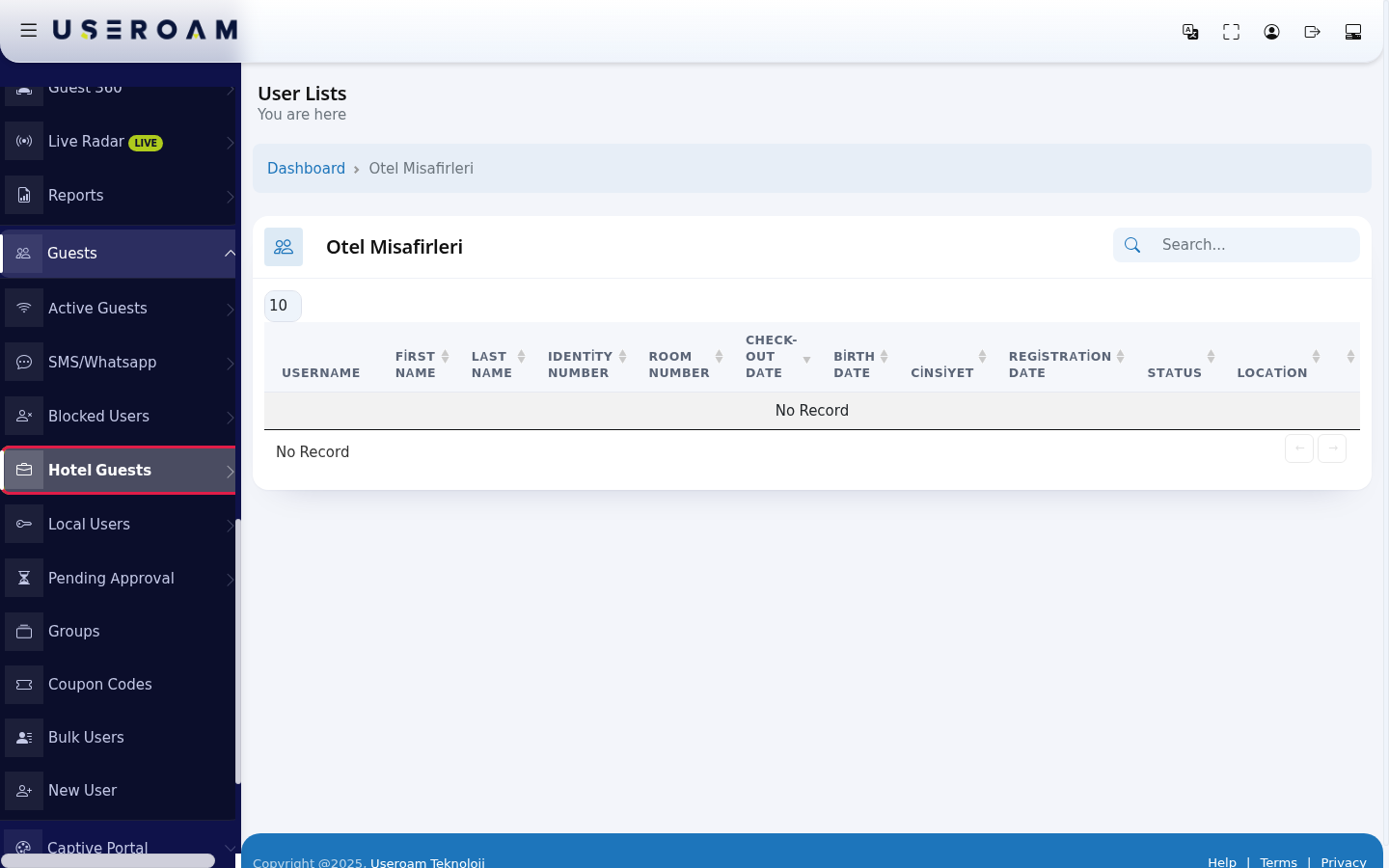
- The list fills on devices that use hotel sign-in (sign-in with room number or a hotel management system connection). If you do not use this sign-in method, the list stays empty and shows No Record.
- ID numbers, first names and last names are masked under the Turkish data protection law, KVKK.
- The list heading and the Cinsiyet (gender) column are still Turkish in the English interface.
Step by step
- In the left menu open Guests and click Hotel Guests.
- To find a guest, type the room number in the Search... box at the top right. Use the buttons at the end of the row: yellow Disable User, red Delete User, blue Edit User (hover to see their names). The edit screen is the same as the one described on SMS / WhatsApp Users: User Information and Group and Password tabs.
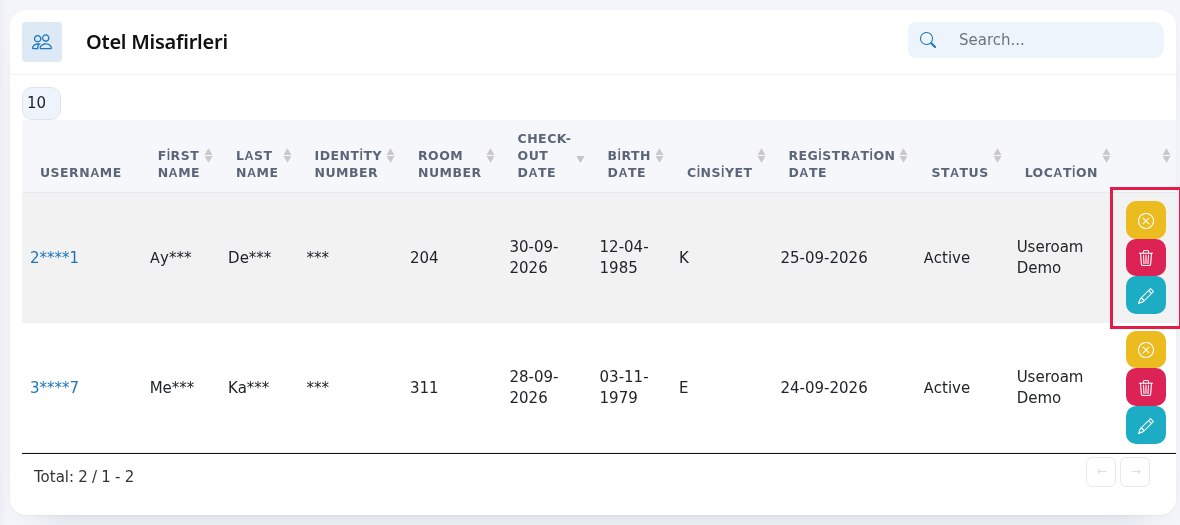
Every field and button on the screen
| Field / Button | What it does |
|---|---|
| Top of the page | The heading User Lists with You are here under it; Dashboard in the path line returns to the home screen. While the table loads it shows Processing..., with no records No Record; All in the number box shows every row. |
| Username | The guest's login name (masked). Click it to open the edit screen. |
| First Name, Last Name | The guest's name (masked). |
| Identity Number | ID or passport number used at sign-in (masked). |
| Room Number | The guest's room. |
| Check-out Date | The day the stay ends. Wi-Fi access ends on this date; update it if the stay is extended. |
| Birth Date, Cinsiyet | Details taken at sign-up (K female, E male). |
| Registration Date | The guest's first sign-in day. |
| Status | Active, Passive (blocked) or Waiting for Approval. |
| Location | The device the guest connected to. |
| Yellow, red and blue buttons | Disable User (green Enable User if blocked), Delete User (deletes without asking), Edit User. A guest waiting for approval gets a green Confirm first. |
| Search..., number box, Total | Search, rows per page (10, 25, 50, 100, All) and total records. |
Frequently asked questions
The guest checked out but is still on the list.
The list also shows past records. The Wi-Fi access of a guest whose check-out date has passed ends; the record staying on the list does not mean they still have access.
The list is empty.
Your device may not use hotel sign-in. To set it up see the Hotel Solution book or contact support.