
PMS Integration
PMS Integration is where you connect your hotel management system (PMS: Elektra, Sedna, Fidelio / Opera) to Useroam. Once connected, in-house guests are recognised automatically: they can log in to Wi-Fi with room number and surname, verify themselves on the guest portal, and their room shows as awaiting checkout on the Room Board when their check-out date arrives.
What is it for?
- Keeps the guest list up to date without typing it in.
- Places in-house guests into the Wi-Fi guest group you choose (speed and time limits come from that group's settings).
When do you use it?
- When you first set up the hotel module and have your hotel code and API key from your PMS provider.
- When you change PMS or the key is renewed.
- When you want to pause the integration.
Before you start
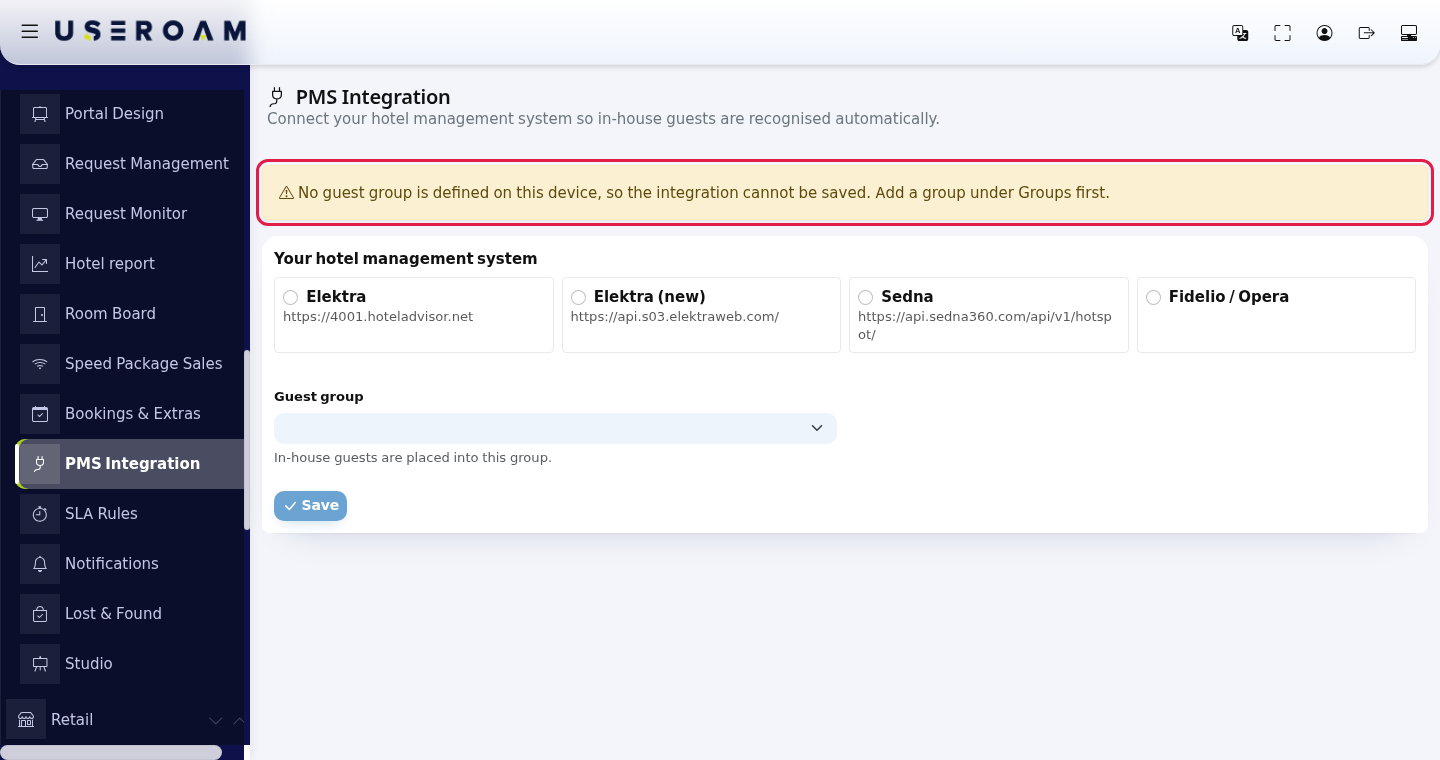
- The device needs at least one guest group (Groups). Without one a warning appears and you cannot save.
- Get the connection details from your PMS provider: Hotel code and API key for Elektra and Sedna; server address, port, user, password, database and table name for Fidelio / Opera.
Step by step
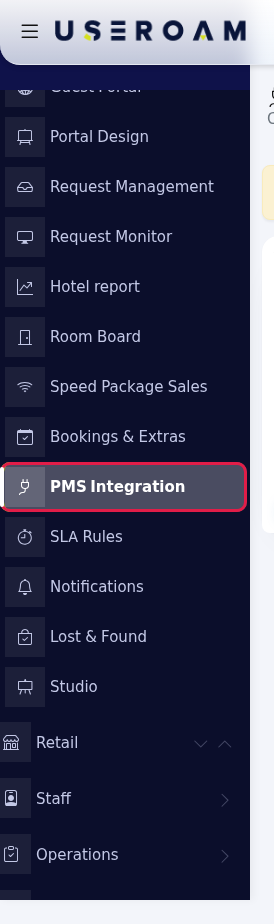
- Open the screen. In the left menu press Hotel → PMS Integration.
- Check the group warning. If the yellow box reads No guest group is defined on this device, so the integration cannot be saved. Add a group under Groups first. and Save is greyed out, create a group in Groups first.
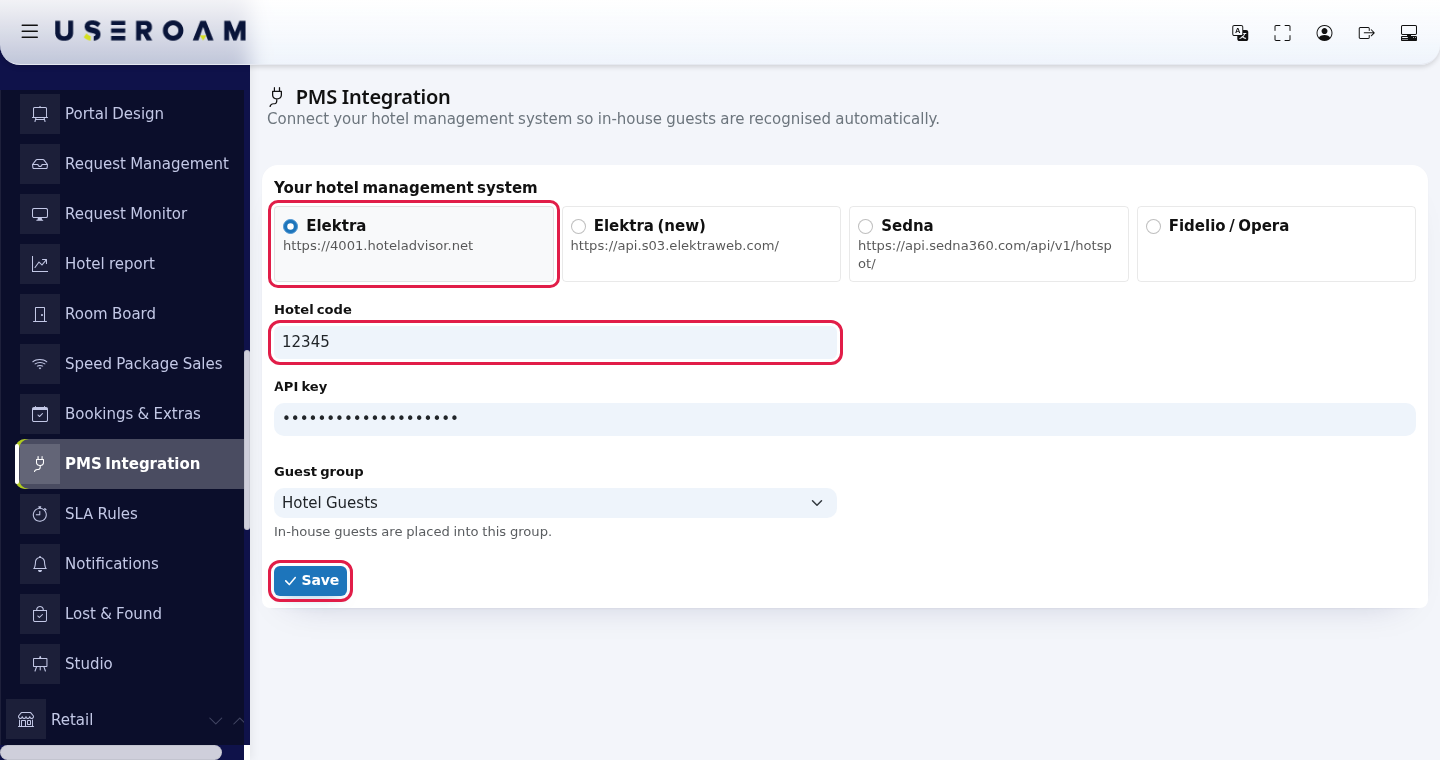
- Choose your system and enter the details. Under Your hotel management system press one of the boxes: Elektra, Elektra (new), Sedna or Fidelio / Opera. Only that system's fields open. For Elektra enter Hotel code and API key, pick a Guest group and press Save. The screen shows Saved.
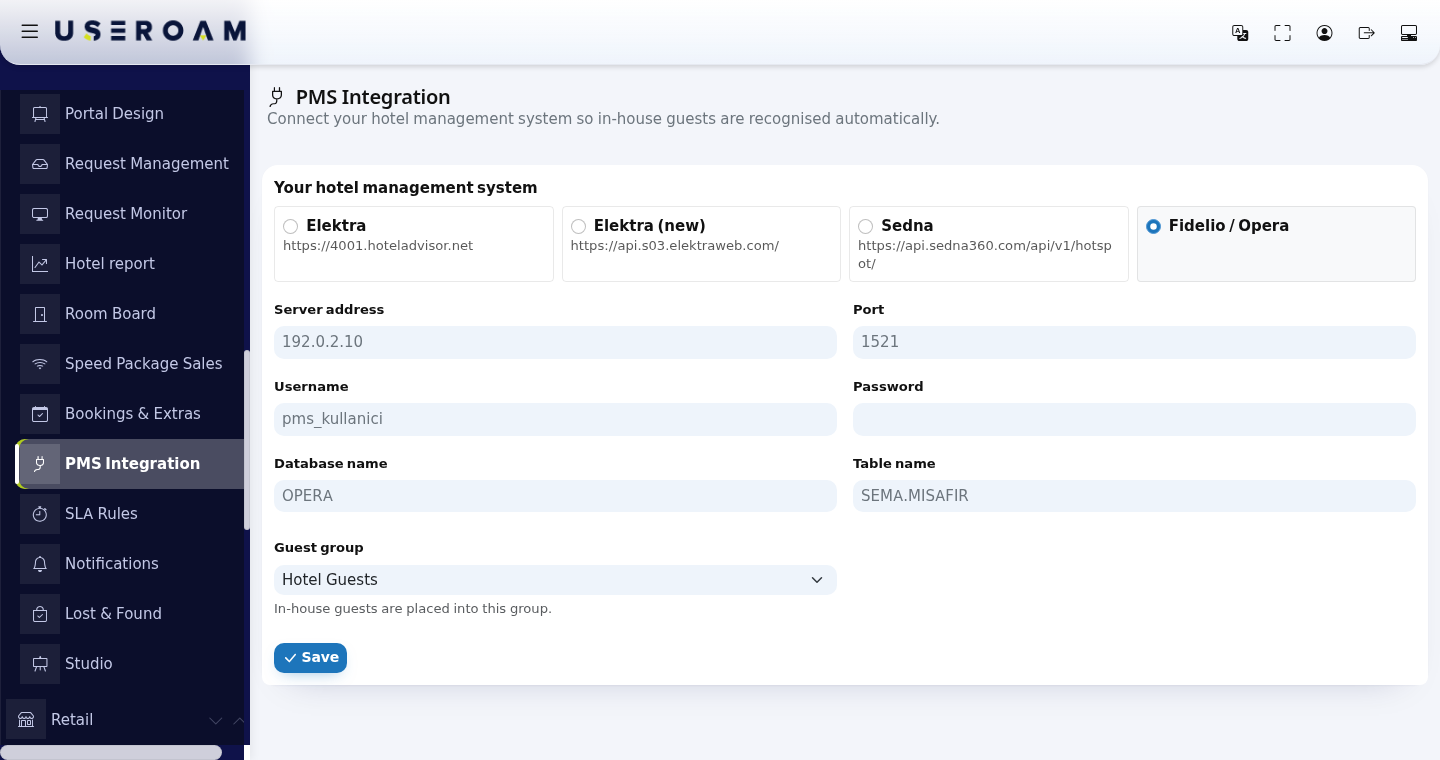
- For Fidelio / Opera enter the server details. Choosing Fidelio / Opera opens Server address, Port, Username, Password, Database name and Table name. The grey text in the boxes is only an example.
Turn the integration off if needed. When an integration is saved, Turn integration off appears next to Save. Confirm The integration will be turned off. Your details are kept. Continue?; the screen shows Integration turned off.
Every field and button on the screen
| Field / button | What it does | Example |
|---|---|---|
| Subtitle: Connect your hotel management system so in-house guests are recognised automatically. | - | - |
| Elektra, Elektra (new), Sedna | Cloud PMSs. The address the system connects to is shown under the box. Fields: Hotel code, API key. | Hotel code: 12345 |
| Fidelio / Opera | Fields: Server address, Port, Username, Password, Database name, Table name. | Port: 1521 |
| Guest group | In-house guests are placed into this group. The list shows this device's groups. | Hotel Guests |
| Save | Saves only the selected system's fields; old values of other systems are cleared. | - |
| Turn integration off | Stops synchronisation; your details are kept and you can turn it on again by choosing the system and saving. | - |
A saved API key and Password are shown in the form as plain text. Be careful when sharing your screen or taking screenshots.
Messages
| On screen | Meaning / what to do |
|---|---|
| Saved. / Integration turned off. | Done. |
| No guest group is defined on this device, so the integration cannot be saved. Add a group under Groups first. | Create a group in Groups. |
| The selected guest group does not belong to this device. | Refresh the page and pick one of this device's groups. |
| Invalid system selection. | Tick one of the four systems and save again. |
| Session check failed. Refresh the page and try again. | Refresh the page. |
| This hotel's integration (...) is not managed from this page; editing is disabled to protect its settings. | Your hotel has a special connection (for example one installed on your premises); the fields are locked. Contact Useroam support to change it. |
| This hotel's integration cannot be edited from this page. | Someone tried to save a locked integration; contact support. |
Frequently asked questions
I saved it. When do guests appear?
Synchronisation runs in the background at regular intervals (Sedna and Fidelio about every 10 minutes, Elektra every hour). Guests appear on the Hotel Guests list.
My PMS is not on the list.
This screen supports four systems. Contact Useroam support for others.
If I turn the integration off, do guests lose internet?
No new guest data arrives; existing records are not deleted.
Related pages
- Hotel Guests · Groups · Room Board (rooms awaiting checkout)