
Speed Package Sales
Speed Package Sales lets you sell paid internet packages to your guests. The guest picks a package, the amount is charged to their room, reception approves it, and the guest's speed is raised.
How do I open this screen? From the left menu, go to Bumerang → BUSINESS → Speed Package Sales.
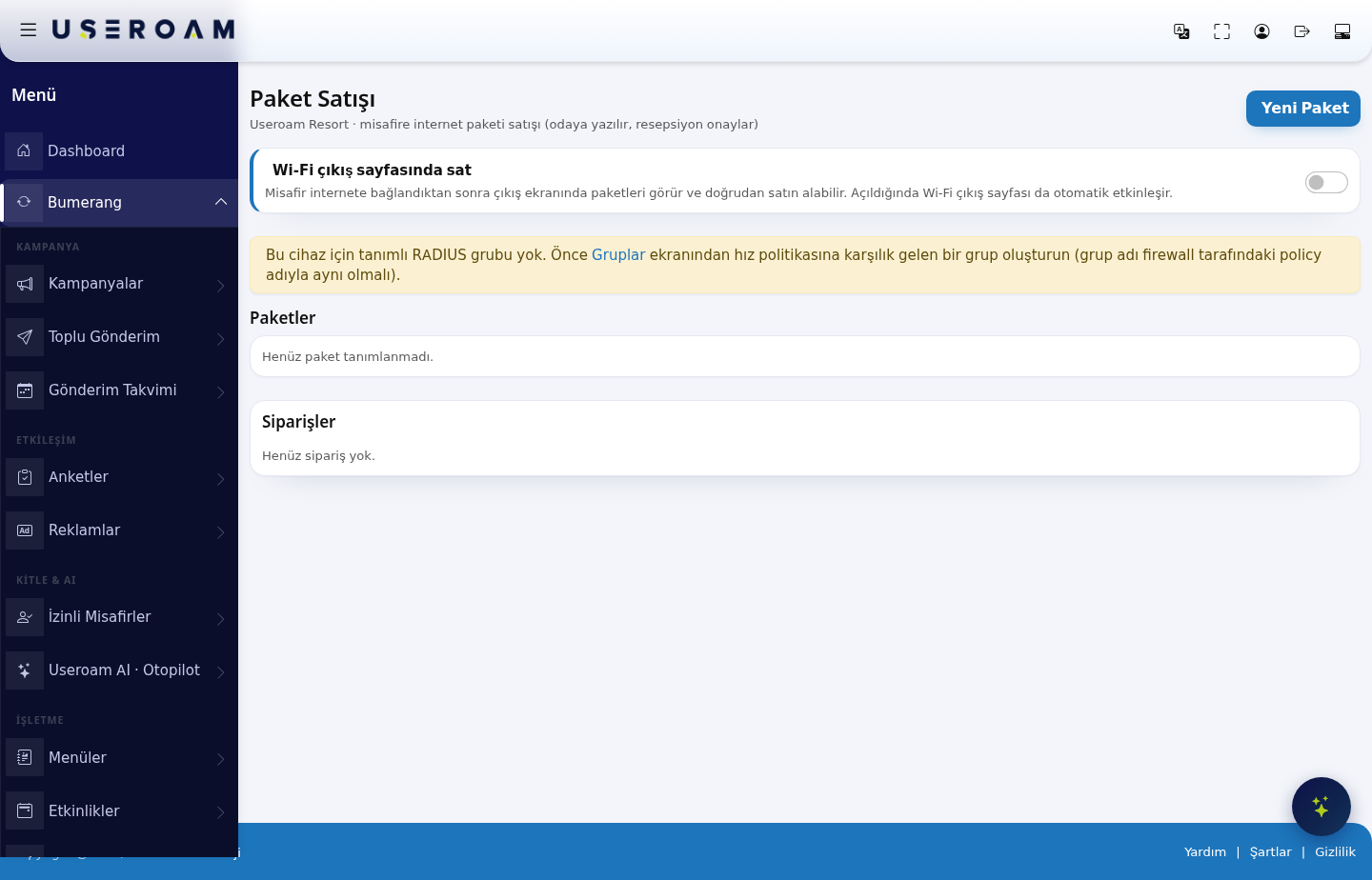
1. Sell on the Wi-Fi exit page
With this switch on, the guest sees the packages on the exit screen after connecting and can buy directly. Enabling it also activates the Wi-Fi exit page automatically.
2. New Package
Use the New Package button to define a package for sale:
- Package name *: the name the guest sees (for example "Fast Internet 24 Hours").
- Description: a short text describing the package.
- Package feature: free text showing the speed to the guest (for example "up to 50 Mbps").
- Duration (hours) *: how many hours the package is valid for.
- Price (TRY) *: the price.
- Order: the order in which packages are shown to the guest.
- Target RADIUS group *: the group the purchasing guest is moved into. This is the field that determines the speed — the group corresponds to the speed policy on the firewall.
- Show to guest (active): publishes or hides the package. For off-season packages, simply untick this rather than deleting them.
Save creates the package; Cancel closes the form.
3. Packages
The list of defined packages. With none defined it reads "No packages defined yet."
4. Orders
Guests' purchase requests land here. Once reception approves one, the amount is charged to the room and written into the Upsell (approved) figure on the Request Management screen. With no orders it reads "No orders yet."
Related pages: Guests → Groups (RADIUS group), Hotel Solution → Request Management, Captive Portal → Portal Settings (exit page).