
Overview
Overview is the module's landing screen: device health at the top, and below it the three quick actions that cover most day-to-day work.
How do I open this screen? MikroTik Management → STATUS → Overview.
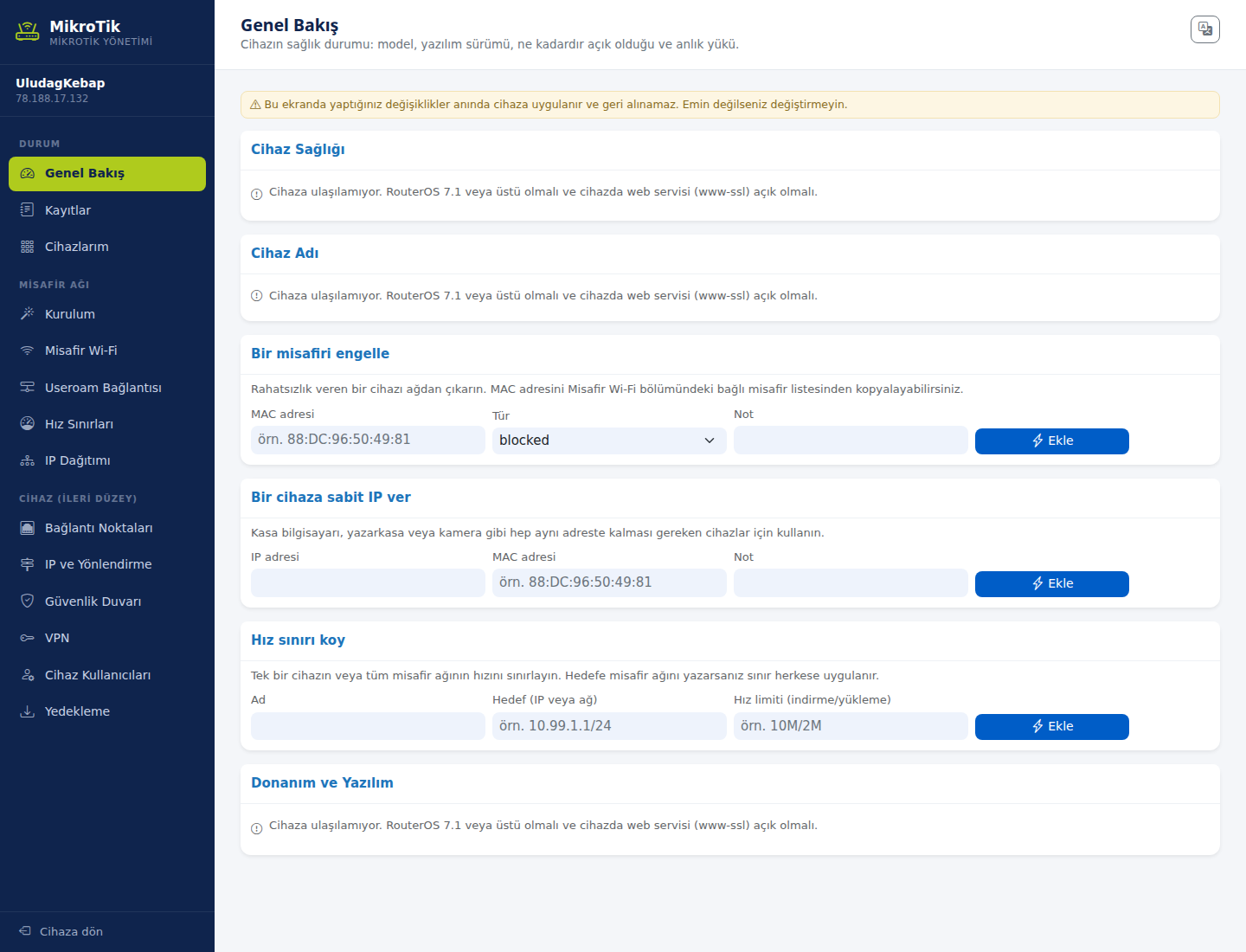
1. Device health
Shows the device's model, software version, how long it has been running and its current load. The Hardware and Firmware section below gives the detail.
If the device cannot be reached, these areas read "Cannot reach the device. It must run RouterOS 7.1 or newer and have the web service (www-ssl) enabled."
2. Block a guest
Removes a disruptive device from the network.
- MAC address: The device's MAC (e.g. 88:DC:96:50:49:81). You can copy it from the connected-guest list in the Guest Wi-Fi section.
- Type: blocked.
- Note: Why you blocked it — useful when you come to lift the block.
Add writes the rule to the device immediately.
3. Give a device a fixed IP
For devices that must always keep the same address, such as a POS computer, cash register or camera.
- IP address: The fixed address to assign.
- MAC address: The device's MAC.
- Note: What the device is.
4. Set a speed limit
Limits the speed of a single device or of the whole guest network.
- Name: The rule's name.
- Target (IP or network): A single address or a network block (e.g. 10.99.1.1/24). Enter the guest network as the target and the limit applies to everyone.
- Speed limit (download/upload): Written as 10M/2M.
For finer-grained limits, see the Speed Limits screen.
Related pages: MikroTik Management → Guest Wi-Fi, Speed Limits and IP Distribution.