
Online Menu
How do I open this screen? From the left menu, go to Bumerang → BUSINESS → Menus.
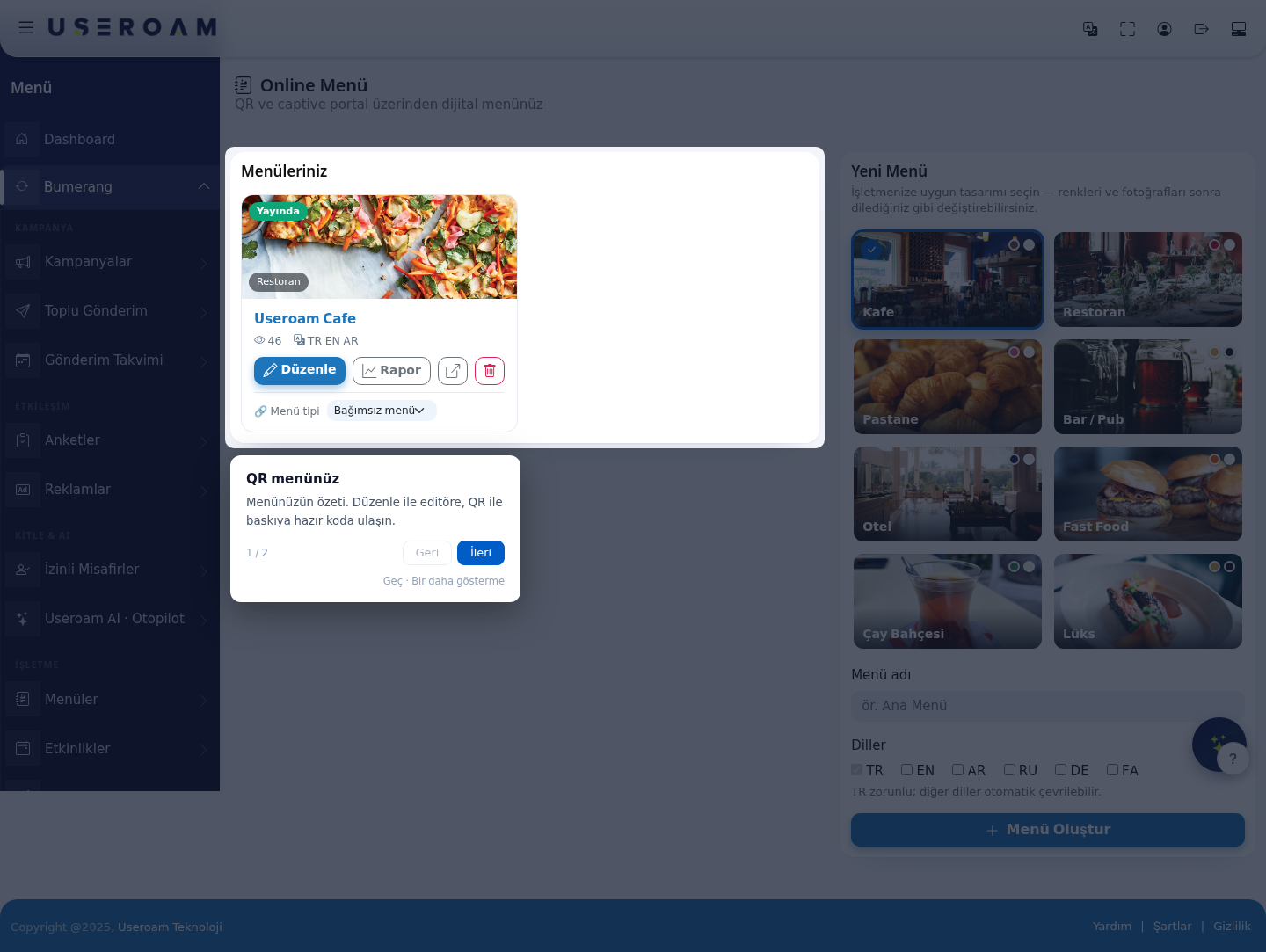
1. Your menus
2. Menu type
3. New Menu
The themes are: Café, Restaurant, Patisserie, Bar / Pub, Hotel, Fast Food, Tea Garden and Luxury.
4. Deleting a menu
Tip: to also connect the guest to Wi-Fi when the QR is scanned, enable Embed Wi-Fi in QR codes on the Captive Portal → Portal Settings page. The star ratings on menu items come from Surveys.
Related pages: Bumerang → Surveys, Analytics and Reports → Hotspot QR Code, Hotel Solution → Guest Portal.