
Settings
The Settings tab defines the identity and behaviour of the restaurant module: the business name, the colour guests see, contact details and three behaviour switches.
How do I open this screen? In the left menu go to Bumerang → BUSINESS (İŞLETME) → Restaurant (Restoran) → Settings.
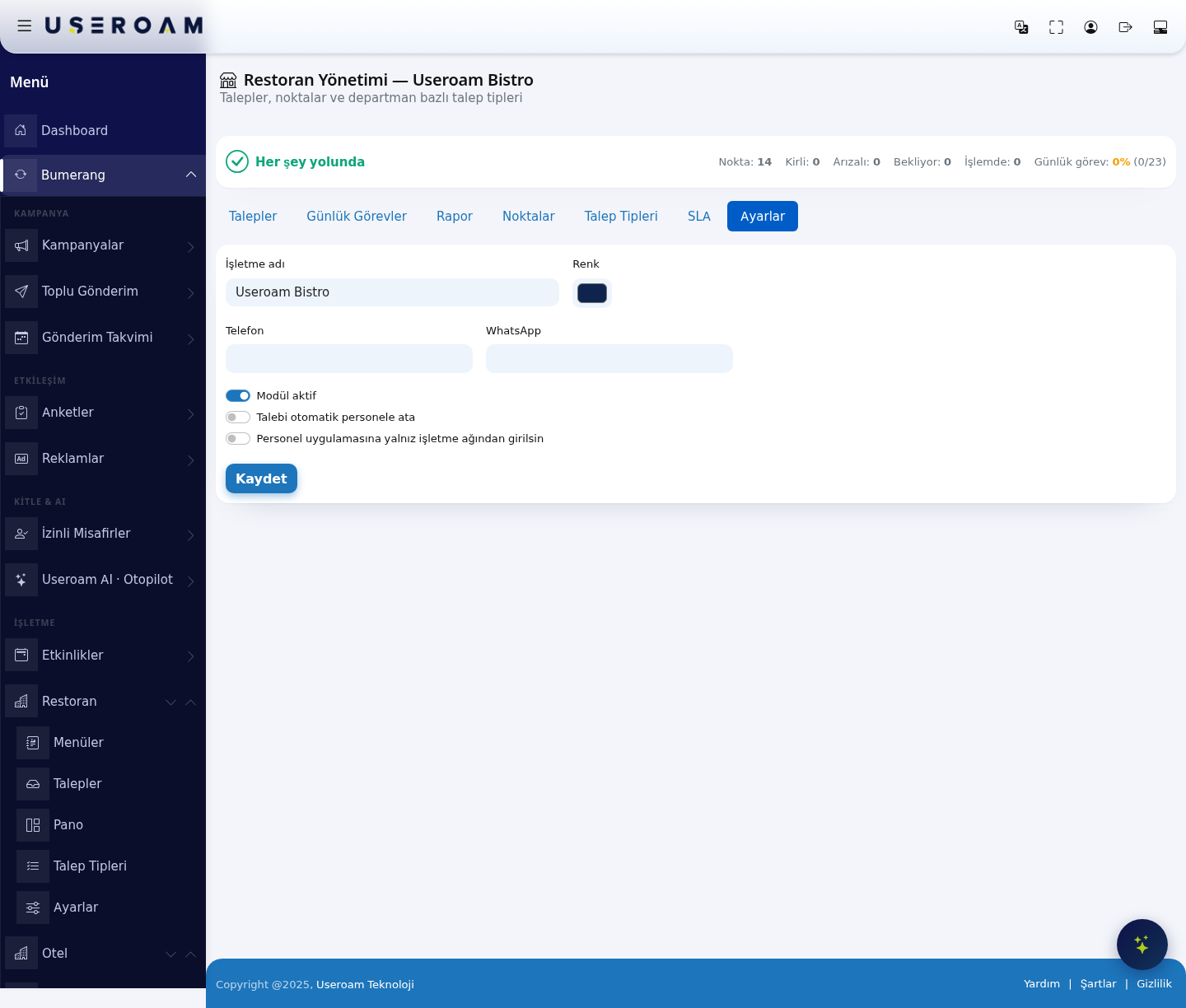
1. Business details
- Business name: The name shown in the module heading and on guest-facing screens (e.g. Useroam Bistro).
- Colour: The accent colour used on guest and staff screens, set from the colour picker.
- Phone: The venue's phone number.
- WhatsApp: The number to reach over WhatsApp.
2. Behaviour switches
- Module active: Turns the restaurant module on or off. While off, guests cannot raise requests and the module is inactive in the left menu.
- Auto-assign requests to staff: When on, a new request is handed straight to an available member of the relevant department. When off, the request waits until someone picks it up.
- Staff app only from the business network: When on, the staff app can only be opened from the venue's own network. Use it to stop tasks being ticked off remotely, outside a shift.
Changes are written with the Save button.
3. Where Settings is now
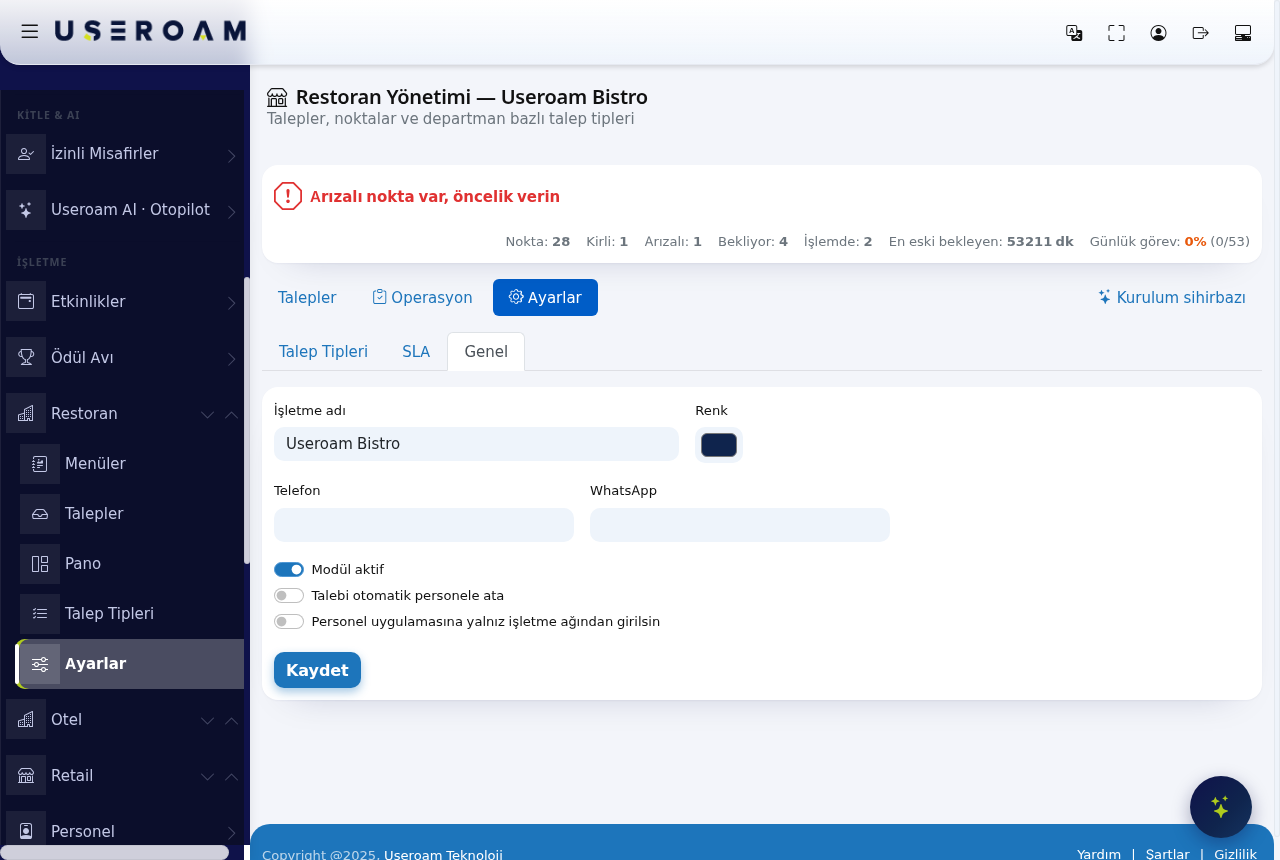
Restaurant Management now has only Requests and Settings. Settings contains three sub-tabs: Request Types, SLA and General (the settings described on this page). Tasks, points and the report moved to Venue → Operations.
With Assign requests to staff automatically on, the job goes to the least busy staff member of the request's department. A manager gets it only if no one else is in the department.
Related pages: Restaurant Solution → Requests, SLA; Bumerang → Staff.