
Till / Coupon Validation
Till / Coupon Validation is the screen where you check whether a customer's coupon code is valid and then redeem it. The cashier keeps this screen open.
How do I open this screen? From the left menu, go to Bumerang → Retail → Till / Validate Coupon.
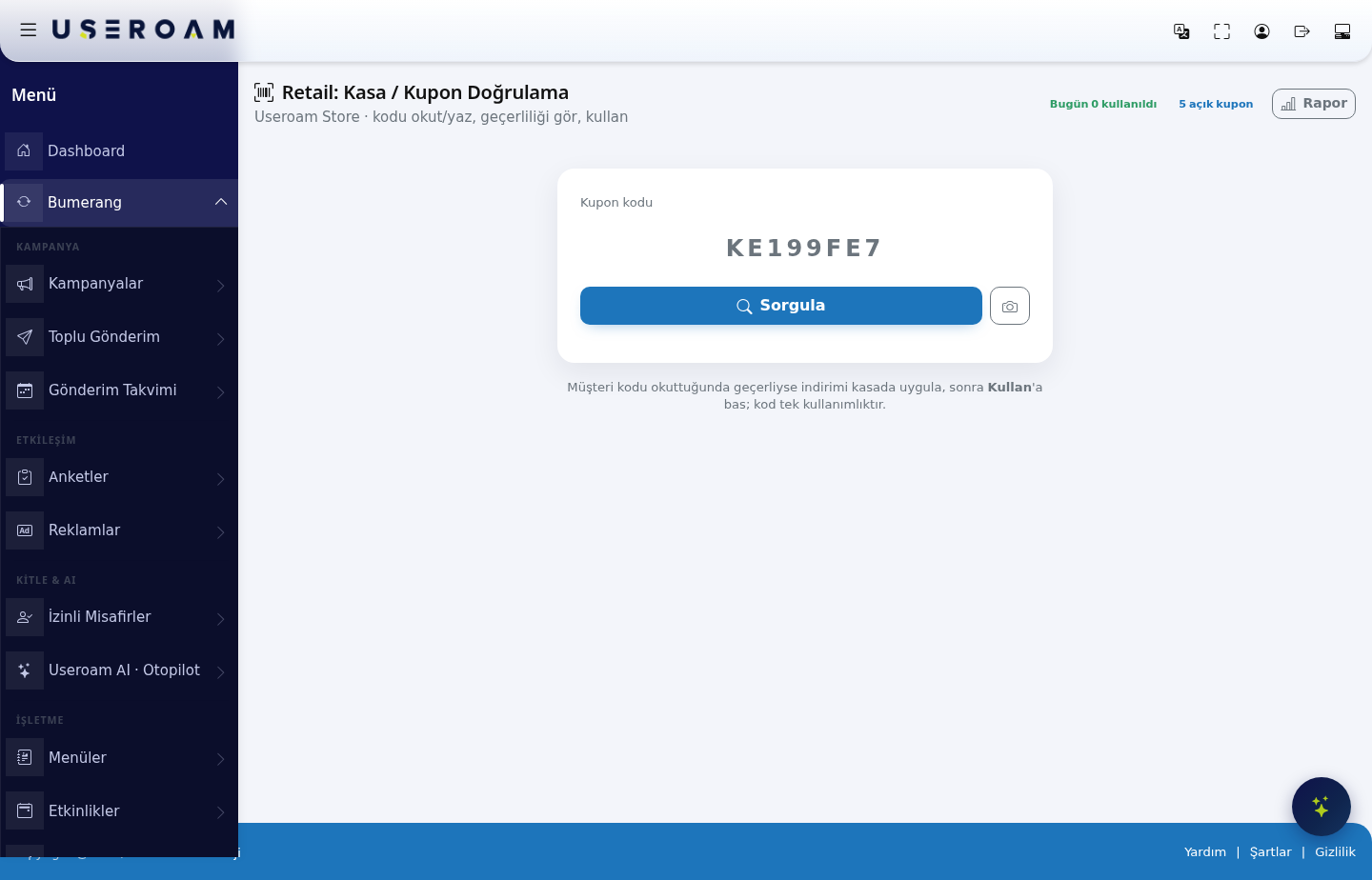
Headline figures
- X redeemed today: coupons redeemed at the till during the day.
- X open coupons: coupons generated but not yet redeemed.
- Report: opens the detailed coupon report.
The validation flow
- Type the code into the Coupon code field, or scan it with a barcode reader.
- Press Check. The screen shows whether the coupon is valid, its type and its condition.
- If it is valid, apply the discount at the till.
- Then press Redeem.
Codes are single-use. Once redeemed, the same code is never valid again. So apply the discount first, then press Redeem — doing it the other way round wastes the coupon if the sale is cancelled.
Common situations
- Code not found: it may have been typed incorrectly; check the code on the customer's screen again.
- Coupon expired: the coupon's End date has passed (you can see it on the Coupons & Wheel screen).
- Already used: the code has been processed at the till before.
- Condition not met: the basket total does not meet the coupon's condition.
Related pages: Retail → Coupons & Wheel (defining coupons), Retail Reports, Analytics and Reports → Audit Log (
coupon_check/coupon_redeem).