
License Information
License Information is a read-only screen showing your account's license status and the contact details of the dealer serving you. The values here cannot be edited; license renewals and scope changes go through your dealer.
How do I open this screen? From the left menu, go to Settings → License Information.
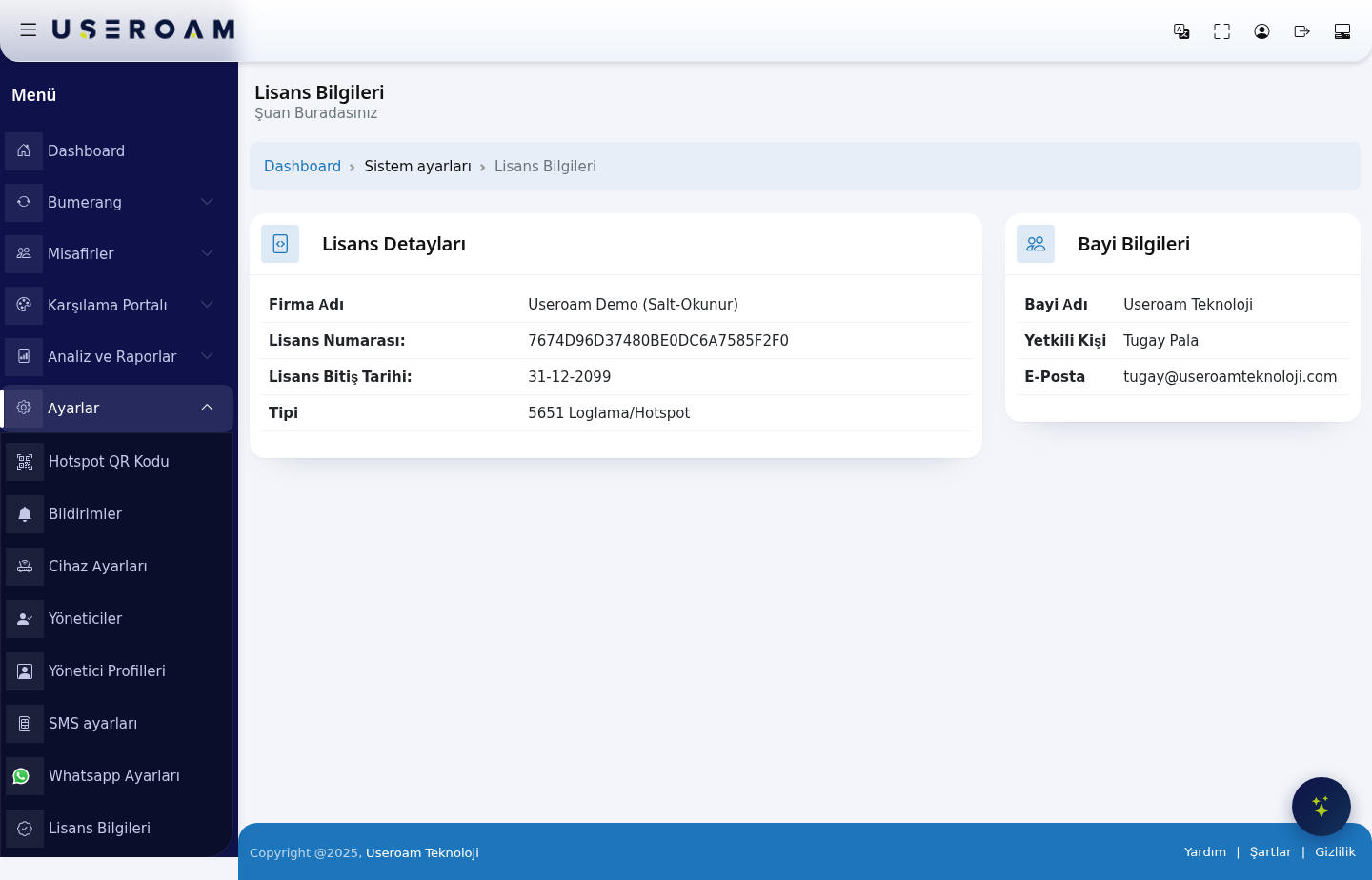
1. License Details
- Company Name: the business the license is registered to. This name appears as the legal entity in the KVKK/GDPR and terms-of-use texts.
- License Number: the license key unique to your account. Quoting it when you open a support request speeds things up.
- License End Date: the last date the license is valid. Once this date passes, guest logins and 5651 log signing stop — contact your dealer as the date approaches.
- Type: the scope of the license (for example 5651 Logging/Hotspot). The scope determines which modules you can use.
2. Dealer Information
- Dealer Name: the partner providing the license.
- Authorized Person: your contact on the dealer side.
- E-Mail: the dealer's contact address. Write here about renewals, scope extensions and billing.
For technical support: for installation and integration problems, write to destek@useroamteknoloji.com.
Related pages: Settings → Device Settings, Analytics and Reports → 5651 Logs.