
License Information
What is it for?
The License Information screen shows the license of the selected device and the contact details of the dealer serving you. It is for information only; nothing here can be changed. License renewals and changes are done by your dealer.
How do I open it? In the left menu, click Settings → License Information.
When do I use it?
- You want to know when your license ends.
- You need your license number when talking to support or your dealer.
- You want to reach your dealer's contact person and e-mail address.
Step by step
In the left menu, click Settings → License Information. The License Details card is on the left, Dealer Information on the right. Check the License End Date: row; if the date is near, write to your dealer at the E-Mail address on the right.
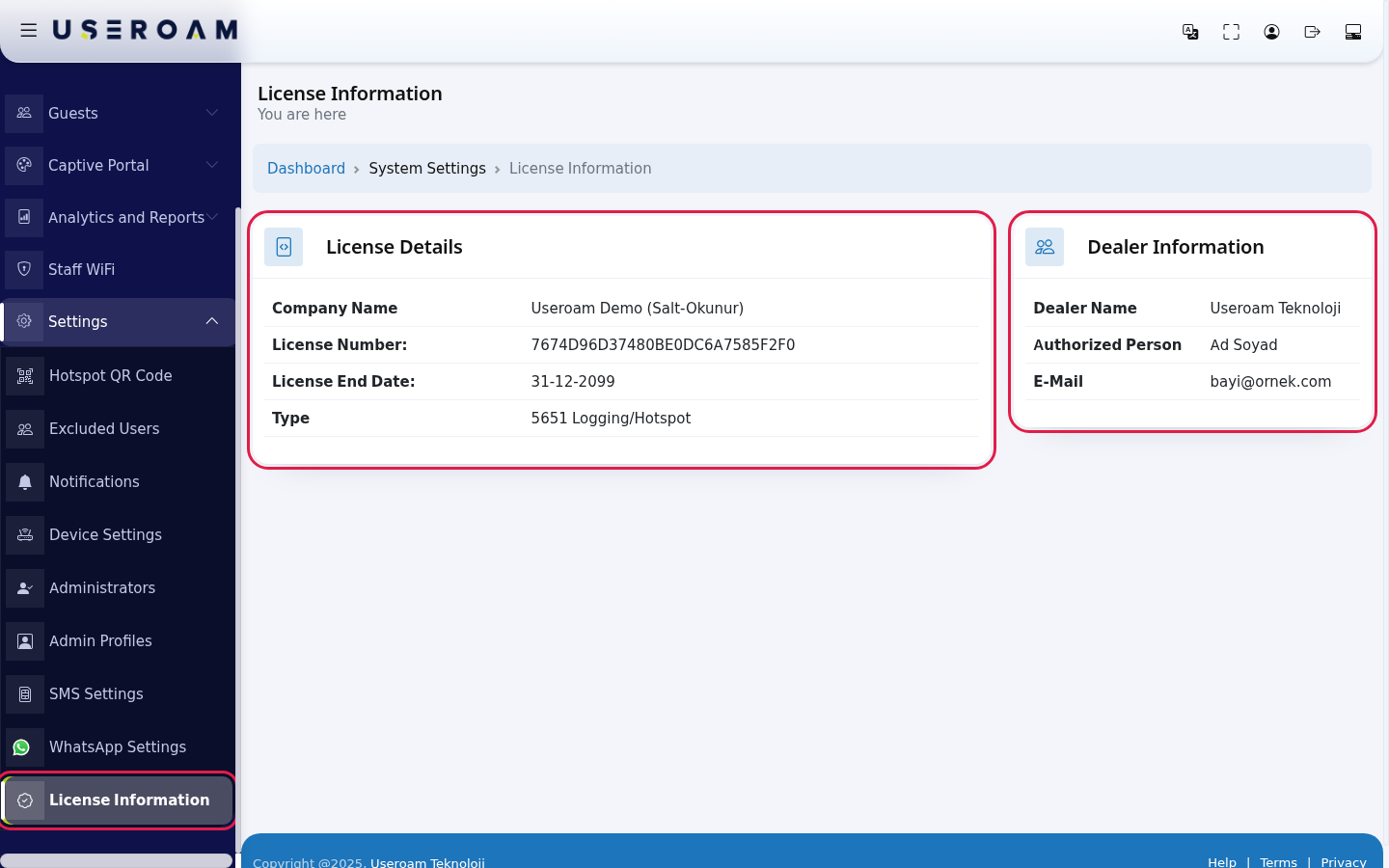
Every field on the screen
| Field | What it shows |
|---|---|
| Company Name | The company the license is registered to. |
| License Number: | The number of the license linked to the device. Give this number in support requests. |
| License End Date: | The last valid day of the license (day-month-year). |
| Type | The license scope: 5651 Logging/Hotspot (guest Wi-Fi and 5651 recording) or 5651 Loglama (5651 recording only). |
| Dealer Name | The dealer who provided the license. |
| Authorized Person | Your contact at the dealer. |
| The dealer's e-mail address. |
Under the title it says You are here. The path line at the top reads Dashboard › System Settings › License Information; click Dashboard to return to the home screen.
Frequently asked questions
Can I extend my license here?
No. This screen is for information only. Contact your dealer to extend it.
I have several devices. Are all their licenses here?
No. The screen shows the license of the currently selected device. For another device, switch to it on Device Selection.
A license I just bought is not shown.
A new license starts when it is linked to a device. Choose it when adding a device: Adding a New Device.