
Android setup
To join the company Wi-Fi without typing a password, a certificate is installed on your device. On Android this has two stages: install the certificate, then fill in a few fields in the Wi-Fi settings.
Before you start
- You need the setup link from your administrator. It may also arrive by SMS.
- The link does not expire. Once you start, finish the certificate download step within 15 minutes; if it lapses, fill the form again.
- Menu names vary slightly between phone brands.
1. Download the certificate
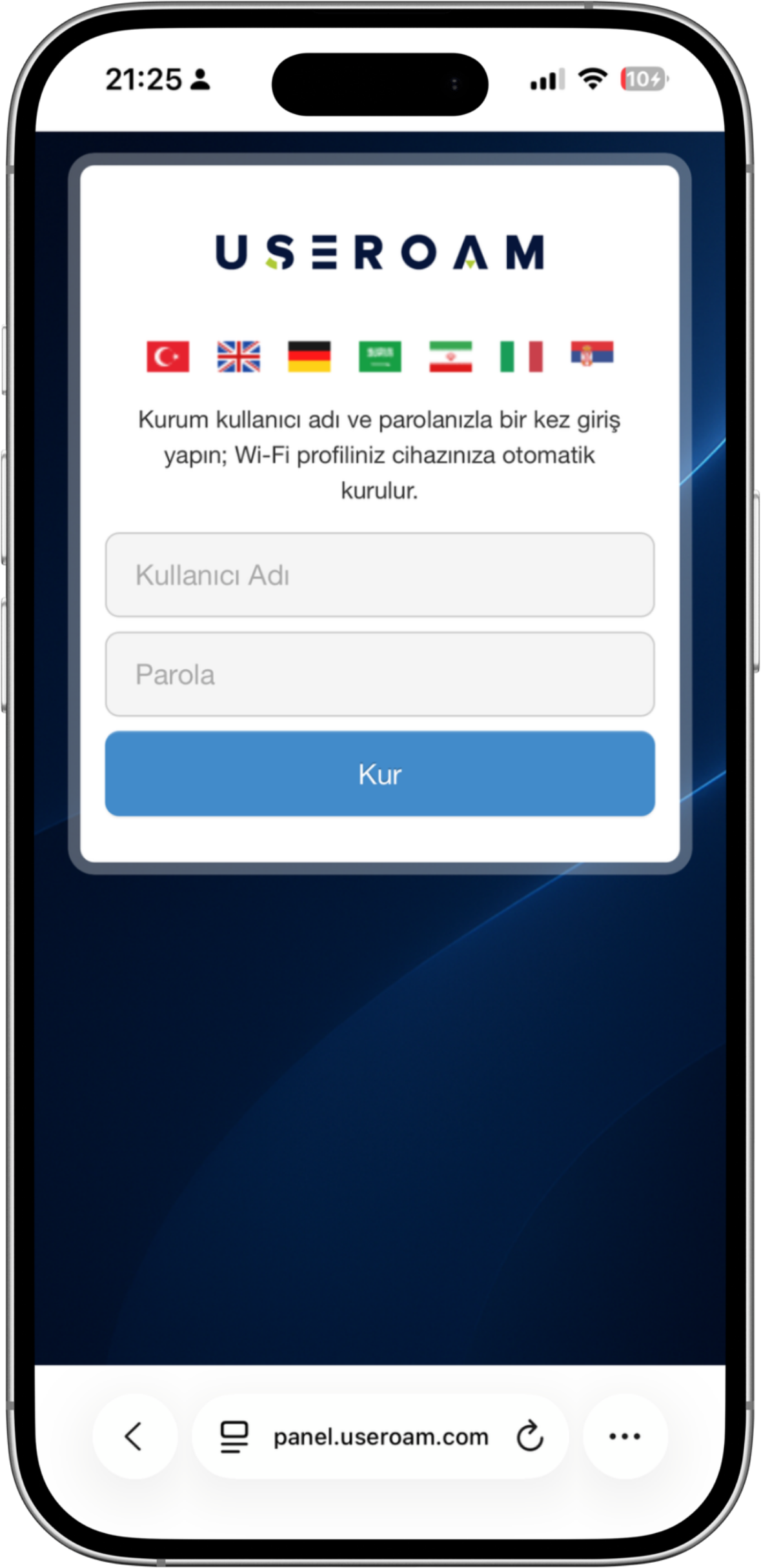
- Open the link and enter your work username and password.
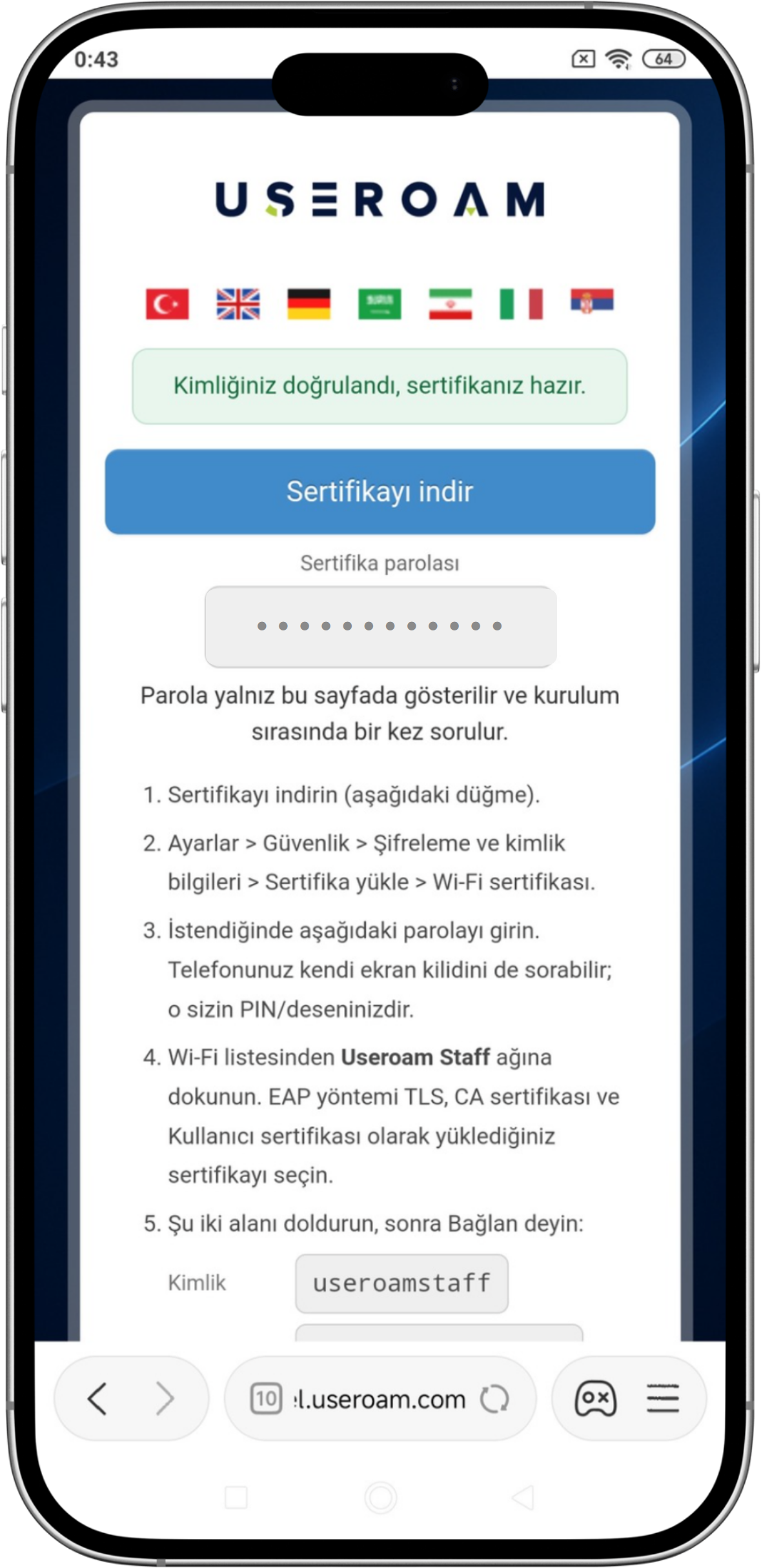
TapOnce you are verified, a Download certificate.button appears; tap it.- A certificate password appears on the same screen. You will need it in the next step, so keep the page open. The screen also shows the values for the Identity and Domain fields.
2. Install the certificate
GoTaptothe downloaded file — from the notification shade or the Downloads list. The name looks likeuseroam_personel1.p12and it is only a few KB.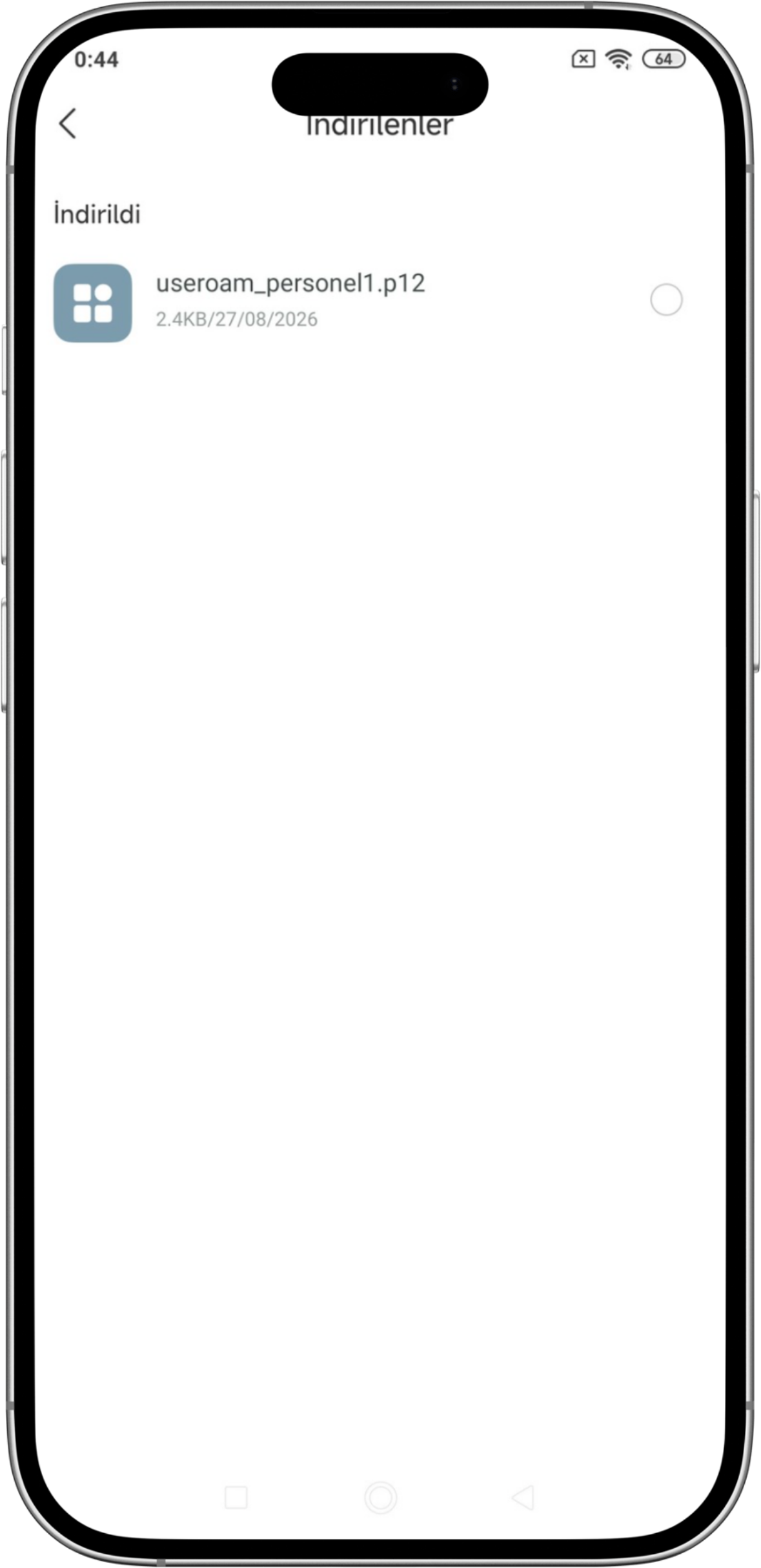
If you cannot reach the file, the same thing works from Settings > Security > Encryption & credentials > Install a certificate.; Choosethere, choose Wi-Fi certificate. Do not choose "VPN and apps": the Wi-Fi screen cannot see certificates installed there.SelectAn Extract certificate dialog opens. Enter thefile you downloaded and enter thecertificate password shown onscreen.the setup page and tap OK.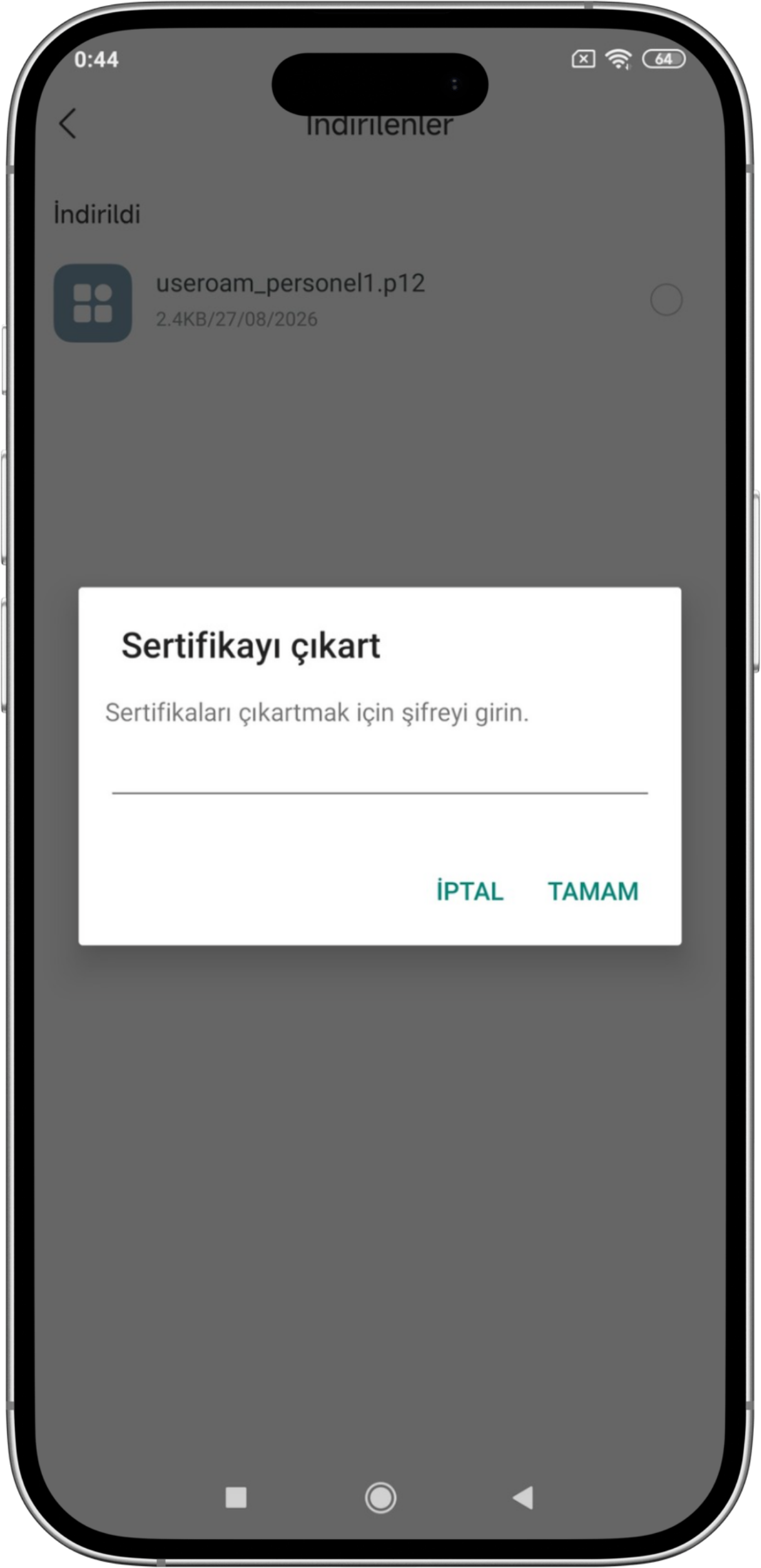
- In the Name the certificate dialog, Credential use must be set to Wi-Fi. Tap OK.
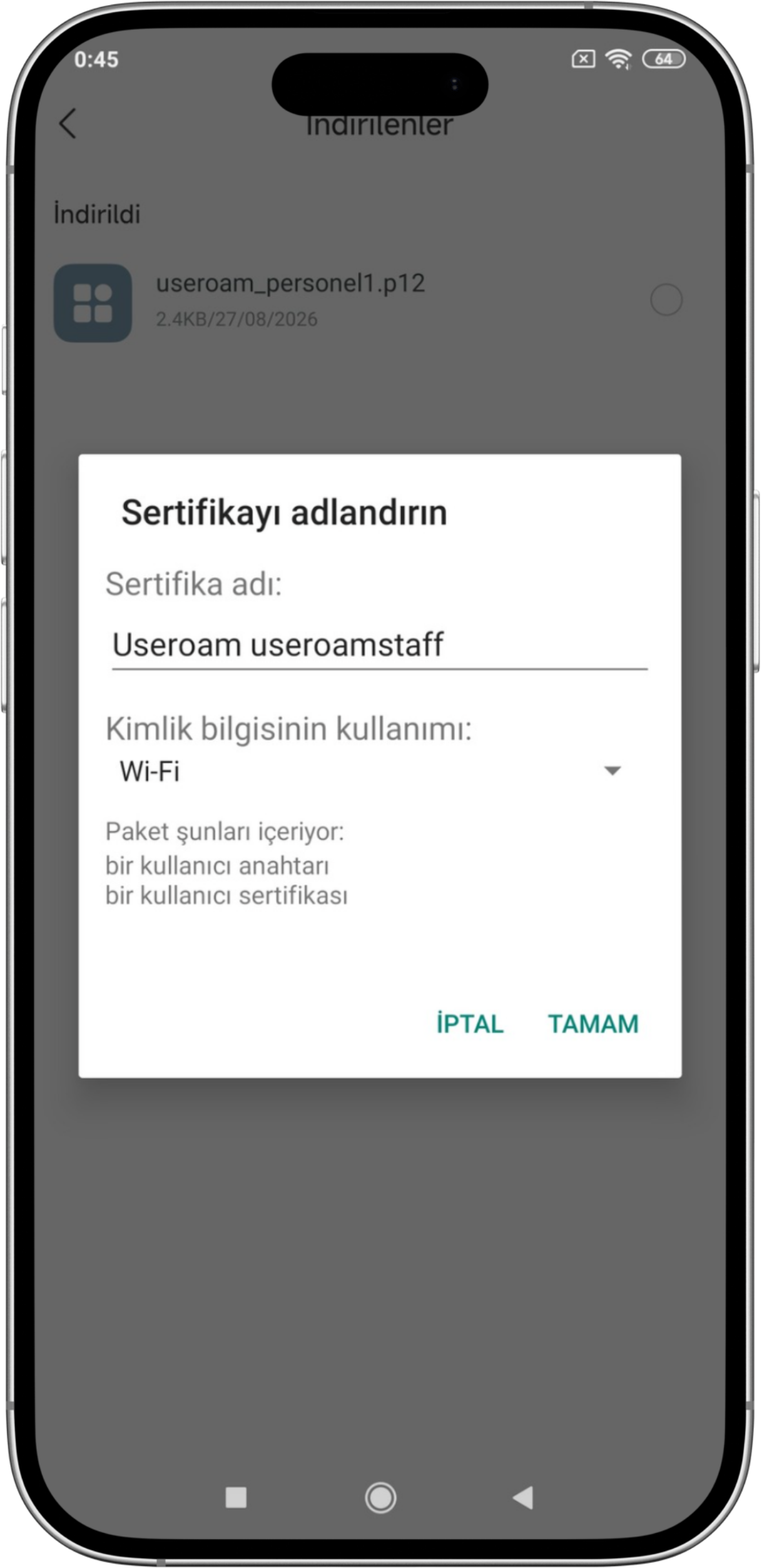
- Your phone may also ask for its screen lock. That is your own PIN or pattern.
3. Join the network
- Tap the company network in your Wi-Fi
listlist. The dialog that opens shows only Identity andfillPassword; that is not enough for a certificate login. Tap Advanced options.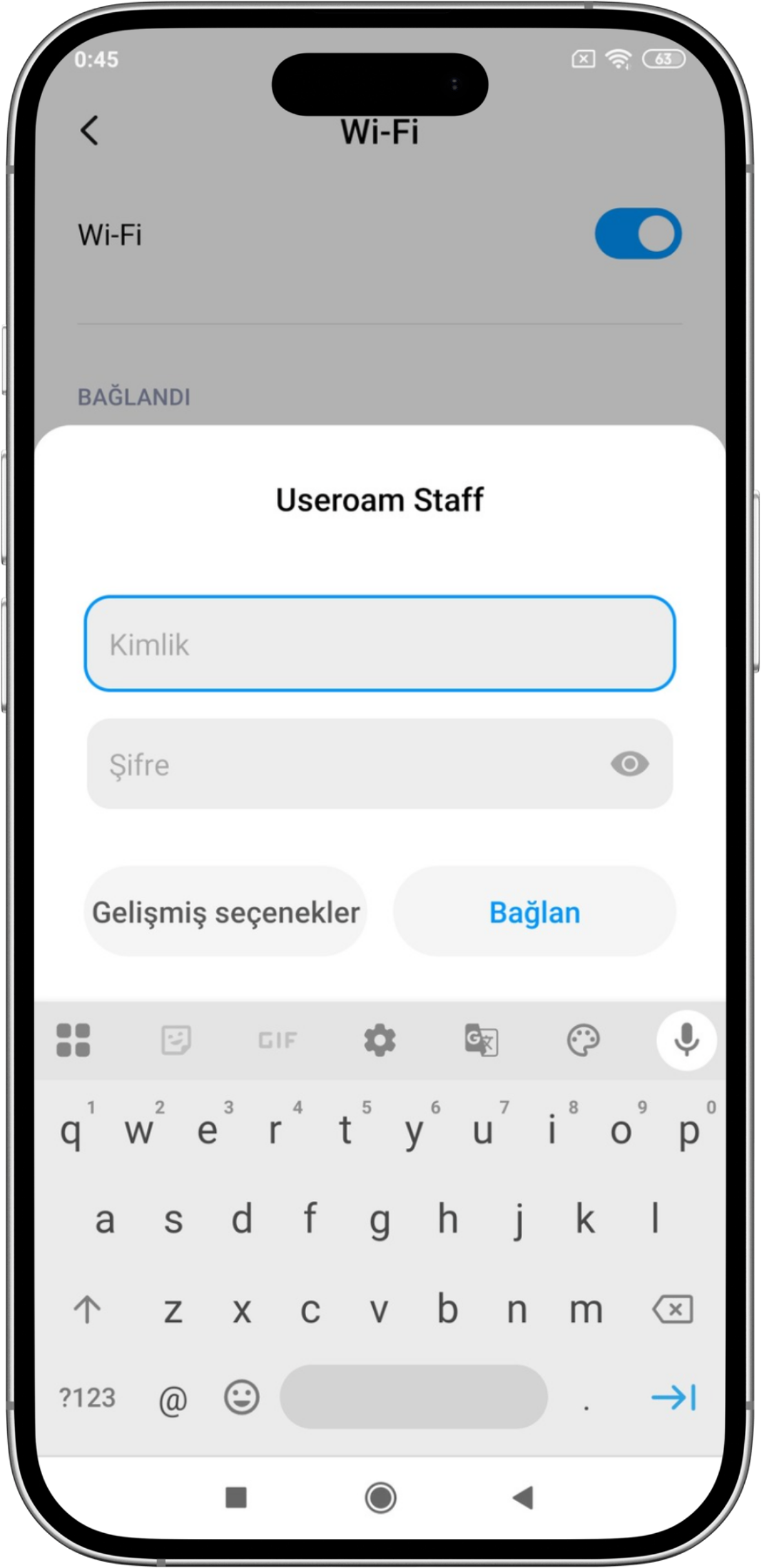
- Fill in
thesethefields:fields in the expanded form.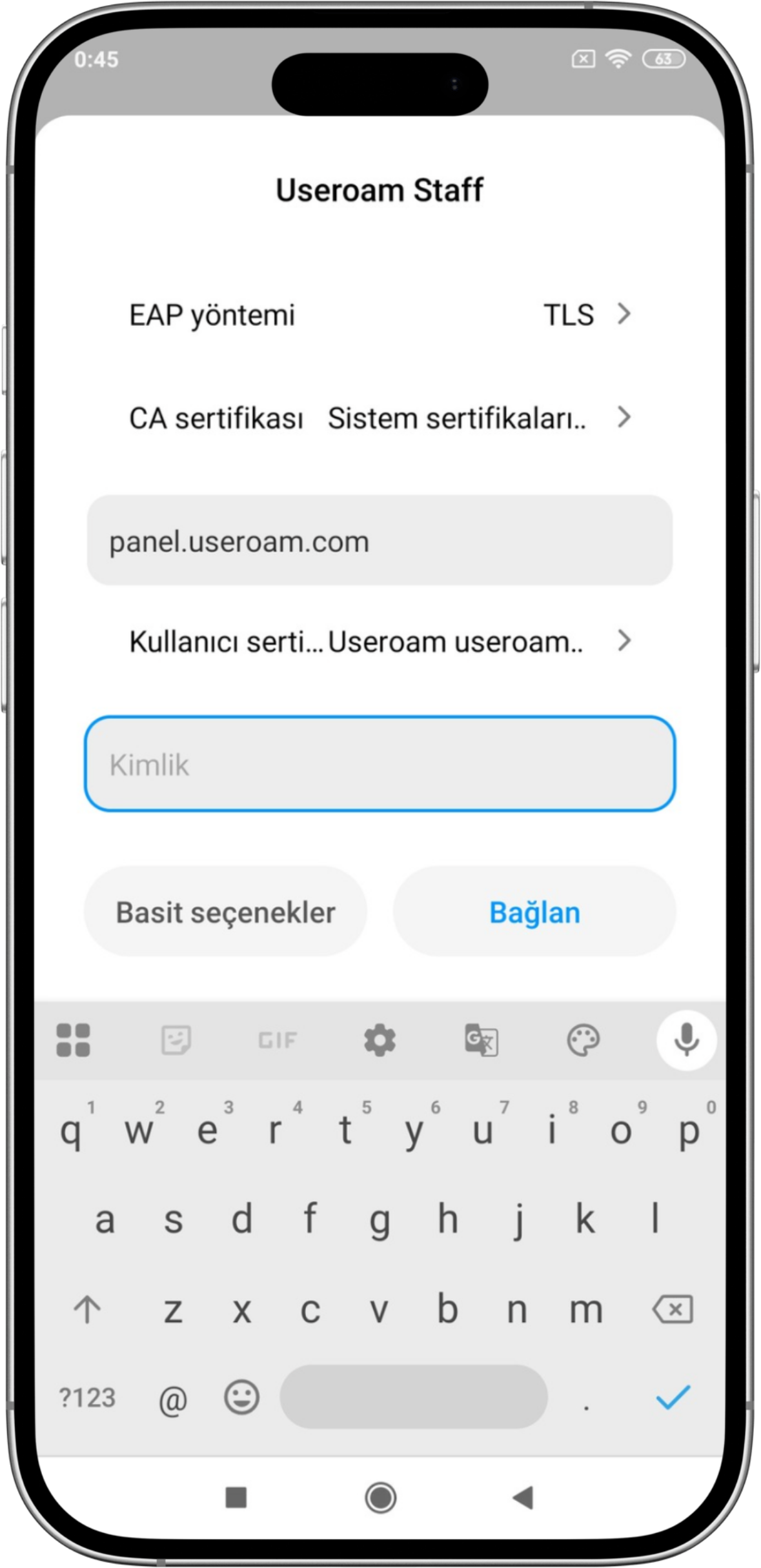
The fields to fill in:
| EAP method | TLS |
| CA certificate | Use system certificates |
| User certificate | select the certificate you installed |
| Identity | your username |
| Domain | the server name your administrator gave you |
Then tap Connect.
The two places people get stuck
Identity: enter your work username. Use exactly the value shown to you on the setup page.
Domain: do not leave it empty. If it is blank the phone reports "Couldn't connect".
Common questions
The phone asked for a password during installation. Which one?
There are two. The certificate password shown on screen opens the file. The screen lock your phone asks for is your own PIN or pattern; Android protects stored certificates with it.
What is installed on my personal phone?
Only a certificate used to join the company Wi-Fi. Your device is not placed under management and its contents are not accessible.