
iPhone and iPad setup
To join the company Wi-Fi without typing a password, a certificate is installed on your device. You do this once; after that your phone connects on its own.
Before you start
- Be on the company network. The setup page opens only from your company Wi-Fi. If you open it over mobile data you see "Open this page on the company network".
- You need the setup link from your administrator. It may also arrive by SMS.
- The link does not expire. Once you start, finish the profile download step within 15 minutes; if it lapses, just fill the form again.
- You will enter your work username and password once.
Setup
- Open the link in Safari. Chrome and other browsers cannot install profiles.
- Enter your username and password, then tap Install. This can take half a minute; don't close the page.
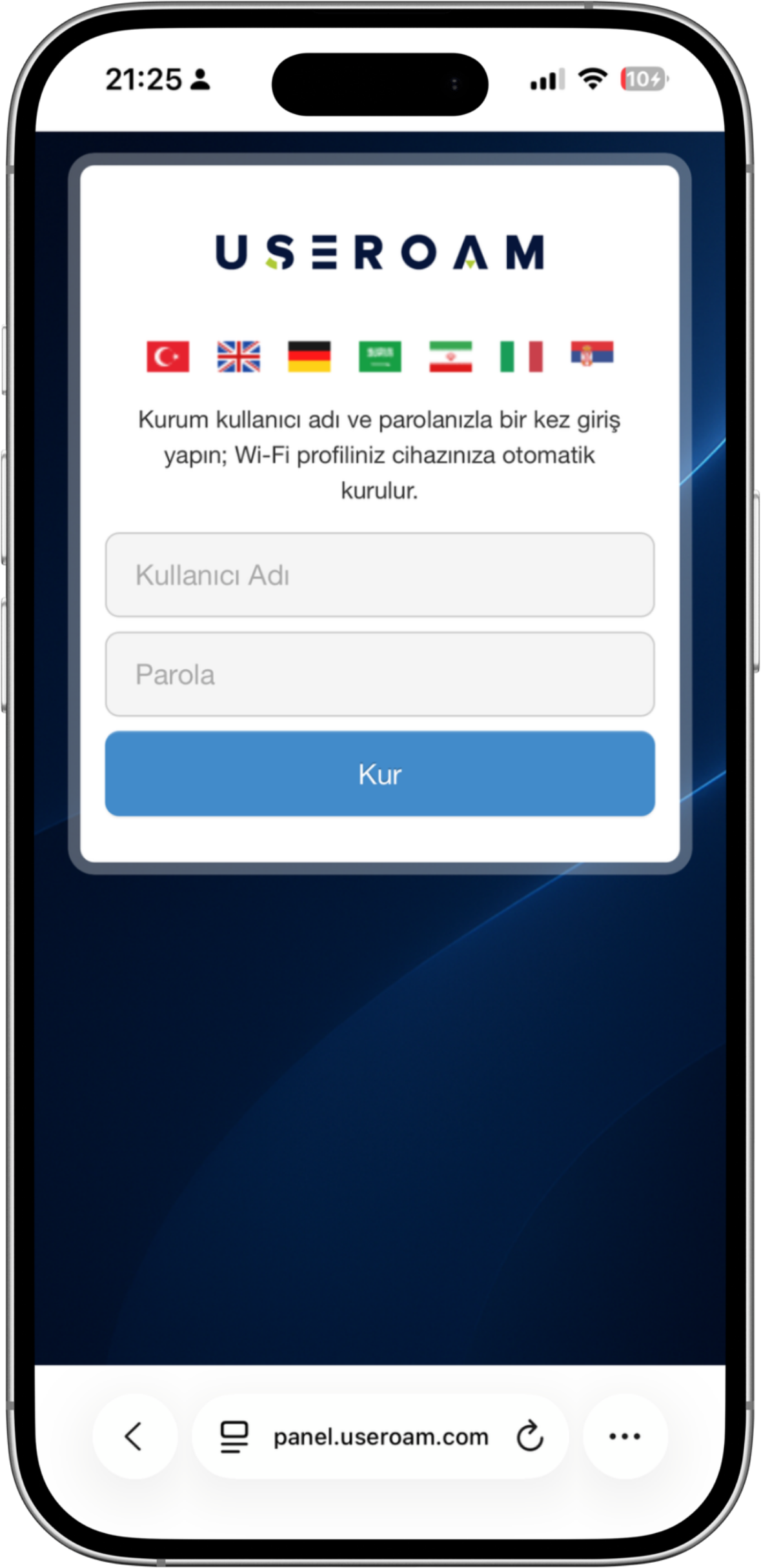
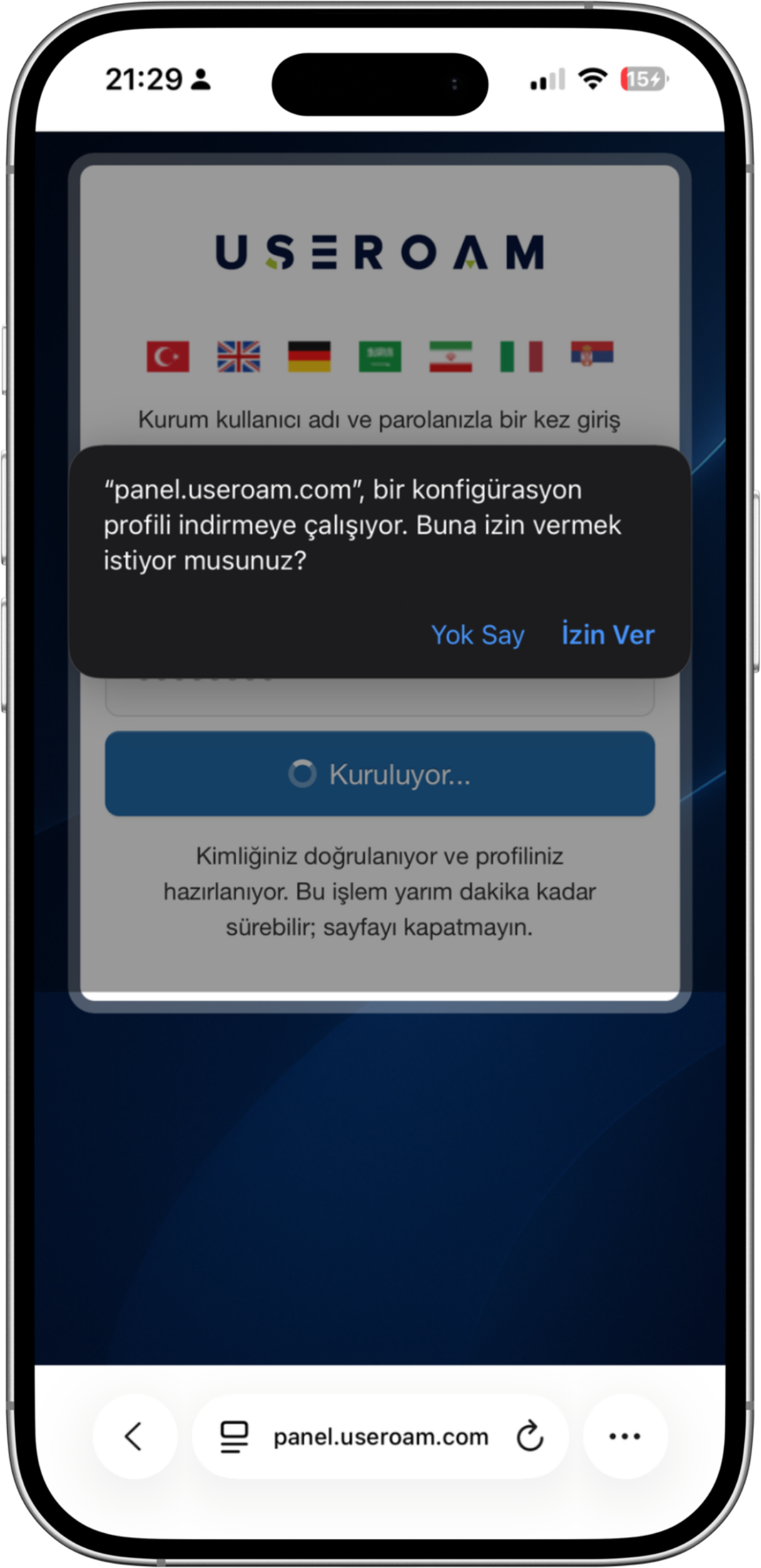
- Safari asks whether “panel.useroam.com” may download a configuration profile. Tap Allow. Without it the profile never downloads and the setup stops there.
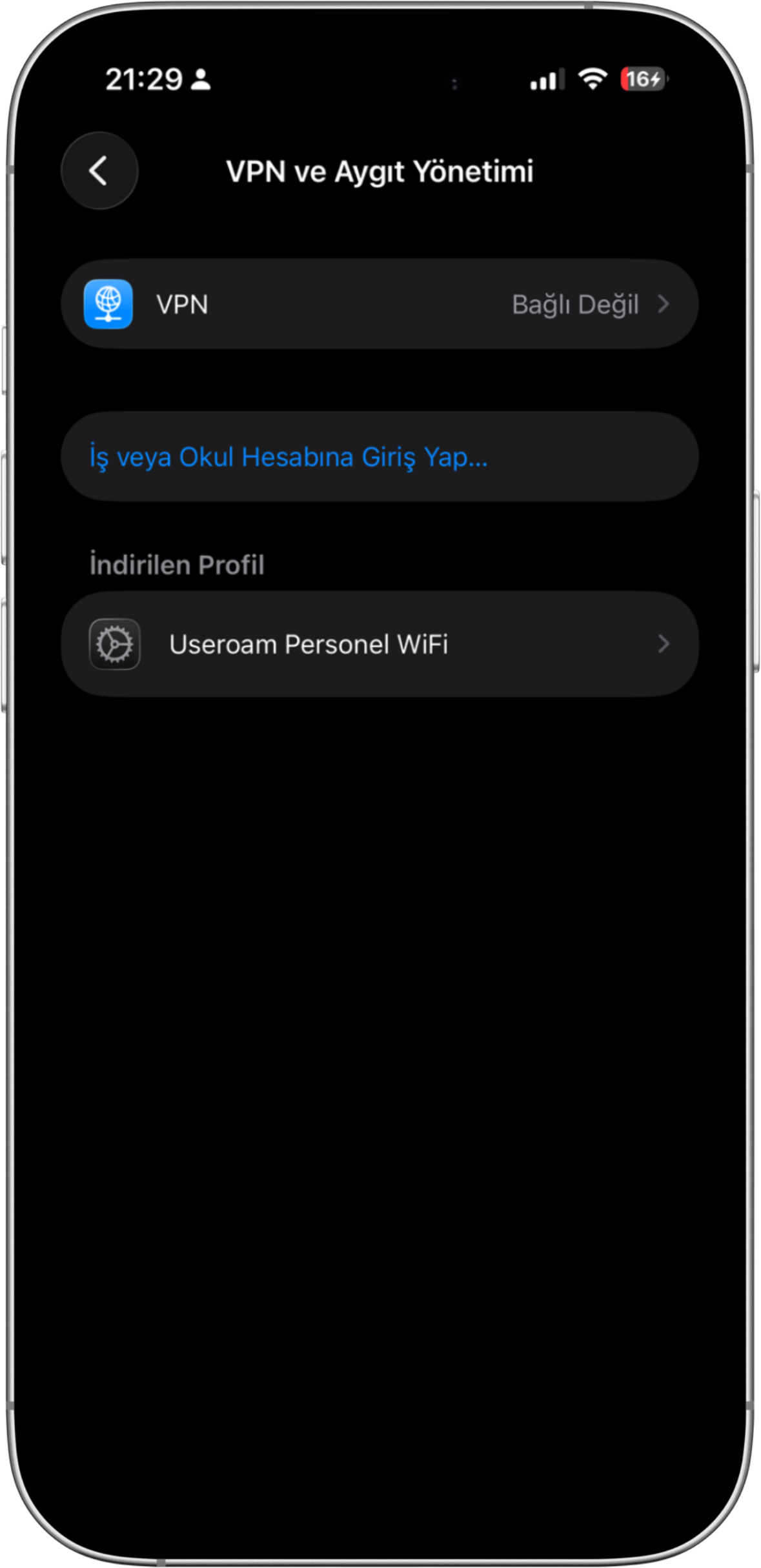
- Open Settings; the Profile Downloaded row appears at the top. If you cannot see it, look under Settings > General > VPN & Device Management, in the Downloaded Profile section.
- Tap the profile, then tap Install at the top right. The card shows Signed by: panel.useroam.com
—; the profile is signed by Useroam, which is why you do not get an “Unverified” warning.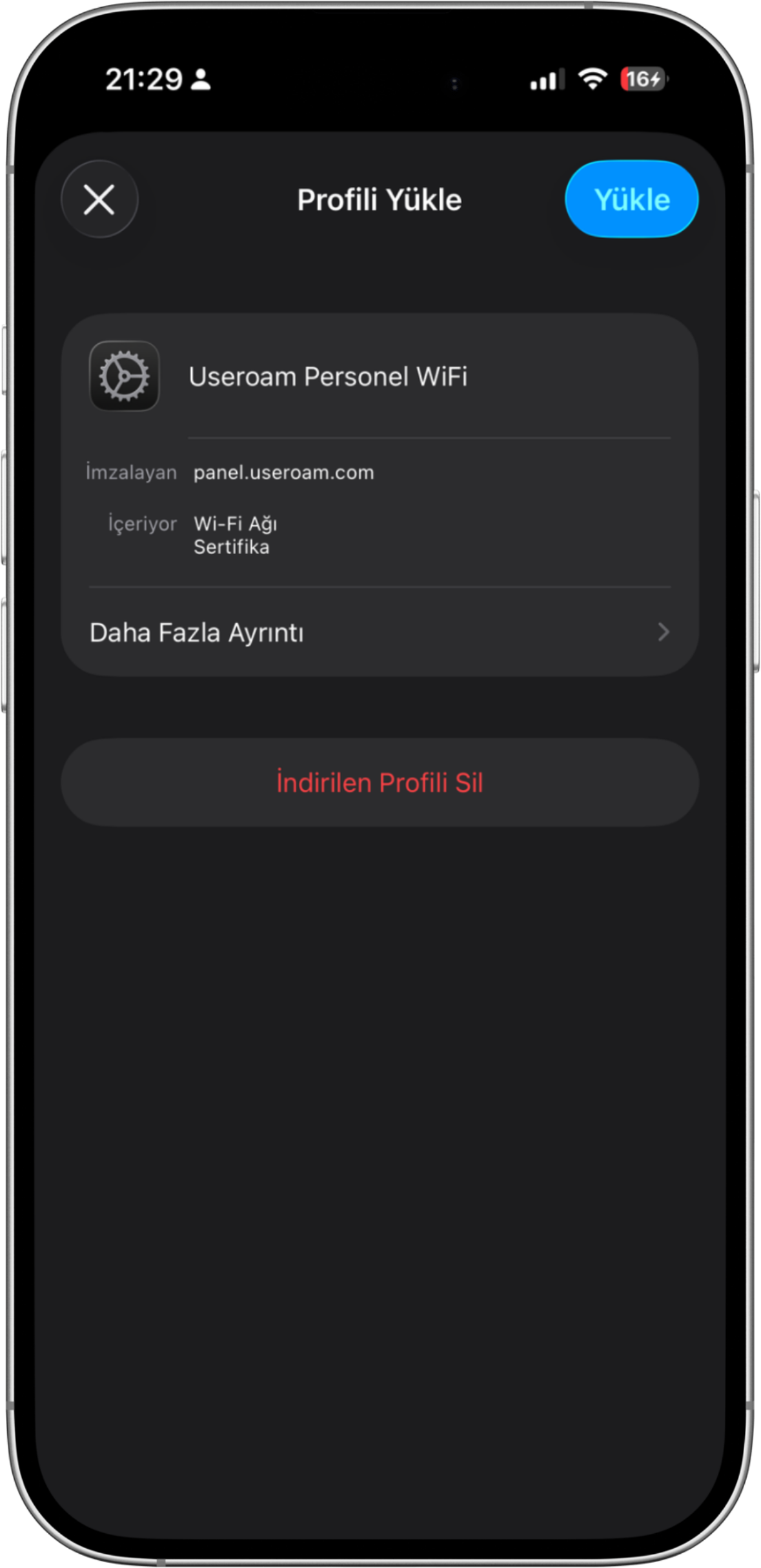
- Your phone asks for its own screen lock (PIN, pattern or passcode). That is your device passcode, not your work password.
- When it finishes, pick the company network from the Wi-Fi list. Nothing else to enter.
Common questions
If I don't type a password, is my connection less secure?
The opposite. A password can be shared; a certificate cannot, because it belongs to your device. Your work password is also no longer stored in Wi-Fi settings.
What if I replace my phone?
Repeat the same setup on the new device. If you are giving up the old device, or you need both at once, tell your administrator; they remove the old device’s access from the panel.
What is installed on my personal phone?
Only a certificate used to join the company Wi-Fi. Your location, photos and apps are not visible, and your device is not placed under management.
Can I remove the profile?
Yes, from Settings > General > VPN & Device Management. Once removed, you can no longer join the company network.
It says "Open this page on the company network".
Your phone is on mobile data or a network outside the company. Join your company Wi-Fi and open the link again.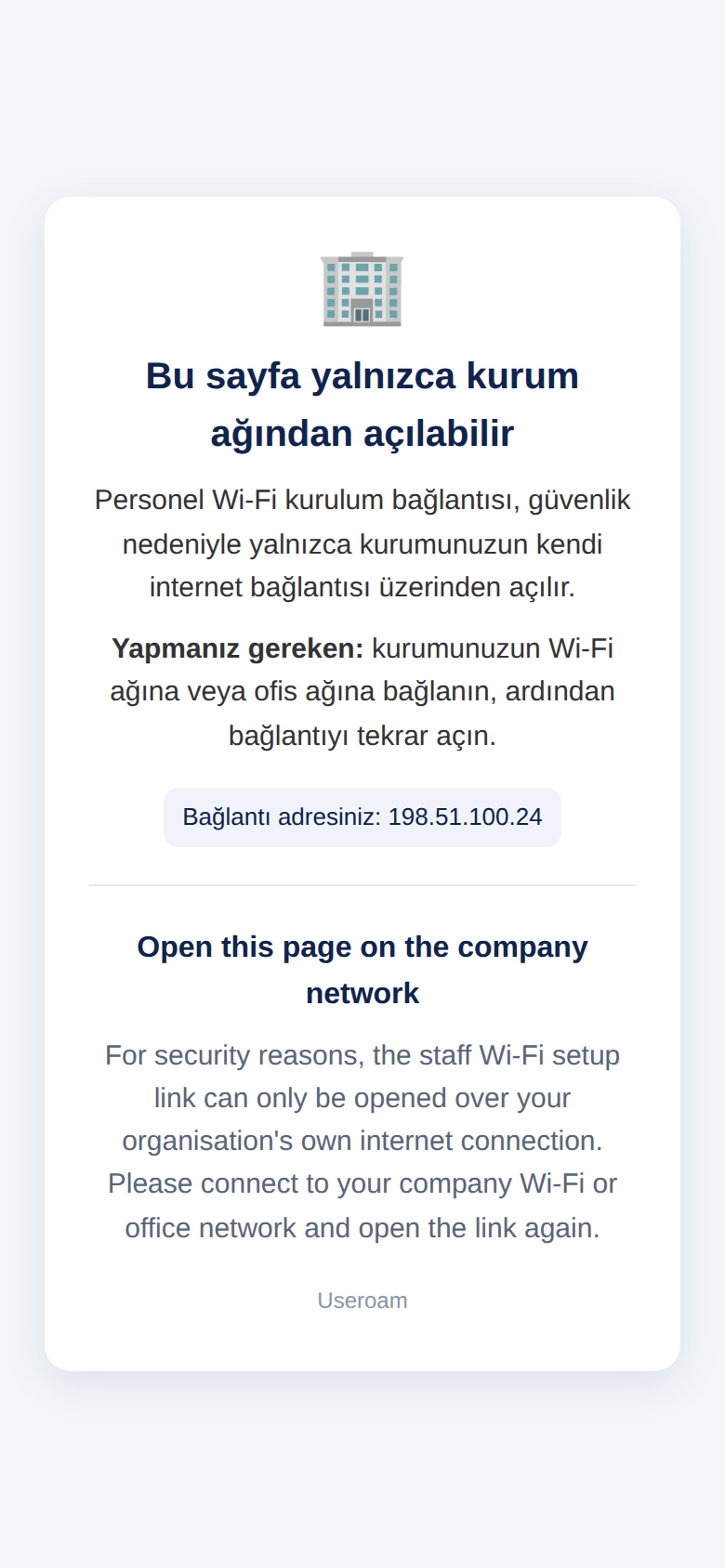
It says "Profili Safari ile yükleyin" (install the profile with Safari).
You opened the link in Chrome or inside another app. Tap the Bağlantıyı kopyala (copy link) button on the screen and paste the link into Safari. You do not need to fill in the form again.
It says "Profil bulunamadı veya süresi doldu (15 dk)" (profile not found or expired).
The download step was not done within 15 minutes. Open the setup link again and fill in the form once more.
The setup page shows an error message.
If you see "Incorrect username or password.", tap Try again and type your details again; if you received a temporary password by SMS, use that. If you see "Verification timed out" or "not enabled / not found in the staff list", tell your administrator. All messages and what they mean: Inviting Staff.