
Orders
The Orders tab is the working screen for the restaurant side's working screen.floor. Orders placedguests atplace from the table by QR land here; the waiter followssends them throughto andpreparation, closesdelivers them fromor thiscancels screen.them.
How do I open it? The Orders
itemtab in the bottom bar.ItVisibleappearstoformanagers and to staffinwhose department has Orders, calls, floor ticked; therestaurantdigital/menuwaiting-staffmustdepartment.be enabled at the venue.
1. MyOrder tablescard and states
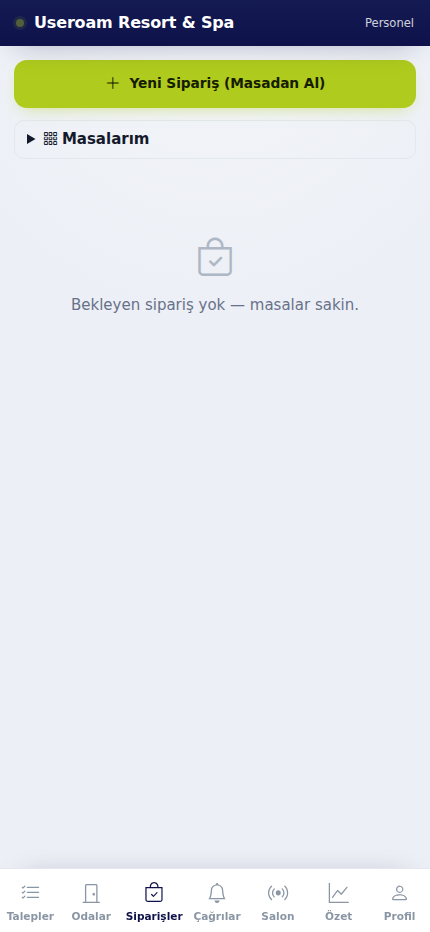
Orders for your tables are listed under My tables. With nothing outstanding it reads "No pending orders — tables are calm."
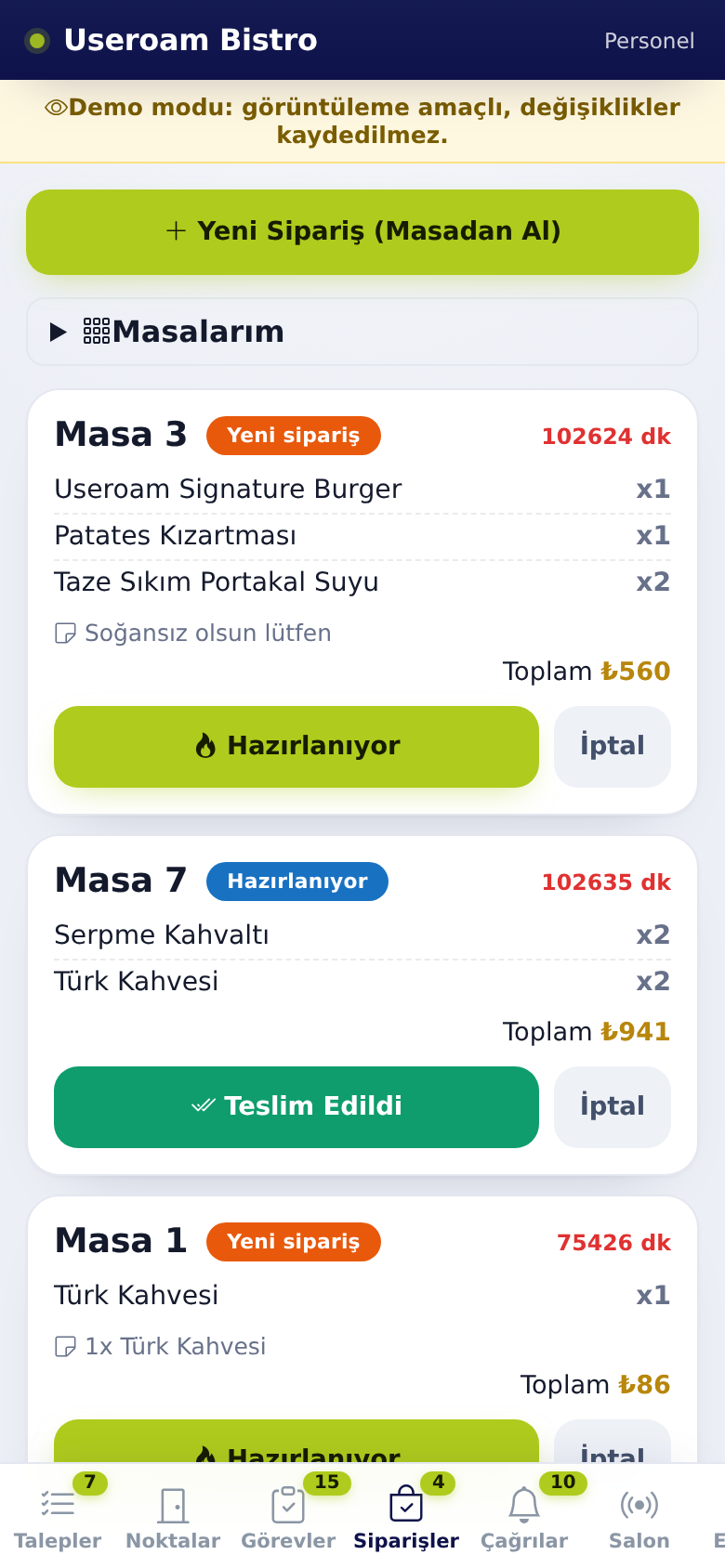
An orderThe card shows the table number, thestatus badge, elapsed time, items and quantities, the totalguest's note and the timeTotal.
- A new order shows a New order badge (orange).
- When you pass it
was placed. You moveto theorderkitchen,forwardtapon🔥 Preparing. The badge turns blue Preparing and thecardscreenasshows Preparation started. - When you take it
istoprepared,thedeliveredtable, tap Teslim Edildi (Delivered). The order leaves the list. - To drop an order, tap İptal (Cancel). After confirming "Cancel this order?" the screen shows Cancelled.
With no orders waiting you see "No pending orders, tables are calm.". When a new order arrives the phone alerts you and paidNew for.task arrived 🔔 appears.
2. My tables
With several waiters, each picks their own tables: "New orders from the tables you pick are notified only to you."
- Tap My tables to open it.
- On a table you serve, tap I am serving this table. It then shows You are serving.
- A table taken by someone else shows Served by {ad} (e.g. "Served by Ayşe").
- At the end of the shift or when handing over, tap Release.
If no tables are defined you see "No tables yet"; tables are created in the panel menu settings.
3. New Order (From Table)
When a guest orders verbally, you enter itthe yourself.order.
- Tap New Order (From Table).
- Enter the table
andnumber. - Select items with quantities. The item count and
savetotalwithappear below. - Tap Create
orderOrder. The screen shows Order created.CancelVazgeç (Cancel) closes thescreen.window.
Possible messages: Enter table no, Select an item, Could not create.
An order entered this way joins exactlyfollows the same flow as one placed by the guest through thea QR menu,order and also appears on the panel's Operations Screen as well.screen.
Related pages: Useroam Go → Calls, Floor;
Restaurant Solution →Menu OperationsScreen, Menu Editor (table QR codes).