
Rooms
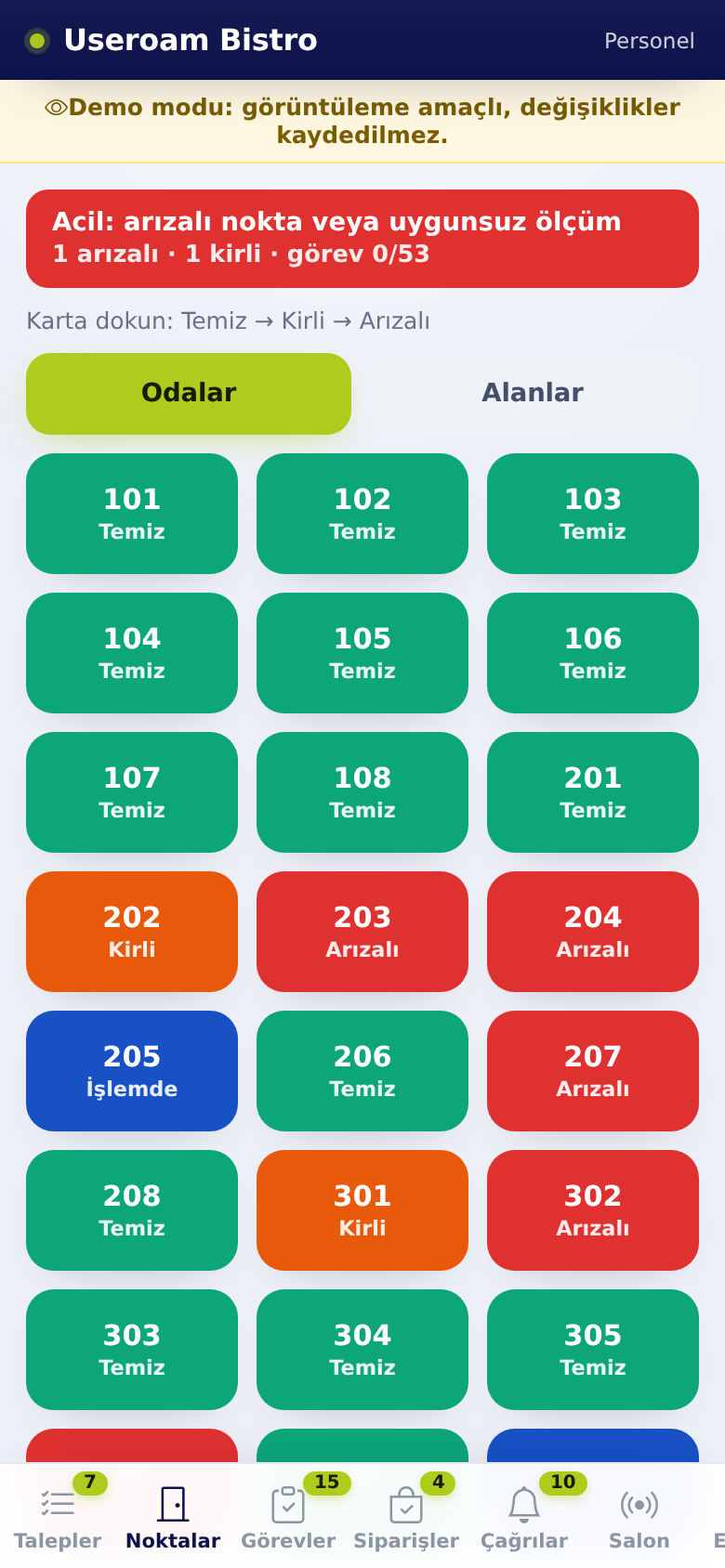
The RoomsThis tab isshows the housekeepinglive team'sstate working screen. The hotel'sof rooms and areas (lobby, pool, kitchen etc.). In venues with the hotel module there are listedtwo asbuttons cards,at eachthe showingtop: itsRooms currentand cleaningAreas status.(Odalar | Alanlar).
How do I open it? The
RoomsPointsitem(Noktalar) tab in the bottombar.barThis(doortab only appears for businesses with the hotel module enabled, and for the relevant departments.icon).
1. Changing statusColours
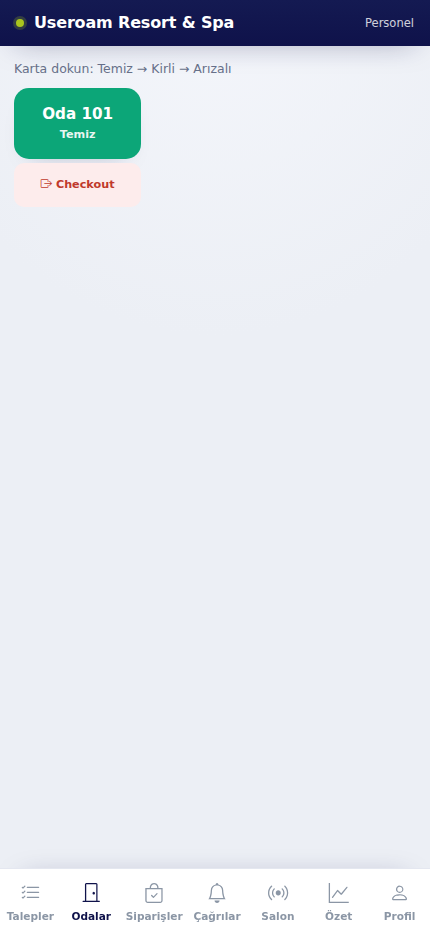
The instruction at the top reads "Tap the card: Clean → Dirty → Faulty". Each tap moves the room to the next status:
Clean:Green (Clean):The room isready.Dirty:Orange (Dirty):Waitingwaitingtoforbe cleaned.cleaning.Faulty:Red (Faulty):Somethingthereinis a problem to fix.- Blue (In progress · Name): someone has taken the
roomjobneedsatfixing;thisit is flagged as a priority inplace; thepanel.box shows their name.
The change reaches the panel immediately — reception and managers see the same colour on the room board.
2. Changing the state
- Tap a room or area. A menu opens.
- Choose Clean, Dirty or Faulty. You can add a note and a photo.
- In a hotel, setting a room to Faulty opens a fault request. Setting it to Dirty opens no request; the room joins the cleaning queue.
- For areas (and restaurant points), Dirty opens a cleaning request and Faulty opens a fault request.
- On a dirty room the menu shows ▶ Start cleaning; on a place with an open job it shows ▶ Start work. Tapping it makes the job yours and the box turns blue.
Clean lock
Staff cannot set a place with an open job to Clean; the job has to be closed first. In a hotel, only an open cleaning or fault request locks a room. When the job is closed, the place becomes Clean by itself.
3. Areas
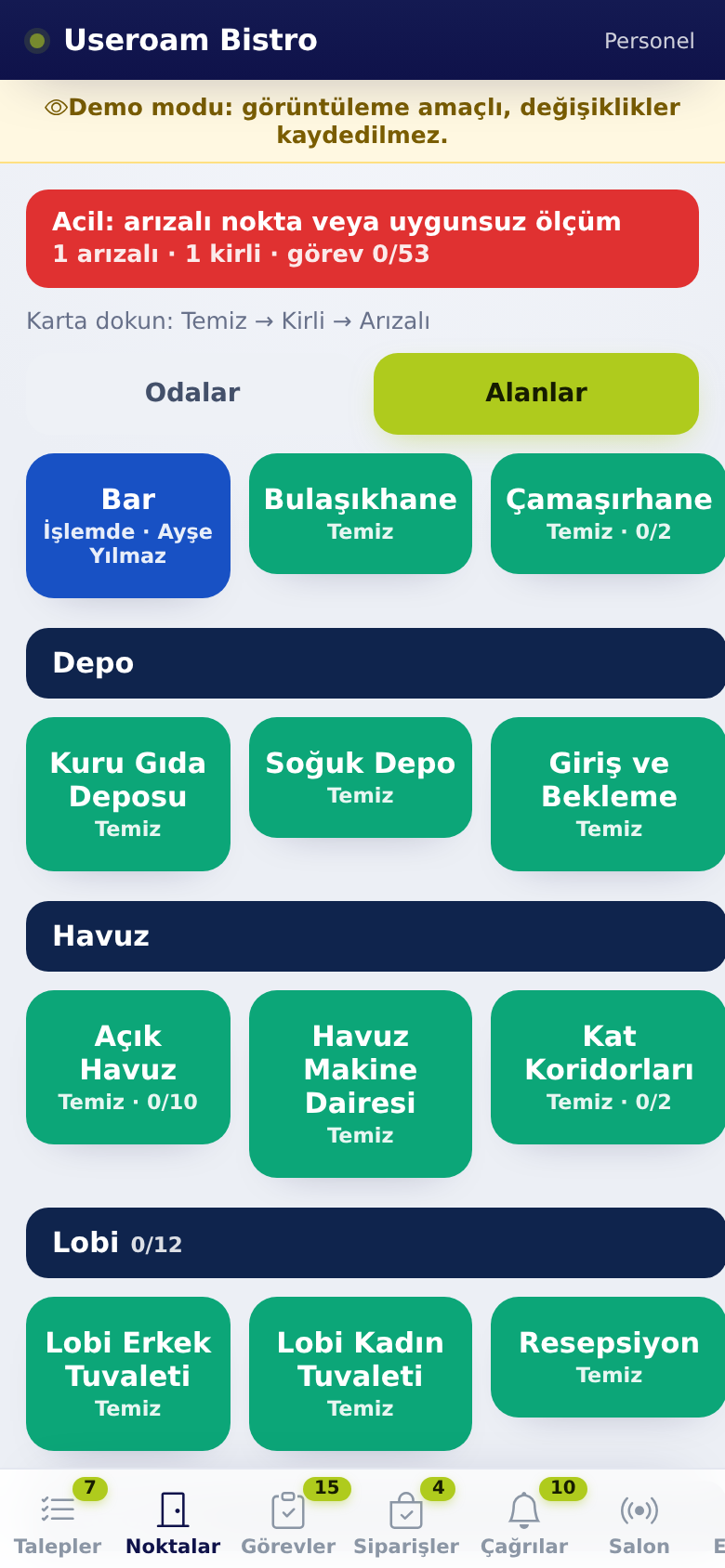
Areas are grouped by their parent place. The parent (e.g. Storage, Pool, Lobby) is a navy header and cannot be tapped. The boxes below it are the individual places. Staff see only the places they are responsible for.
4. Checkout
TheIn a hotel, Checkout button on the card marks the room as checked out.out; After checkout athe room usually moves to dirty and joins the cleaning queue.
Related pages: Useroam Go → Requests,
SummaryManager tools and tasks; Operations; Hotel Solution → Room Board.