
Rooms
This tab shows the live state of rooms and areas (lobby, pool, kitchen, bar and so on). It is called Points in a restaurant and Rooms in a hotel. If the venue has both rooms and areas, a Rooms | Areas switch appears at the top.
How do I open it? The Rooms or Points tab in the bottom bar (door icon).
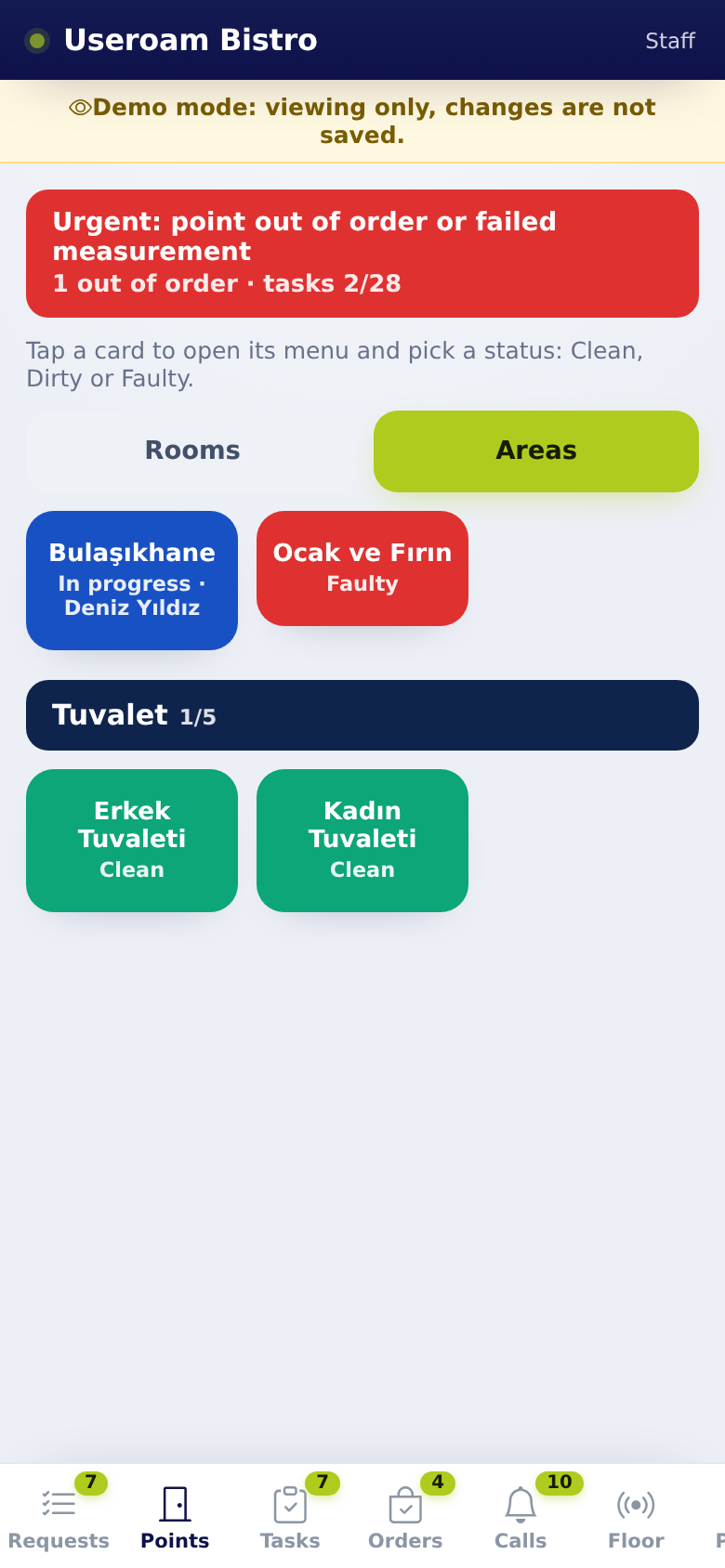
1. Status strip at the top
The strip at the top summarises every place:
- All good (green): no open work.
- Open work or Overdue tasks (orange).
- Urgent: point out of order or failed measurement (red).
Counts appear below it, e.g. "1 out of order · 1 dirty · tasks 0/53".
2. Tile colours
- Green (Clean): all good.
- Orange (Dirty): waiting for cleaning, or a task at this place is overdue.
- Red (Faulty): a problem to fix, or an out-of-range measurement.
- Blue (In progress · Name): someone has started the job here; the tile shows their name.
Under the name the tile shows the place's task count (e.g. "0/2" = 0 of 2 tasks done) and, on places given to you, · assigned to you.
3. The menu that opens when you tap a place
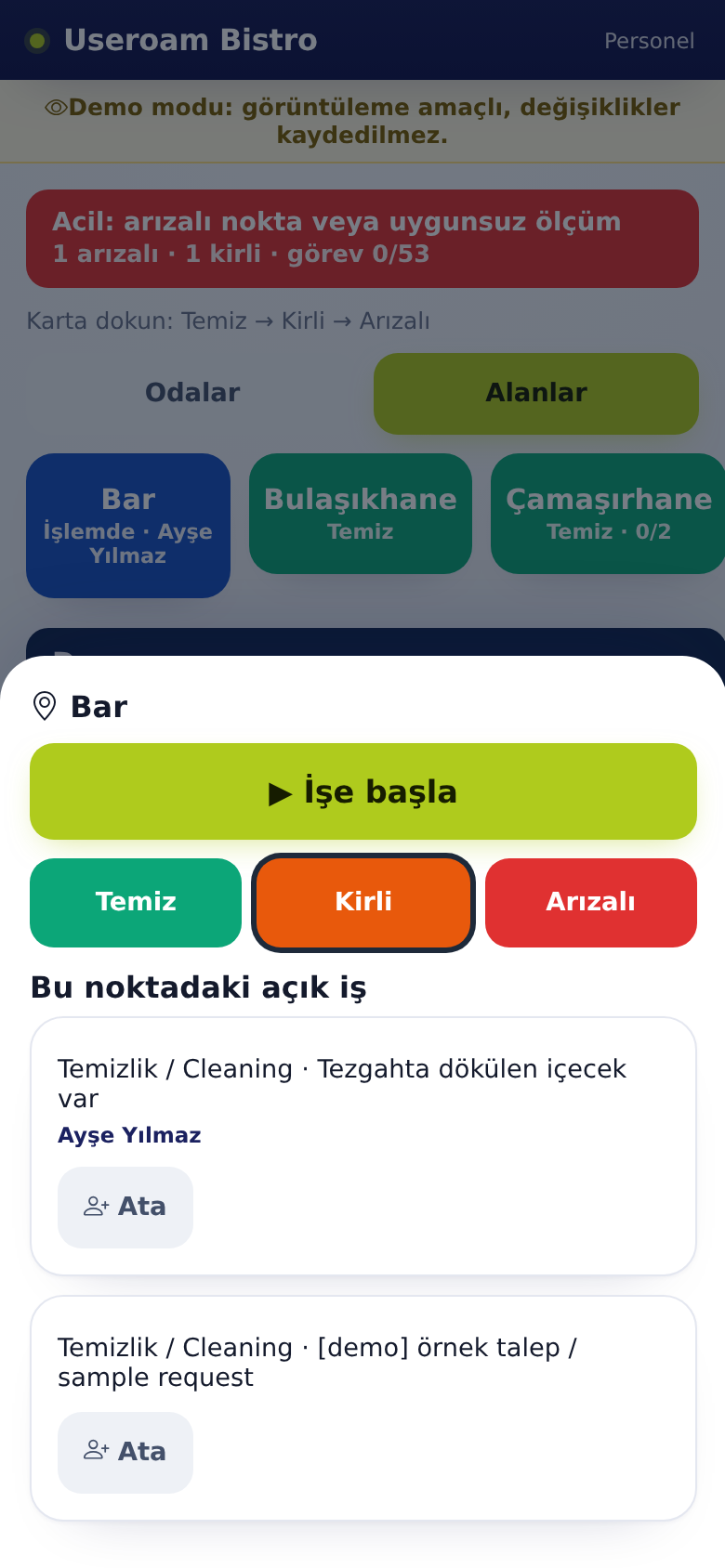
- Tap a room or area. A menu opens; the current state is outlined. The on-screen hint says the same: "Tap a card to open its menu and pick a status: Clean, Dirty or Faulty."
- If a job is waiting here, ▶ Start job appears at the top. For a dirty hotel room it is ▶ Start cleaning. Tapping it makes the job yours, shows Job started and turns the tile blue.
- To change the state, choose Clean, Dirty or Faulty.
- After Dirty or Faulty a field opens: write What happened? (optional) and tap Add photo if you like.
- Tap Report.
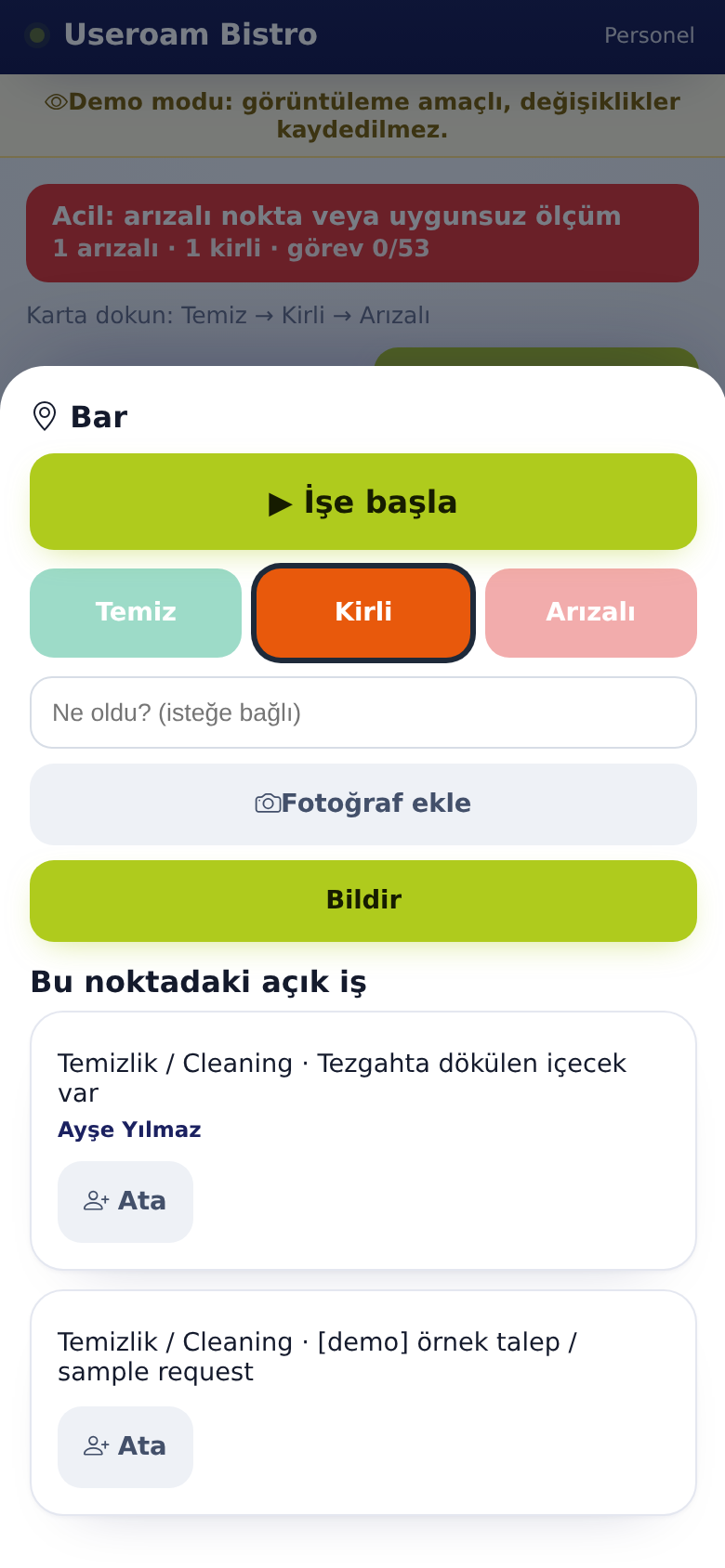
What happens?
- For areas and restaurant points, Dirty opens a cleaning request and Faulty opens a fault request, assigned to the least busy person. The screen shows Request opened.
- If the same kind of request is already open here, no new one is opened: "There is already an open request here".
- In a hotel, marking a room Faulty opens a fault request. Dirty opens no request; the room joins the cleaning queue.
At the bottom, Open job at this point lists the request type, note and who holds it.
Clean lock
Staff cannot set a place with an open job to Clean; the Clean button is dimmed and you see "There is an open job at this spot. It turns clean automatically when the job is closed." In a hotel only an open cleaning or fault request locks the room. Managers are not locked.
4. Areas and group headers
Areas are grouped under a parent place. The parent (e.g. Storage, Pool, Lobby) is a dark header and cannot be tapped; it shows the task count for the group. The coloured tiles below are the individual places.
Who sees what? Each place can have an owner (a person or a department; a child place without an owner uses its parent's). Staff only see places they are responsible for. Places without an owner are visible to managers only. Owners are set on the panel's Operations screen.
5. Hotel rooms
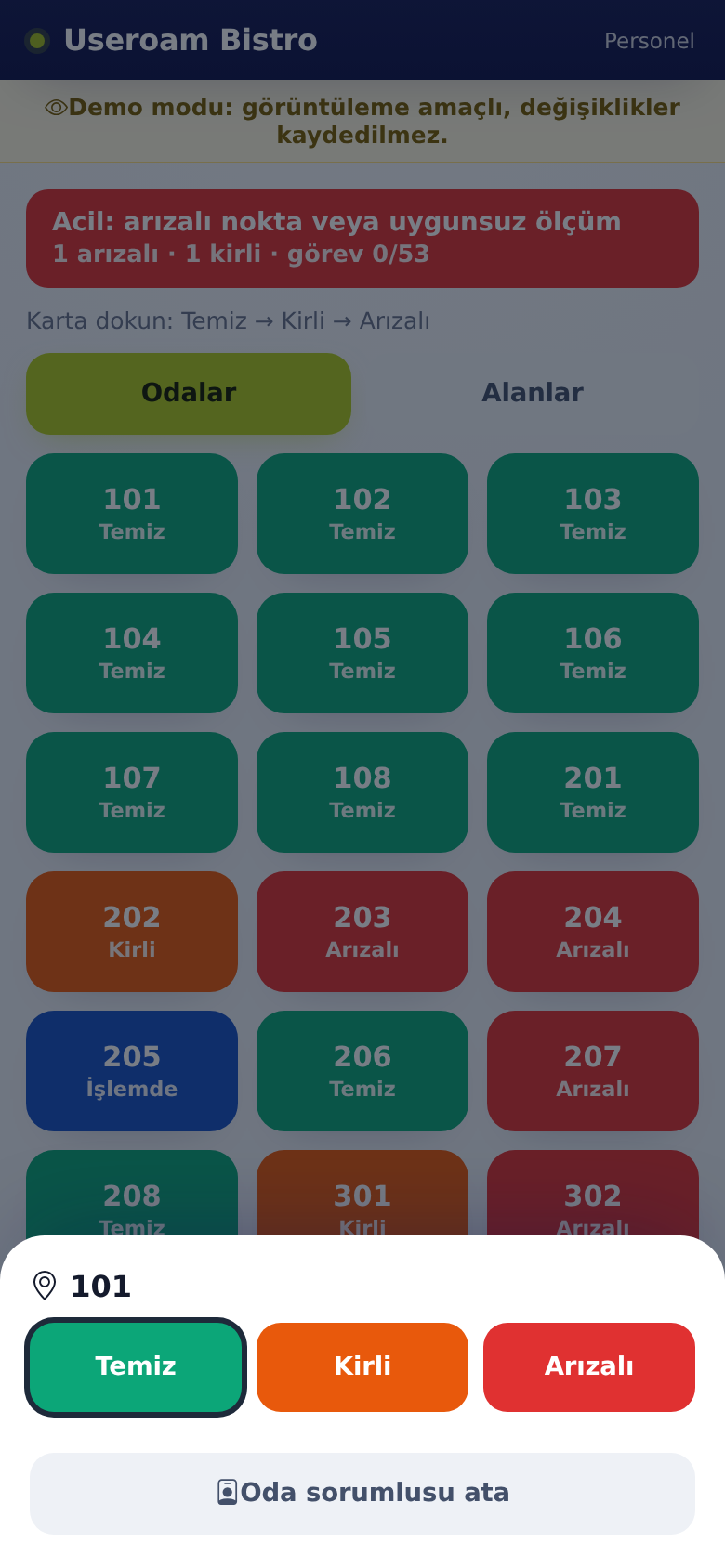
- Assign room owner (managers only): gives the room to a staff member; its cleaning job goes to that person.
- Checkout: the Checkout button on a room card asks "Room 205 checkout? Open requests close, room becomes dirty. Guest record is not deleted." and then marks the room dirty. The screen shows "Checkout done, room dirty".
- If the room list is empty you see "Room list is created from the panel.".
Related pages: Useroam Go → Requests, Tasks, Manager Tools and Tasks; Operations; Hotel Solution → Room Board.