
Audit Log
What is it for?
The Audit Log records the actions taken in the panel on the selected device: who did what, when and from which internet address. For example, blocking a guest, deleting a group or revealing a masked phone number is written here.
When do I use it?
- You want to find out who changed a setting or a record.
- You want to check who viewed guest details, for data protection (KVKK) purposes.
- You want to review what an administrator did in the panel.
Before you start
- Records are shown only for the selected device; the Device (locked to the active device) box cannot be changed. For another device, change the device on the Device Selection screen first.
Step by step
- In the left menu open Analytics and Reports and click Audit Log. The last 7 days are shown when it opens.
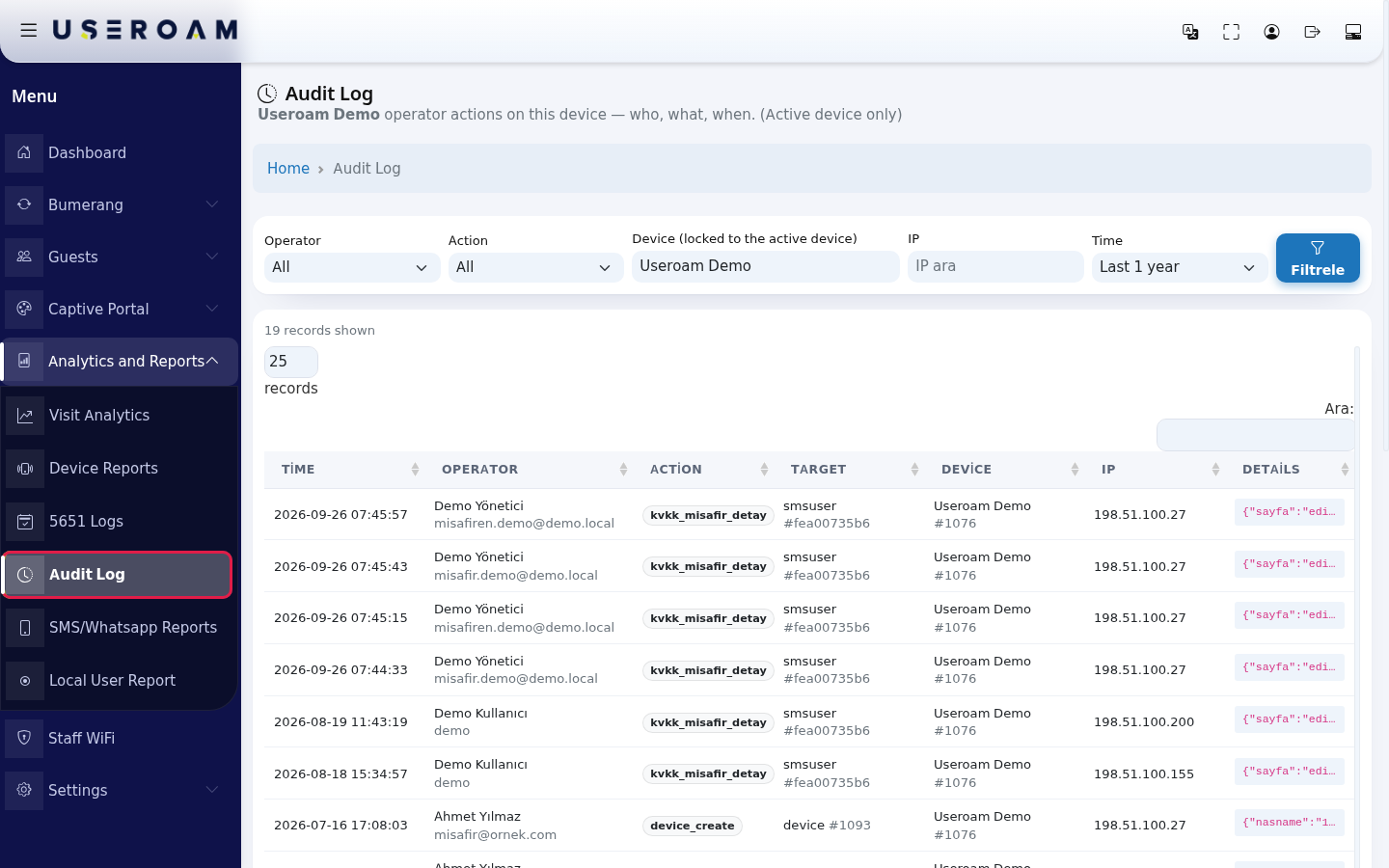
- Narrow the search: pick a person in Operator and an action type in Action, type an address in IP if needed, and choose the period in Time (Last 1 day, Last 7 days, Last 30 days, Last 90 days, Last 1 year). Press the filter button.

- Review the table. At most 1000 records are shown; if there are more, a note says "first 1000" and asks you to narrow the filter. The search box on the right (still labelled Ara:) searches the table.
Every field and button on the screen
| Field / Button | What it does |
|---|---|
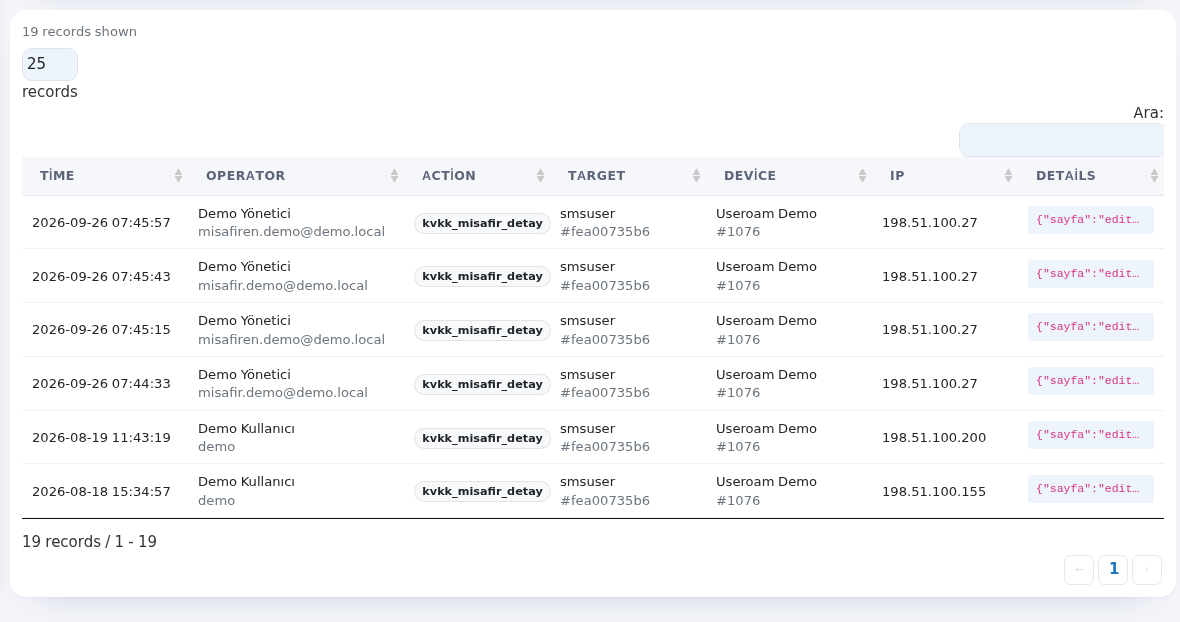
| Top of the page | Heading Audit Log with a description such as "operator actions on this device, who, what, when"; Home returns to the home screen. Under the table a total such as "19 records / 1 - 19"; the number box reads like "25 records"; with no rows No records. |
| Operator | The panel user who did the action. All shows everyone. |
| Action | Action type. Only types seen on this device are listed. |
| Device (locked to the active device) | The device the records belong to. Cannot be changed. |
| IP | Searches by the internet address the action came from (example: 198.51.100.27). |
| Time | Period to look back. |
| Filter button | Applies the filters. |
| … records shown | Number of records in the table. |
| Time (table) | Date and time of the action. |
| Operator (table) | The person's name and user name. |
| Action (table) | The system's action code. Common ones: kvkk_misafir_detay masked guest data was revealed or the guest edit screen was opened · user_blacklist_add / user_blacklist_remove block / unblock · user_status_change guest blocked, enabled or approved · group_create group created · delete record deleted · captive_portal_update portal setting changed · device_create device added · coupon_check / coupon_redeem coupon check / use · list_logs log list opened · menu_report, otel_report, retail_report report viewed. |
| Target | The record type and number the action was on (example: smsuser #fea00735b6). |
| Device | Device name and number. |
| IP (table) | The internet address the action came from. |
| Details | Technical detail of the action (example: {"sayfa":"edit-user"}). |
| Number box, search box, page numbers | Records per page (10, 25, 50, 100, All), search in the table and paging. |
Messages you may see
| Message | Meaning / what to do |
|---|---|
| No records found. | No action matches your filter. Widen Time or set the filters to All. |
| The active device could not be resolved, records cannot be shown. Please select a device. | No device is selected; select one on Device Selection. |
Frequently asked questions
Can I delete records?
No. The audit log is for accountability and cannot be deleted from the panel.
How do I find who revealed a guest number?
Pick kvkk_misafir_detay in Action and apply the filter.