
SMS / WhatsApp Reports
What is it for?
SMS/Whatsapp Reports gives period-based lists of guests who signed up with their phone: who signed up or signed in today, yesterday, this month or in a date range you choose; from which province, district and neighbourhood; by SMS or WhatsApp.
When do I use it?
- You want to see how many new guests signed up today or this month.
- You want to list guests who came in a specific date range.
- You want to see which areas your guests come from.
Before you start
- The report shows the selected device's guests. Employees on the Excluded Users list are left out.
- Numbers and names are masked under the Turkish data protection law, KVKK.
Step by step
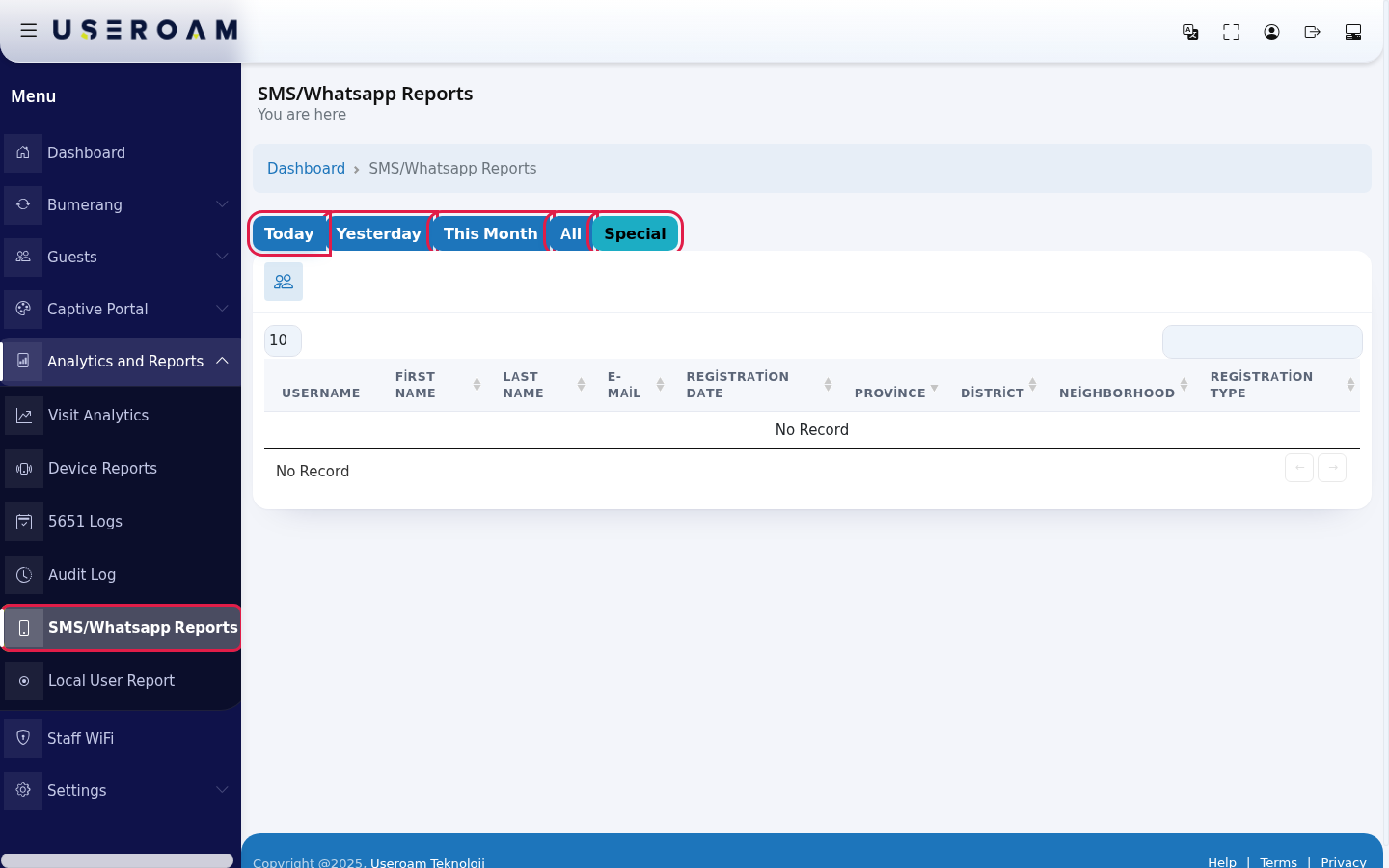
- In the left menu open Analytics and Reports and click SMS/Whatsapp Reports. Choose the period with the buttons at the top: Today (selected when it opens), Yesterday, This Month, All or Special.
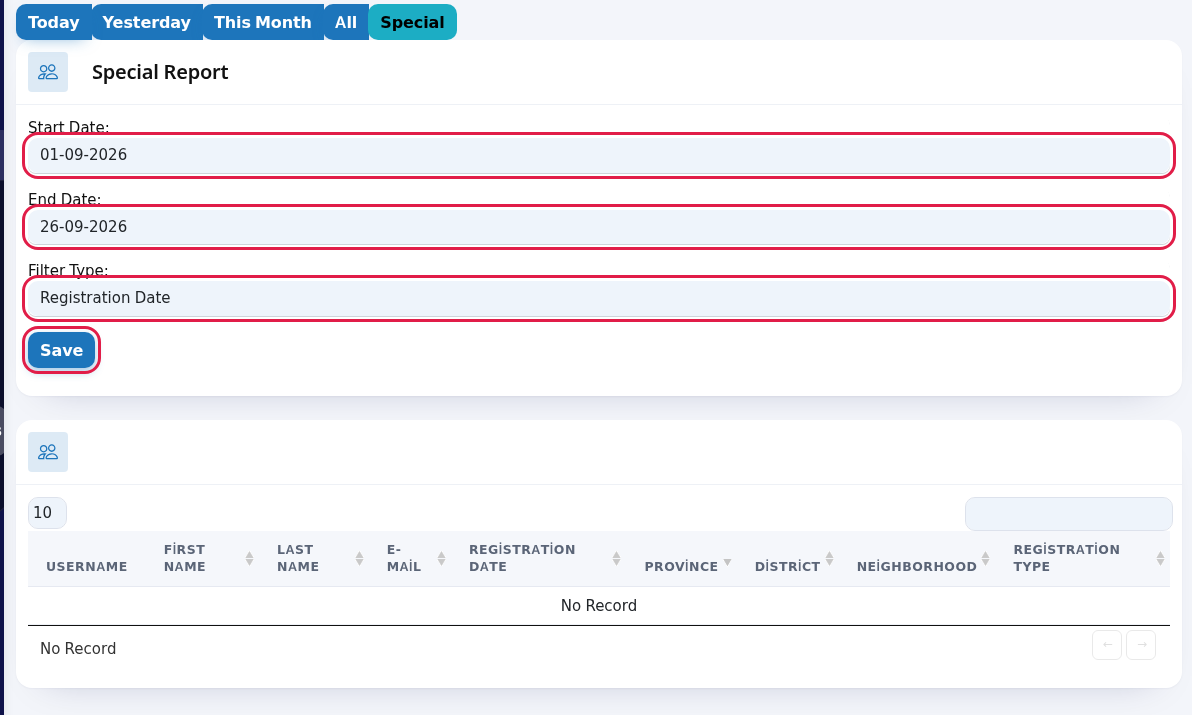
- For a specific range press Special. In the Special Report card choose Start Date and End Date (day-month-year). In Filter Type choose what to filter by: Registration Date (first sign-up day) or Last Login (the last day they connected). Press Save; the table refreshes for that range.
- Review the table. Search with the box at the top right and choose rows per page at the top left.
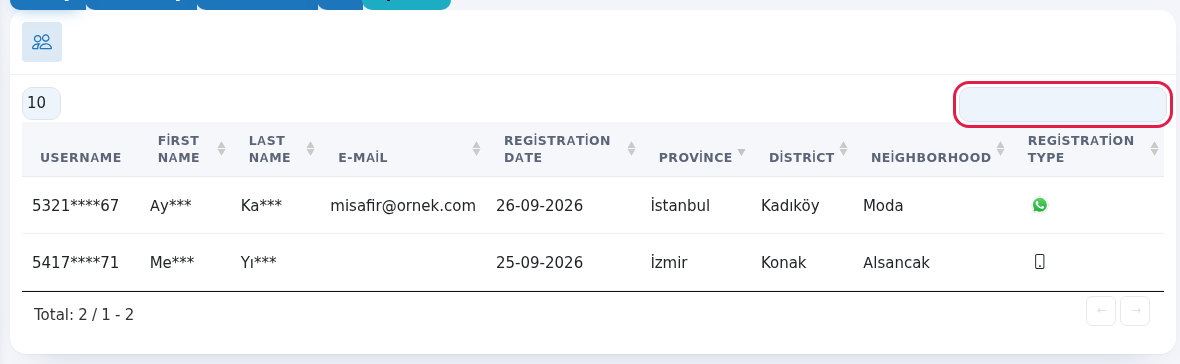
Every field and button on the screen
| Field / Button | What it does |
|---|---|
| Today, Yesterday, This Month, All | Ready periods. |
| Special | Opens the Special Report card. |
| Start Date, End Date | Custom range. |
| Filter Type | Filters by Registration Date or Last Login. |
| Save | Applies the custom range. |
| Username, First Name, Last Name, E-Mail | Guest details (masked). |
| Registration Date | First sign-up day. |
| Province, District, Neighborhood | Location stored in the guest record. Empty means unknown. |
| Registration Type | Phone icon means SMS, WhatsApp icon means WhatsApp. |
| Search box, number box, Total | Search, rows per page and total records. No Record if empty. |
Frequently asked questions
The report is empty.
No guest signed up in the selected period. Press All to see all records.
Where can I see how often guests come back?
On Visit Analytics and on Guest 360° under Bumerang.