
Portal Language Settings
What is it for?
The Portal Language Settings showscreen sets which languages theappear welcomeas screen is offered in. When a guest switches languageflags on the portal,guest theylogin choosescreen fromand in which order. The Edit button on each row opens the languagesscreen definedwhere you change every text guests see in thisthat list.language, including the KVKK privacy text.
YouHow do I open this screen?
FromIn the left menu,go toclick Captive Portal → Portal Language Settings.
here
Languageappears list
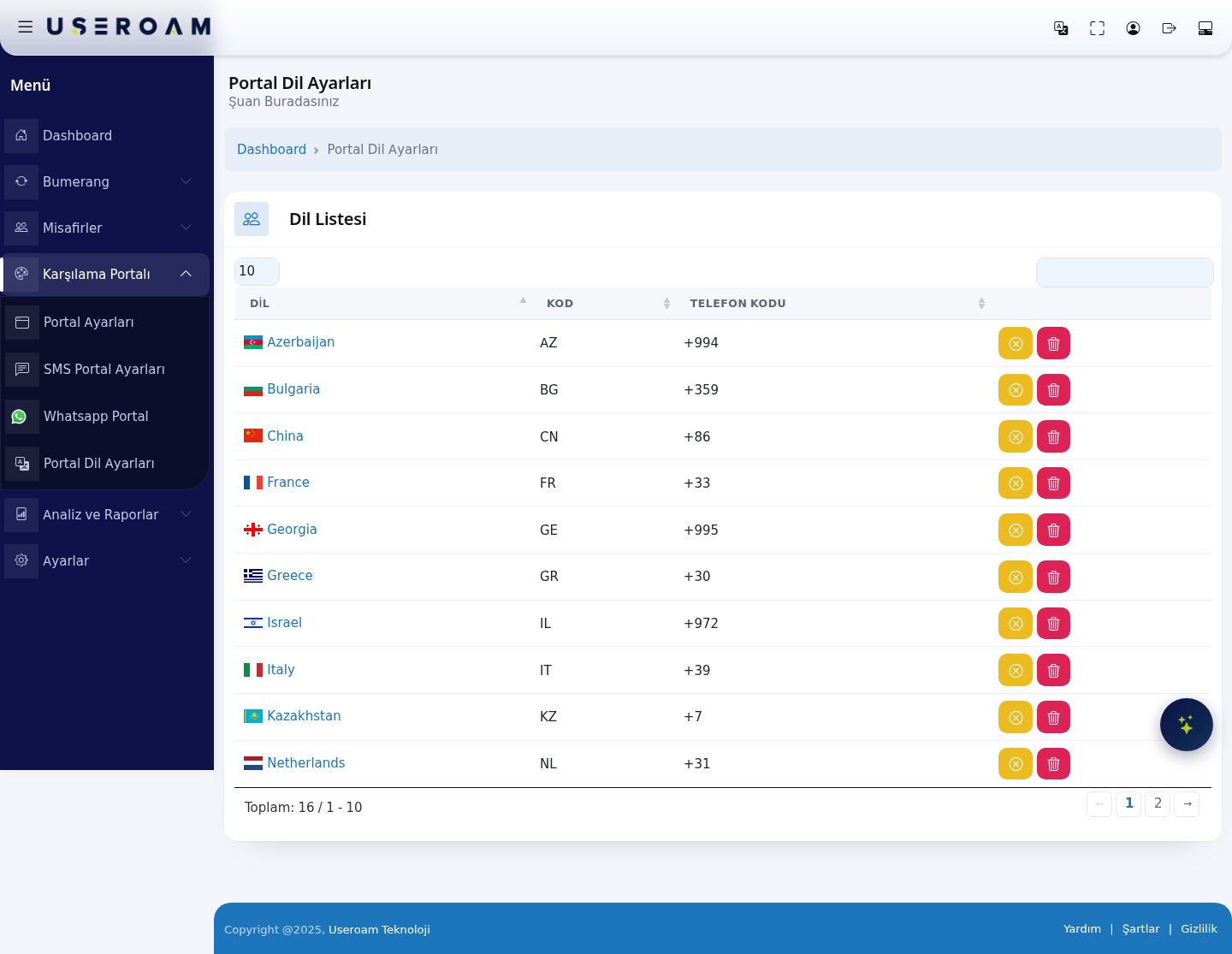
The page contains a single table with three columns:
LANGUAGE:under thenametitle;of the language (for example Turkey, France, Netherlands).CODE:Dashboardthe two-letter country/language code (for exampleTR,FR,NL).PHONE CODE:that country's international dialling prefix (for example+90,+33,+31). This prefix list is usedin theSMSpathandlineWhatsApptakesregistrationyouflows whento theguesthomeentersscreen.theirWhen
number.do
16use languages are defined in the system: Azerbaijan (AZ, +994), Bulgaria (BG, +359), China (CN, +86), France (FR, +33), Georgia (GE, +995), Greece (GR, +30), Israel (IL, +972), Italy (IT, +39), Kazakhstan (KZ, +7), Netherlands (NL, +31), Poland (PL), Romania (RO), Serbia (RS), South Korea (KR), Spain (ES) and Turkey (TR).
Navigating the list
it?
TheMost10of/your25guests/speak50a/certain100language/andAllyouselectorwant it at the topleftofsetsthehowlist.- You
recordswantappeartoperremovepage.unusedThelanguagesdefaultfrom the login screen to reduce the number of flags. - You want to change the texts in a language (welcome text, KVKK text, button labels).
Before you start
- Every action on this screen (switch, drag, add, delete) is
10,savedsoimmediately;the listthere issplitnoacrossseparatetwoSavepages.button. - The
searchopeningboxlanguage of the portal is chosen in Portal Settings → Default Language, not here.
Step by step
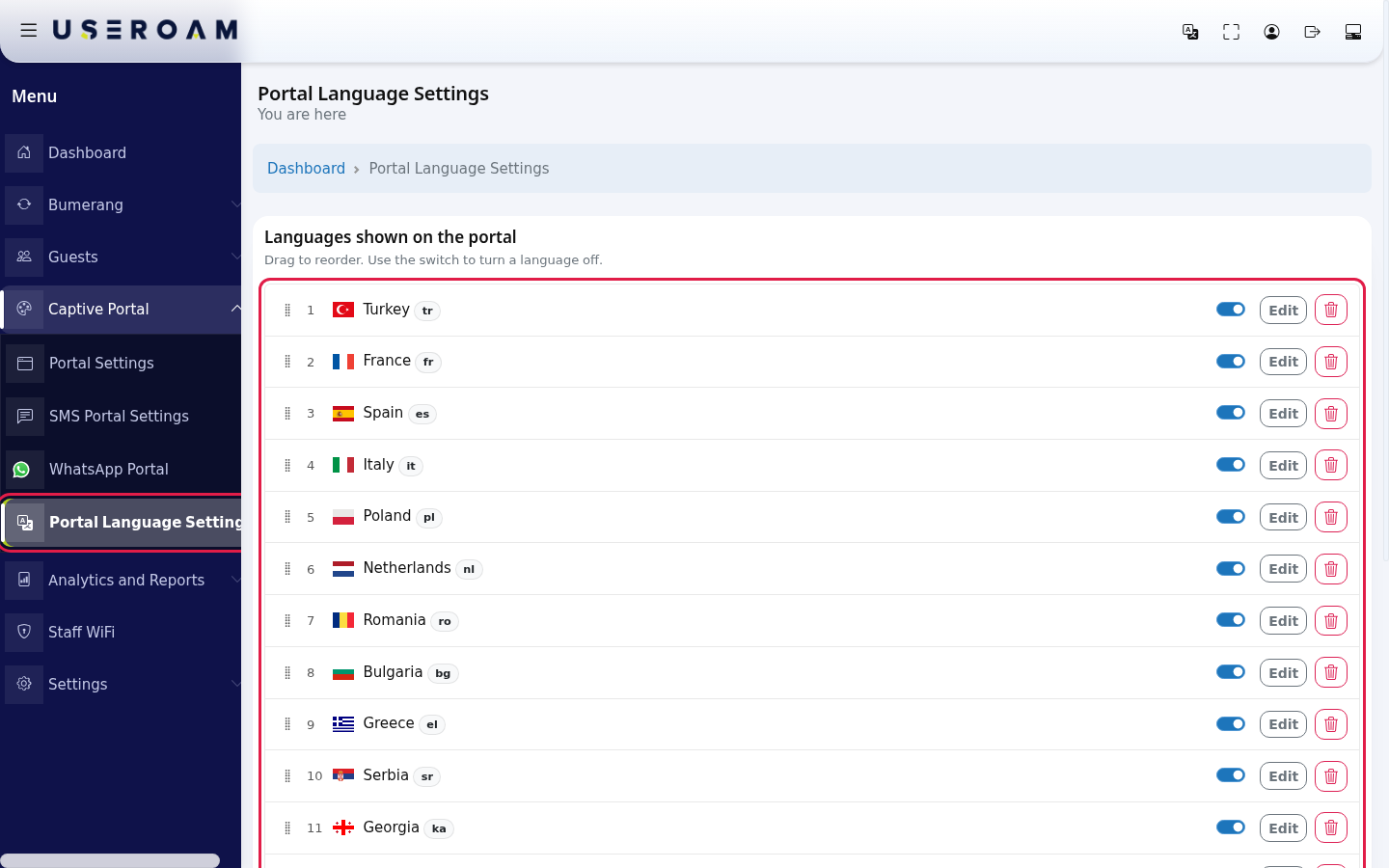
In the left menu, click Captive Portal → Portal Language Settings. The Languages shown on the portal card lists the languages that are on, in order. Each row has an order number, a flag, the language name and its short code (e.g. Turkey tr).
To change the order, hold the dotted handle on the left of a row and drag it up or down. When you drop it, the order numbers update and a green Saved shows briefly at the top right
filtersofinstantlythe card. The flags onlanguagethename,logincodescreenorfollowphonethiscode.order.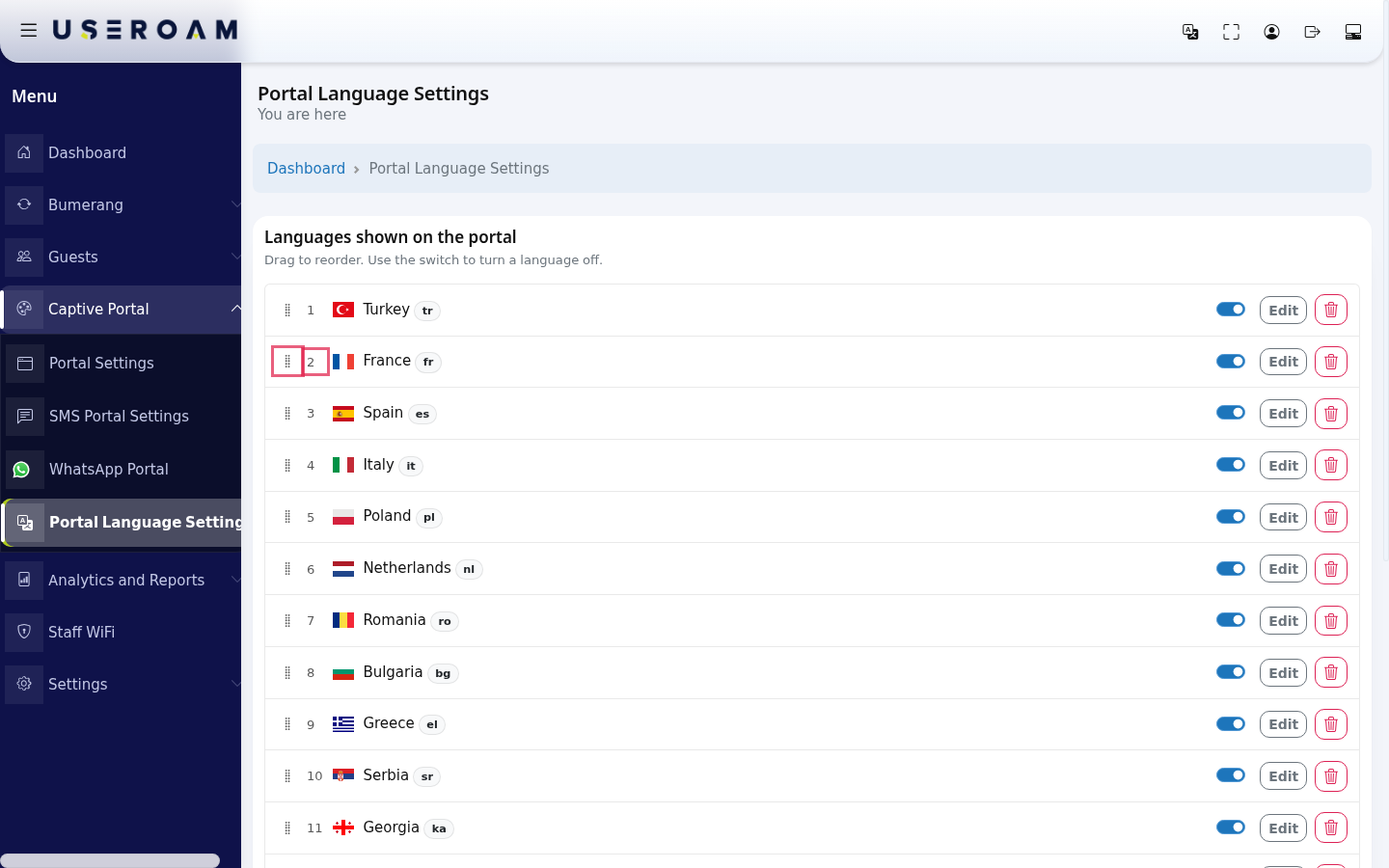
UseTo remove a language from the login screen, turn off its Show on portal switch. The language is not deleted: it moves to the
←Add1 2 →languagelinkscard belowtheandtableits texts are kept. At least one language must stay on; if you try tomoveturnbetween pages;off therecordlastcountone you see At least one language must stay on.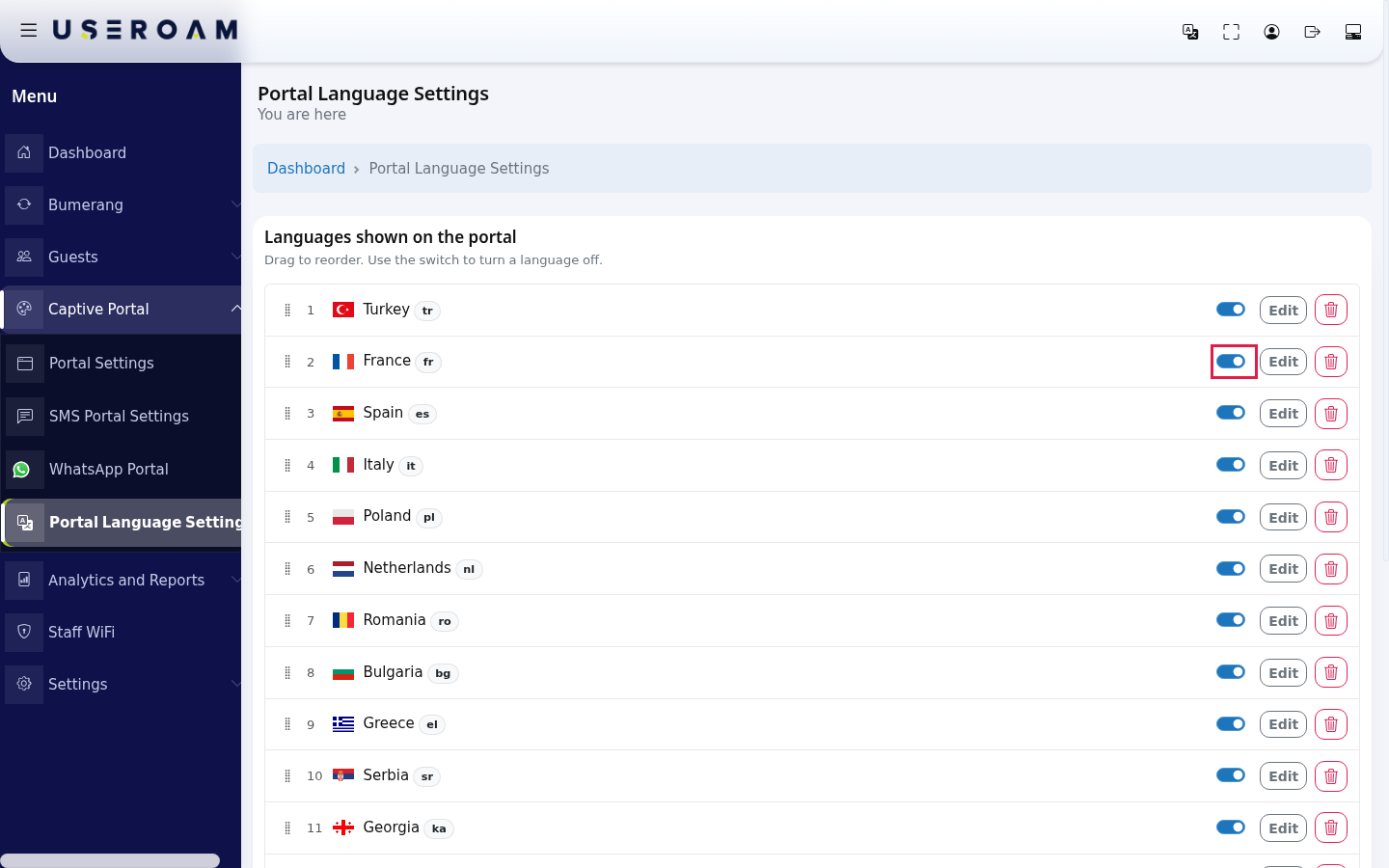
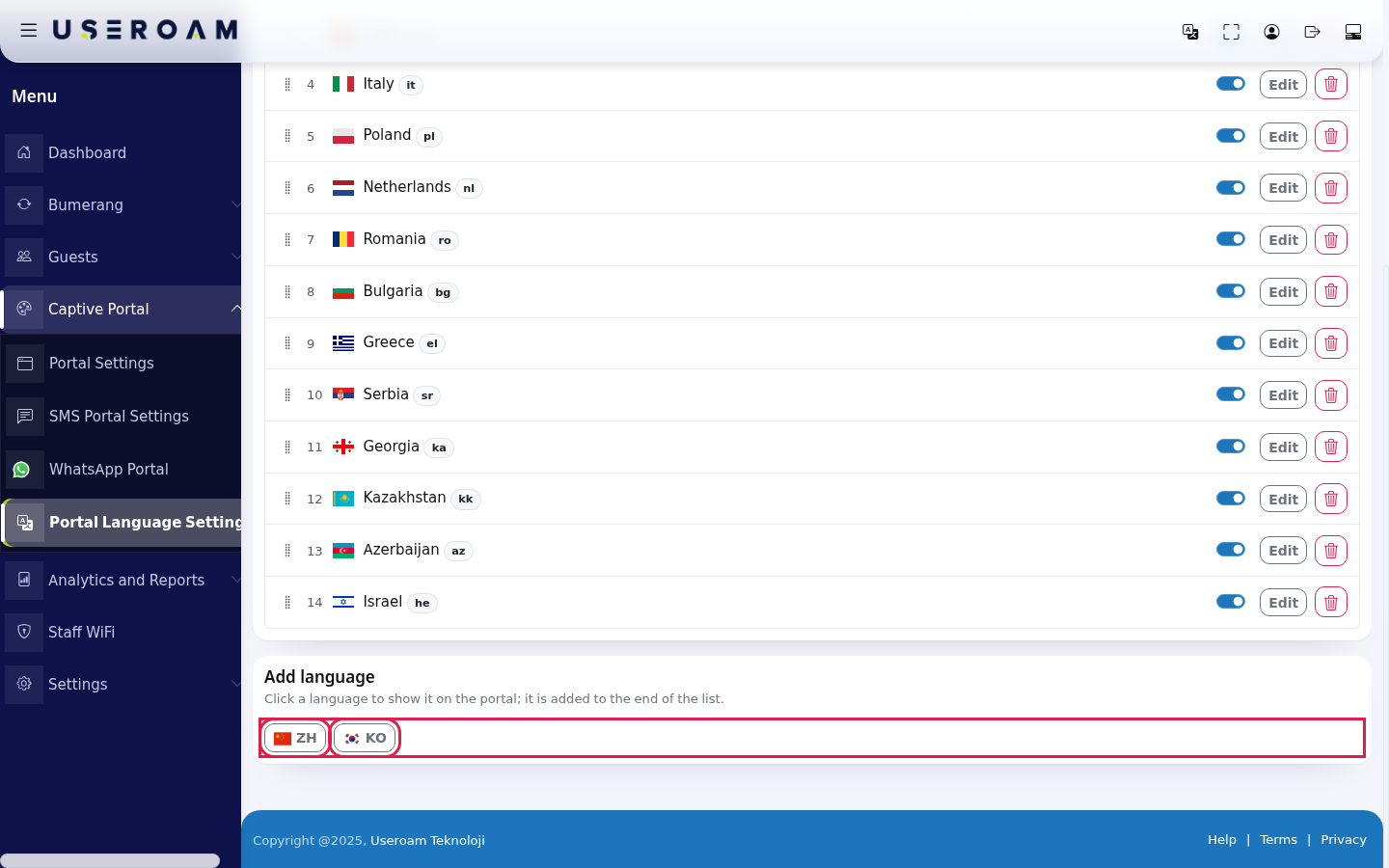
To turn a language back on, click its flag button (e.g. ZH) on the Add language card at the bottom. It is added to the end of the list. With no languages off, the card reads All languages are on.
The two languages that are off in the image were turned off briefly on the demo account to show this card and then restored to their places.
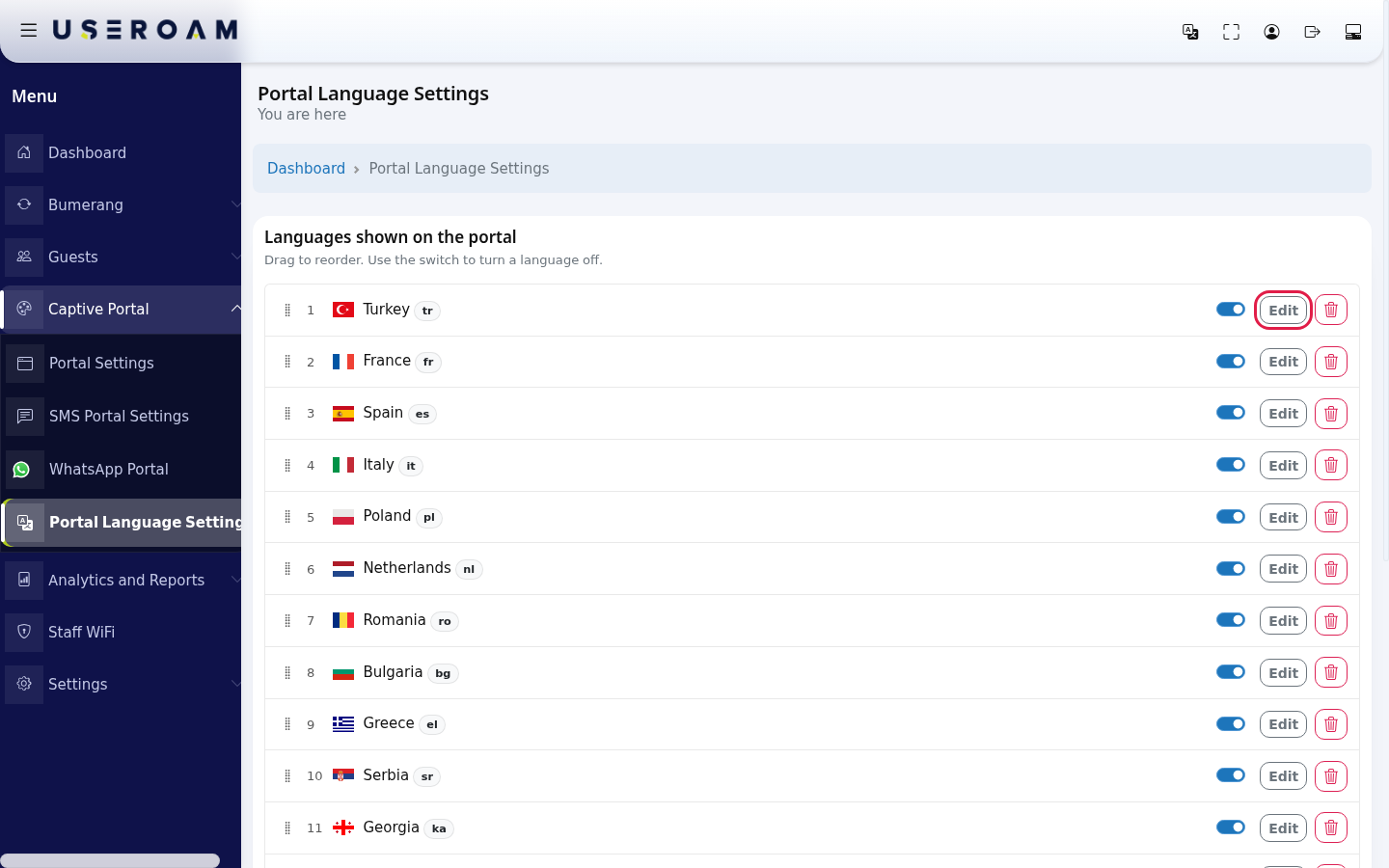
To change the texts in a language, press Edit on its row. The text screen of that language opens; details are on Editing Portal Texts (incl. KVKK).
To remove a language completely, press the red bin button at the far right of the row. The question Delete this language and all its translations? appears. Yes, delete removes the language and all your texts in it permanently; Cancel does nothing.
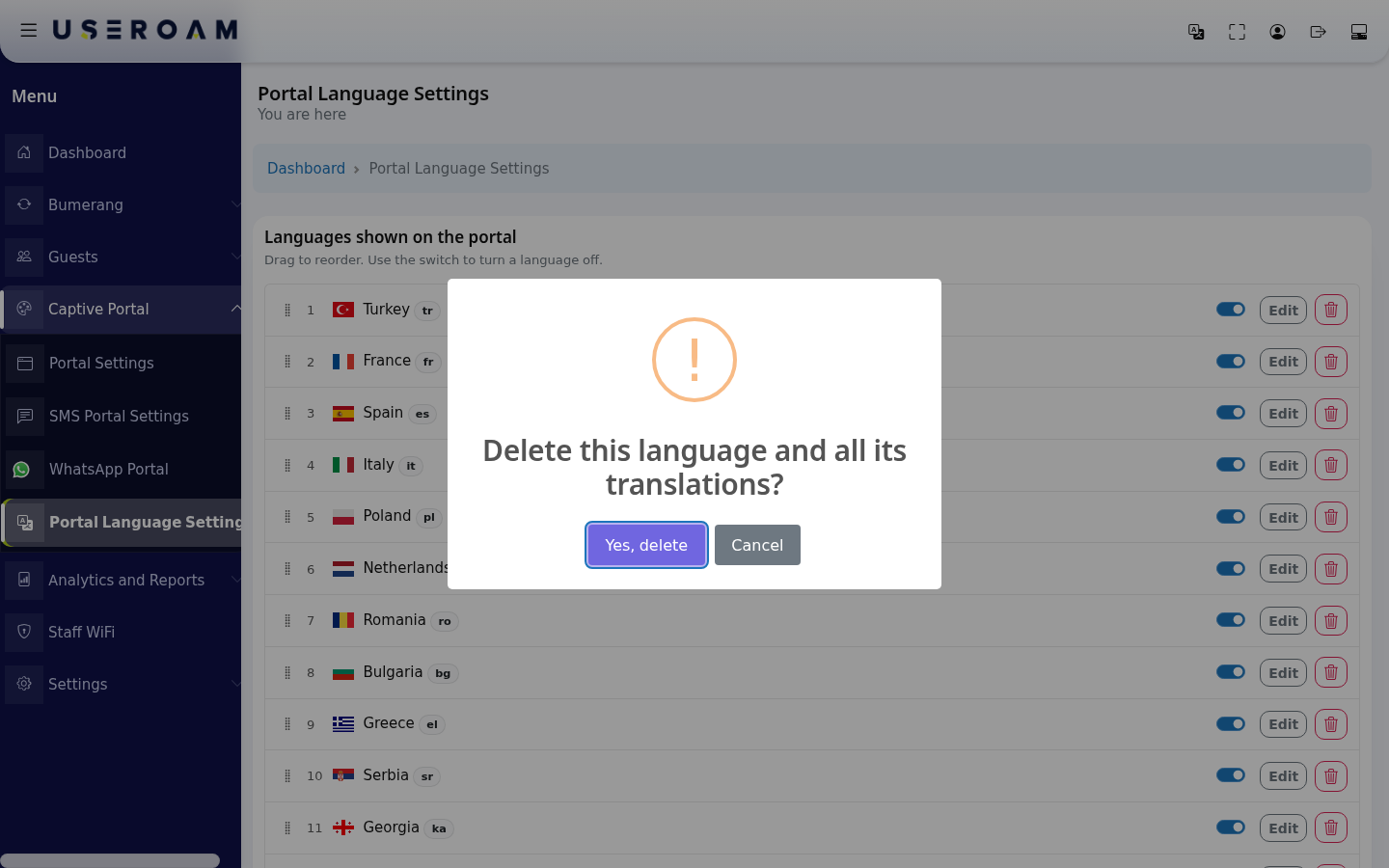
A deleted language does not come back to the Add language card and cannot be added again from this screen. If you only want to hide a language for a while, turn off its switch instead of deleting it.
Every field and button on the screen
| Field / Button | What it does | Example |
|---|---|---|
| Languages shown on the | Languages Drag to | 1 Turkey tr, 2 France fr |
| Drag handle (Drag to reorder) | Moves the row and saves the order. | - |
| Order number | Position of the language on the login screen. | 1 |
| Short code badge | Language code. | tr, en, de |
| Show on portal switch | Hides or shows the language on the login screen. Texts are kept. | On |
| Edit | Opens the text screen of the language. | - |
| Delete (bin) | Deletes the language and all its translations permanently (asks first). | - |
| Add language | Flag buttons of languages that are off. Subtitle: Click a language to show it on the portal; it is added to the end of the list. | ZH, KO |
Warnings and status messages
| Message | When it appears | What to do |
|---|---|---|
| Saved (green) | After ordering, turning on/off or deleting, at the top right of the card. | Nothing. |
| Could not be saved. Refresh the page and try again. (red) | The action did not reach the server. | Refresh the page and try again. |
| Session verification failed. Refresh the page and try again. | The page stayed open | Refresh the page. |
| At least one language must stay on. | Trying to turn off or delete the last language that is on. | Turn another language on first. |
| All languages are on. | No language is off on the Add language card. | Information only. |
Frequently asked questions
The language I want is not setin herethe but underlist.
The Add language card only shows languages defined for your device that you turned off. You cannot add a language that was never defined or that you deleted; contact Useroam support for that.
The portal always opens in Turkish; I want English.
Change the opening language in Portal Settings → General Settings → Default Language. The listorder onhere thisonly page determinessets the optionsorder availableof inthe that field.flags.
If I turn a language off, do I lose my translations?
No. Turning it off keeps the texts. Only Yes, delete loses them.