
Blocked Users
What is it for?
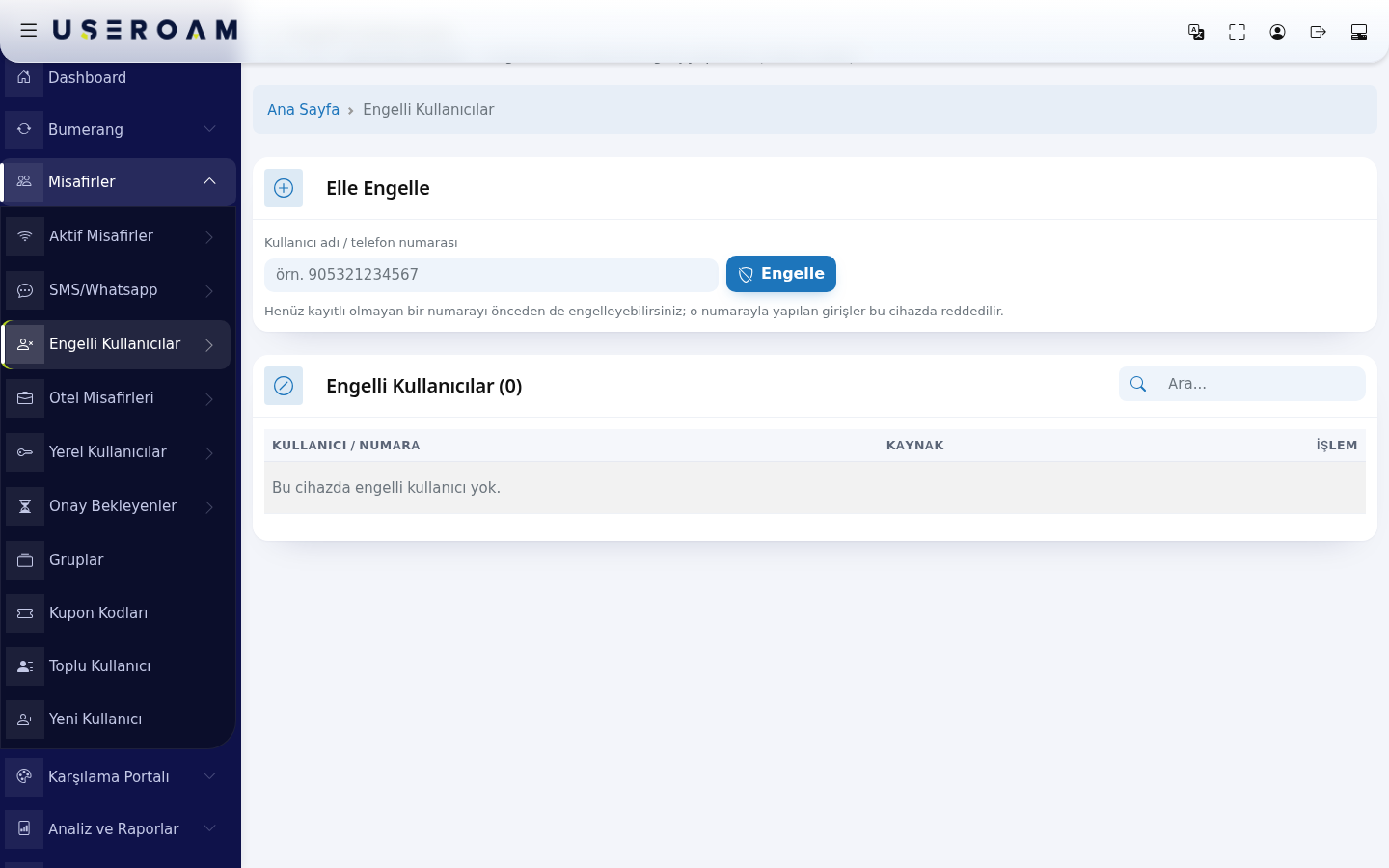
The Blocked Users page managesis the userslist of people you do not want on your network.Wi-Fi. UsersWhen a number or user name on this list cannottries logto insign —in, theirthe authentication requestlogin is rejectedrejected. atHere theyou RADIUScan level.block someone manually or remove a block.
HowWhen do I
openusethisit?screen?
From- You want to stop a guest who causes trouble or misuses the
leftnetworkmenu,fromgoconnecting again.- You want to
Guests → Blocked Users.
Before you start
- A block only applies
onlyto thecurrentlyselecteddevicedevice.(shown as "Active device" at theThe top of thepage)page shows the device, for example "Active device: Useroam Demo". To block the same person at another location,switch toselect that device andrepeatrepeat. - Blocking stops the
action.
next sign-in. If they are connected right now, they are not dropped automatically; on devices whose firewall is connected to the panel you can drop them at once with Disconnect on the Active Guests screen.
Step by step: blocking a number
- In the left menu open Guests and click Blocked Users.
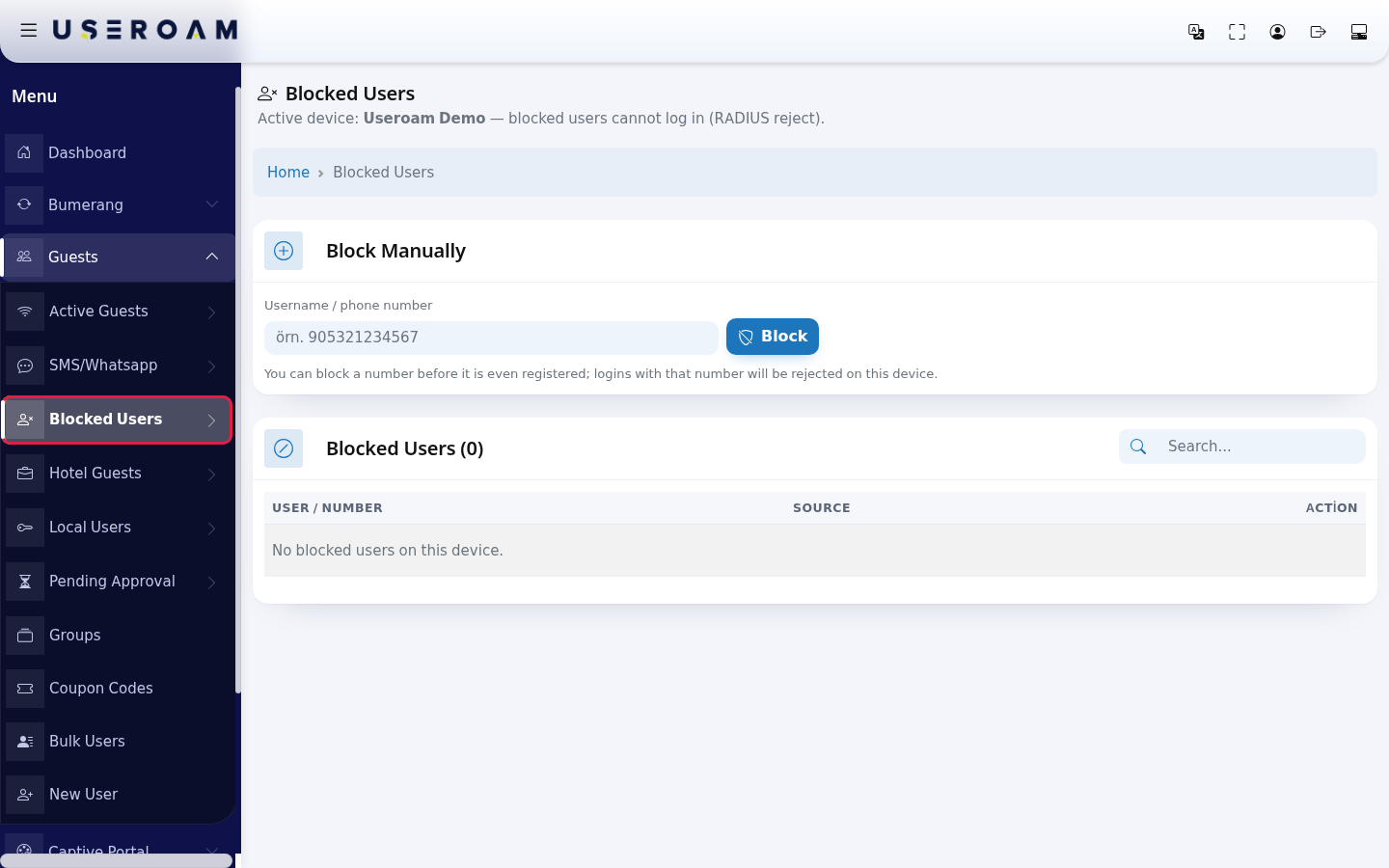
- In the Block
manuallyManually- card,
- type the number in Username / phone
number:numberenter(example:5321234567). A leading 0 or 90 and spaces or dashes are cleaned automatically. Press Block. A green "Blocked: 5321234567" message appears at the top.
- The blocked person appears in the list below. The number in the heading is the total count (example: Blocked Users (2)). To find someone, type in the Search... box on the right.
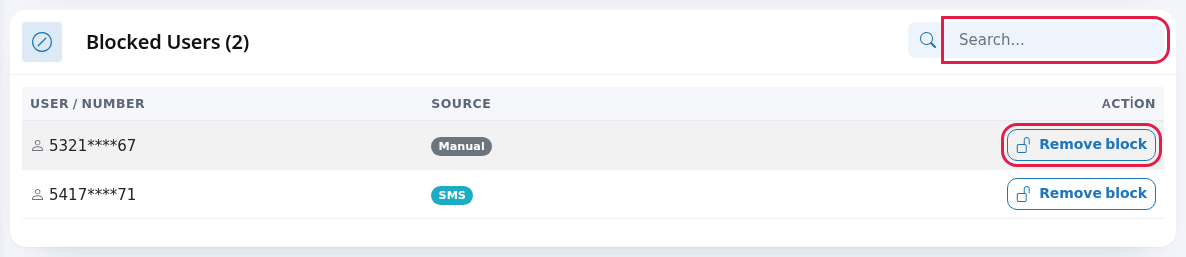
- To remove a block, press Remove block on the row and confirm "Remove this block?". The message "Block removed." appears; the person
tocan sign in on their next attempt.
- type the number in Username / phone
Another way: blocking from the guest list
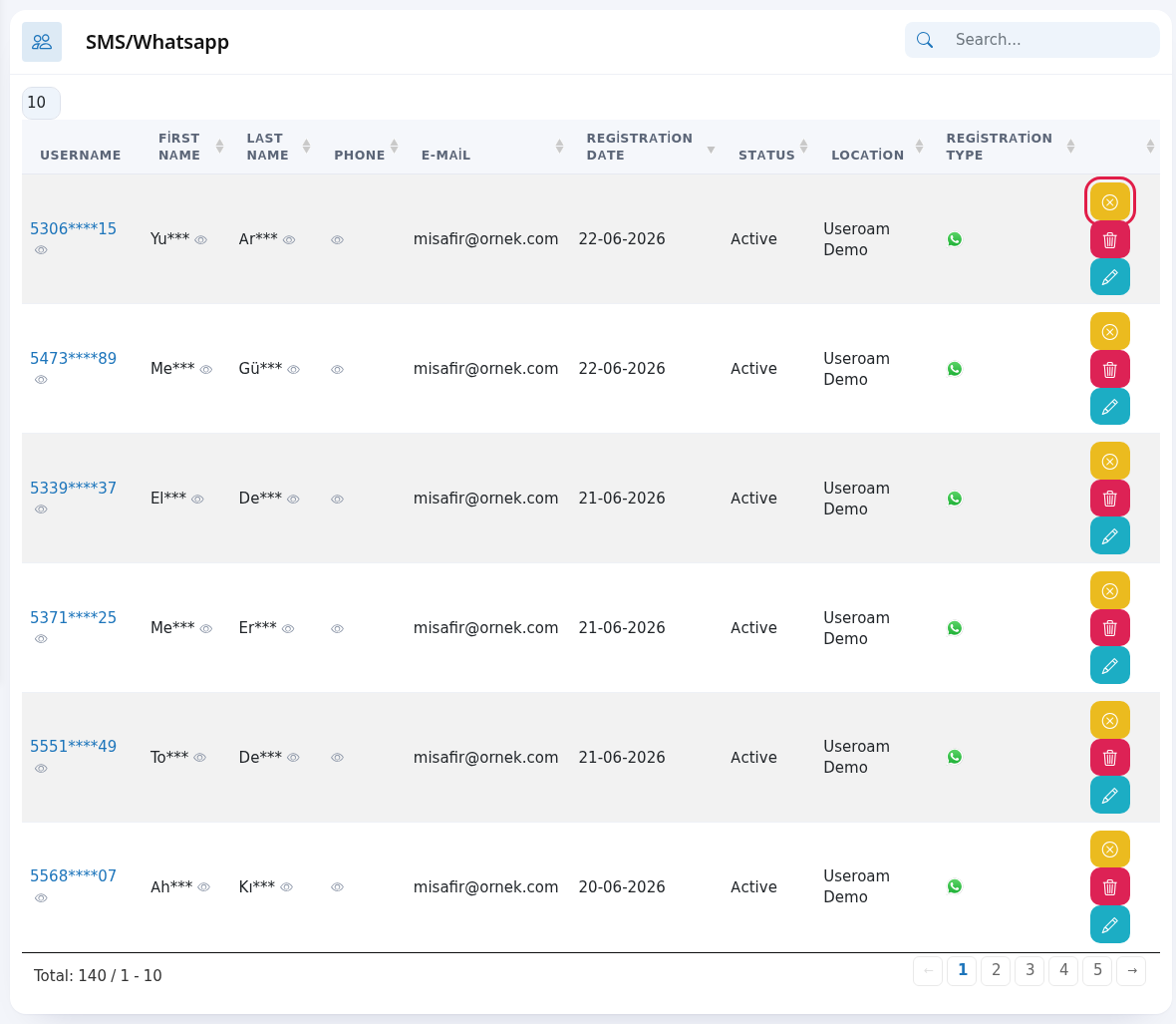
On the SMS / WhatsApp Users list, every guest row has a yellow button with a cross icon; hovering over it shows Disable User. A guest blocked this way appears on this list with its source (example: SMS). On a blocked guest's row the button turns green (Enable User) and removes the block.
Every field and button on the screen
| Field / Button | What it does |
|---|---|
| Active device: … | The device the block |
Number 5321234567. The example text inside the | |
| Block | Blocks the device. |
| Note | "You can block a number |
| Blocked Users ( | List heading and total count. |
| Search... | Searches the list instantly. |
| User / Number | The blocked number (masked). The
|
| Where the block came | |
| Action / Remove block | Removes the block after asking. |
Messages you may see
| Message | Meaning / what to do |
|---|---|
| Blocked: … | The number is blocked. |
| This user is already blocked on this device. | The number is already on the list. Nothing to do. |
| Username / number cannot be empty. | Type a |
| Could
| Saving failed; the |
| Block removed. | The person can sign in again. |
| No blocked users on this device. | The |
| No | Select Selection screen first. |
Frequently asked questions
RelatedI pages:blocked the guest but they are still online.
A Guestsblock →stops new sign-ins. To end their open connection now, use Active Guests; if there is no disconnect button, the connection ends when its time runs out or the device leaves the network.
How should I type the number?
Any (connectedway devices)you like: 0532 123 45 67, 905321234567 or 5321234567. They are all saved as the same number.
GuestsDoes →the SMS/WhatsAppblocked person get a message?,
No. They only see on the login screen that they cannot sign in.
AnalyticsWhere can I see who blocked someone?
The Audit Log lists block and Reportsunblock →actions together with who did them.
Related pages
- Active Guests
- SMS / WhatsApp Users
- Audit Log