
Bulk Users
What is it for?
Bulk Users creates many Wi-Fi user names and passwords in one go. The accounts download as printable PDF cards that you hand out to guests, training participants or event visitors.
When do I use it?
- You need dozens of accounts for a training, meeting or event.
- You want to give guests Wi-Fi with a card, without phone verification.
- You want to adjust how the cards look for your business (Bilet Tasarımı, ticket design).
Before you start
- You need a group for the accounts' time and speed rules. If you have none, create one on Groups first.
- For guests to sign in with a user name and password, that sign-in must be on for your login screen. If your login screen has no such boxes, contact support.
Step by step: creating bulk accounts
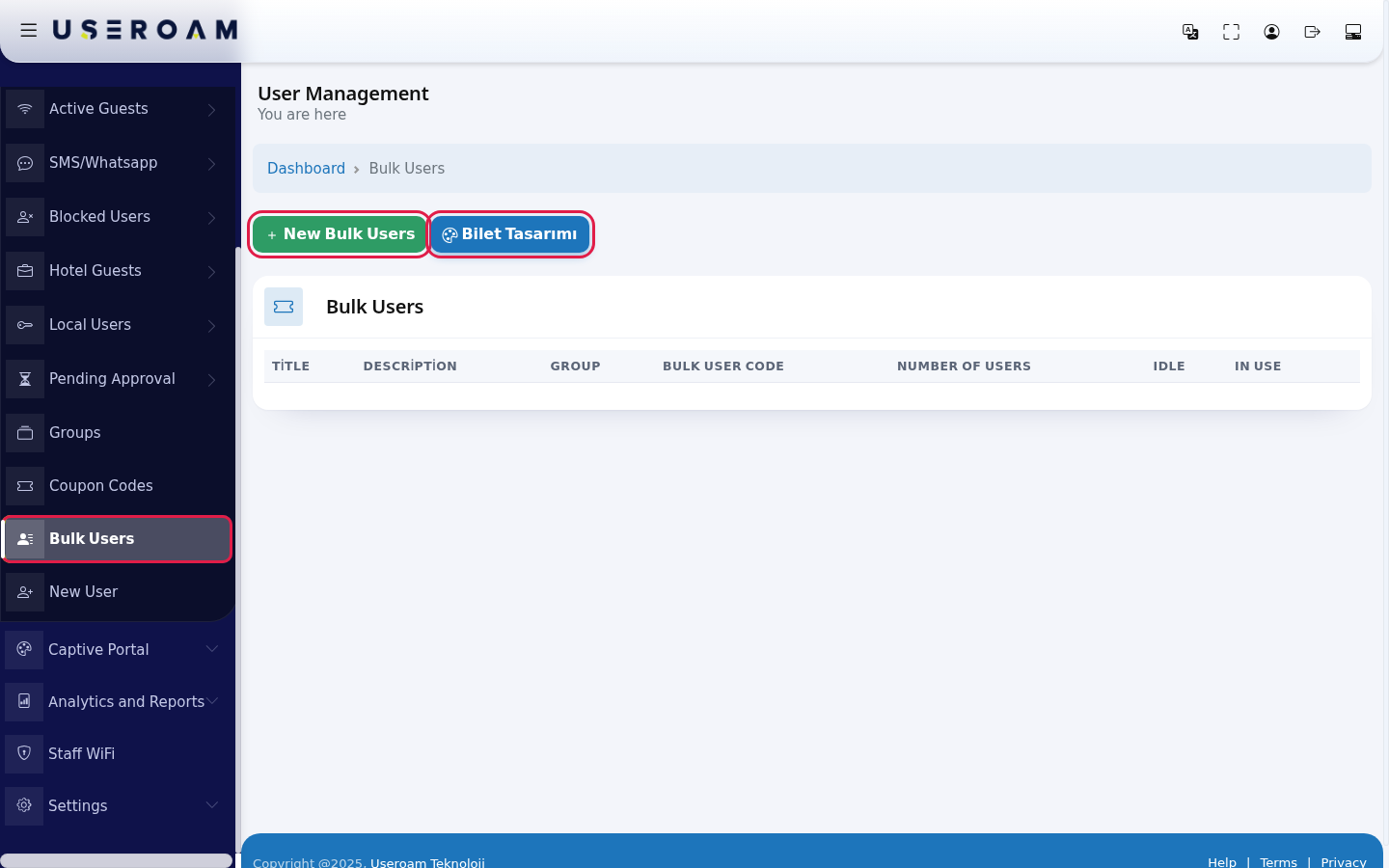
- In the left menu open Guests and click Bulk Users. Press the green New Bulk Users button.
- Fill in the form: Title (example:
Meeting-Room), Description, Number of Users (example:20), Character Length (6 by default) and Character Type (All, Letters Only, Numbers Only). While Single Password is on (the default), all accounts share one password; turn it off for a separate password per account. Pick Group and PDF Language and press Save.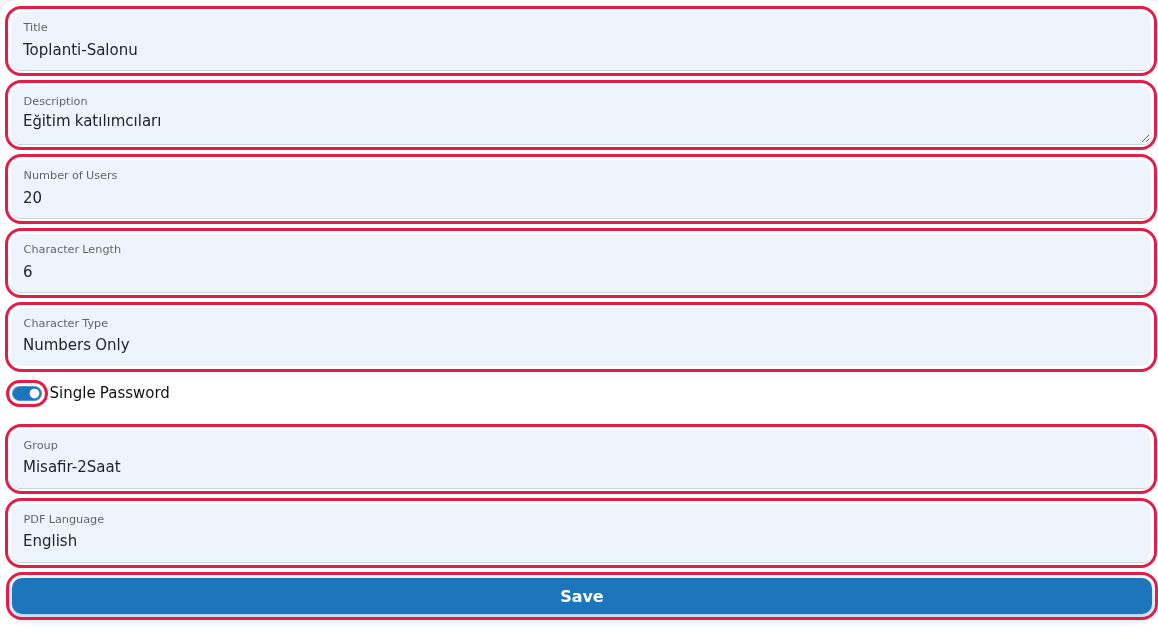
- The new batch appears in the list. Download and print the cards with the blue PDF button on the row. Idle is the number of unused accounts, In Use the used ones. The red button deletes the batch and its accounts.

Step by step: changing the card design (Bilet Tasarımı)
This screen is in Turkish only; the English names below are for guidance.
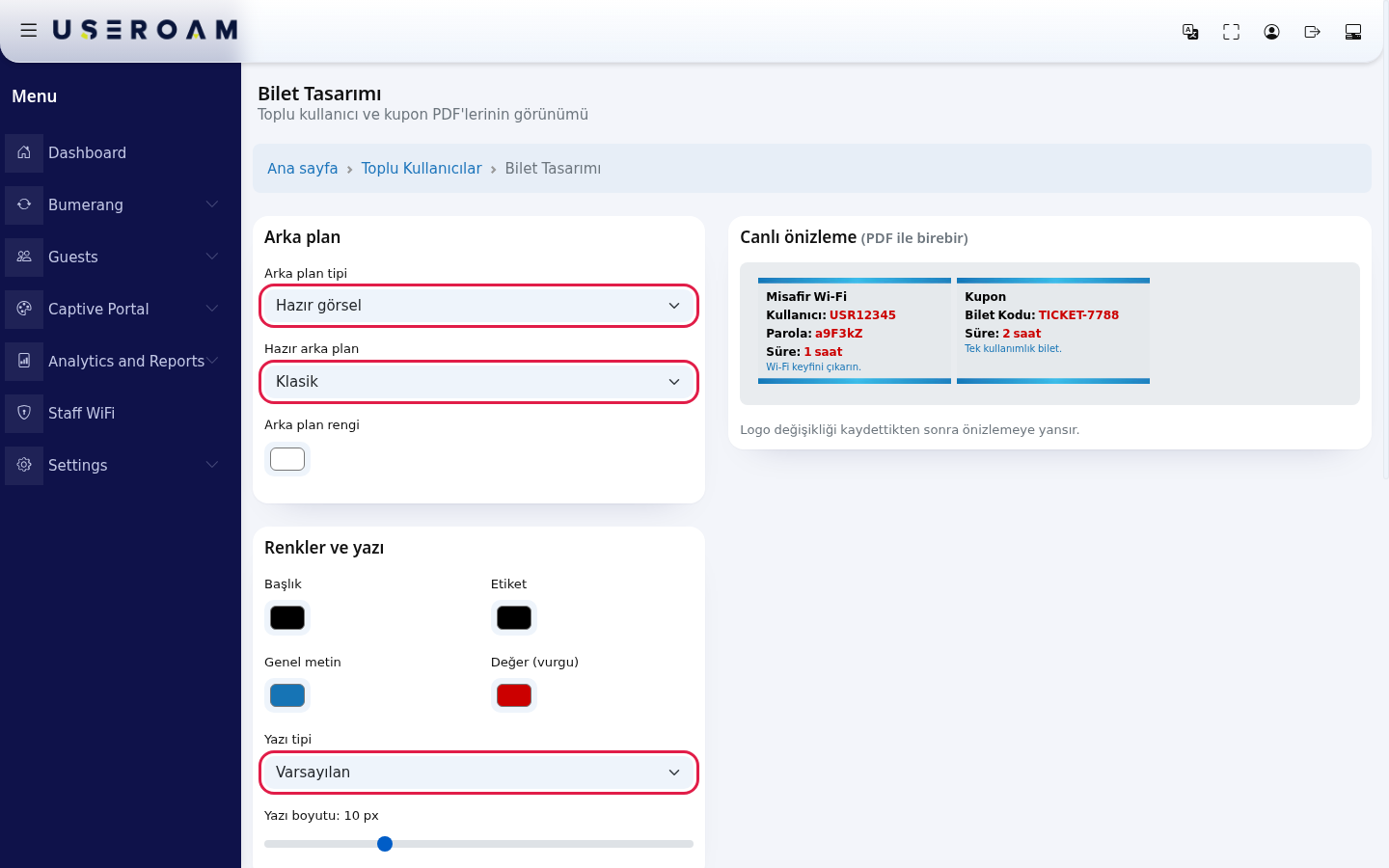
- Press Bilet Tasarımı above the list. Settings open on the left and Canlı önizleme (PDF ile birebir) (live preview, same as the PDF) on the right. In the Arka plan (background) card choose Arka plan tipi (Hazır görsel ready image or Düz renk plain colour), Hazır arka plan (Klasik, Çerçeve, Limon Köşe, Lacivert Köşe, Degrade or Görselsiz (düz renk)) and Arka plan rengi (background colour). In Renkler ve yazı (colours and text) set the Başlık (title), Etiket (label), Genel metin (body text) and Değer (vurgu) (value, highlight) colours, the Yazı tipi (font) and Yazı boyutu (font size).
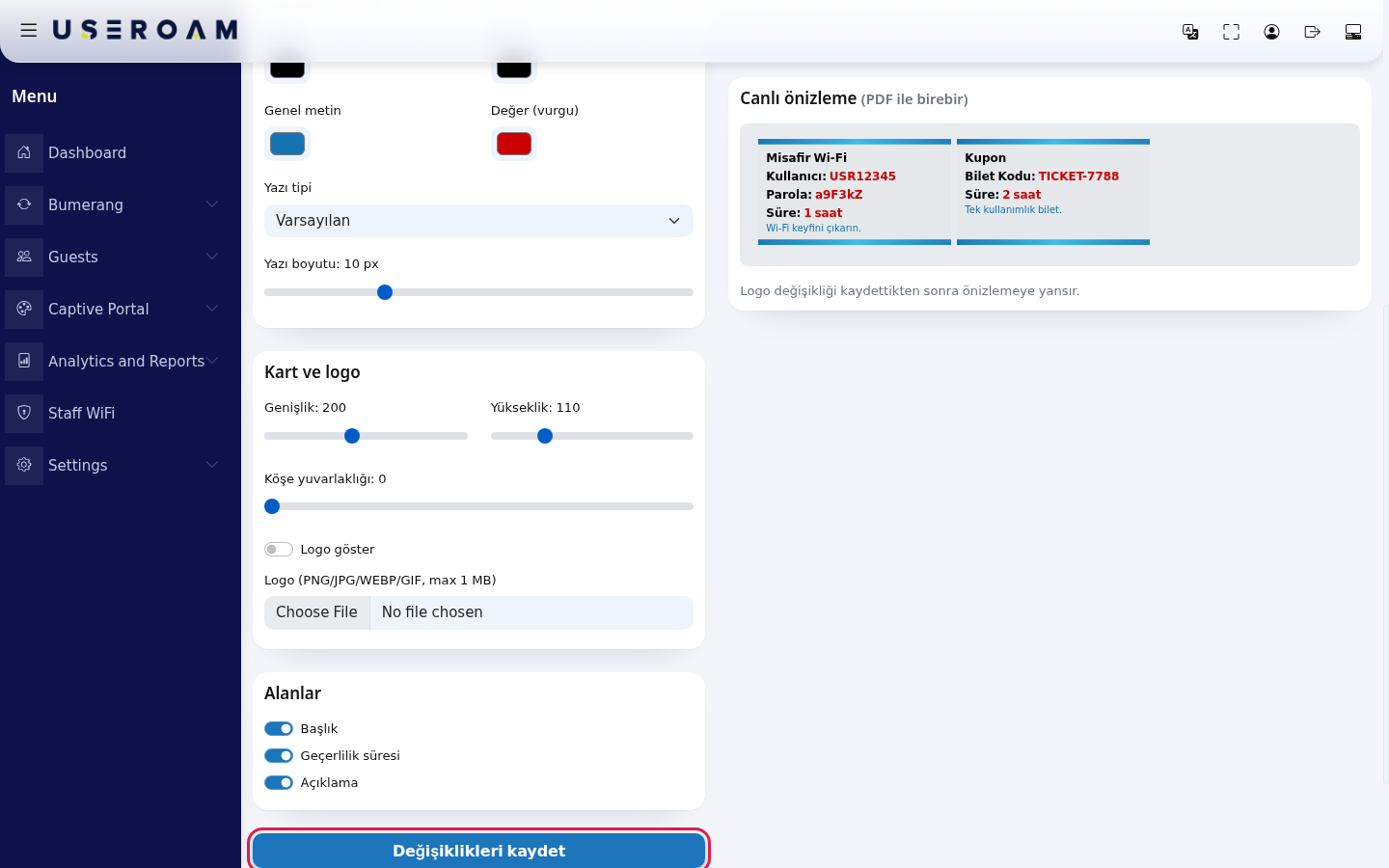
- In Kart ve logo (card and logo) slide the card's Genişlik (width), Yükseklik (height) and Köşe yuvarlaklığı (corner radius); to show your logo, turn on Logo göster and choose the Logo (PNG/JPG/WEBP/GIF, max 1 MB) file. In Alanlar (fields) choose whether Başlık (title), Geçerlilik süresi (validity) and Açıklama (description) appear on the card. Press Değişiklikleri kaydet (save changes). The design is used for both bulk user and coupon PDFs. A logo change shows in the preview after saving.
Every field and button on the screen
| Field / Button | What it does |
|---|---|
| Top of the page | The heading User Management with You are here under it; Dashboard in the path line returns to the home screen. While the table loads it shows Processing..., with no records No Record; All in the number box shows every row. |
| New Bulk Users | Opens the creation form. |
| Bilet Tasarımı | Opens the PDF card design screen. |
| Title, Description | Name and note of the batch. |
| Number of Users | How many accounts to create. 10 by default. |
| Character Length, Character Type | Length and characters of user names and passwords. |
| Single Password | When on, all accounts share one password. |
| Group | Time and speed rules of the accounts. |
| PDF Language | Language of the text on the cards. |
| Save | Creates the accounts. |
| Bulk User Code | The batch's system number. |
| Number of Users, Idle, In Use | Total, unused and used accounts. |
| Blue PDF button | Downloads the cards as a PDF. |
| Red button | Deletes the batch and its accounts without asking. |
Frequently asked questions
How does a guest with a card connect?
They type the details on the card into the user name and password boxes on the Wi-Fi login screen.
Single password or separate passwords?
A single password makes handing out easier; separate passwords are safer, because one person's card is useless to anyone else.
How is this different from Coupon Codes?
With Coupon Codes the guest types a single code; here they get a user name and a password.