
Local Users
What is it for?
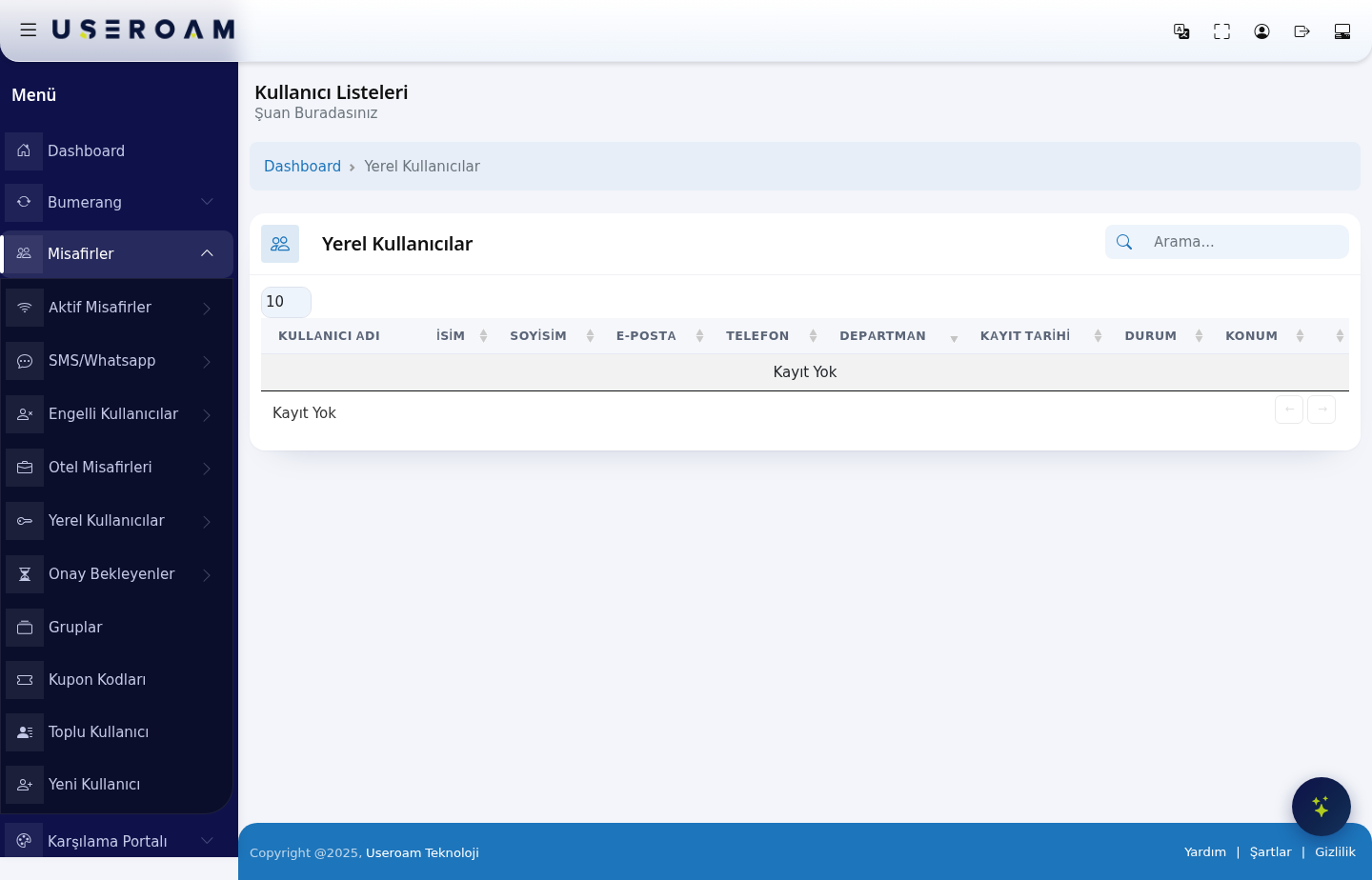
Local Users listsis the list of Wi-Fi accounts you createcreated manuallyby hand in the panel, as(accounts distinctcreated from guests who register throughon the portal.New AccountsUser opened for staff, employees, long-stay guestsscreen and meetingStaff attendeesWiFi liveaccounts). here.Here you find accounts, block or delete them, or change their password and group.
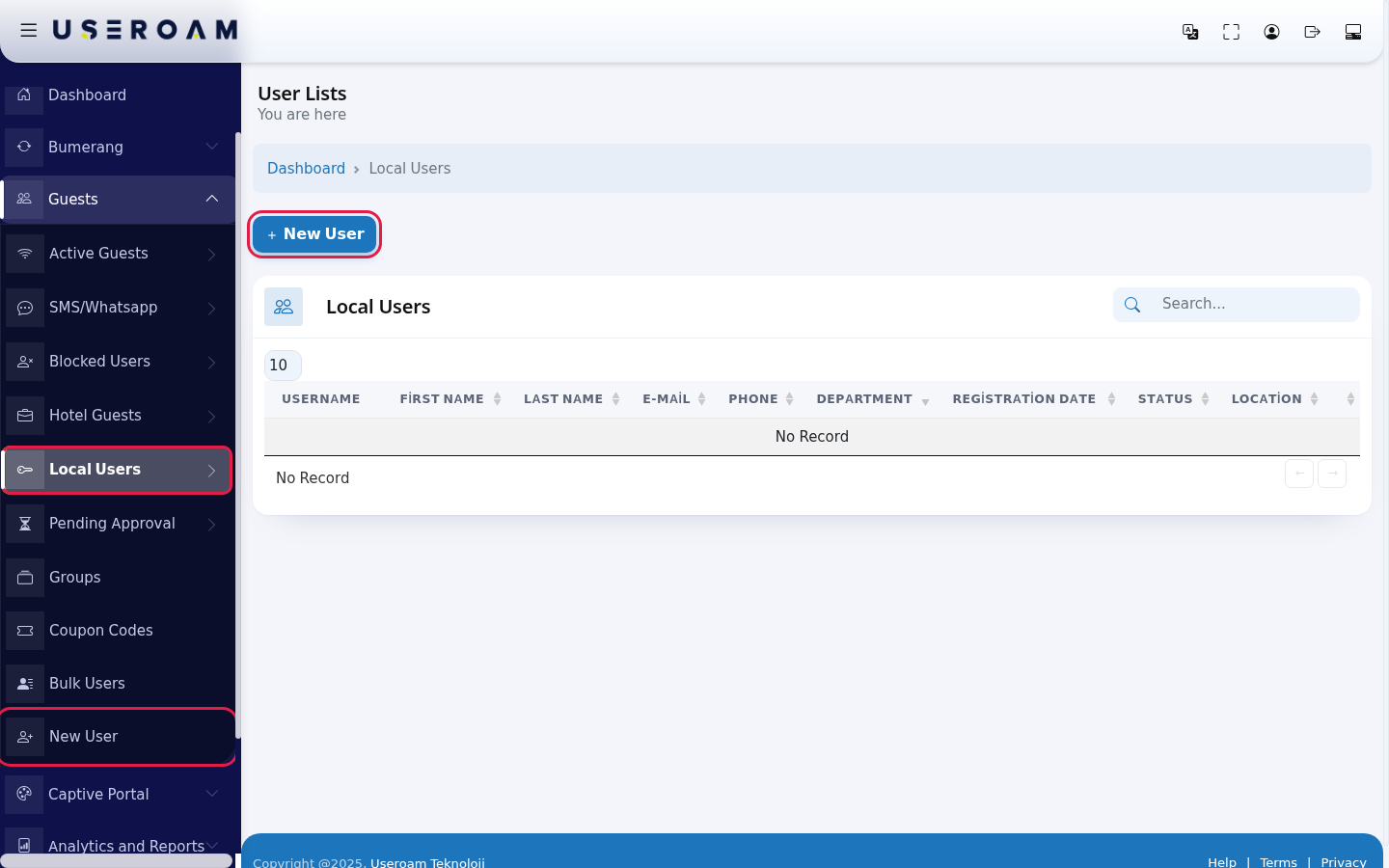
To create a new account use the New User button at the top of the page.
HowWhen do I
openusethisit?screen?
From- You want to see the staff or special guest accounts you created.
- You want to renew an employee's password or change their group.
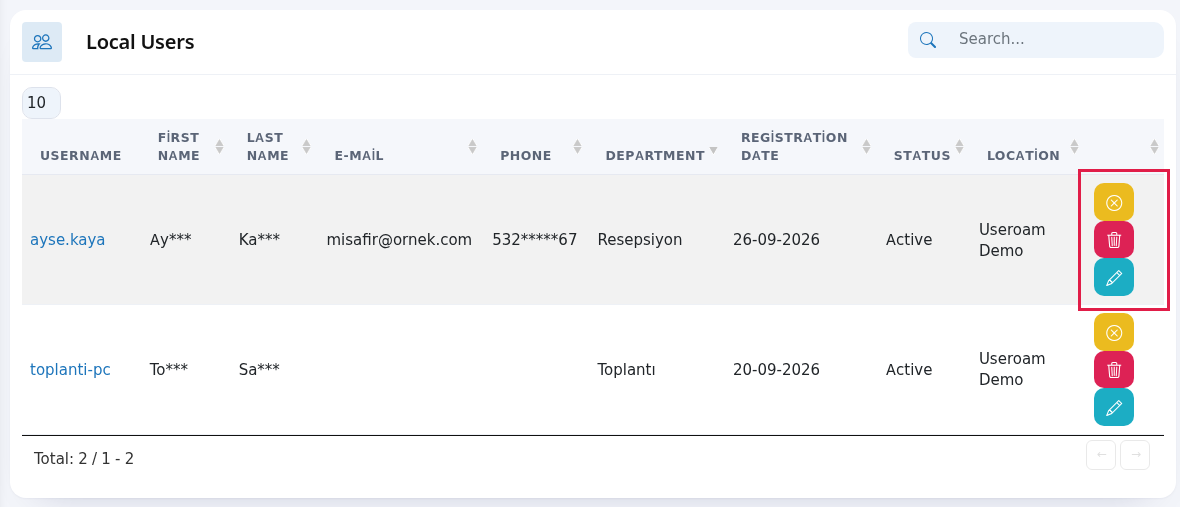
- You want to close or delete the account of someone who left.
Step by step
TableEvery columnsfield and button on the screen
Field / Button What it does USERNAME:New UserOpens the new account form. Username The account's login name. FIRSTClickNAMEit/toLAST NAME:open theuser'seditname.First Name, Last Name, E- MAIL:Mail,thePhone,emailDepartmentDetails address on the account.PHONE:the user's phone number.DEPARTMENT:the unit the user belongs to — used in corporate deployments to filter the list by department.REGISTRATION DATE:entered when the account was created.STATUS:Registration DateThe whetherday the accountiswasactive.created.LOCATION:StatusActive, Passive the(blocked)device/locationor Waiting for Approval.Location The device the account isbelongsdefinedto.on.Yellow, red and blue buttons Disable User / Enable User, Delete User (deletes without asking), Edit User. Search..., number box, Total Search, rows per page (10, 25, 50, 100, All) and total records. No Record if empty. For a single account:Guests →New UserFor many accounts at once:Guests → Bulk Users- Groups
Frequently asked questions
When thereWhy are nomy records,bulk-created users not here?
Bulk users are listed separately: Bulk Users.
Where do I see these users' connection history?
On the tableLocal readsUser "NoReport Record".screen.
Related Creating accountspages
A user's quota, speed and duration rules come from the group they belong to (Guests → Groups).
Navigating the list
The Search box filters instantly across all columns; the 10 / 25 / 50 / 100 / All selector sets records per page.
Related pages:Analytics and Reports →Local User Report,Guests→ Groups,Guests → New User.