
Retail Reports
What is it for?
Retail Reports shows all the data collected byeverything the store modulepage collected on one screen:screen: how many registrationssign-ups came in, which QR point is working,came, how many wheel prizes were handed out, whether the coupons were redeemed. The detailed customer list and CSV export live here too.
How do I open this screen?From the left menu, go toBumerang → Retail → Reports.
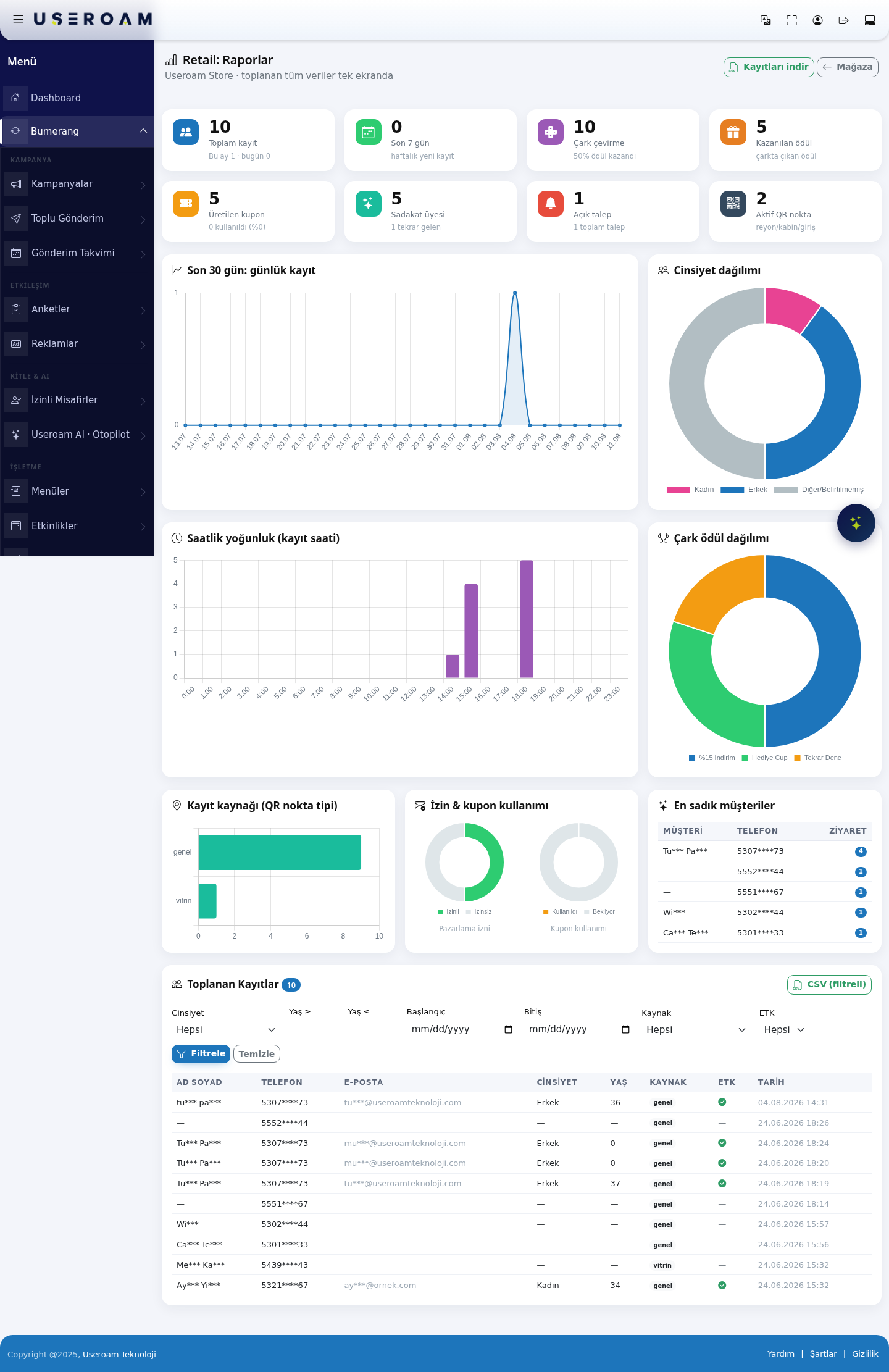
1. Summary figures
Total records:customer records collected, with this month's and today's counts underneath.Last 7 days:new registrations this week.Wheel spins:how many timesoften the wheel wasspun and what share won a prize.Prizes won:the number of prizes the wheel produced.Coupons generated:spun, how many coupons werecreatedissued andwhatused,shareloyalwascustomers,redeemed.openThisrequestsisand thenumbersign-upthatlistmeasuresitself. You can filter thecampaign'slistrealandeffectexport—it.highWhen
generationtowithuselowitredemption means a weak offer.LoyaltyWhenmembers:youthewantnumbertoof members andsee how manyreturned.sign-ups and coupon redemptions a campaign brought.OpenTorequests:comparependingwhichandQRtotalpointrequests.brings more sign-ups.ActiveToQR points:take thenumber(masked)ofsign-upaislelist/intocabin / entrance points.Excel.- The screen and the exported file show names, phones and e-mails masked for KVKK. Full details cannot be taken from this screen.
- Open Retail > Reports in the left menu. Eight indicator boxes are at the top (table below). Download records at the top right downloads the records as a CSV file; Store returns to the store screen.
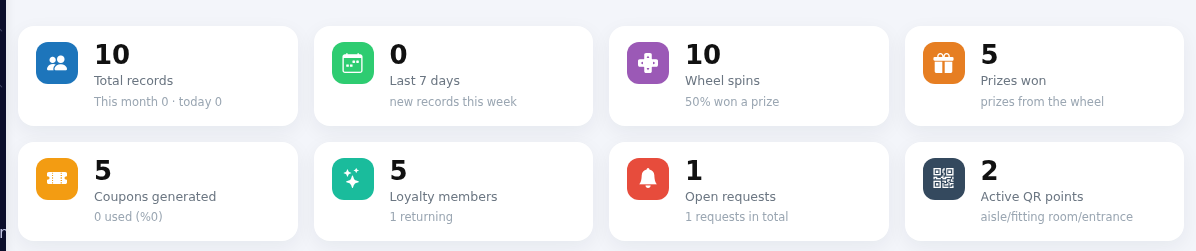
- Look at the charts: Last 30 days: daily
registrationsrecords—andhow registration flow moves day by day. - Gender
splitdistribution.— the profile of your customer base.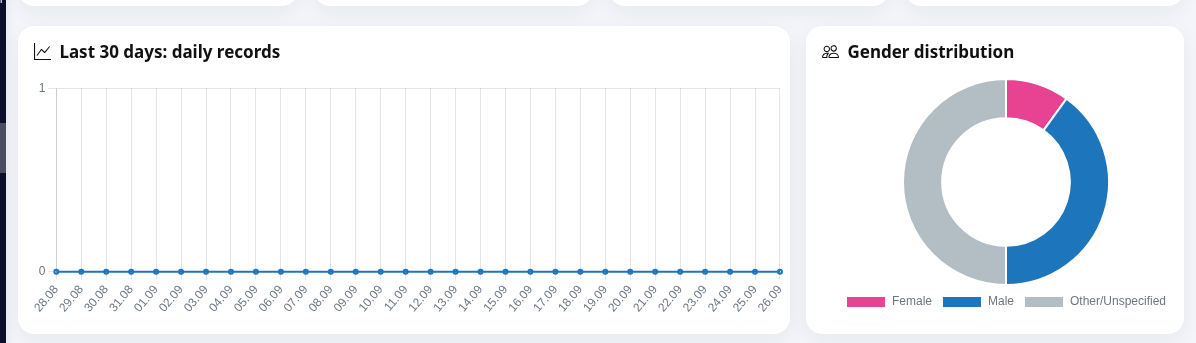
- Hourly
densityintensity (registrationsign-up time)—showswhatattimewhich hour of the dayregistrationssign-upshappen.arrive;Use it for staff planning and campaign timing. - Wheel prize distribution
—showswhichhowprizeoften each slice cameupup.how often. This is how you verify that your wheel weights behave as intended.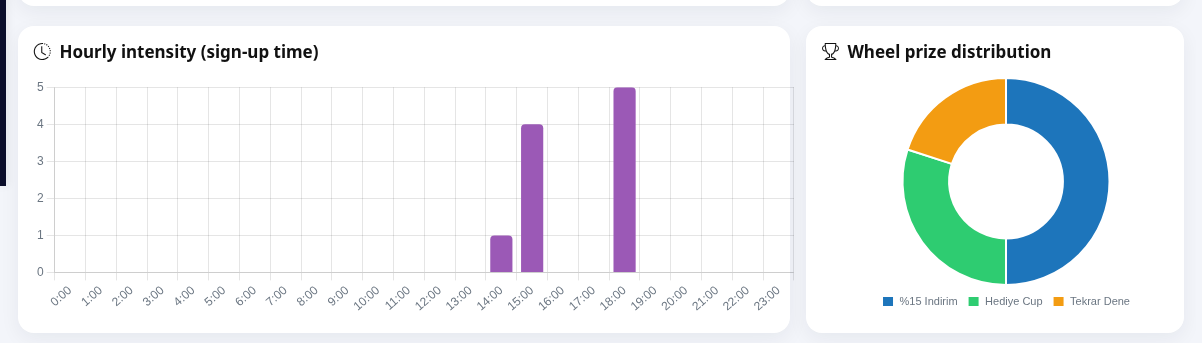
RegistrationSign-up source (QR point type)—shows whichpointQRregistrationstypecomethefrom.sign-upsWindowcameorfromfitting(storefront,room?entrance,Thecheckout,answergeneral);is here.- Consent & coupon usage
—shows themarketing-marketing consent rate andthecouponredemptionusagerate.rate; - Most loyal customers
—listsyourthe 8 most frequentvisitors,customers.with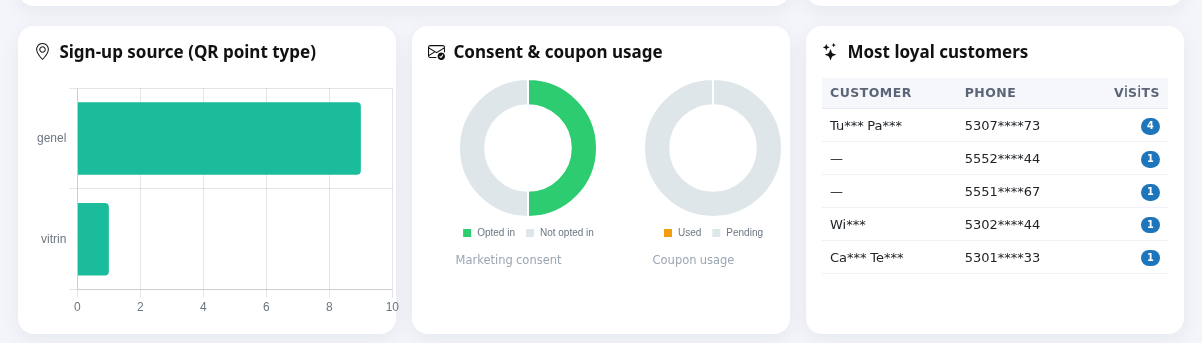
- At the bottom is the
CUSTOMERCollected Records list. Set Gender,PHONEAge ≥, Age ≤, Start, End, Source andVISITSETKcolumns.and press Filter. To download the filtered list press CSV (filtered). Clear removes all filters.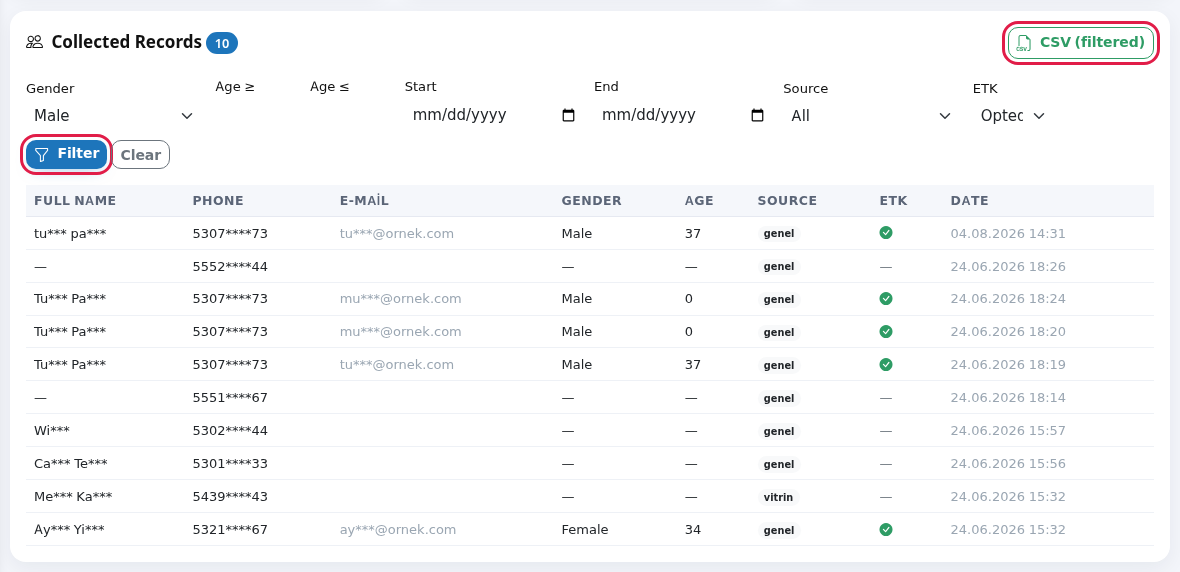
Before 2.you Chartsstart
Step by step
3.Indicator Collectedboxes
| Box | What it counts |
|---|---|
| Total records | All form sign-ups. Below: "This month X · today Y". |
| Last 7 days | New records this week. |
| Wheel spins | Total spins. Below: share that won a prize. |
| Prizes won | Spins that created a coupon code (prize slices without a coupon, such as "Hediye Cup", are not counted). |
| Coupons generated | Codes issued from all coupons. Below: number used and share. |
| Loyalty members | Distinct customers signed up with a phone. Below: how many returned. |
| Open requests | Fitting room/aisle requests waiting or in progress. Below: total requests. |
| Active QR points | Number of defined QR points. |
Record list and filters
Filter
| Field / Column | What it does | Example |
|---|---|---|
| Gender | All, Female, | Female |
| Age ≥ | Age range for records with a date of birth. Records without one are left out by the age | 18 |
| Start / | Sign-up date range. | 01.09.2026 |
| The QR | vitrin | |
| All
| Opted in | |
| Full name, Phone, E- | Masked details. | Ay*** Yı*** |
| Age, | Age and sign-up date and time. | |
| Number in the list title | Records matching the filter. At most 500 are shown; above that, "Showing the first 500 records; download the CSV for all of them." appears. |
The downloaded file
Download records and AGECSV (filtered), give a CSV file Excel can open. Columns: First name, Last name, Phone, E-mail, Birth date, Age, Gender, KVKK, ETK, Source, Language, Date. Name, phone and e-mail are masked. SOURCEDownload records, also applies the filters on the screen; with no filter it downloads everything.
Messages you may see
| Message | Meaning |
|---|---|
| No records found | No record matches the filter; remove filters with |
| No | No sign-up with a phone yet. |
| Showing the first 500 records; download the CSV for all of them. | The list was shortened; download the CSV for all. |
Frequently asked questions
Can I get full phone numbers?
No. For KVKK this screen and file give masked data. To message consenting customers use Segments or Automation; the numbers stay inside the system.
The same person appears several times.
Each form sign-up is maskeda forseparate data-protectionrow. reasons.If the same number signed up more than once, each shows; in loyalty it counts as one person.
The charts look empty.
With no sign-ups in the period, a chart shows a flat line or an empty ring.
4.Related Exportpages
CSV (filtered):downloads the records matching the current filter as CSV.SegmentsDownload records:downloads all records.
Related pages:Retail →Store & QR Registration,Segments,Coupons & Wheel ,Automation.