
5651 Logs
What is it for?
The 5651 Logs pagescreen lists and lets you download your time-stamped and signedthe internet access records,records kept under Turkish Law No. 5651. TheseRecords are stored as daily files, a SHA-512 digest is taken of every file, and the nightly files are also sealed with a KamuSM qualified time stamp. This proves that a record was not changed later. When an official request arrives, you download the files youto hand over infrom the event of an audit or a judicial request.here.
HowWhen do I
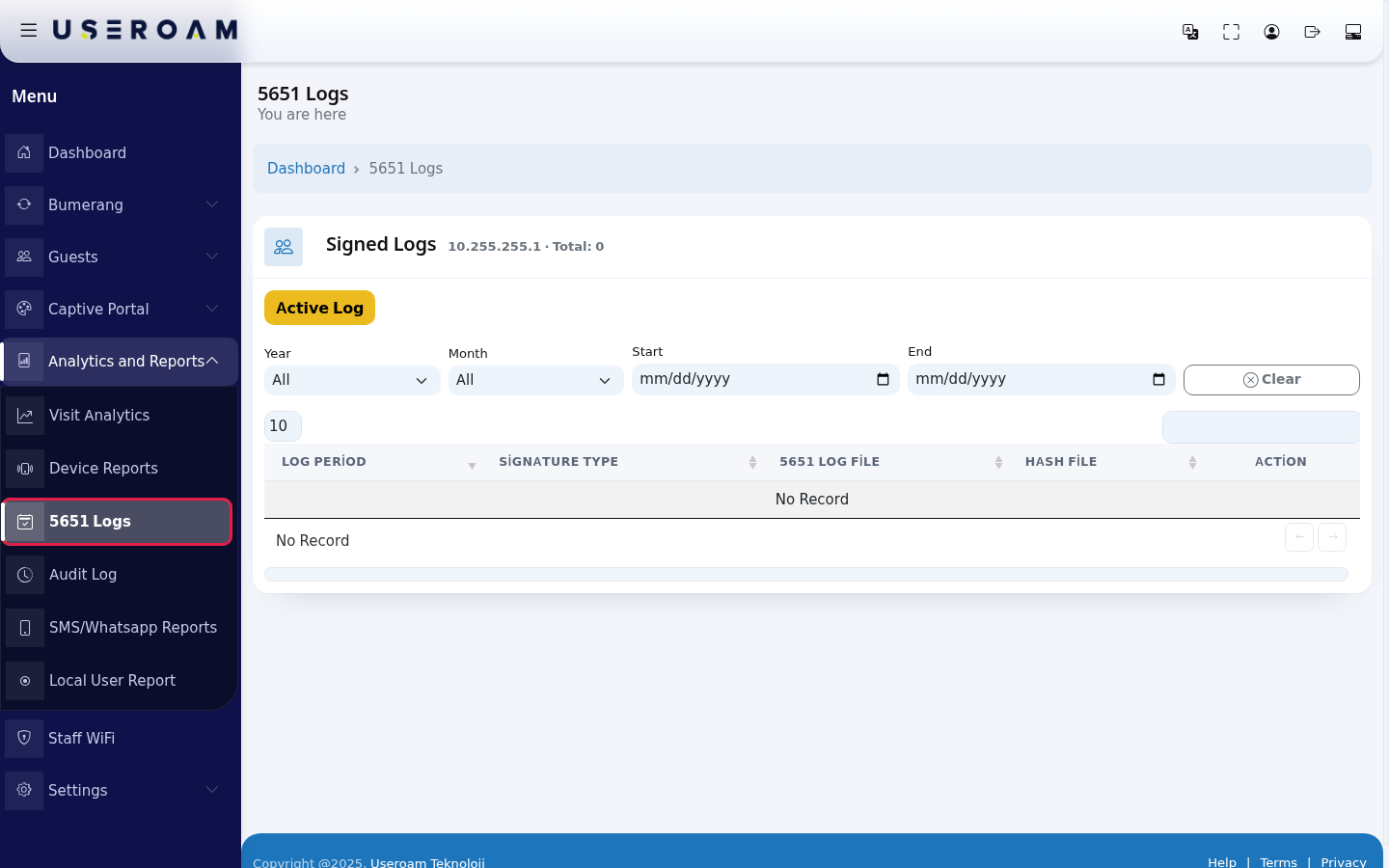
openusethis screen?From the left menu, go toAnalytics and Reports → 5651 Logs.
Note:the filters and column headers on this screen are still shown in Turkish; the on-screen text is given in brackets.
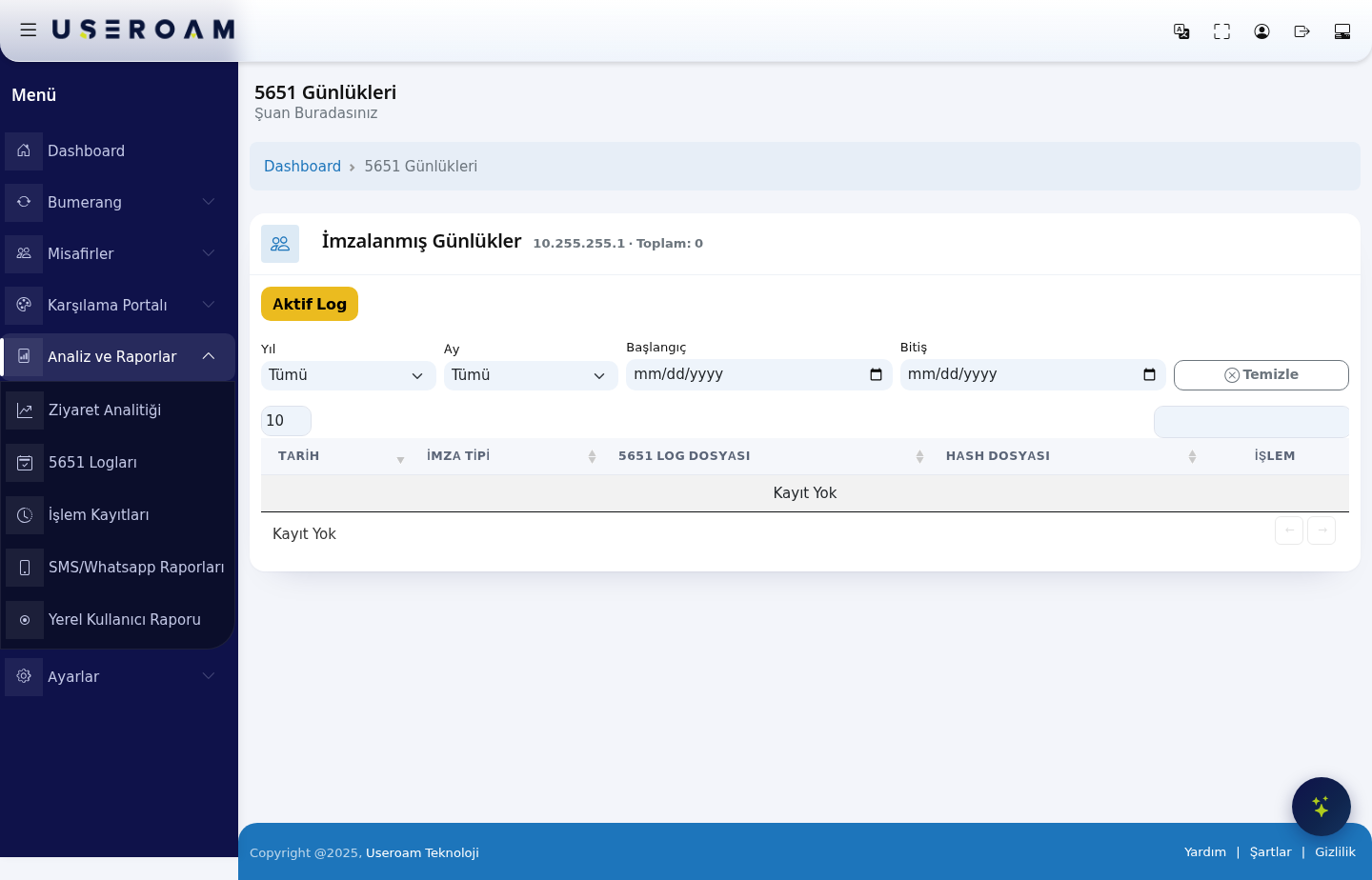
The top of the page shows which device's logs you are viewing and the total record count (for example 10.255.255.1 · Total: 0).
Filtersit?
ActiveALogprosecutor,(AktifpoliceLog):orshowsan authority such as BTK asks for thecurrent,accessnot-yet-signedrecordslogoffileaasspecificitdate.- You
Use itwant to check that records arestillsigned regularly. - You need to verify that a log file has not been changed.
- You want to see whether today's records, not yet signed, are flowing
beforein (Active Log).
Before you start
- The list shows the
nextselectedsigningdevice'srun.records. YearIf the device's internet address (Yıl):IP)filterschanged, recordsby year (Tümü= all years).Month(Ay):select a month from January to December (Tümü= all months).Start/End(Başlangıç/Bitiş):pick a date rangefrom thecalendar.oldJudicialaddressrequestsareusuallylistednametoo; a badge such as +1 eski IP (old IP) appears in the heading, and hovering over it shows the old address and the date it changed.- For records to be created, 5651 logging must be on for the device (Device Settings). Keep the 5651 alerts on the Notifications screen turned on so you hear about signing problems.
- By law, records are kept for at least 2 years.
Step by step: downloading the record of a specific day
- In the left menu open Analytics and Reports and click 5651 Logs. The Signed Logs list opens; the heading shows the device's IP address and the number of files (example: 10.255.255.1 · Total: 3).
- Use the filters to find the requested date: pick from the Year and Month lists, or enter a
shortdayrange,rangeso these two fields seewith themostStartuse.and - End calendars. The list is filtered as you choose. Clear
(Temizle):resetsremoves all filters.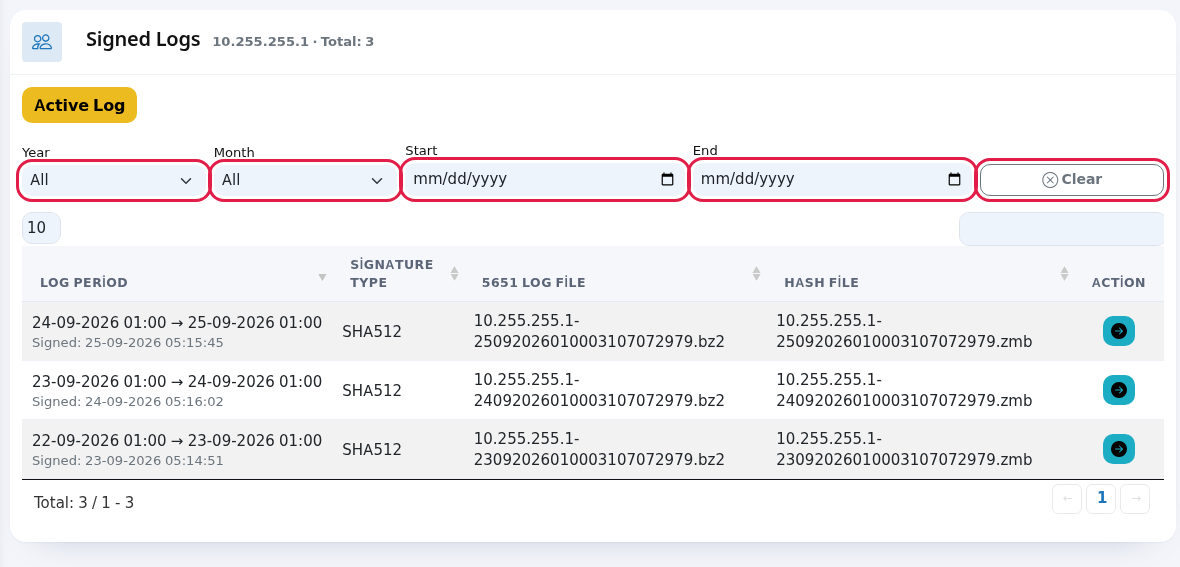
DATE:Find the row that covers the requested time: the Log Period column shows from which time to which time the file holds records (example: 24-09-2026 01:00 → 25-09-2026 01:00); the grey text under it is the moment it was signed. Press the blue arrow (Günlüğü Kontrol Et, check log) at the end of the row.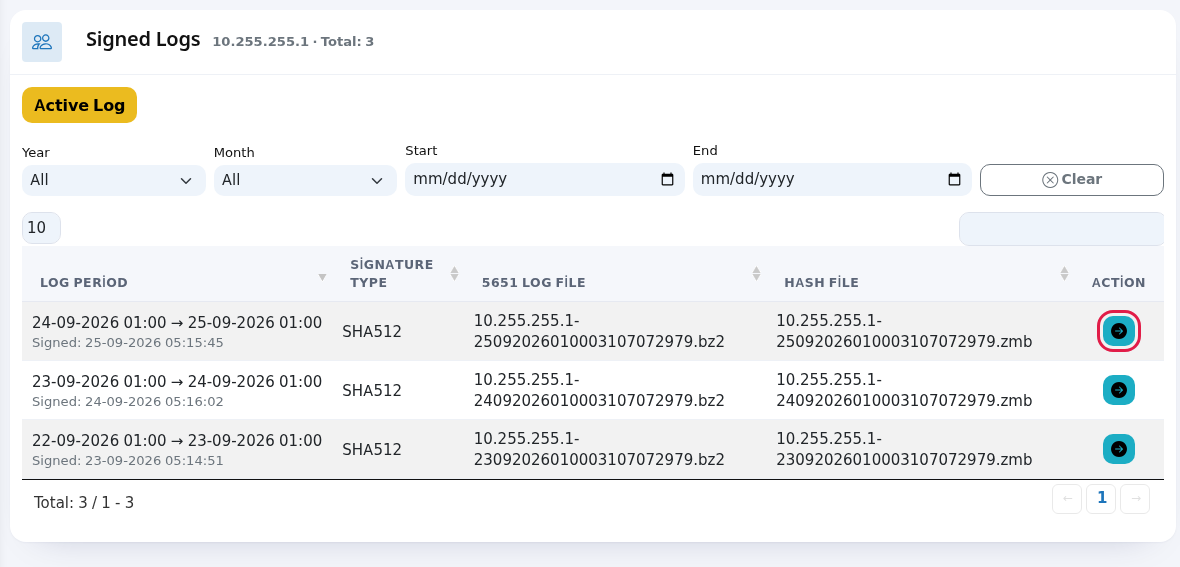
- The 5651 Log Verification screen opens. The file name, signature type, signature date and file size are shown (the "Dosya" = File and "Dosya Boyutu" = File Size headings are still Turkish). Download the file with the down arrow (Download). The ZIP you get contains the log file
covers. SIGNATURE TYPE:(.bz2), themethoddigestusedfileto(.zmb)signand, if present, therecordtime stamp files (time-stamp.zd,type).ozet); 5651handLOGtheFILE:ZIP over as it is. The black box shows the file's signature details. To check that the filecontaininghas not changed, press İmzayı Doğrula (verify signature); the result message appears on screen (see the message table below).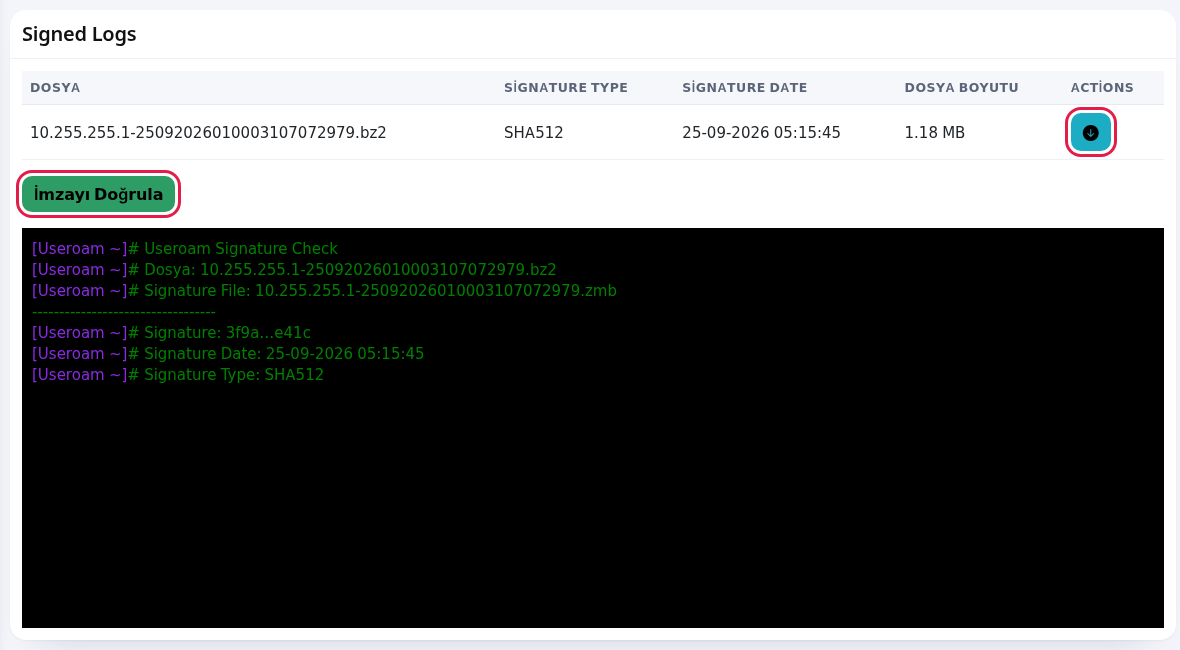
Table columns
Step by step: checking that today's records are flowing
- Press the yellow Active Log button above the list.
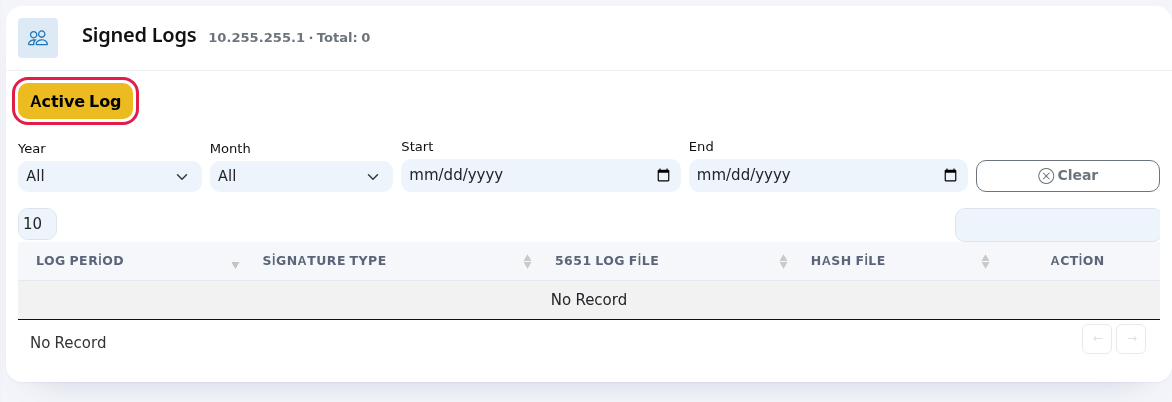
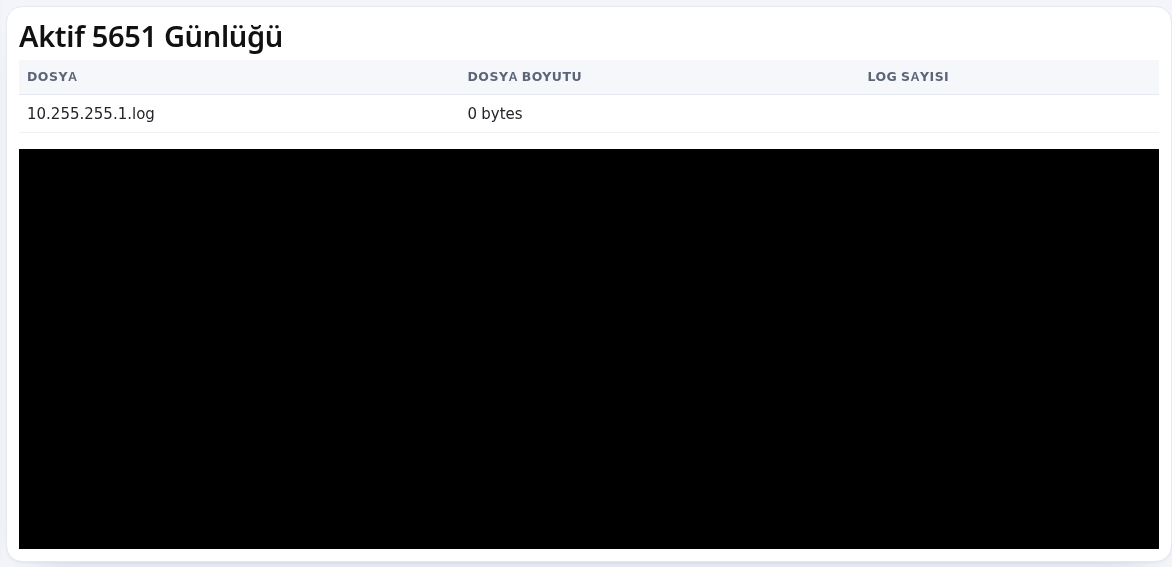
- The 5651 İmza Durumu (signature status) screen, shown in Turkish only, has an Aktif 5651 Günlüğü (active 5651 log) table with today's file that is not signed yet: Dosya (file), Dosya Boyutu (file size) and Log Sayısı (number of log lines). The latest record lines scroll in the black box below; the screen refreshes itself every 5 seconds. If the size and the log count grow, logging works. If you see 0 bytes, no records are coming from the device; tell the company that installed it or support.
Every field and button on the screen
| Field / Button | What it does |
|---|---|
| Signed Logs · IP · Total | The device address and the number of files in the list. |
| +… eski IP | Records from the device's old addresses are listed too. Hover to see the old address and when it changed. |
| Active Log | Opens the signature status screen with today's unsigned records. |
| Year, Month | Filter the list by year and month. All shows every year/month. |
| Start, End | Filter by day range. |
| Clear | Resets the filters. |
| Number box top left, search box top right | Rows per page (10, 25, 50, 100, All) and search in file names. |
| Log Period | The time range of the file and its signing moment. The oldest file may show ? because its start is not known. |
| Signature Type | Digest method (example: SHA512). |
| 5651 Log File | Name of the file holding the access .bz2). |
| Hash File | File with.zmb). |
| Blue arrow (check log) | Opens the file's detail and download screen. |
| Down arrow (Download) | Downloads log, digest and time stamp files as one ZIP. |
| İmzayı Doğrula (verify signature) | Recalculates the file's digest and compares it with the signature. |
| Dosya, Dosya Boyutu, Log Sayısı | On the Active Log screen: today's file, its size and number of record lines. |
Messages you may see
These verification messages are shown in Turkish only.
| Message | Meaning / what to do |
|---|---|
| No Record | No files in the list. On a newly installed device the first signed file appears after the first nightly signing. If it stays empty for days, check that 5651 logging is on for the device and contact support. |
| Log özetleri uyuşuyor. Log güvenilir. İmza Tarihi: … | Verification passed (digests match, the log is reliable): the file has not |
| Log hatalı özetler uyuşmuyor. | The file and its signature do not match. Tell support before handing the |
| Log dosyası bulanamadı | The file could not be found in the archive. Contact support with the file name. |
Frequently asked questions
Why does a file run from one night to the next?
Records are always submitted together.
Whentime thereevery arenight. noSo records,a file usually holds the tablerecords shows "No Record".
Navigatingfrom the list
previous night's time to that night's time.
The 10 / 25 / 50 / 100 / All selector atAre the top left sets records perof page, the search box at the top right filters instantly, and the arrows below the table move between pages.
Yes.
full
foreveryone; that list only affects guest reports.
Related
pages:pagesSettings
→- Notifications
Notifications,Settings →- Device Settings
(theAudit 5651LogLogging switch),Installation Guides(syslog forwarding steps).