
5651 Logs
What is it for?
The 5651 Logs screen lists the internet access records kept under Turkish Law No. 5651. Records are stored as daily files, a SHA-512 digest is taken of every file, and the nightly files are also sealed with a KamuSM qualified time stamp. This proves that a record was not changed later. When an official request arrives, you download the files to hand over from here.
When do I use it?
- A prosecutor, police or an authority such as BTK asks for the access records of a specific date.
- You want to check that records are signed regularly.
- You need to verify that a log file has not been changed.
- You want to see whether today's records, not yet signed, are flowing in (Active Log).
Before you start
- The list shows the selected device's records. If the device's internet address (IP) changed, records from the old address are listed too; a badge such as +1 eski IP (old IP) appears in the heading, and hovering over it shows the old address and the date it changed.
- For records to be created, 5651 logging must be on for the device (Device Settings). Keep the 5651 alerts on the Notifications screen turned on so you hear about signing problems.
- By law, records are kept for at least 2 years.
Step by step: downloading the record of a specific day
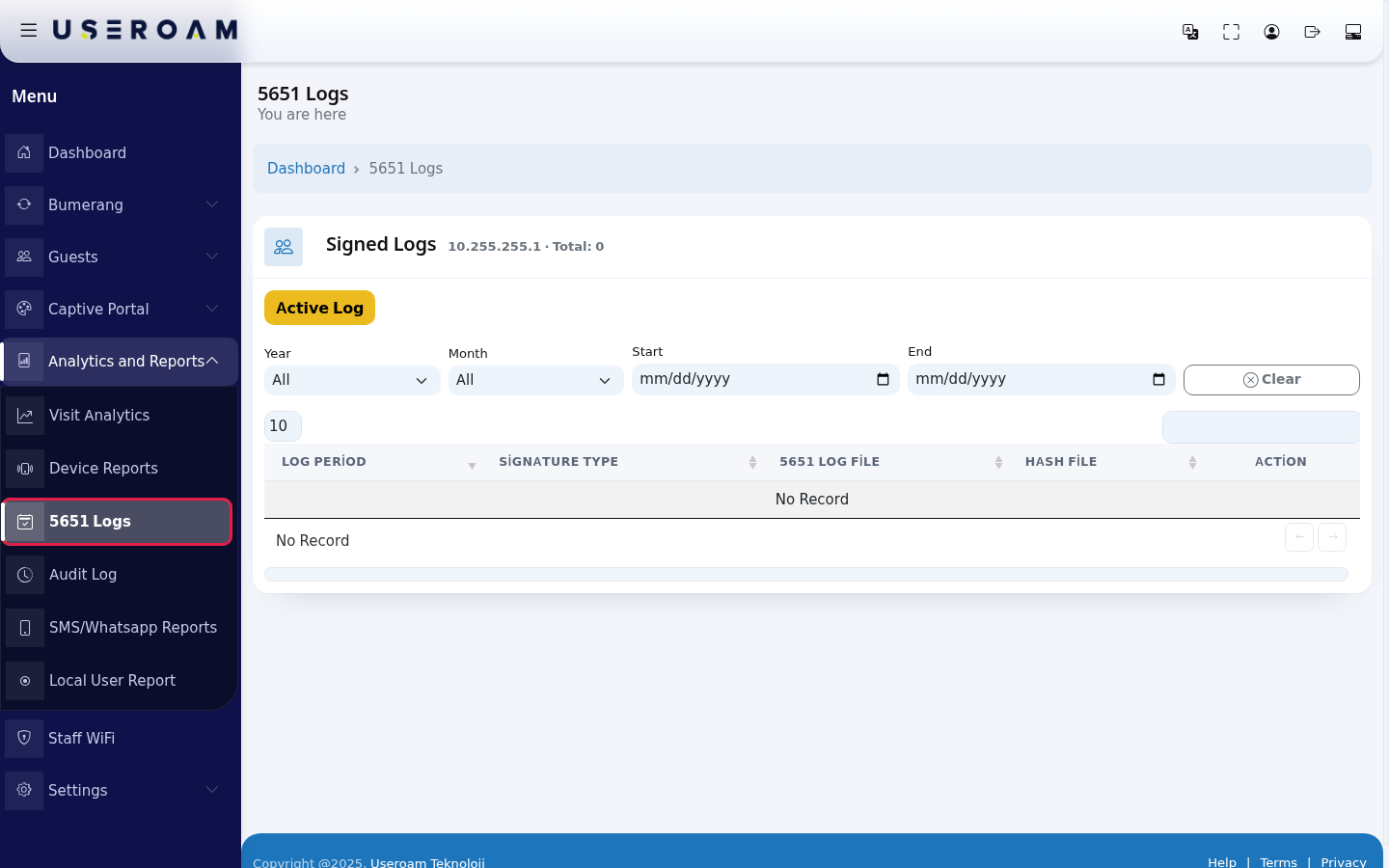
- In the left menu open Analytics and Reports and click 5651 Logs. The Signed Logs list opens; the heading shows the device's IP address and the number of files (example: 10.255.255.1 · Total: 3).
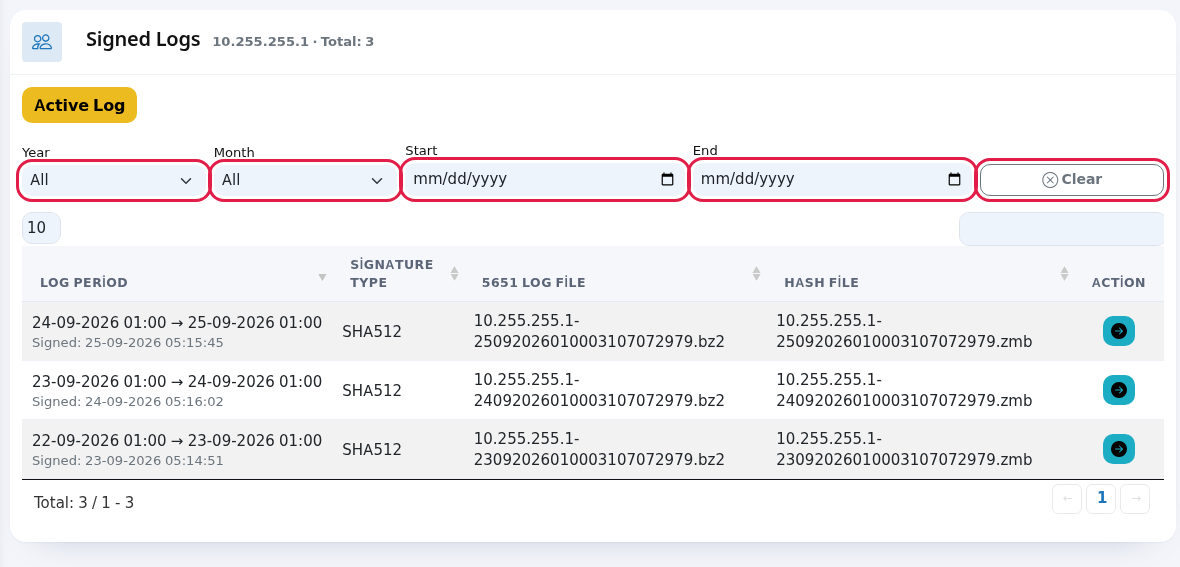
- Use the filters to find the requested date: pick from the Year and Month lists, or enter a day range with the Start and End calendars. The list is filtered as you choose. Clear removes all filters.
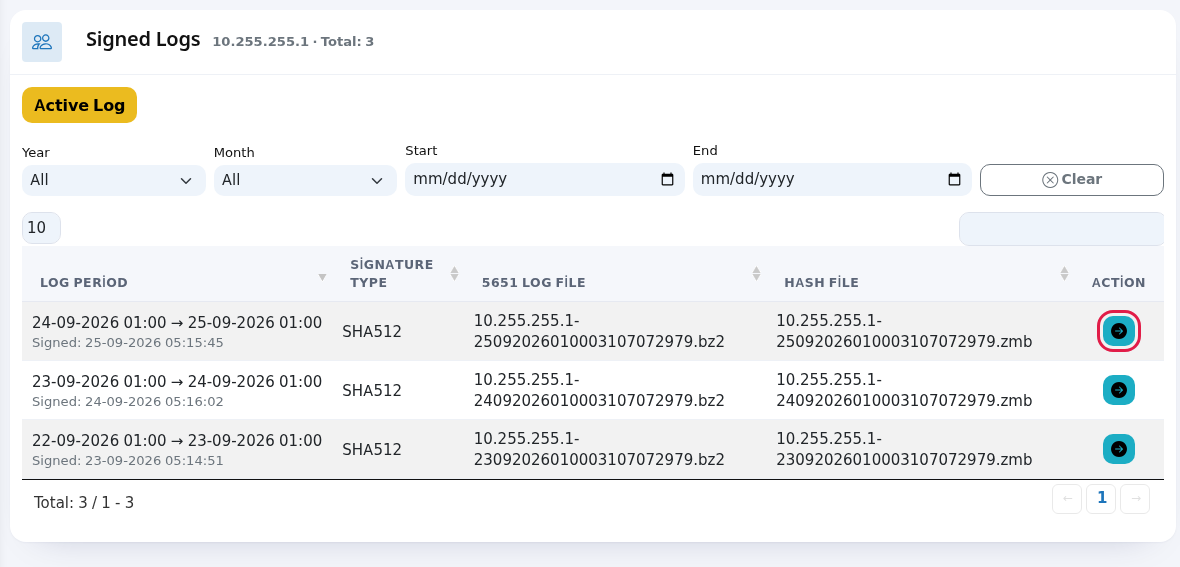
- Find the row that covers the requested time: the Log Period column shows from which time to which time the file holds records (example: 24-09-2026 01:00 → 25-09-2026 01:00); the grey text under it is the moment it was signed. Press the blue arrow (Günlüğü Kontrol Et, check log) at the end of the row.
- The 5651 Log Verification screen opens. The file name, signature type, signature date and file size are shown (the "Dosya" = File and "Dosya Boyutu" = File Size headings are still Turkish). Download the file with the down arrow (Download). The ZIP you get contains the log file (
.bz2), the digest file (.zmb) and, if present, the time stamp files (.zd,.ozet); hand the ZIP over as it is. The black box shows the file's signature details. To check that the file has not changed, press İmzayı Doğrula (verify signature); the result message appears on screen (see the message table below).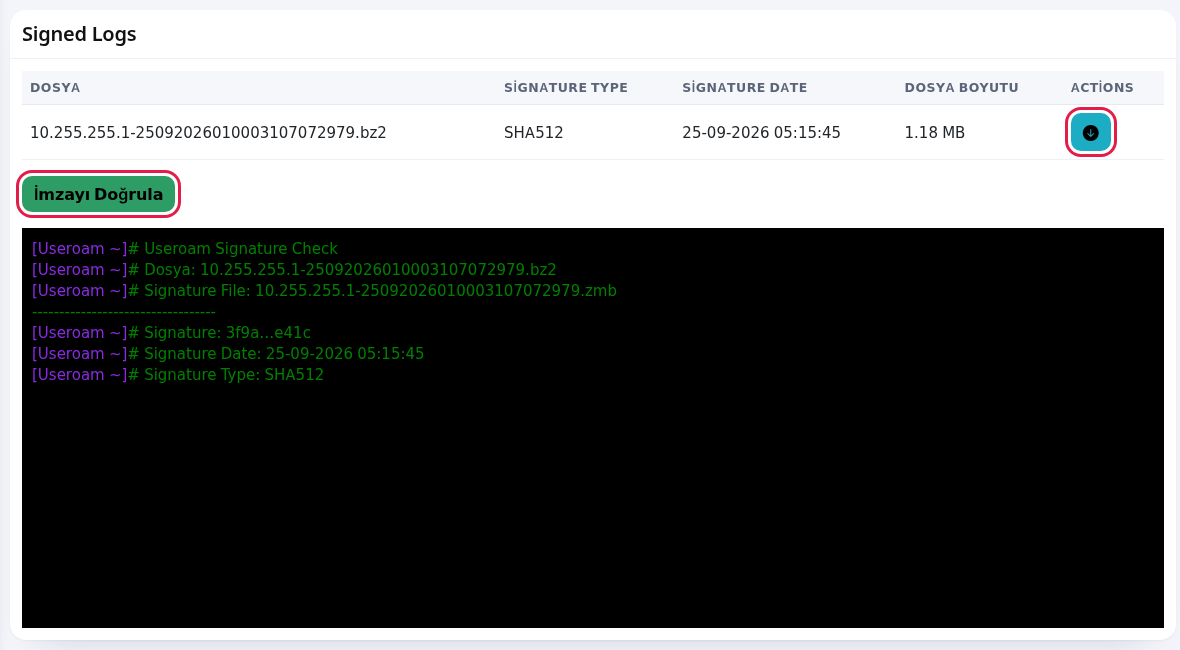
Step by step: checking that today's records are flowing
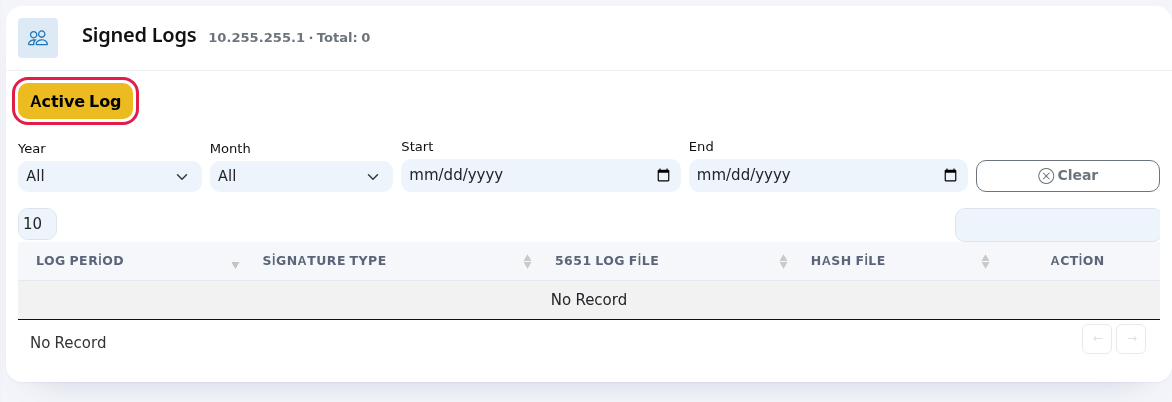
- Press the yellow Active Log button above the list.
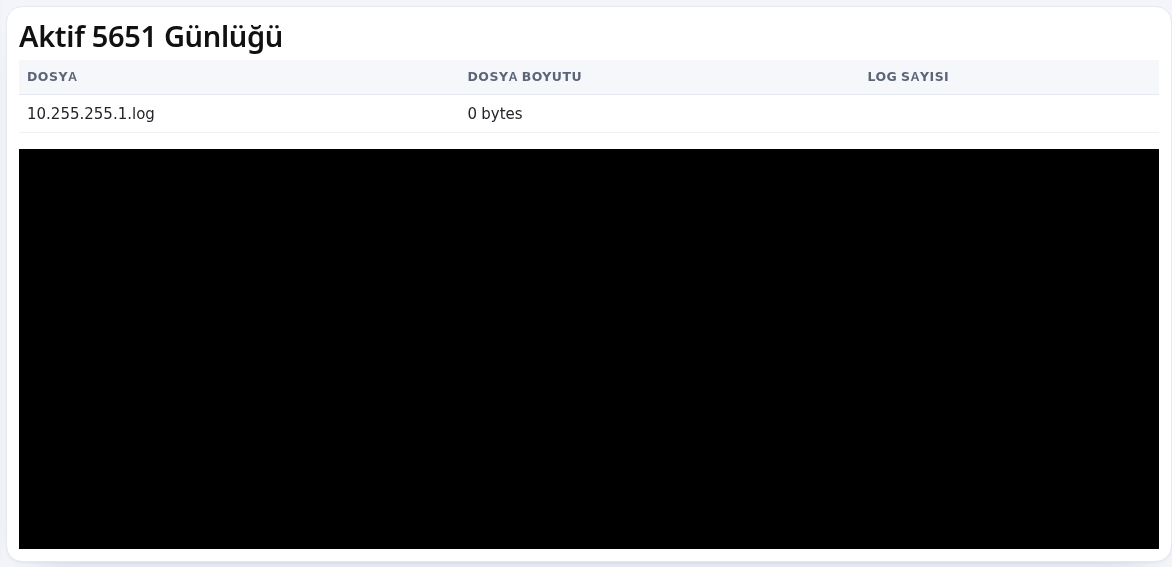
- The 5651 İmza Durumu (signature status) screen, shown in Turkish only, has an Aktif 5651 Günlüğü (active 5651 log) table with today's file that is not signed yet: Dosya (file), Dosya Boyutu (file size) and Log Sayısı (number of log lines). The latest record lines scroll in the black box below; the screen refreshes itself every 5 seconds. If the size and the log count grow, logging works. If you see 0 bytes, no records are coming from the device; tell the company that installed it or support.
Every field and button on the screen
| Field / Button | What it does |
|---|---|
| Top of the page | Heading 5651 Logs with You are here under it; Dashboard returns to the home screen. While the table loads it shows Processing.... |
| Month options | January, February, March, April, May, June, July, August, September, October, November, December. |
| Law No. 5651 and Log Signing window | Information window explaining that access records are kept for at least 2 years, each file gets a SHA-512 digest and nightly files are sealed with a KamuSM qualified time stamp. |
| Signed Logs · IP · Total | The device address and the number of files in the list. |
| +… eski IP | Records from the device's old addresses are listed too. Hover to see the old address and when it changed. |
| Active Log | Opens the signature status screen with today's unsigned records. |
| Year, Month | Filter the list by year and month. All shows every year/month. |
| Start, End | Filter by day range. |
| Clear | Resets the filters. |
| Number box top left, search box top right | Rows per page (10, 25, 50, 100, All) and search in file names. |
| Log Period | The time range of the file and its signing moment. The oldest file may show ? because its start is not known. |
| Signature Type | Digest method (example: SHA512). |
| 5651 Log File | Name of the file holding the access records (.bz2). |
| Hash File | File with the log file's digest (.zmb). It proves the record was not changed; hand it over together with the log file. |
| Action column, blue arrow (check log) | Opens the file's detail and download screen. |
| Down arrow (Download) | Downloads log, digest and time stamp files as one ZIP. |
| İmzayı Doğrula (verify signature) | Recalculates the file's digest and compares it with the signature. |
| Dosya, Dosya Boyutu, Log Sayısı | On the Active Log screen: today's file, its size and number of record lines. |
Messages you may see
These verification messages are shown in Turkish only.
| Message | Meaning / what to do |
|---|---|
| No Record | No files in the list. On a newly installed device the first signed file appears after the first nightly signing. If it stays empty for days, check that 5651 logging is on for the device and contact support. |
| Log özetleri uyuşuyor. Log güvenilir. İmza Tarihi: … | Verification passed (digests match, the log is reliable): the file has not changed since it was signed. |
| Log hatalı özetler uyuşmuyor. | The file and its signature do not match. Tell support before handing the file over. |
| Log dosyası bulanamadı | The file could not be found in the archive. Contact support with the file name. |
Frequently asked questions
Why does a file run from one night to the next?
Records are closed and signed at a set time every night. So a file usually holds the records from the previous night's time to that night's time.
Are the records of employees on the Excluded Users list here too?
Yes. 5651 records are kept in full for everyone; that list only affects guest reports.