
Hotspot QR Code
What is it for?
The Hotspot QR PosterCode buildsscreen thecreates a QR poster youthat placeguests scan with their phone camera to join your Wi-Fi with one tap. You put the poster on tables, walls or menusmenus. soEvery change you make is reflected instantly in the poster preview on the right.
When do I use it?
- You want guests
cantojoinconnectyourwithoutWi-Fiaskingina single tap. Scanning the code connects the device tofor the network name andopenspassword. - You need a Wi-Fi QR code for a table card, wall poster or menu.
- Your Wi-Fi name or password changed and the poster must be renewed.
Before you start
- The screen is in the left menu under Settings (Hotspot QR Code).
- You need your guest network's name (SSID) and password. If they are saved in the captive
portal.portal,the
HowboxesdocomeIfilledopenin. - This
screen?screenFromsaves nothing; you download or print the poster. When you close and reopen the page, your changes are reset.
Step by step: creating a poster
- In the left
menu,menugo toopenAnalyticsSettings andReportsclick→Hotspot QR Code.Note:the field labels on this screen are still shown in Turkish; the on-screen text is given in brackets.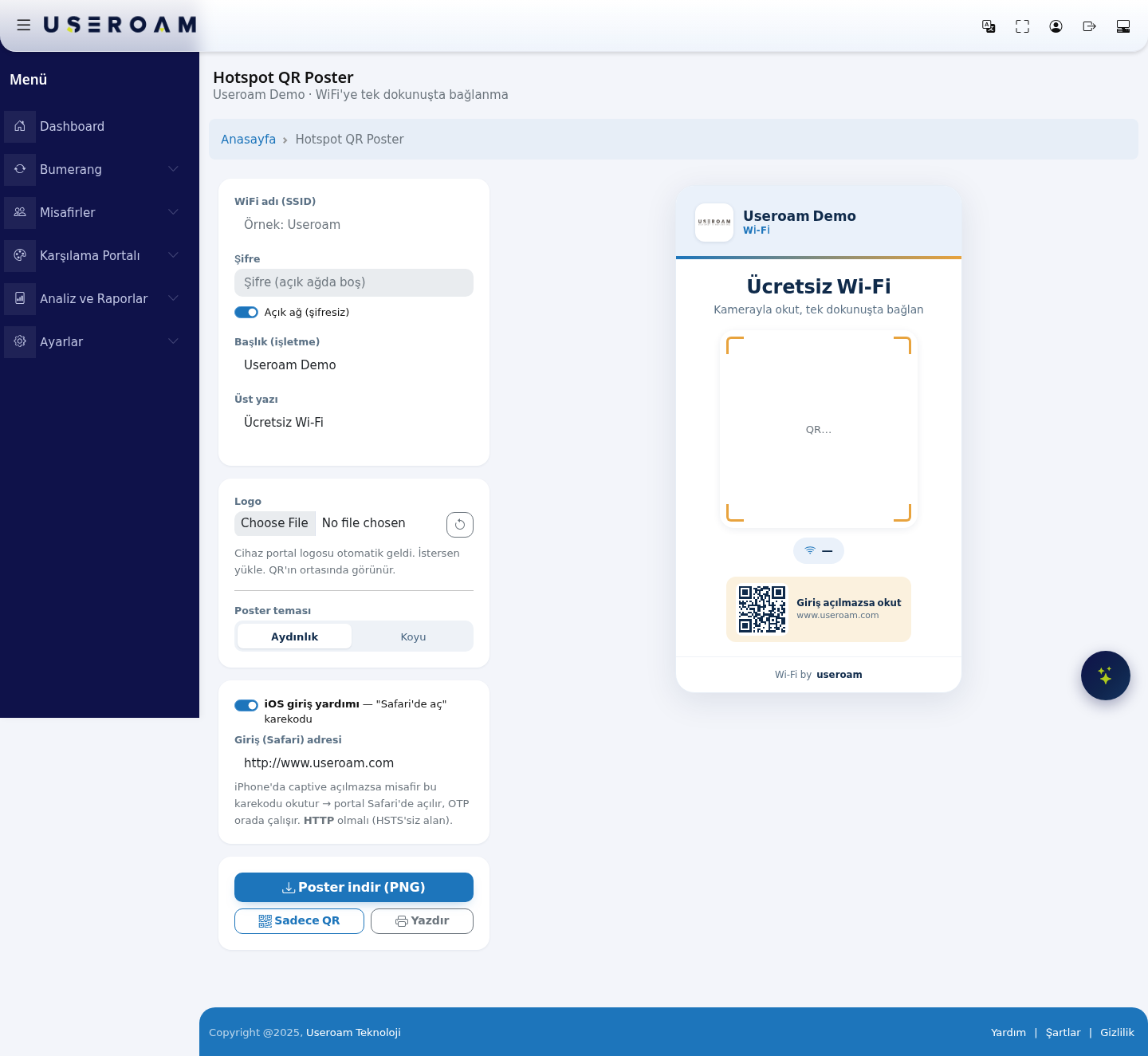
The
pagesettingshas two halves: thesettingsopen on the left andalivethe poster preview on the right.Every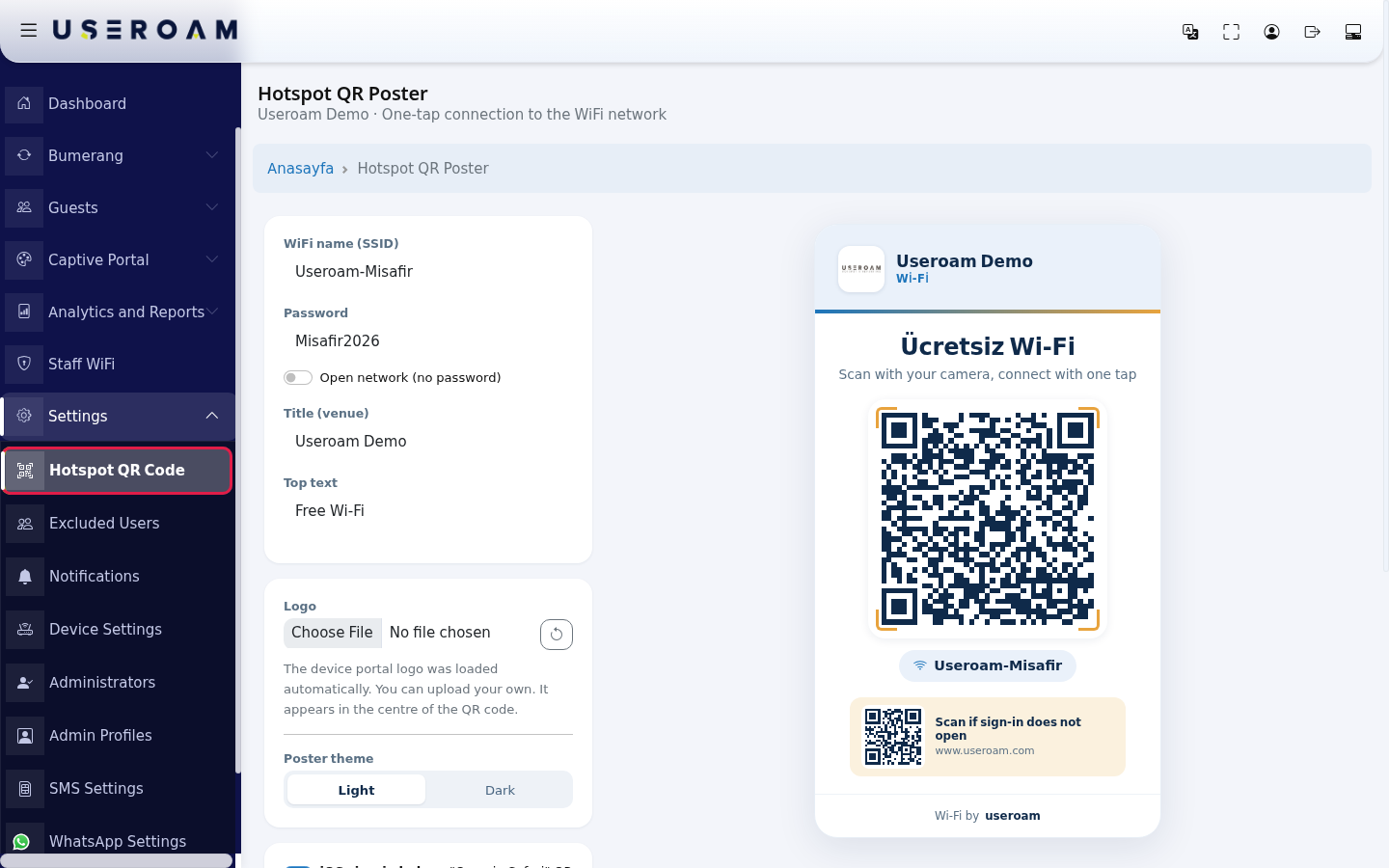
- Type
appearsyour guest network name exactly inthe preview instantly.1. Network detailsWi-FiWiFi name (SSID) (WiFiexample:adıUseroam-Misafir);(SSID)):the name of your guest network. The QR code is generated from this name —ifitone letter or its case is wrong, the connectionwillfails.not work.Password(Şifre):If your networkpassword.has - a password, turn off Open network (no password)
(Açıkandağ (şifresiz)):tick this if your network has no password;type the passwordfieldin Password. For an open network, leave the switch on; the password box isthenlocked.disabled.The
2. Poster contentTitle (business)(Başlık (işletme)):your business name, shown in large typecode on theposter.right updates as you type.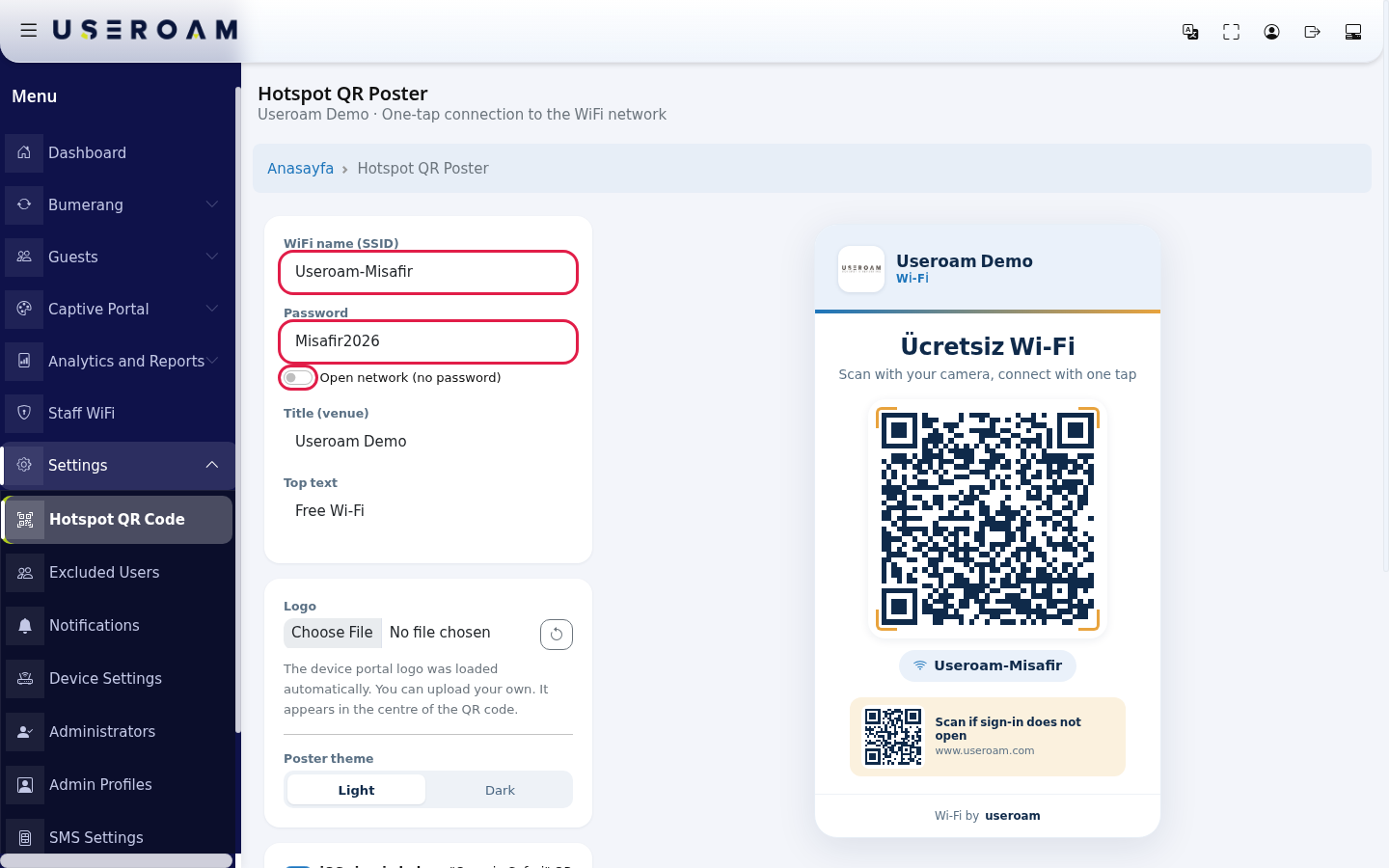
- Type the venue name to print large on the poster in
TopTitleline(venue) (Üstexample:yazıUseroam Cafe):and the short text above thetitleQR code in Top text (for example"Free Wi-Fi")Fi by default). Logo:the device'sYour portal logois pulledappears in Logo automatically;you can uploadchoose adifferentfileimageforifanotheryou prefer.image. Thelogocircularappearsarrowinnext to it goes back to thecentredeviceoflogo.the QR code.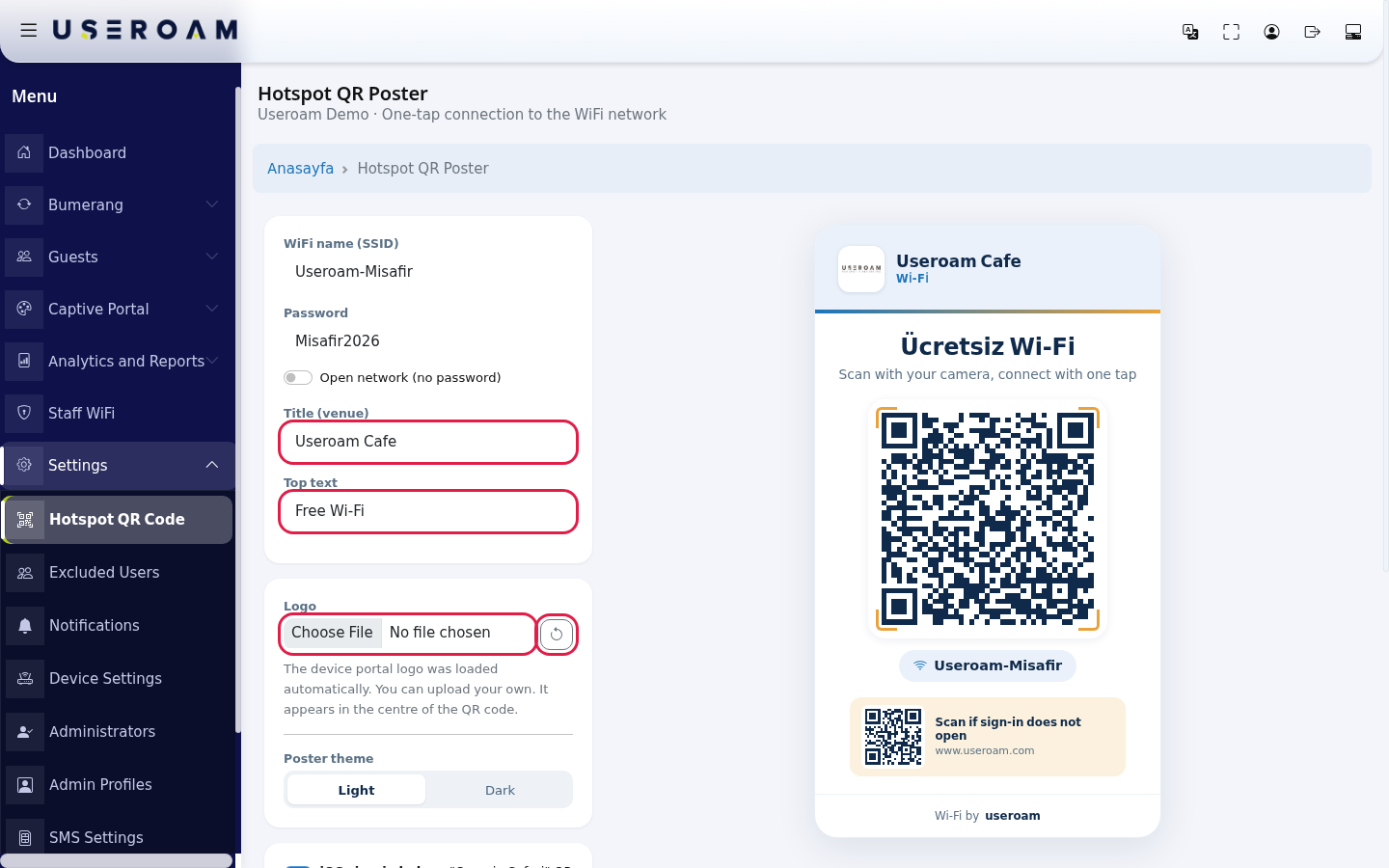
Poster theme:Choose Light(Aydınlık)or Dark(Koyu)in Poster theme.ChooseLightaccordingprintsto where the poster will hang —better, darkworkslooks better in dimspaces,places.lightNote:printsuntilbetter.you
Top
may3.text,iOStheloginpreviewhelperThestilliOSshowloginthehelperTurkish—default "openÜcretsiz Wi-Fi"; type your text inSafari"TopQR codetextoptiontoaddsbeasure.second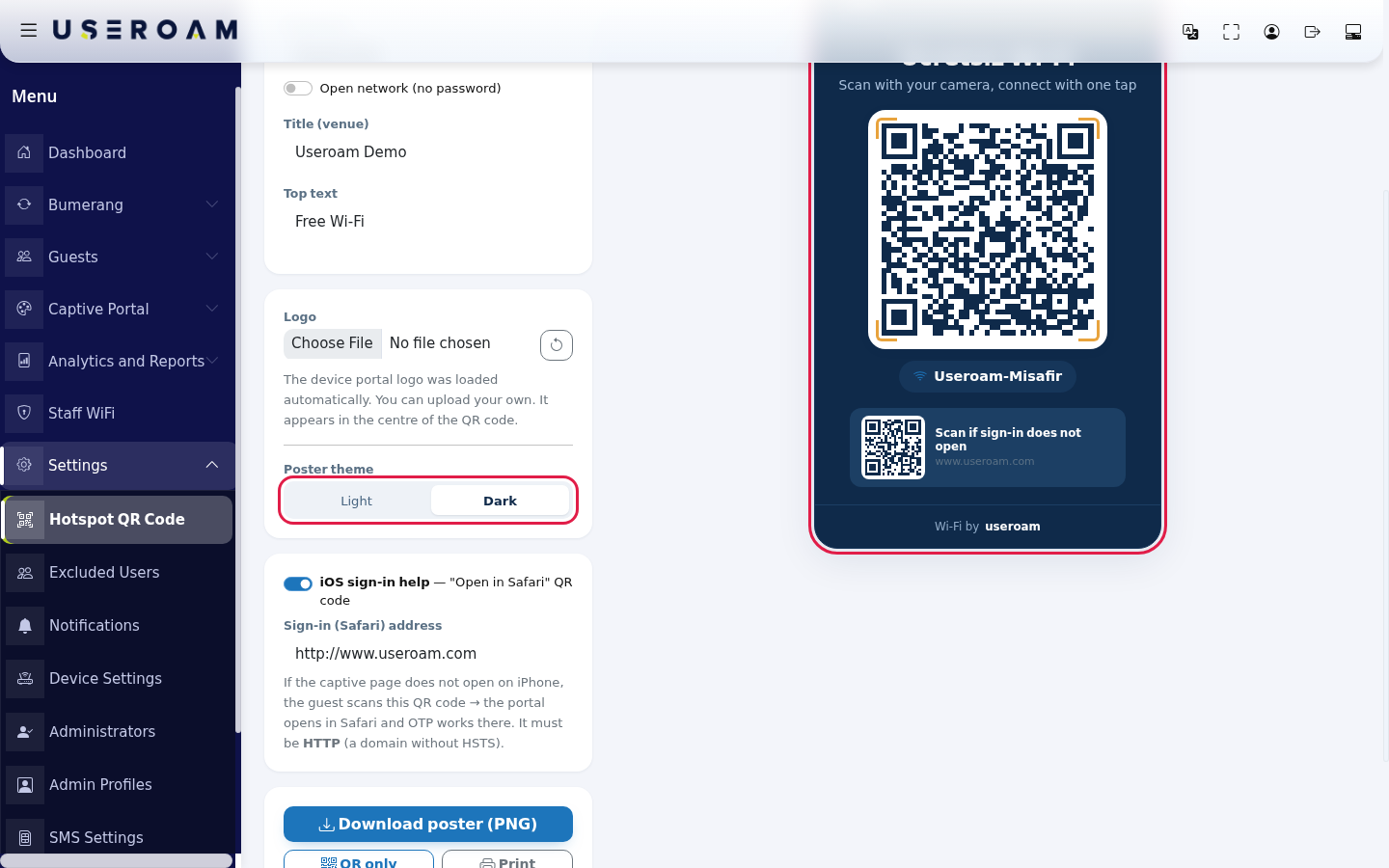
- On
code foriPhones thecasessign-inwherepagethe captive screensometimes does not openonbyiPhones.itself.- For
- this, while
LoginiOS sign-in help is on, a second small QR code ("Scan if sign-in does not open") is added at the bottom of the poster. In Sign-in (Safari)address:address, type the address to open when the guest scansthisit;code,it must start withhttp://(the redirect does not work with anhttps://address). Turn theportalswitchopensoffdirectlyifinyouSafaridoandnot want it.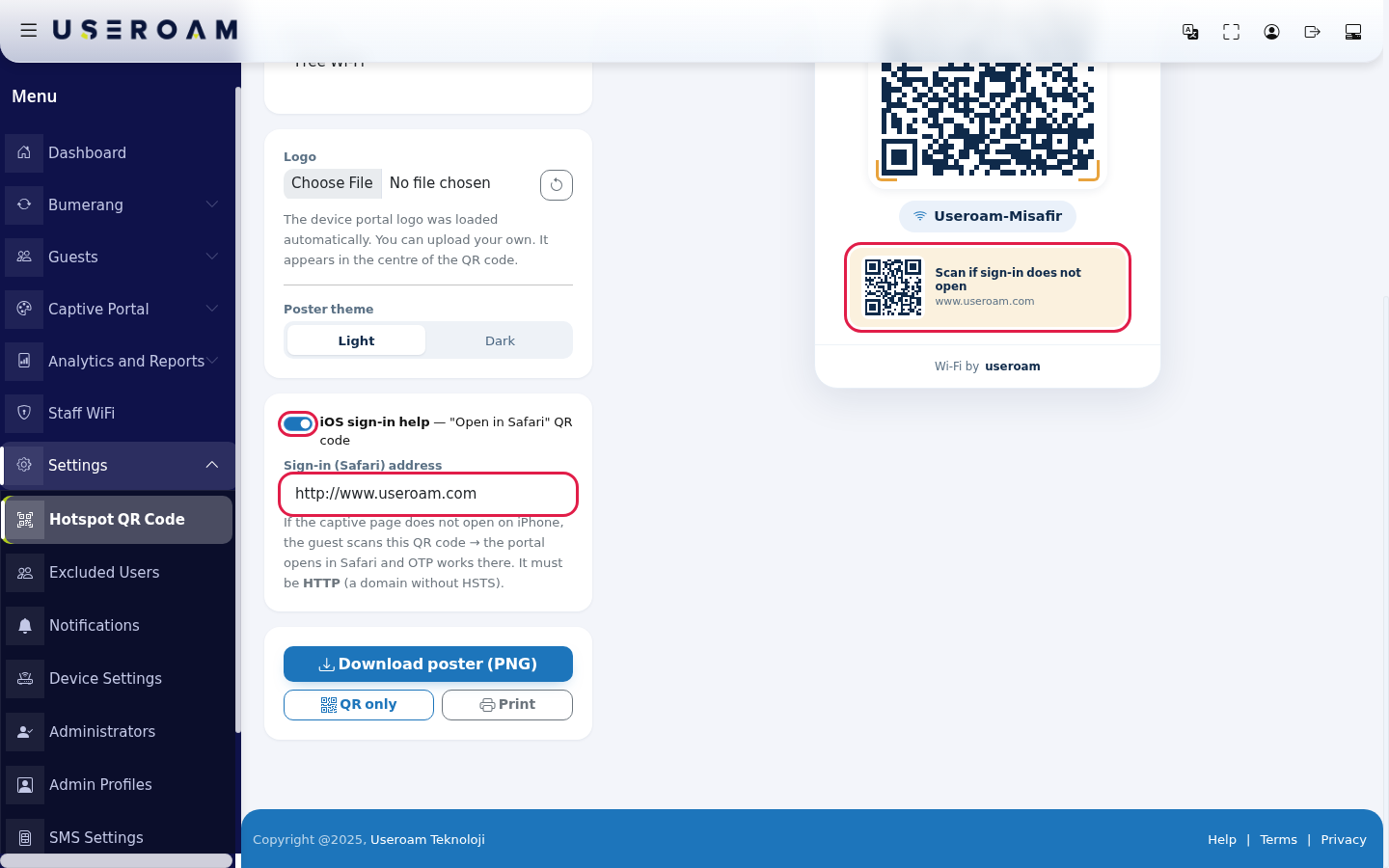
- To get the
one-timepostercodepress(OTP) works there.
Important:this addressmust be HTTP(a domain without HSTS). If you enter an HTTPS address, the iOS redirect will not work.4. Output- Download poster (PNG)
:.downloadsUsethe whole design as an image, ready for print or a digital screen. - QR
only:onlydownloadsif you will place just the QRcode,codefor placing intoin your ownmenudesign, orposterPrintdesign.to send it straight to a printer.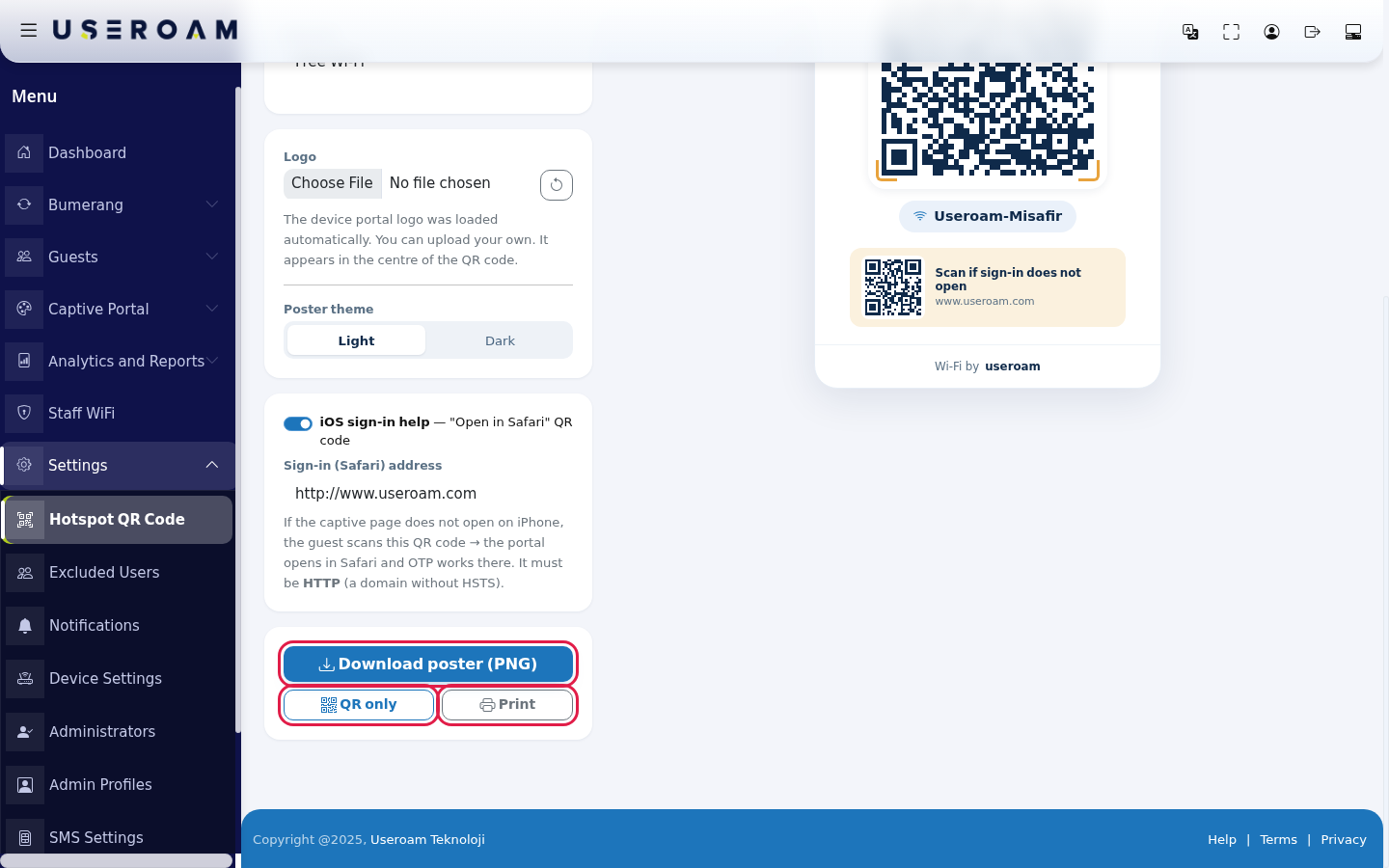
- this, while
Every field and button on the screen
| Field / Button | What it does |
|---|---|
| The network the QR code joins. At most 64 characters. | |
| Password | Network password. Empty for an open network. At most 128 characters. |
| Open network (no password) | When on, the QR code is made for an open network and the password box is locked. |
| Title (venue) | The venue name at the top of the poster. The device name by default. At most 40 characters. |
| Top text | The large text above the QR code. At most 32 characters. |
| Logo | Logo shown on the poster |
| Poster theme | |
| iOS sign-in help | Adds the "Scan if sign-in does not open" QR code at the bottom of the poster. |
| Sign-in (Safari) address | The address the second QR code opens. Must be HTTP. |
| Download poster (PNG) | Downloads the whole poster as an image. |
| QR only | Downloads only the Wi-Fi QR code in large size. |
| Opens the poster in the print window. | |
| Poster preview | Shows the venue name, "Scan with your camera, connect with one tap", the QR |
Frequently asked questions
I scanned the QR codescode tobut connectit does not connect.
Check the devicenetwork automaticallyname whenand scanned,password, enableincluding Embedupper Wi-Fiand inlower case. If your network has no password, Open network (no password) must be on.
"QR could not be loaded" appears instead of the QR codescode.
The onpage could not load the CaptiveQR Portaltool. →Check Portalyour Settingsinternet connection and reload the page.
I
changed the password. What about the poster?
The old QR code no longer works. Download and print the poster again with the new password.
Does the guest see the sign-in screen after scanning?
Once the phone joins the network, the captive portal opens and the guest signs in as usual.
Related pages:pages
- Portal Settings