
Dashboard (Home Screen)
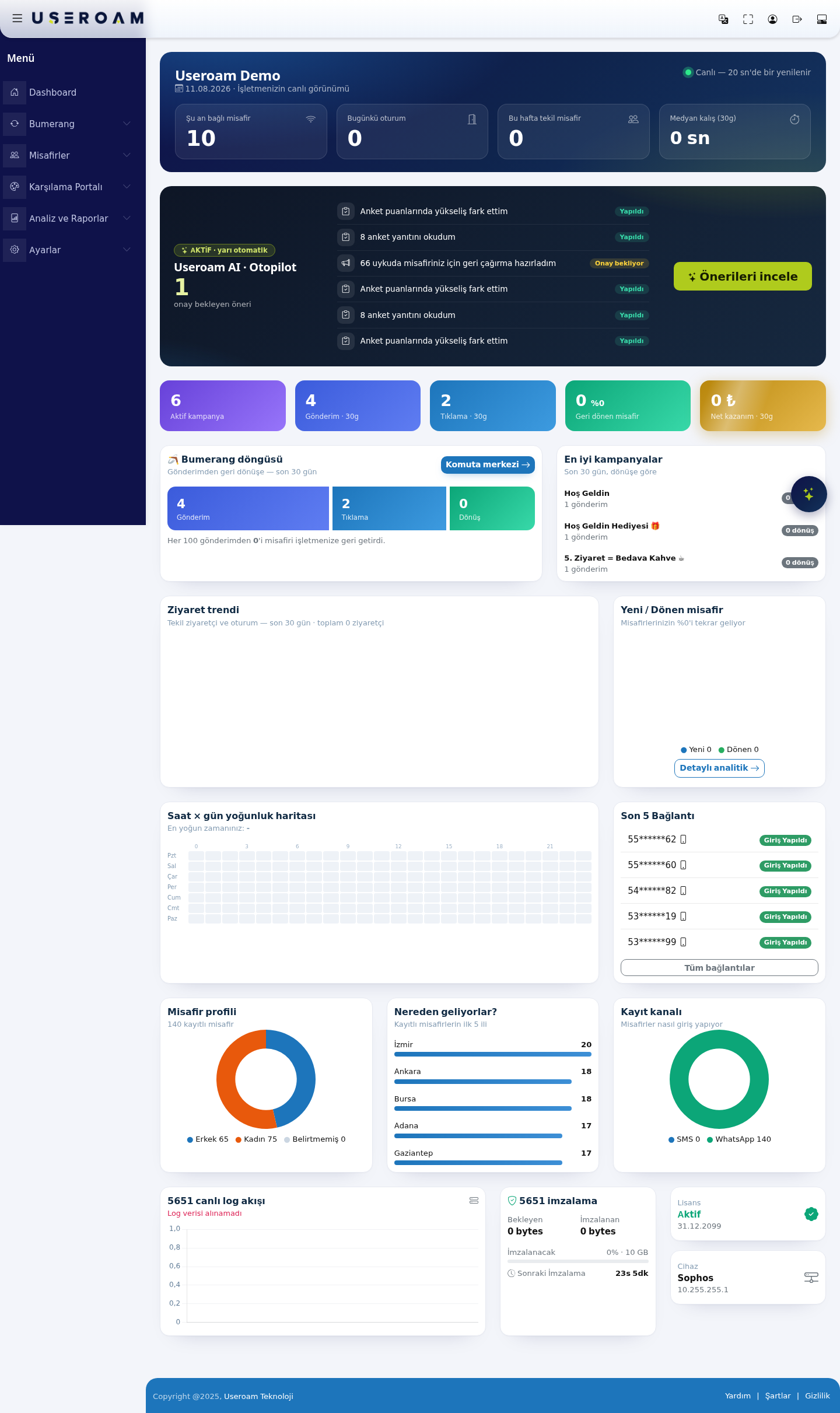
The Dashboard is the home screen that opens when you landselect a device. It shows the live state of the selected business (device), the last 30 days of visits, Bumerang marketing results and 5651 log health on afterone signingpage. in.You Itdo gathersnot change anything here; you look and jump to the liverelated viewscreen.
What is it for?
At the start of yourthe businessday ontoit oneanswers page:at a glance: "Is the Wi-Fi working, how many guests arecame connected right now, what your campaignstoday, are returning,logs whobeing yourrecorded, guestswhen are,does andmy whetherlicence legal logging is healthy. The data refreshes automatically every 20 seconds.end?"
or
HowWhen do I
openusethisit?screen?
It- On every sign-in (it opens
straightafteryoudevicesignselection),in.andFrom anywhere else, choosevia Dashboard in theleftsidemenu.menu
TheUSEROAM logo at the top.
Before you start
- Data belongs to the device you selected. For another branch, switch in Device Selection.
- Sections depend on your package: Bumerang sections only with the marketing package; visit and guest charts not with the 5651-log-only package. People on the Excluded Users list (your staff) are not counted.
Step by step: reading the screen top ofto bottom
Step 1: Top card (live view)
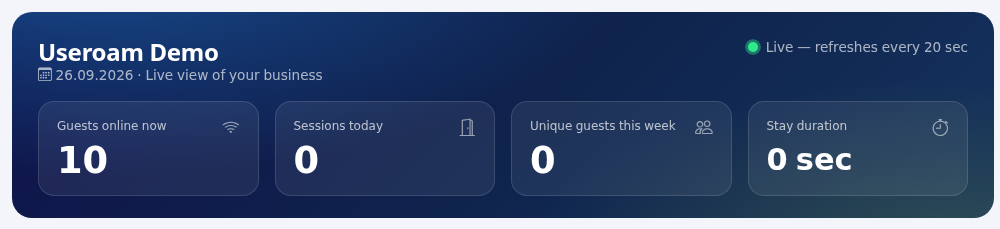
At the pagetop: showsthe your businessdevice name, today's date and the "Live —view of your business". At the top right a blinking green dot and "Live, refreshes every 20 sec" indicator.
1. Live summary cards
The four cards in: the topfirst rowtwo shownumbers theupdate currentevery state:20 seconds without reloading.
- Guests online
now:now:the number of devicesguests with an open Wi-Fi sessiononrightyour network. The fastest signal of how busy the venue is.now. - Sessions
today:todaytotal: sessions opened sincethe start of the day.midnight. - Unique guests this
week:week: different guests in thenumberlastof7distinctguests who connected this week (a returning guest counts once).days. MedianStaydwellduration: typical (30d):median)thesessionmedianlength— not the average — time guests stayed overin the last 30days.days,Usingshowntheasmediansec,meansminoneorunusually"1hlong session cannot distort the figure.20m".
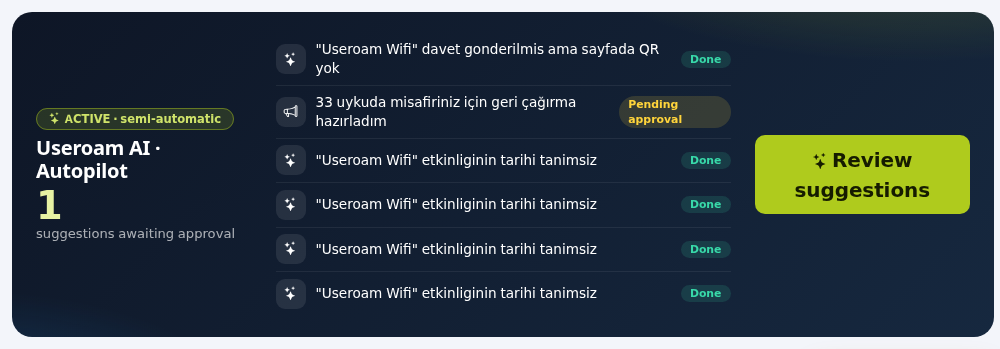
2.Step 2: Useroam AI · Autopilot
band (marketing package)
AThe summarybadge ofon the AI layer. The card headerleft shows the operatingstate: mode (ACTIVE · semi-automatic), andACTIVE · fully automatic or OFF. When active, the big number ofis "suggestions awaiting approvalapproval".
BelowThe it,middle Autopilot'slists recentthe actionslast are6 listed;activities eachwith row is either Done ora Pending approval —(yellow) foror exampleDone "noticed(green) abadge. riseThe ingreen surveybutton scores", "read 8 survey responses", "prepared a win-back for 66 dormant guests".
Thereads Review suggestions, buttonGo takesto Autopilot or Turn on Autopilot and opens Autopilot.
When off, an intro text appears: "Monitors your business 24/7, spots opportunities and drafts campaigns; you tojust Bumerangapprove." →With Useroamno AIactivity: ·"No activity yet. Autopilot, wherewill youanalyze approveyour orbusiness rejecton its first run." (Activity titles come from the pending actions.
What does semi-automatic mean?Autopilot performs the analysisdata andpreparationmayitself,bebut waits for your approval before anything is sent to a guest.Turkish.)
Step 3.3: Bumerang performancecounters strip
(last 30 days)
Five summarycoloured figuresboxes: for the marketing layer:
- Active
campaigns:campaigns,how many campaigns are currently live. - Sends ·
30d:30d,messages sent to guests over the last 30 days. - Clicks ·
30d:30d,clicks on the links in those messages. - Returning
guests:gueststhe(withnumbera percentage) andshare of guests who came back after a send. - Net revenue ·
30d:30dthe(inestimatedTLnetifrevenueanattributedaveragetobillcampaigns.was

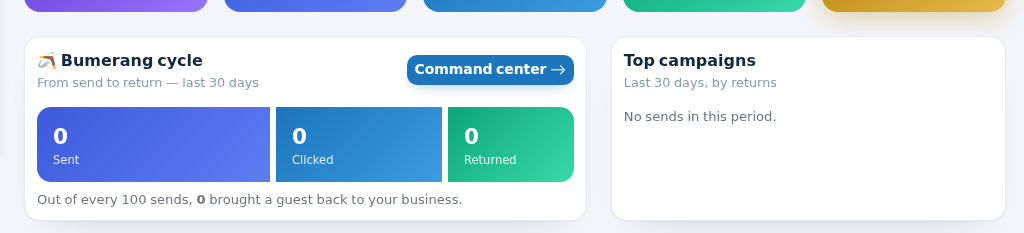
TheStep 4: Bumerang loopcycle and top campaigns
ShowsThe theBumerang funnelcycle fromcard shows "From send to return:return, last 30 days" in three bars: SendsSent, →Clicked, ClicksReturned, →followed Returns.by The sentence underneath states the result plainly: "X outOut of every 100 sendssends, X brought a guest back to your business." The Command centrecenter button opens Summary.
Top campaigns ("Last 30 days, by returns") lists the Bumerang3 summarycampaigns page.that brought most guests back, with sends and a returns badge. With no sends: "No sends in this period."
TopStep campaigns5: Visit trend and New / Returning guests
RanksThe Visit trend chart shows Visitors (blue area) and Sessions (green dashed line) for each of the last 30 days' campaigns by returns, with campaign name, sends and returns on each row. This is where you see which offer actually works.
4. Visits and guest behaviour
Visit trend:a 30-day chart of unique visitors and sessions, withdays; theperiodsubtitletotalgivesbelowtheit.total. - The New /
returningReturningguests:guestswhatringsharecompares first-time and repeat guests ("X% of your guests comeback — the most direct measure of your loyalty work. Theback"). Detailed analyticsbuttonopens Visit Analytics.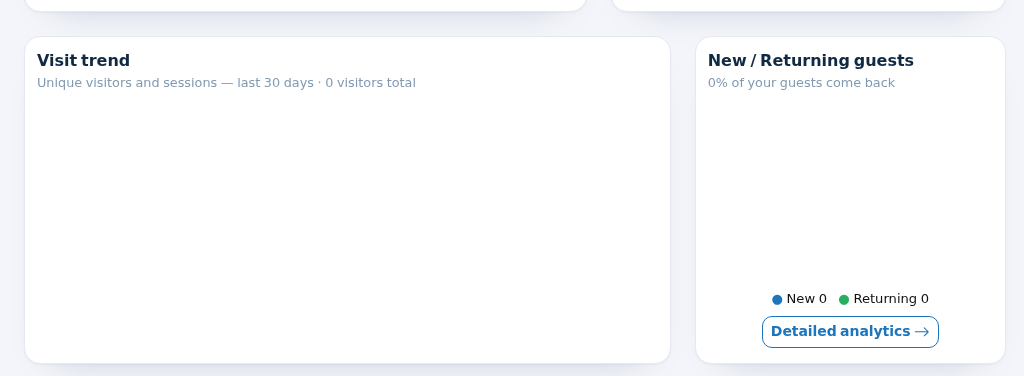
Step 6: Heatmap and
Reportslast→connectionsVisitThe
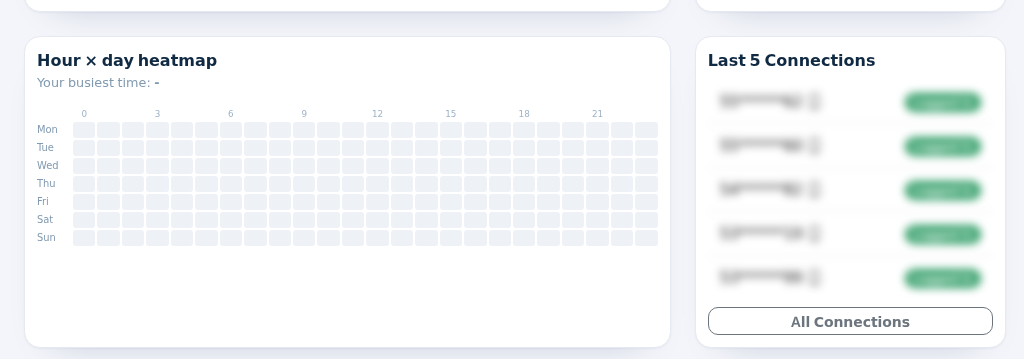
Analytics. - Hour × day
heatmap:heatmapashowsheat map crossing the days of the weekweekdays (Mon–Mon to Sun)withagainst hours (0–21).0-23); the darker the square, the more sessions started then. Hover for the exact number. The subtitle says "Your busiestslottime:"is(e.g.namedFriabove20:00).it. Use itHandy for staffplanningplanning.and for choosing when to send campaigns.
5.
Last 5 connectionsConnections
Listslists the five5 most recent guests to sign in, with theira phonesign-in numberstype maskedicon (forrefreshes exampleevery 55******62)2 and their status (Logged in)minutes). The All connectionsConnections link opens All Connections. (Guest details are hidden in the full list.image.)
6.Step 7: Guest profile
profile, cities and signup channel
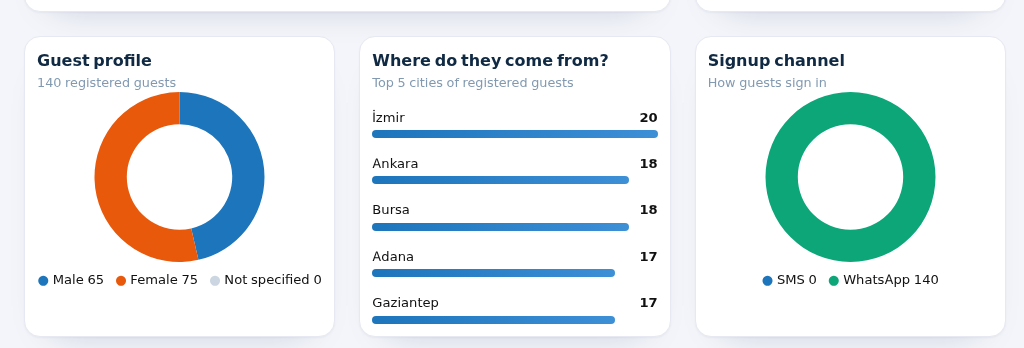
RegisteredGuestguestprofile:countregistered guests and thegender split (Male / Female / Notstated).specified split.- Where do they come from?:
The top"Top 5provincescities ofyourregisteredguests,guests"withascounts.bars. Without data: "No city data yet." RegistrationSignupchannel:channel:how"How guestslogsigninin":(guests registered via SMS/andWhatsApp) — it shows which portal module is actually being used.WhatsApp.
7.Step Legal8: loggingSystem andhealth system(5651, status
licence, device)
- 5651 live log
stream:stream: chart of log volume from thereal-timedevice,flowupdatedofeverylogs5fromseconds.yourThedevice.subtitleIfgives the state: "Log stream healthy · Uptime 100%", "Log stream interrupted (X sec)" (red) or "Could not fetch log data" (red). While loading itreadssays "Log data could not be retrieved", check the syslog configuration on the firewall.connecting…". - 5651
signing:signing: Waitingthe(sizePendingof logs not yet signed), Signed / Stampedand(size of archived logs), the To be signedvaluesbar (percentageand total quota, e.g. 0% ·of 10GB)GB;plusyellowtheat 60%, red at 90%) and NextsigningSigningcountdown.("26Ifmin", "Calculating..." or "In thequotanextisround").fillingLogsup,arekeeptime-stampedtheevery90%nightwarningandenabledwheneverunder10SettingsGB→fillsNotifications.up. License:License: Activestatus(green), "X days left" (Active)yellowandatexpiry30 days or less) or Expired (red), with the end date.Device:Device:thedevicebrandtype (Sophos, MikroTik...) andaddressIPof the connected firewall (for exampleSophos 10.255.255.1).address.
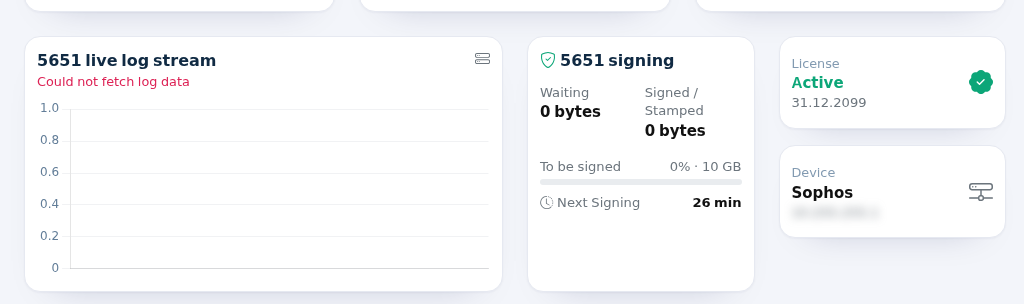
The demo device in the image sends no real logs, so it reads "Could not fetch log data"; with logs flowing you see the green "Log stream healthy".
Boxes that appear in special cases
Box / Message When What to do License expired! "Your license expired on [date], user logins have been stopped automatically..." (red box at the top) The licence end date has passed and the licence is inactive. Contact your sales representative or dealer. Guests cannot sign in meanwhile. Accounting setup guide for your device (orange-headed card, currently Turkish only) No session record has come from this device in the last 90 days. Instead of charts you see steps for turning on RADIUS accounting for your brand (FortiGate, Sophos, MikroTik, Palo Alto...). Apply the steps on your device or pass them to your installer. Charts appear once data arrives. Purple intro card: "{X} guests visited in the last 30 days." or "Are your guests coming back?" You do not have the marketing (Bumerang) package. Start the 10-Day Demo opens a free discovery demo ("sending unlocks with purchase"). If the demo was already used, I'm interested, call me leaves a request for sales; then "Request received" is shown. "Request received, our sales team will contact you shortly." (green) After I'm interested, call me. Nothing to do. Stay duration shows a single dash 5651-log-only package. Normal. Frequently asked questions
Related"Guestspages:online now" looks higher than reality. Some devices do not send "session ended" when a guest leaves, so such sessions may count as open for a while. See the live list in Active Guests.
BumerangThe→chartsSummaryare empty.,If no session data comes from your device, the accounting setup guide appears; follow it. On a new device data takes a few days to build up.Are my staff counted? People you add to
AnalyticsSettings, Excluded Users are not counted on the Dashboard.It says the log stream is interrupted. No logs have come from the device for a while. Check that it is on and
Reportsonline;→contact Useroam support if it continues. 5651 logging is a legal requirement in Turkey.Another branch's Dashboard? Use the Device Selection icon in the top bar.
Related pages
- Panel Layout: Side Menu, Top Bar and Language
- Visit Analytics
,Analytics and Reports →- 5651 Logs
,Settings- Bumerang
→SummaryDevice- License
Settings.Information