
Active Guests
What is it for?
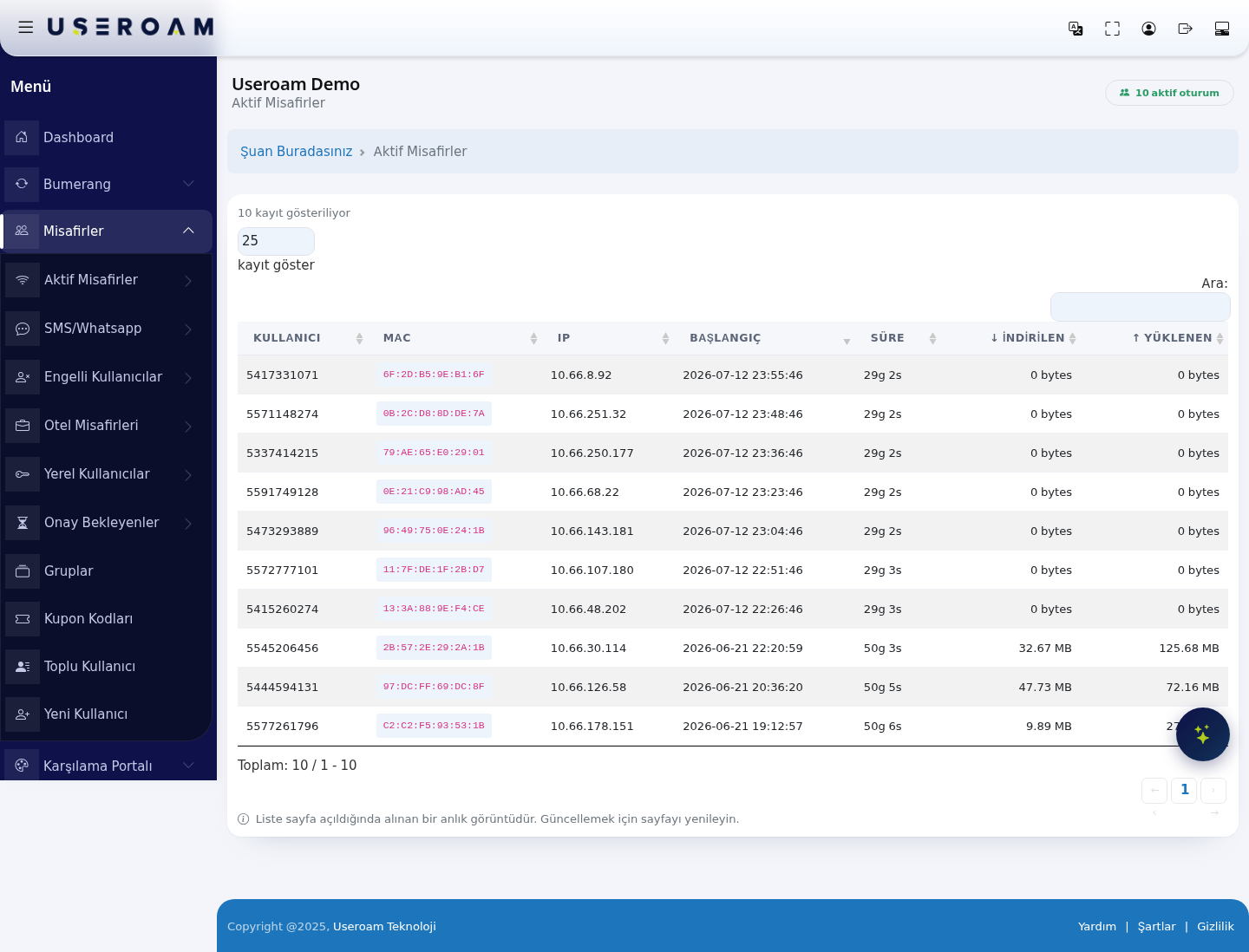
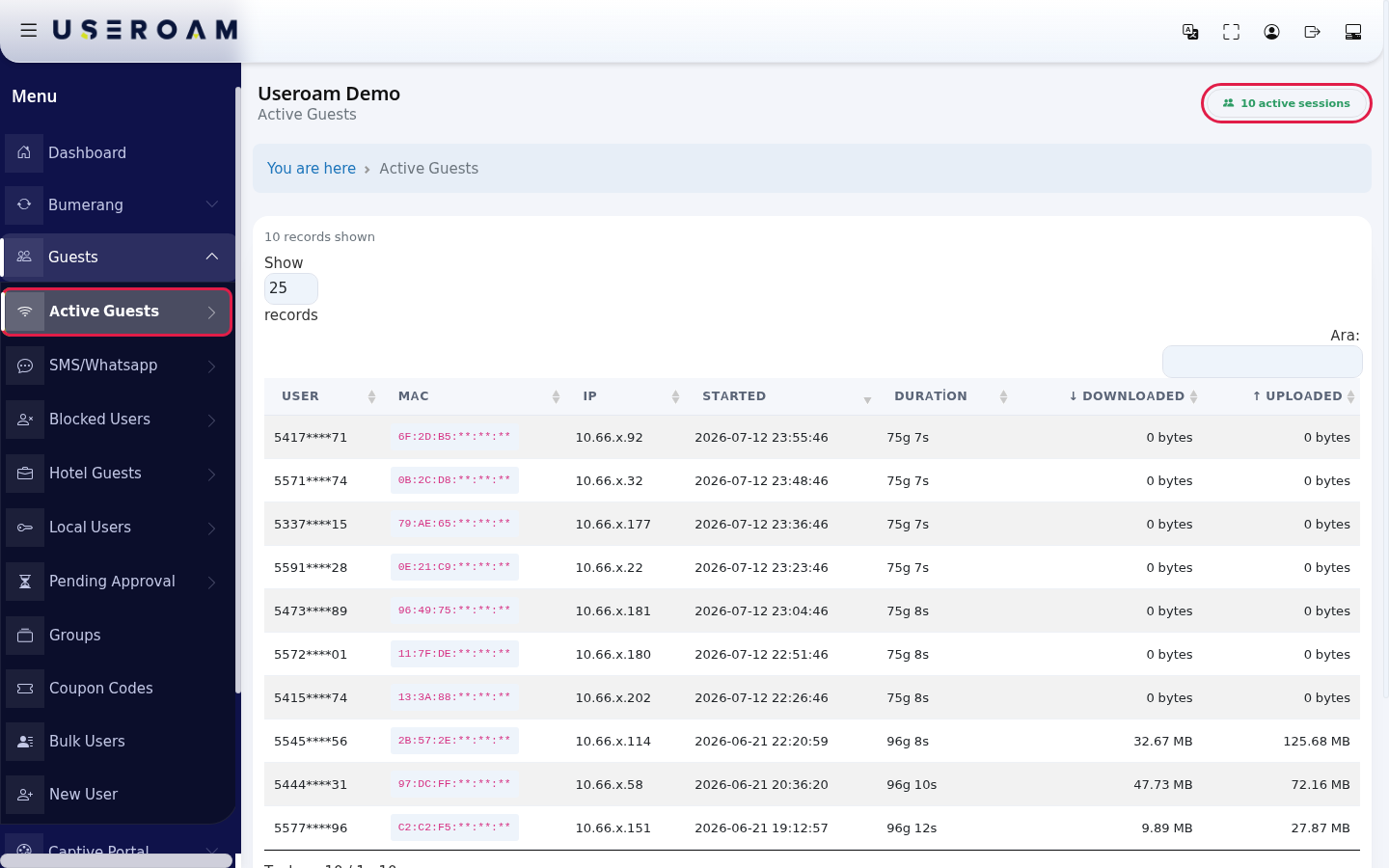
Active Guests shows the devices currentlyguests connected to your network:Wi-Fi whoright hasnow: beenwho, onlinesince how long,when, which IP address they were given,received and how much data they havedownloaded usedand —uploaded. allIf inyour onefirewall table.is connected to the panel, you can also disconnect a guest from here.
The green badge at the top right shows the current number of connections (example: 10 active sessions).
HowWhen do I
openusethisit?screen?
- You want to see how many people are using the Wi-Fi at the moment.
- A guest says "I have no internet" and you want to check whether they appear connected.
- You want to find a connection that uses a lot of data.
- You want to cut off a guest who causes trouble right away (only on devices whose firewall is connected to the panel).
Before you start
- The list shows the guests of the selected device. The device name is shown in the heading (example: Useroam Demo).
FromTo see another location, change the device on the Device Selection screen first.- Employees on the Excluded Users list are not shown here.
- Guest numbers and device addresses (MAC) are masked under the Turkish data protection law, KVKK (example:
5417****71,6F:2D:B5:**:**:**).Step by step
extra
Tablecolumn columns
appears - (its
USER:the username of the guest whose sessionheading isopenstill(usuallyTurkish:theirİşlem,phone"Action").number).To MAC:the hardware address of the connected device. Ifdisconnect a guest press Disconnect on their row and confirm "… do you want to terminate this firewall session?". The button turns into Terminated and the row fades. The guest can sign in again if they want; to block them permanently use the Blocked Users screen.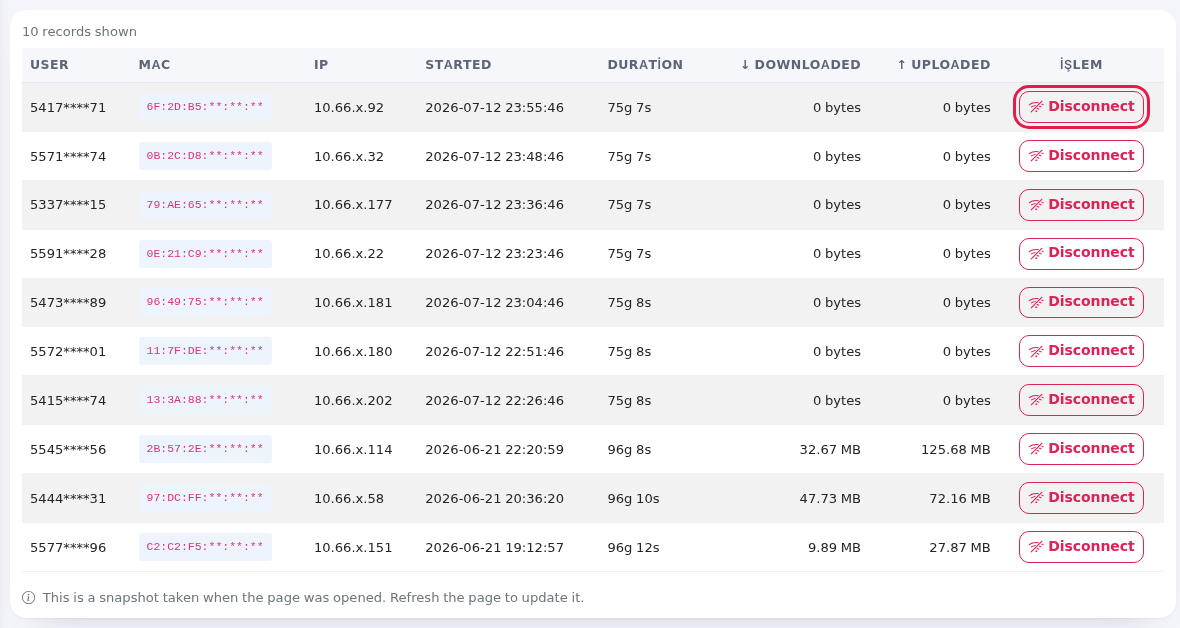
IP:IPthe local IPLocal address assignedgiven to the device.This is how you match a device during a complaint or a security review.START:Startedthe dateDate and time the sessionconnection opened.- The table is sorted newest first by this column when it opens.
DURATION:DurationhowHow long the sessionit has beenopenconnected. The units stay Turkish:snseconds,dkminutes,shours,gdays (forexample:example75g=29g 9s7s2975 days97 hours).↓ DOWNLOADED:Downloaded,data↑ UploadedData downloaded during the session.↑ UPLOADED:dataand uploaded during thesession.Disconnect Only on
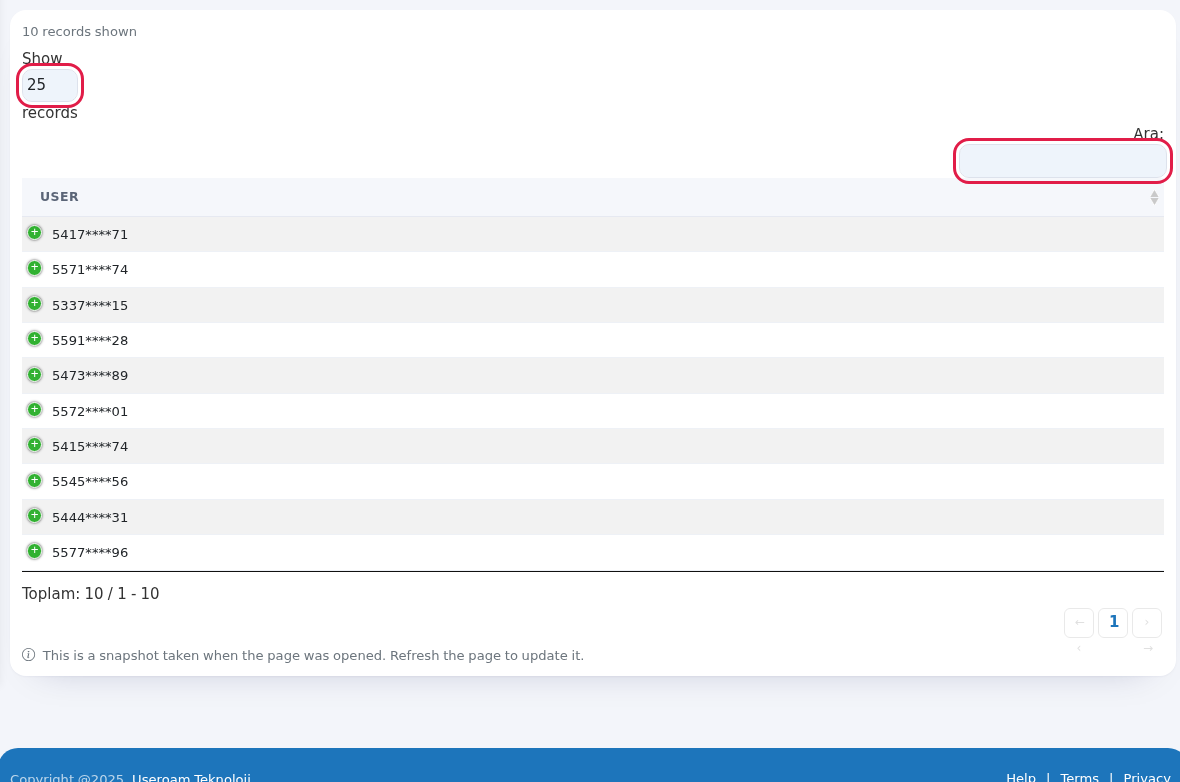
Spottingdevicesunusualwhosetraffic:firewallsortisbyconnected to thedownload/uploadpanel. Ends the connection.Number box at the top left Rows per page: 10, 25, 50, 100, All. 25 when the page opens. Search box (Ara:) Searches all columns instantly. Toplam: … / … - … Total rows and the range shown (label still Turkish: "Toplam" = Total). Change pages with First, ‹, ›, Last at the bottom. ShowBlocked10 / 25 / 50 / 100 / All records:sets rows per page.UsersSearch:Allfilters instantly on username, MAC or IP.ConnectionsTheDevicetotalReports- Excluded
the page navigation arrows (← ‹ 1 › →) are below the table.Users
Every field and button on the screen
| Field / Button | What it does |
|---|---|
| Heading (device name) and Active Guests | Which device's guests you are looking at. |
| … active sessions (green badge) | Number of connections open now. |
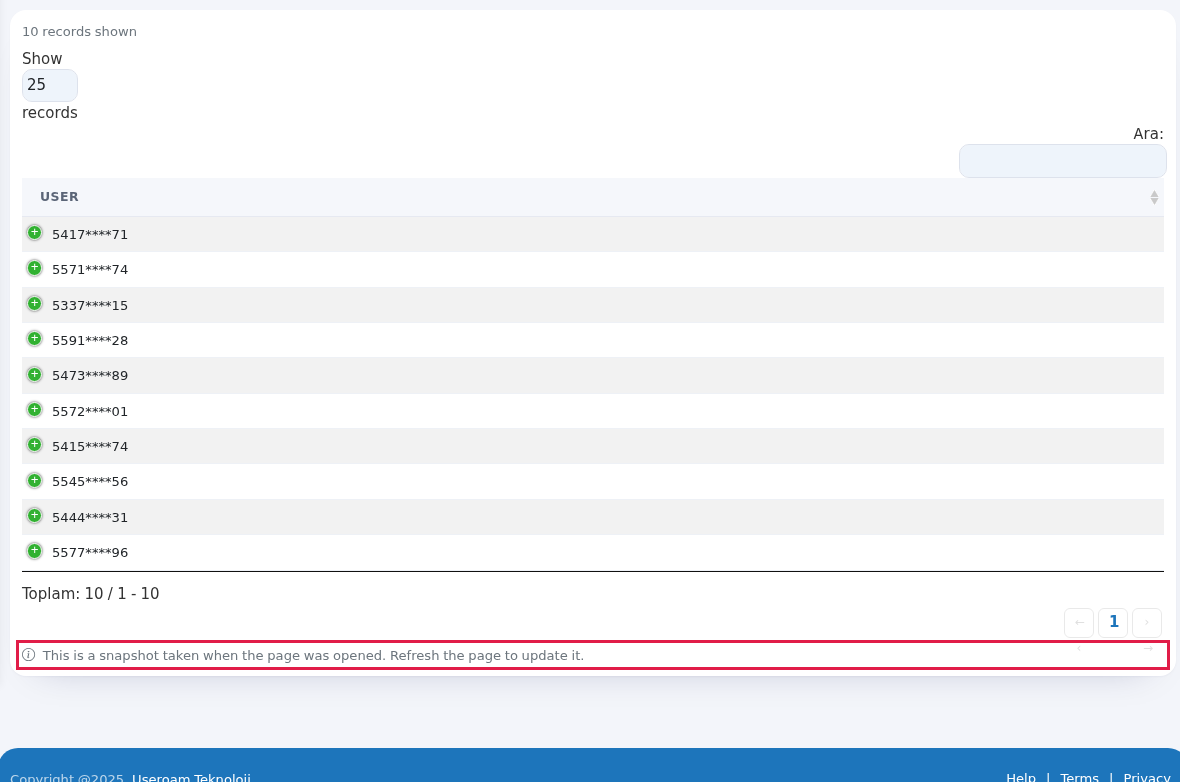
| … records shown | Number of rows loaded into the table. At most 1000 connections are listed; if there are more, "(ilk 1000, toplam …)" (first 1000, total …) is shown next to it. |
| Firewall live list (real-time sessions) | Shown on devices whose firewall is connected to the panel: the list comes straight from the firewall and is the most up to date. In this case the MAC column stays empty (the firewall does not report MAC). |
| User | The guest's login name; usually the phone number (masked). For hotel logins it can be a room number or an ID number. |
| MAC | Device address, first half visible. If the same person has |
Messages you may see
| Message | Meaning / what to |
|---|---|
| There are no active guests right now. | Nobody is connected at the moment. |
| No matching records found | No row matches your search. Clear the search box. |
| Firewall live list could not be retrieved; showing the RADIUS record instead. | The firewall could not be reached at that moment. The list is shown from login records; some old connections may still look open. Reload the page a little later. |
| The active device could not be resolved. Select a device | No |
| Card "… RADIUS accounting kapalı görünüyor" (RADIUS accounting appears to be off) | If the device sent no session data in the last 90 days, a |
| Could not be terminated (…) | The connection could not be ended. The guest may have left in the meantime; reload the page and try again. |
| Connection error. | The connection between the panel and the server dropped. Check your internet and try again. |
Frequently asked questions
The guest left but still appears on the list.
Some firewalls do not report when a connection ends; such connections can stay open on the list for a long time (the Duration column shows days and the data counter does not grow). On devices whose firewall is connected to the panel, the list is read live from the firewall, so this does not happen.
I cannot see the Disconnect button.
The button only appears on devices with a firewall API connection. See Sophos Firewall API Setup.
The guest I disconnected connected again.
Disconnecting only ends the current connection. If you do not want the guest intoback, aadd suitabletheir groupnumber (Gueststo →Blocked Groups)Users.
Where
do NavigatingI see past connections?
On the listAll Connections and Device Reports screens.
Related pages
Related pages:Guests → All Connections(past sessions),Guests → Blocked Users,Bumerang → Live Radar.