
New User
What is it for?
The New User screen creates a single localWi-Fi account from the panel. Use it whenfor openingpeople who cannot verify by SMS or who need a fixed account (staff, long-stay guests, a meeting room computer and so on). You can create two types of account: a Hotspot user who signs in with a user name and password, or a Staff WiFi (certificate) user who receives a setup link on their phone.
When do I use it?
- You want to give an
accountemployeefor a staff member,or a long-stay guestora permanent Wi-Fi account. - A device without a
particularphonevisitor.number(printer,
Howcomputer)doneedsIaopenloginthisaccount. - You
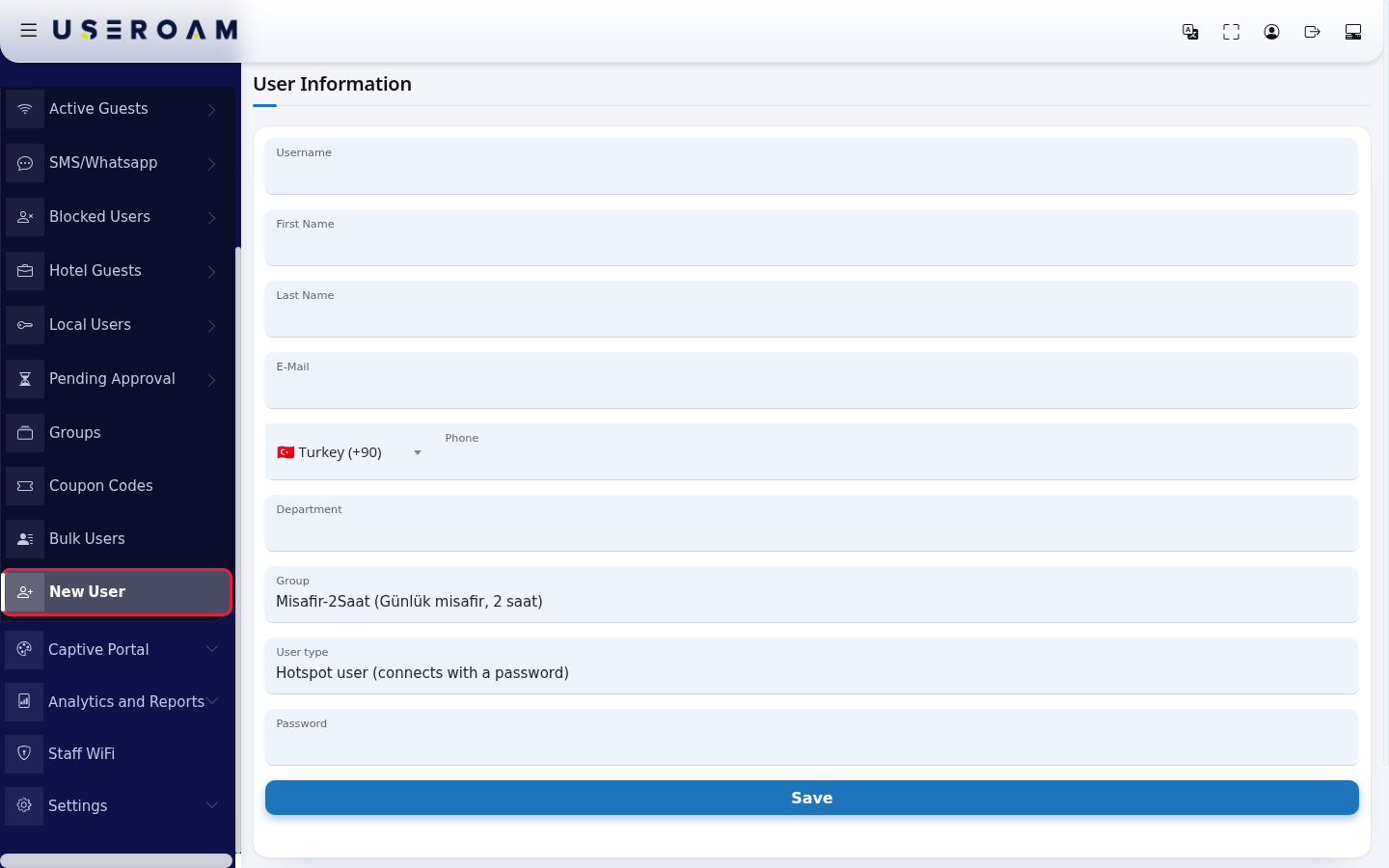
Fromwant staff to connect securely to theleftcompanymenu,Wi-FigowithtoaGuestscertificate→(StaffNewWiFi).
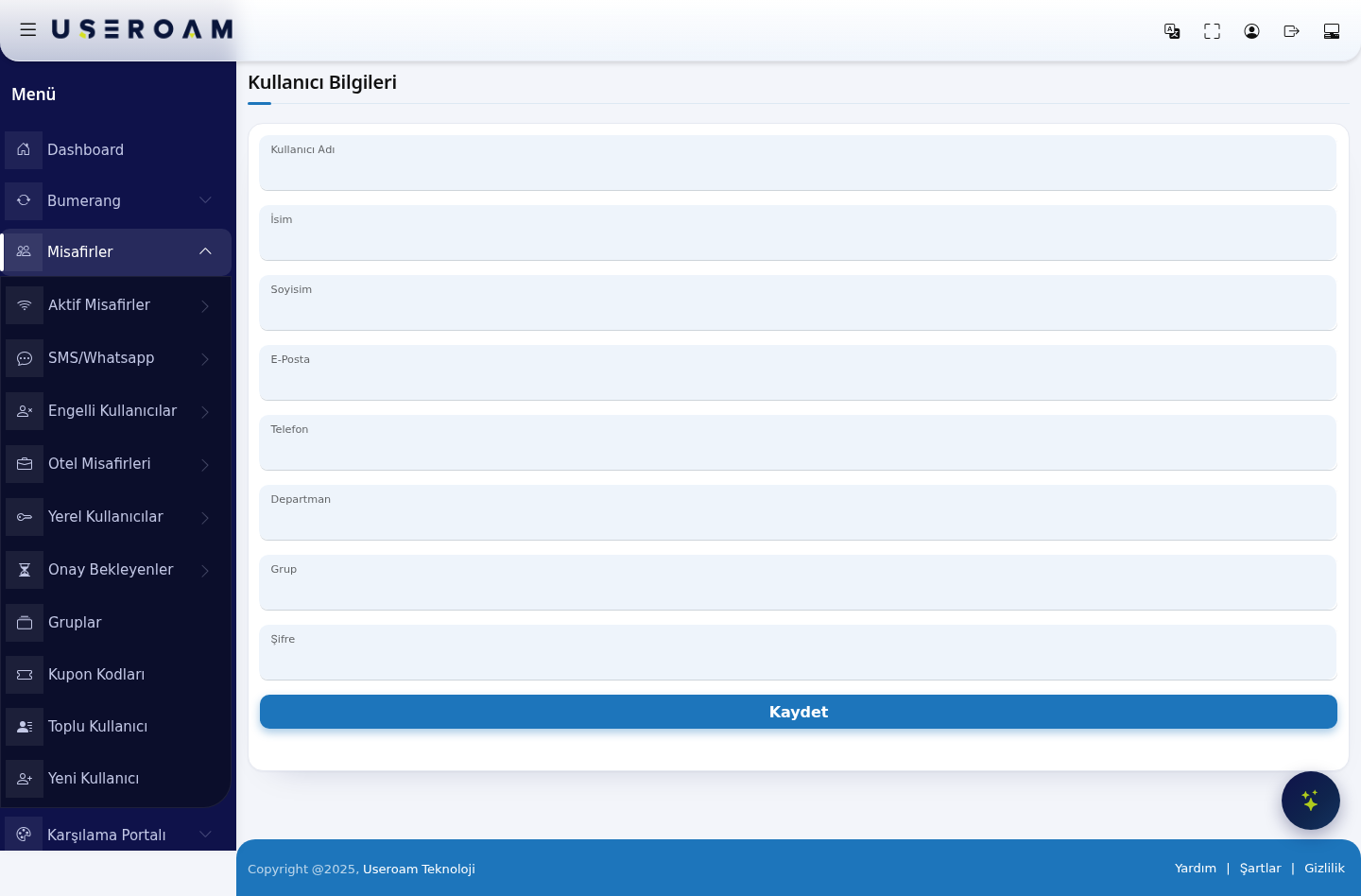
UserBefore detailsyou start
Username:Youwhat the guest types at Wi-Fi login. Keep it short and easy to type — it will be entered onneed aphone keyboard.First NameandLast Name:the account holder's name, so you can tell people apart in reports.E-Mail:the user's email address.Phone:the user's phone number.Department:the unit the user belongs to — used in corporate deployments to break reports down by department.Group:thegroup thatdefinessets the account'saccess rules.Duration, quotatime and speedlimitrules.allIfcomeyoufromhavehere,none,whichcreatemakesoneiton Groups first; if themostGroupimportantlistfield.isGroupsemptyarethemanageduser cannot be linked to a group.- The account is created on the
Guestsselected→device.GroupsForpage.another location, change the device on Device Selection first. Password:the user's login password.
Press Save to create the account. It then appears in the Guests → Local Users list.
TheIf you need many
accounts,accounts, useGuests →Bulk Users instead of creating them oneatbyaone.time—Step by step
User
Informationform opens.
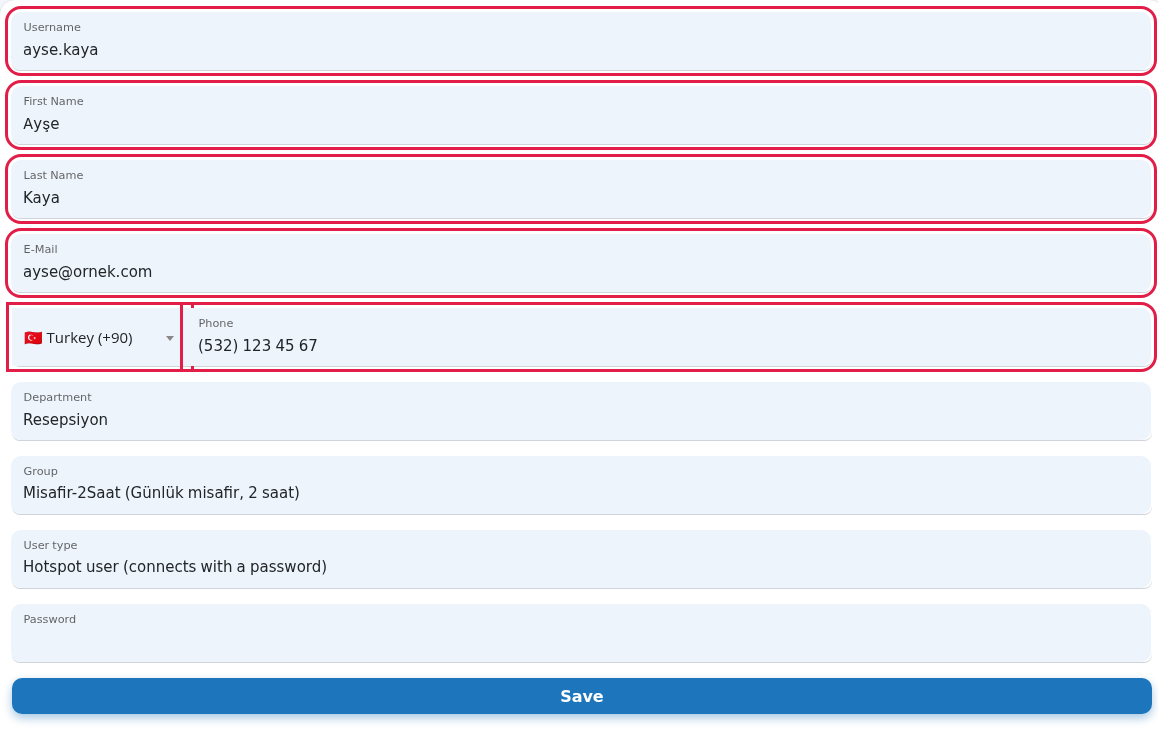
ayse.kaya), Ayşe) Kaya); these three are required. If you like, also fill in E-Mail, 532 123 45 67); the number is formatted as you type and letters are not accepted.
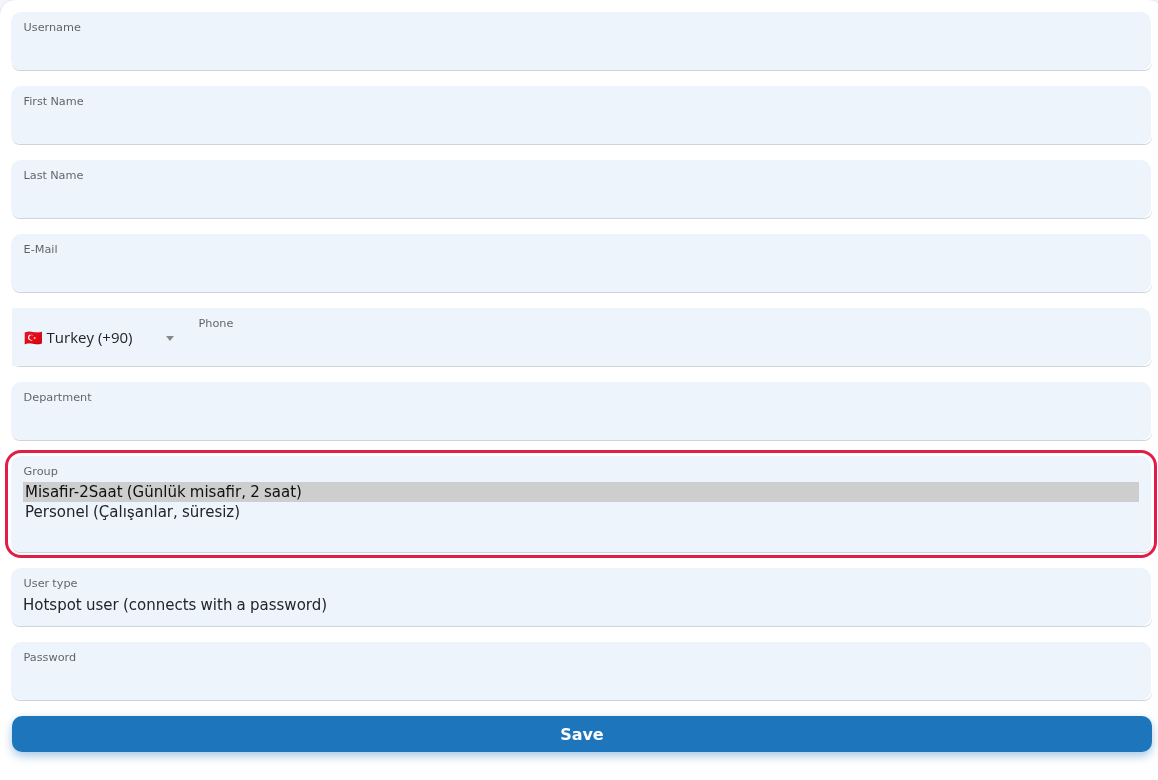
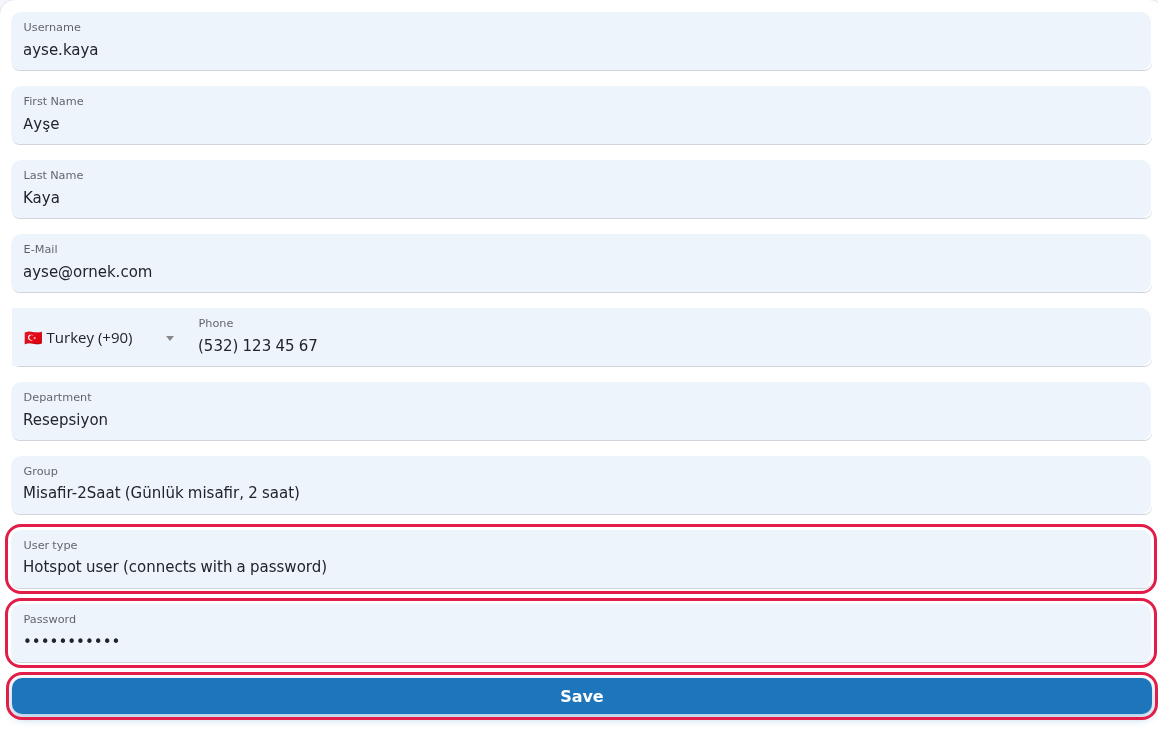
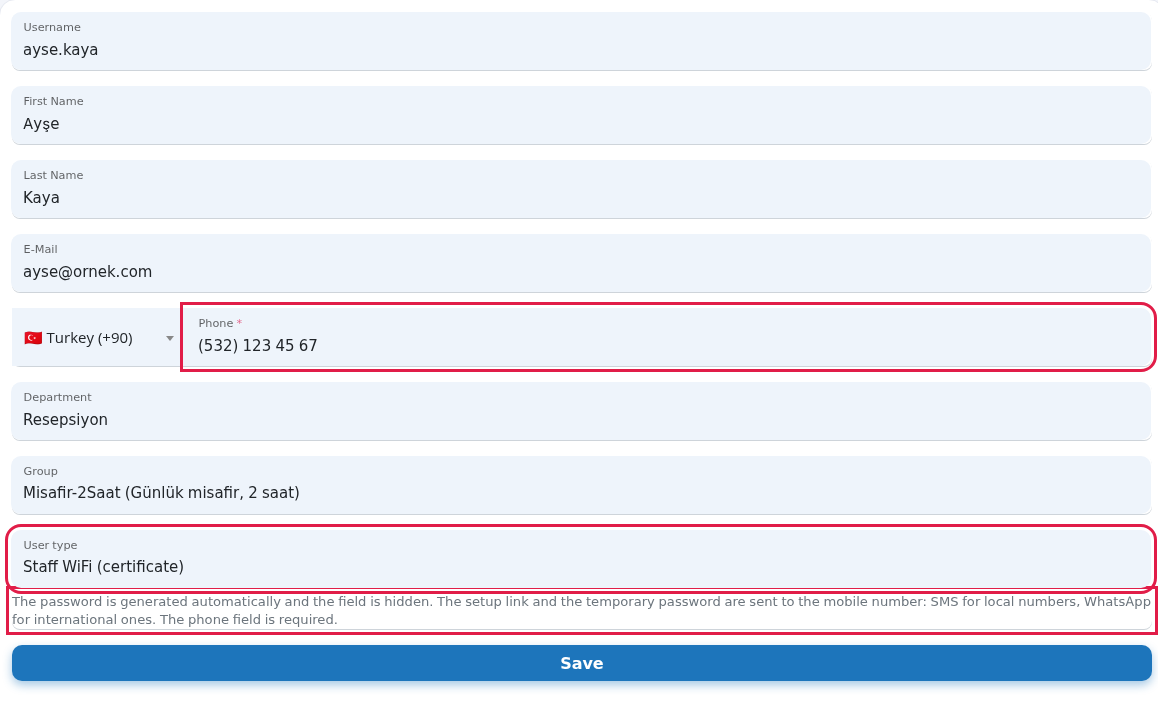
Every field and button on the screen
| Field / Button | What it does |
|---|---|
| Username | The name typed at the Wi-Fi login. Required. No quotes or backslashes, at most 50 characters. Choose something short that is easy to type on a phone. |
| First Name, | The account holder's name. Required. Shows who is who in reports. |
| Optional. | |
| Country list and | Optional |
| Department | Optional unit name. |
| Group | The group that sets the account's time and speed rules. |
| User type | Hotspot user (connects with a password) or Staff WiFi (certificate). |
| Password | Required login password for a Hotspot user. Hidden for Staff WiFi, where the password is generated automatically. |
| Save | Creates the account. |
Messages you may see
| Message | Meaning / what to do |
|---|---|
| This field is required. | A required box is empty. Fill in the box marked in red.
|
| Enter a valid phone number (7-15 digits). | Type the number in digits, without the country code. |
| Mobile phone is required for Staff WiFi (start with + for international numbers). | Fill in the phone if you chose Staff WiFi. |
| This username already exists on this device (source: …). Press the button below to delete it and create the user again. … | An account with the same user name already exists. Use a different name, or press Delete existing record to remove the old account; the old record and its login details are deleted and this cannot be undone. The source shows which list the account comes from (example: StaffUsers = local users, SMSUsers = SMS/WhatsApp guests).
|
| The old record was deleted (…). You can create the user again now. | The old account was removed; fill in the form again and save. |
| The confirmation could not be verified, nothing was changed. Please try again. | The delete confirmation expired. Reload the page and try again. |
| Username not accepted: quote and backslash characters are not allowed, and the maximum length is 50 characters. | Fix the user name. |
| You chose Staff WiFi: enter a valid mobile number (…). The user was not created. | Fix the phone number and save again. |
| The user was created, but the setup link could not be sent via WhatsApp. … | WhatsApp to the international number failed and the link was tried by SMS. Delivery is not guaranteed; pass the setup link to the staff member yourself. |
| The operation could not be completed. Check the details and try again (error code: …). | Saving failed. Check the details and try again; if it keeps happening, contact support with the error code. |
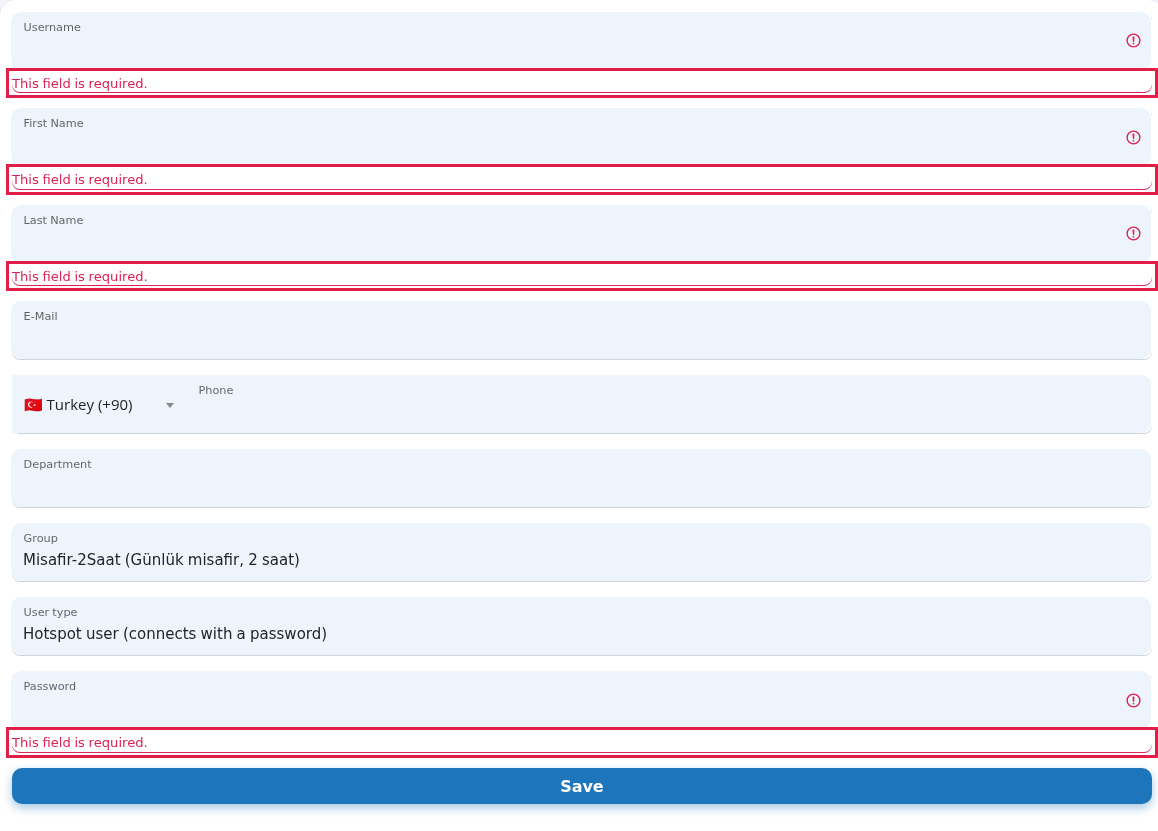
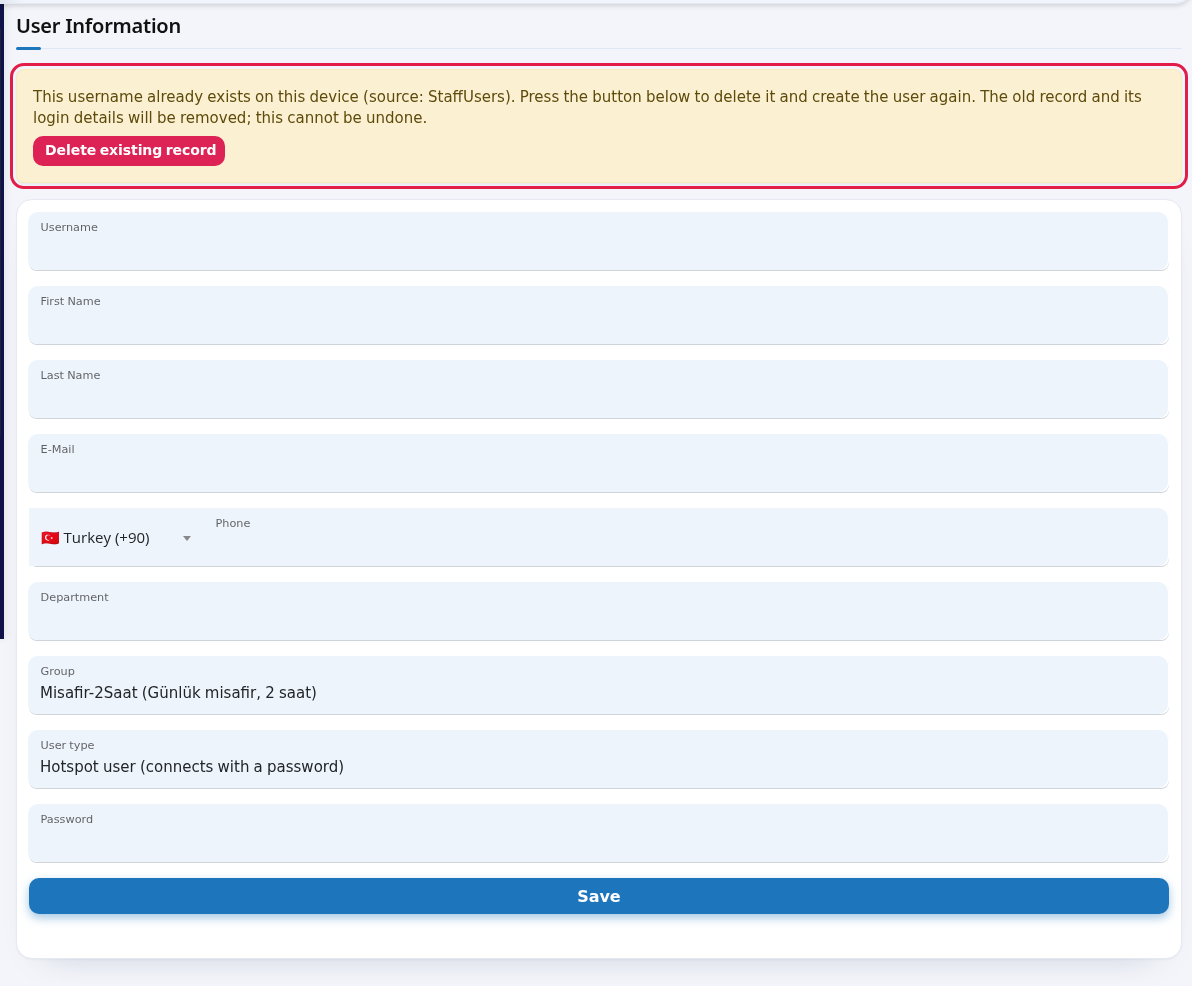
Frequently asked questions
Where do I see the account after saving?
On the Local Users list. Changing the password or deleting the account is also done there.
How does the user connect?
A Hotspot user signs in with the user name and password if your Wi-Fi login page has those fields. A Staff WiFi user installs a certificate on their device by following the link sent to their phone; details are in the Staff Wi-Fi book.
I forgot the password. Can I see it?
Passwords are stored in a form that cannot be read back. Edit the account to set a new password.