
Pending Approval
What is it for?
Pending Approval shows guests who registeredsigned throughup to the portalWi-Fi but whose access haswaits for your approval. A guest you approve can go online; one you do not beenapprove grantedcannot.
When do I use it?
- If guest sign-in on your captive portal requires administrator approval, to approve each new sign-up.
- To delete a sign-up you do not recognise without approving it.
Before you start
- The list only fills on devices where approval-based sign-in is on. If you do not use it, the list stays empty and shows No Record.
- For the actions on this screen your permission profile needs the Pending Approval permission.
- The list heading ("Onay Bekleyen Kullanıcılar") and the values in the Type column are still Turkish in the English interface.
Step by step
- In the left menu open Guests and click Pending Approval.
In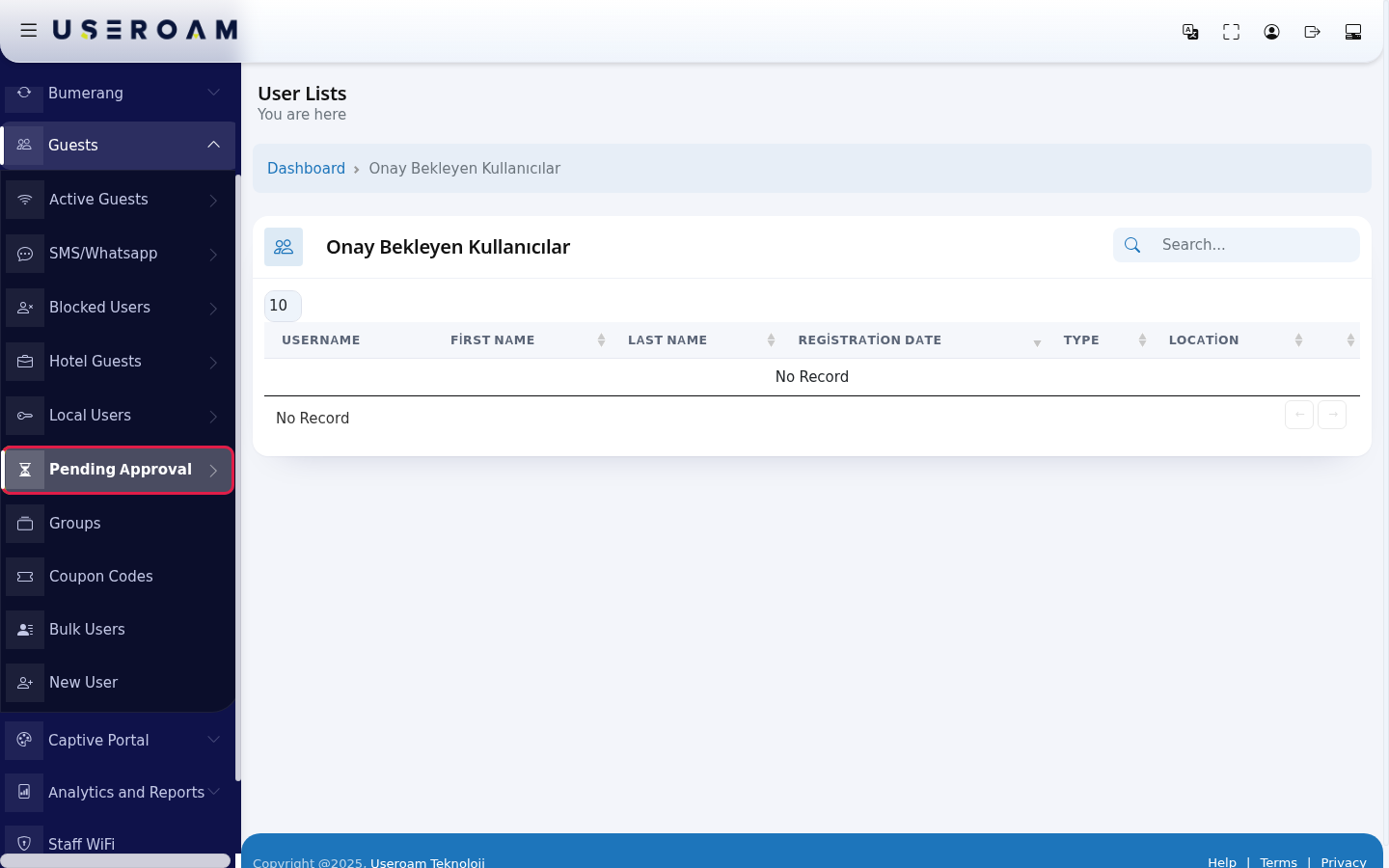
- If
thatyourequirerecogniseapproval,the guest, press the green Confirm button on their row. The guest leaves the list; a guest who signed up by SMS receives a login code. If you do not recognise them, delete the record with the red Delete User (it does not ask). The blue Edit User opens the record's details.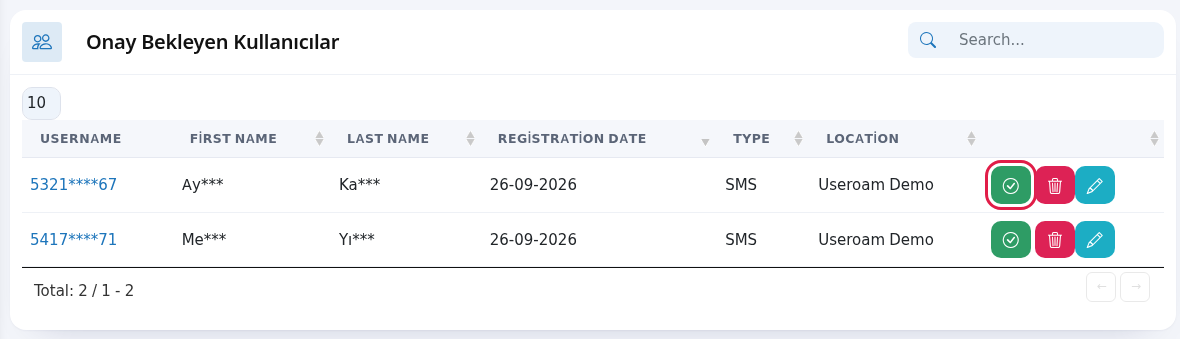
Every field and button on the screen
| Field / Button | What it does |
|---|---|
| Username | The guest's login name (phone number, masked). Click it to open the edit screen. |
| First Name, Last Name | Name given at sign-up (masked). |
| Registration Date | The day of the sign-up. |
| Type | Sign-up method: SMS, T.C. Kimlik (Turkish ID) or Otel Misafiri (hotel guest). |
| Location | The device where the sign-up happened. |
| Green Confirm | Allows the guest |
| Red Delete User | Deletes the |
| Blue Edit User | Edits the record's details. |
| Search..., number box, Total | Search, rows per page and total records. |
Frequently asked questions
Can a guest go online while waiting for approval?
No. They cannot sign in until you approve them.approved.
HowWheredodoes an approved guest go?
Depending on the sign-up type, they appear as Active on SMS / WhatsApp Users or Hotel Guests.Will I
openbethistoldscreen?when a new sign-up arrives?
Yes,Fromif you turn on theleftusermenu,approvalgoe-mailtoalertGuests → Pending Approval.
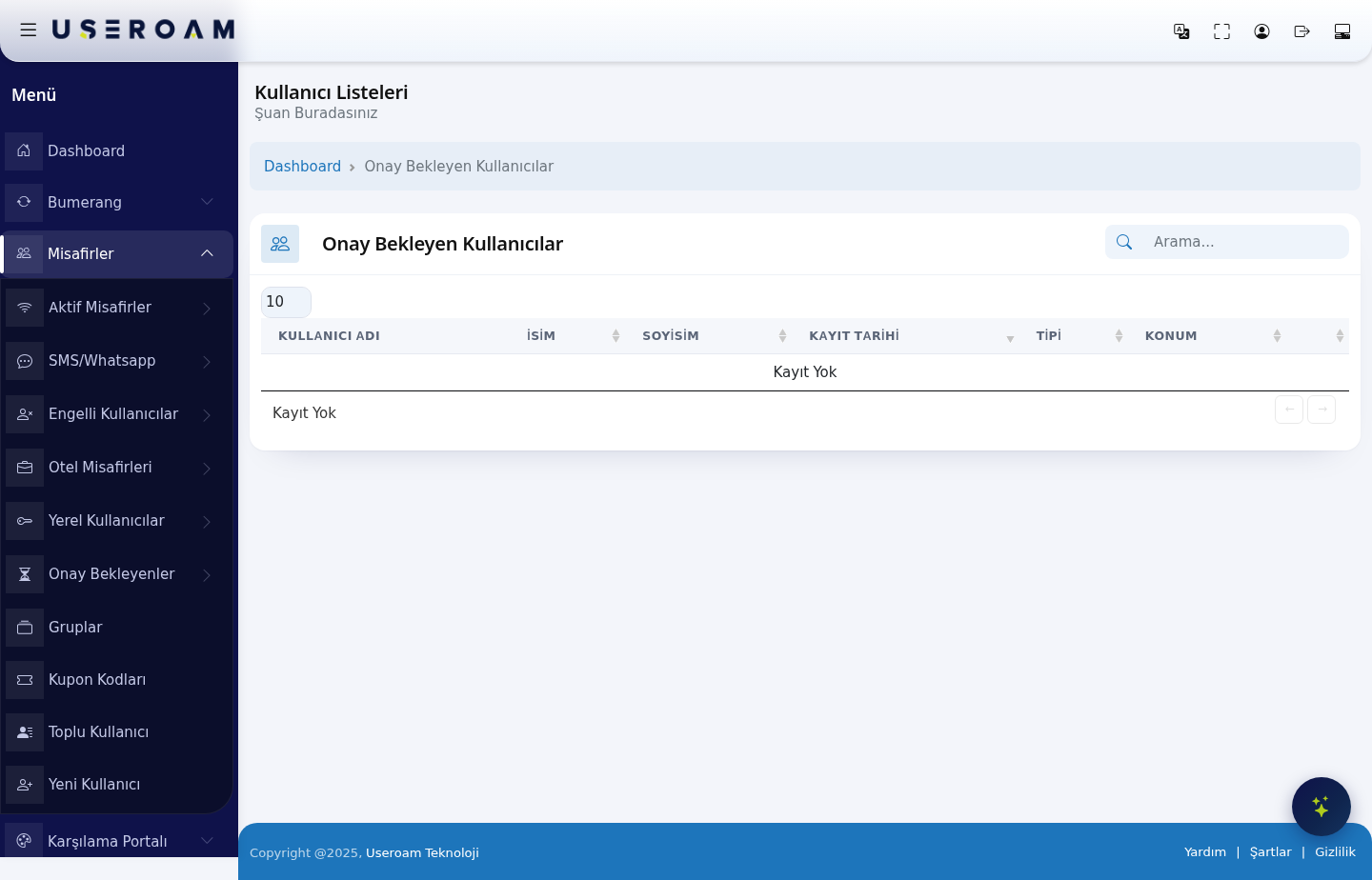
screen.
TableRelated columnspages
USERNAME:SMSthe/identityWhatsAppof the guest awaiting approval.UsersFIRST NAME/LAST NAME:the guest's name.NotificationsREGISTRATIONPortalDATE:the date and time the record was created — this is how you see how long they have been waiting.TYPE:the channel the registration came through (SMS, WhatsApp, hotel portal and so on).LOCATION:the device/location where the registration was made.Settings
If nothing is pending, the table reads "No Record" — which means the approval queue is clear.
Navigating the list
Use the Search box to find a record by name or number, and the 10 / 25 / 50 / 100 / All selector to change how many records appear per page.
Related pages:Settings → Notifications,Guests → SMS/WhatsApp,Guests → Blocked Users.