
Guest Portal
TheGuest Portal (screen title Hotel Guest Portal) is where you configureset up the single-QRbasics digitalof your hotel's guest pagepage: youhotel offername, tophone stayingnumbers, guests:languages, housekeepingcover and room-servicelogo, requests,late check-out and early check-in fee, the request types guests can pick, hotel information, events and room QR codes. Guests open the menupage from the QR code in the room; with one QR they ask for cleaning, send requests and see information and the menu.
Which screen does what?
The hotel guest page is managed from three screens. So you don't look for the same setting in two places:
| Screen | What you do there |
|---|---|
| Guest Portal (this page) | Content and rules: profile, fees, languages, request types, hotel information, events, room QR codes, whether the page is published. |
| Portal Design | The layout: which cards (blocks) appear and in what order, extra pages. The colour and font settings on its Design tab are shared with Studio. |
| Studio | Appearance on a live preview: style, accent colour, font, background, cover photo; editing request types and hotel information in place. |
The page guests see: The hotel portal your guests see.
When do you use it?
- When you first set up the hotel module (the wizard's first step creates this profile).
- When a phone number, fee or language changes.
- To add a request type or a piece of hotel information.
- To prepare QR labels to print for the rooms.
Before you start
- The hotel module must be on (Module Permissions, Venue Modules card).
- Without a profile, the screen shows a Create your hotel portal card: With the QR code in the room your guests can request housekeeping, send requests and see hotel information and your menu. Type the Hotel name, choose the business type (Hotel / Accommodation or Restaurant / Cafe) and press Create; it says Your hotel portal has been created; customise it below. Creation adds sample information (pool and breakfast hours) and sample request types (towel, pillow, blanket, water); you can change them all
runlater.fromEasierit.route:the
Step by step
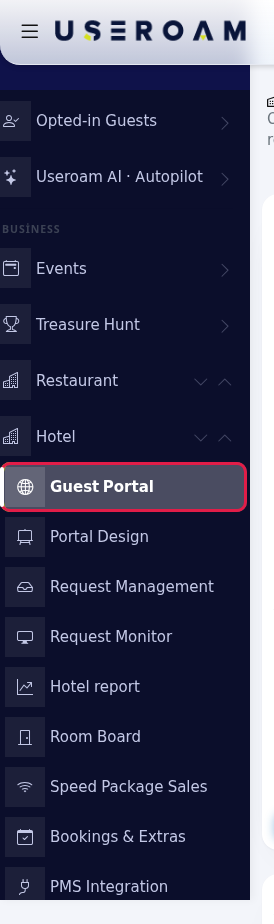
HowOpendotheI open this screen?screen.FromIn the leftmenu,menugo topressBumerangHotel →BUSINESS → HotelGuest Portal. Below the title it says One QR for your in-house guests: housekeeping, requests, information, menu.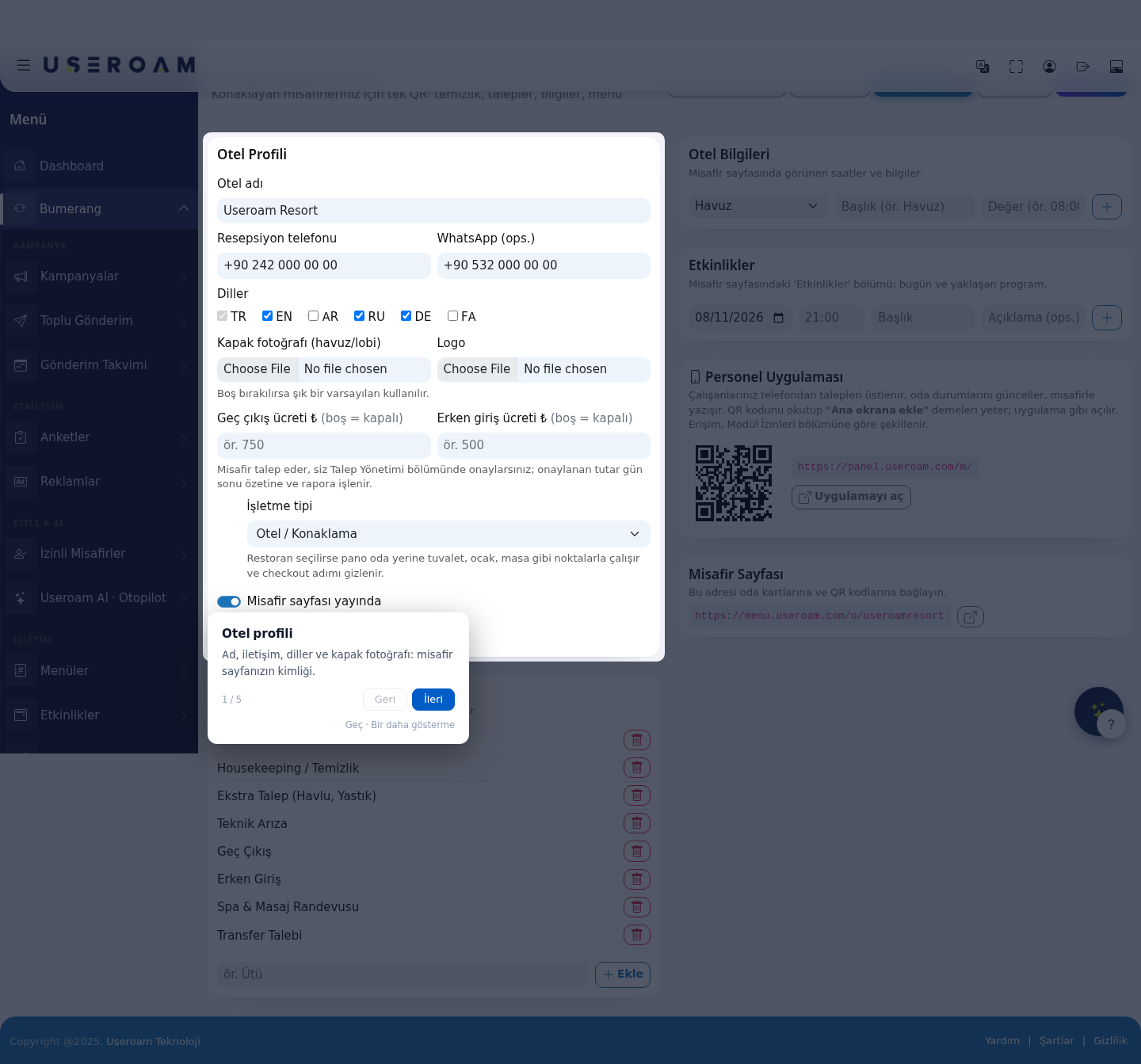
- Get to know the top
bar holds five quick links:buttons. Guest page(opens the pageasgueststheseeguestinseesait),new tab. Management,opens Request Management and Requests opens the Request Monitor (withthe red number is the pendingcount beside it),count). Room QR opens the QR label window. Portal Design and Studio.go to those screens.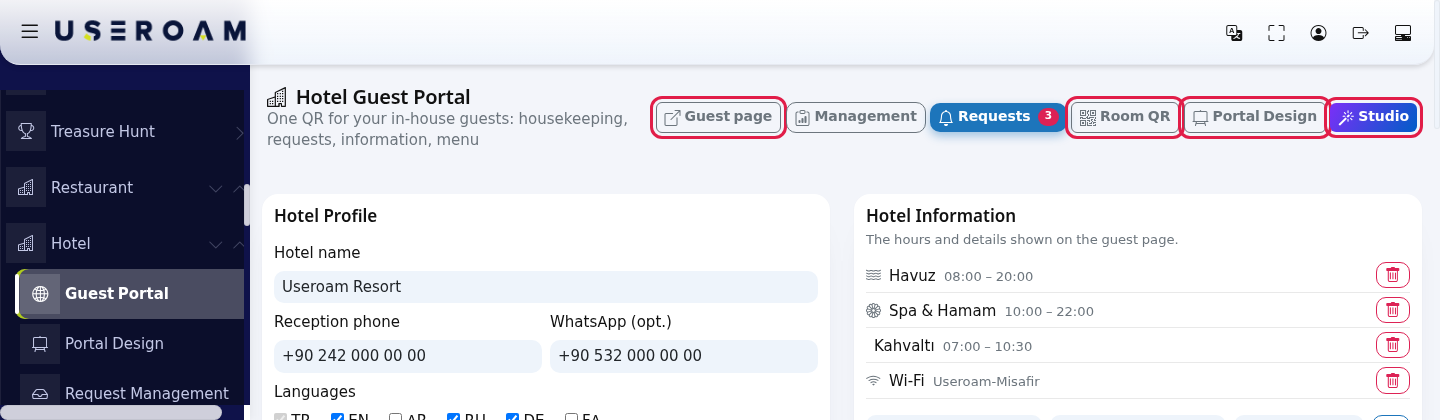
1. Hotel Profile Hotel name:appearsFill in theheadinghotel profile. In the Hotel Profile card fill in Hotel name, Reception phone, WhatsApp (opt.), Languages, Cover photo (pool/lobby), Logo, Late checkout fee ₺ and Early check-in fee ₺. Keep Guest page is published on. Press Save; it says Saved.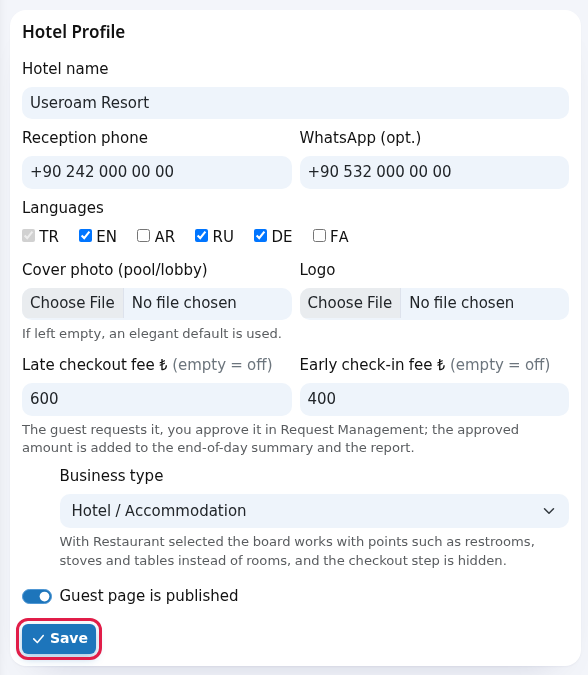
- Edit the request types. Type a new need in the Request Types card (for example
Iron) and press Add; it says Request type added. The bin removes a type.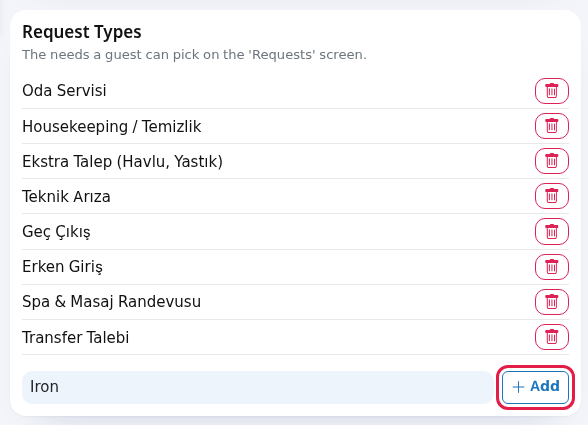
- Add hotel information. In the Hotel Information card pick an icon (Pool, Spa, Breakfast / Cafe, Wi-Fi, Hours, Parking, Laundry, Activity, General), type a Title (for example
Pool) and a Value (for example08:00-20:00) and press the plus; it says Information added.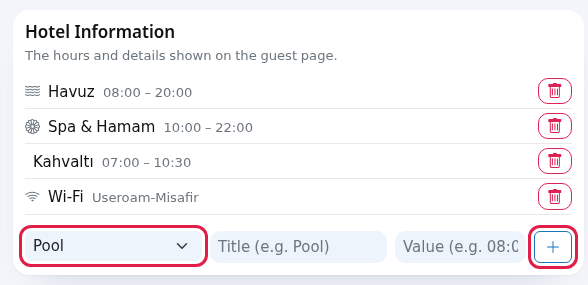
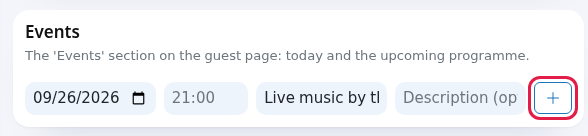
- Add an event (optional). In the Events card enter date, time, Title and Description (opt.) and press the plus; it says Event added. Today's and upcoming events appear in the Events section of the guest page.
ReceptionPrintphone:room QR labels. Press Room QR at thenumbertop. Type the first and last room in Room range: (for example101and110), press Create, then Print. At most 200 labels are made in one go.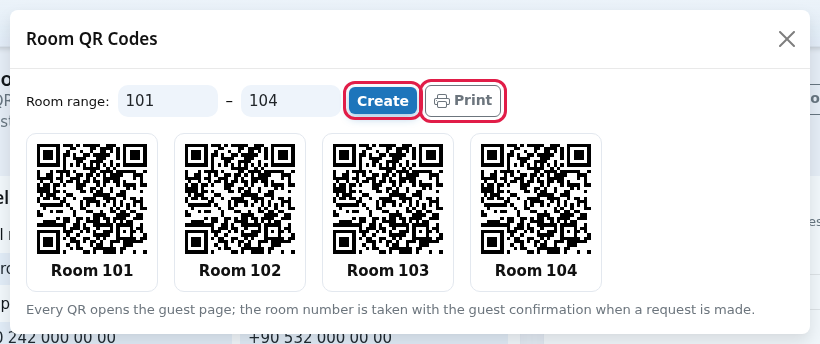
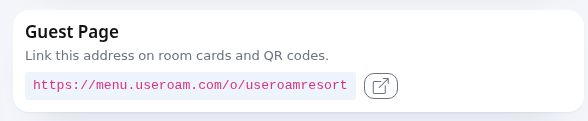
- Share the staff app and the page address. Staff scan the QR in the Staff App card on the right; Open the app opens it. You can put the address in the Guest Page card (for example
https://menu.useroam.com/o/...) on room key cards, the TV screen or WhatsApp messages.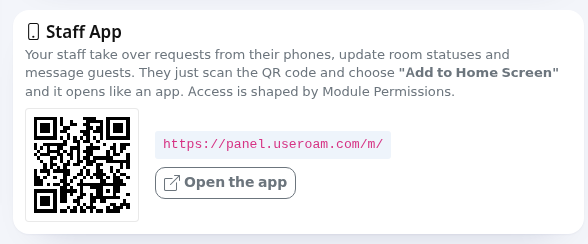
The
Every field and button on the screen
Hotel Profile
| Field | What it does | Example |
|---|---|---|
| Hotel name | Title of the guest | Sea Hotel |
| Reception phone | The number called from the Reception card on the guest page. | +90 242 000 00 00 |
| WhatsApp ( | If | 905320000000 |
| Languages the | TR, EN, RU, DE | |
| Cover photo (pool/lobby), Logo | JPG, PNG or WEBP. If left empty, an elegant default is used. | - |
| Late checkout fee ₺ | If filled, the | e.g. |
| Hotel / Accommodation or Restaurant / | Hotel / Accommodation | |
| Guest page | When
| on |
| Save | Saves the profile. | - |
Other cards
| Card | What it does |
|---|---|
| Request Types | The needs a guest can
|
| The |
The
| |
| Your staff |
| Guest Page | Link this address on room cards and QR codes. The button next to it opens the page. |
| Room QR Codes window | Room range:, Create, Print. Each label reads Room 101 underneath. Every QR opens the guest page; the room number is taken with the guest confirmation when a request is made. So all labels point to the same address; the guest enters the room number when making a request. |
The first time you open the screen a short tour shows these bubbles: Hotel profile (Name, contact, languages and cover photo: the identity of your guest page.), Request types (The list of needs a guest can pick. Adjust it for your hotel.), Hotel information (Pool, spa and breakfast hours: the guest sees them at a glance.), Room QR (Give a room range and get print-ready QR labels.) and Request monitor (Guest requests land here; keep it open on the reception screen.).
Frequently asked questions
The guest page does not open.
Check that Guest page is published and the technicalhotel teammodule usein thisModule screen.
are
6.on. RoomThe QRpage Codes
also Generatesneeds an active marketing (Bumerang) licence or trial on the QRaccount.
The youlate placecheck-out incard doesn't show for guests.
If Late checkout fee is empty the rooms,card inis bulk:
- Enter
Roomanrange:enter the firstamount andlastsave.roomShould
numberI(for example 101–120).Generate:createsprint a separate QR foreveryeach room?
The labels point to the same address; the room number only appears on the label. Using a single QR in therange.lobbyEachisQRalsotakesfine.Where do I change the
guestordertoof thepagecards?
InalreadyPortalopenedDesign.withRelated
theirpagesroom- Setting
—upsoyourthehotelguestonneverdayhasoneto·typeVenueit.Setup Wizard Print:PortalsendsDesignthe·codesStudioto·theTheprinter.hotel portal your guests see
numberTip:if you also want scanning the QR to connect the guest to Wi-Fi, enableEmbed Wi-Fi in QR codeson theCaptive Portal → Portal Settingspage.Related pages:Hotel Solution → Request Management,Request Monitor,Room Board,Hotel Studio.- Setting