
Menu Report
What is it for?
How do I open this screen?
PressClick Report(Rapor)inon the menu card under Restaurant → Menuslist, orinReport at the topbarof the Menu Editor.
When 1.do PeriodI use it?
- Before reviewing menu prices and
exportlayout.
- When deciding which item to promote or remove.
- When preparing a combo or "goes well with" suggestion.
- To read the feedback guests left on the welcome page.
Step by step
The
- Choose the period
selectorat the topoffersright: 7d, 30dandor 90d (days).Next to it you can download theThe reportasis recalculated for that period. Excel/CSV,producedownloads a summary, PDF /printPrintoutput,opensorajumpprint view, Editor goes back to the Menu Editor. - In the Menu Engineering table, check each item's class and apply the advice; click
EditorGet AI advice.if you like.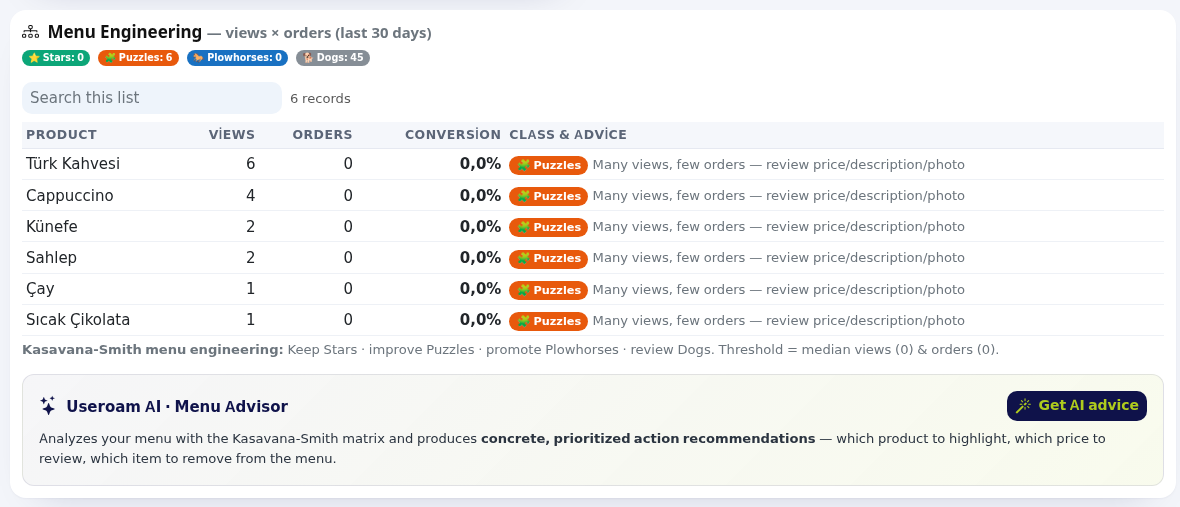
- Find combo opportunities in the Ordered Together table.

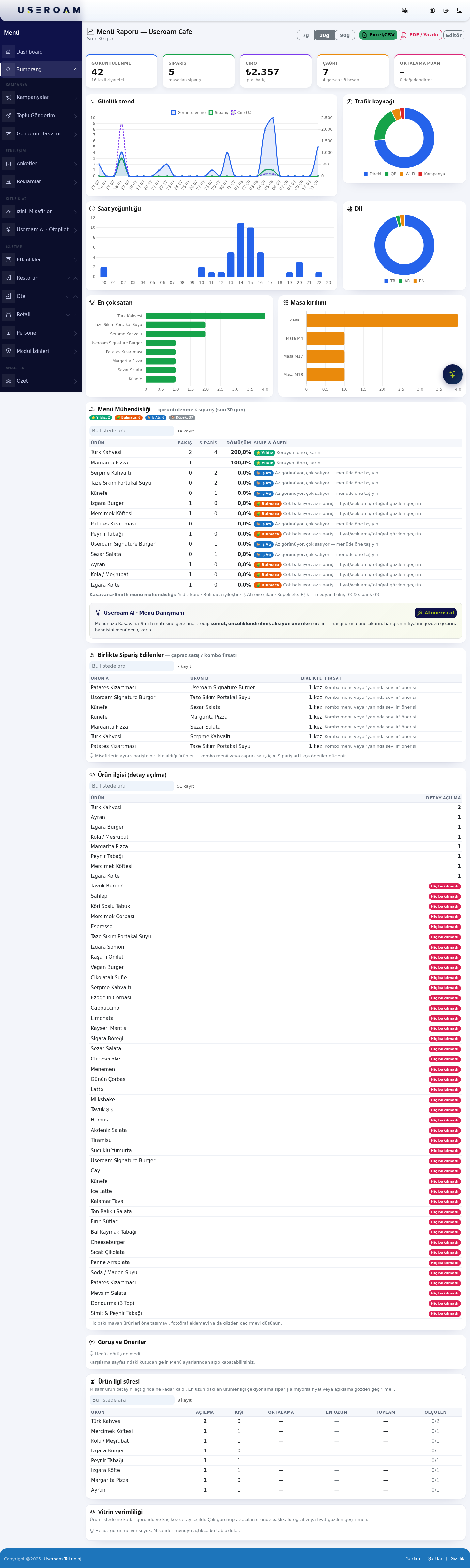
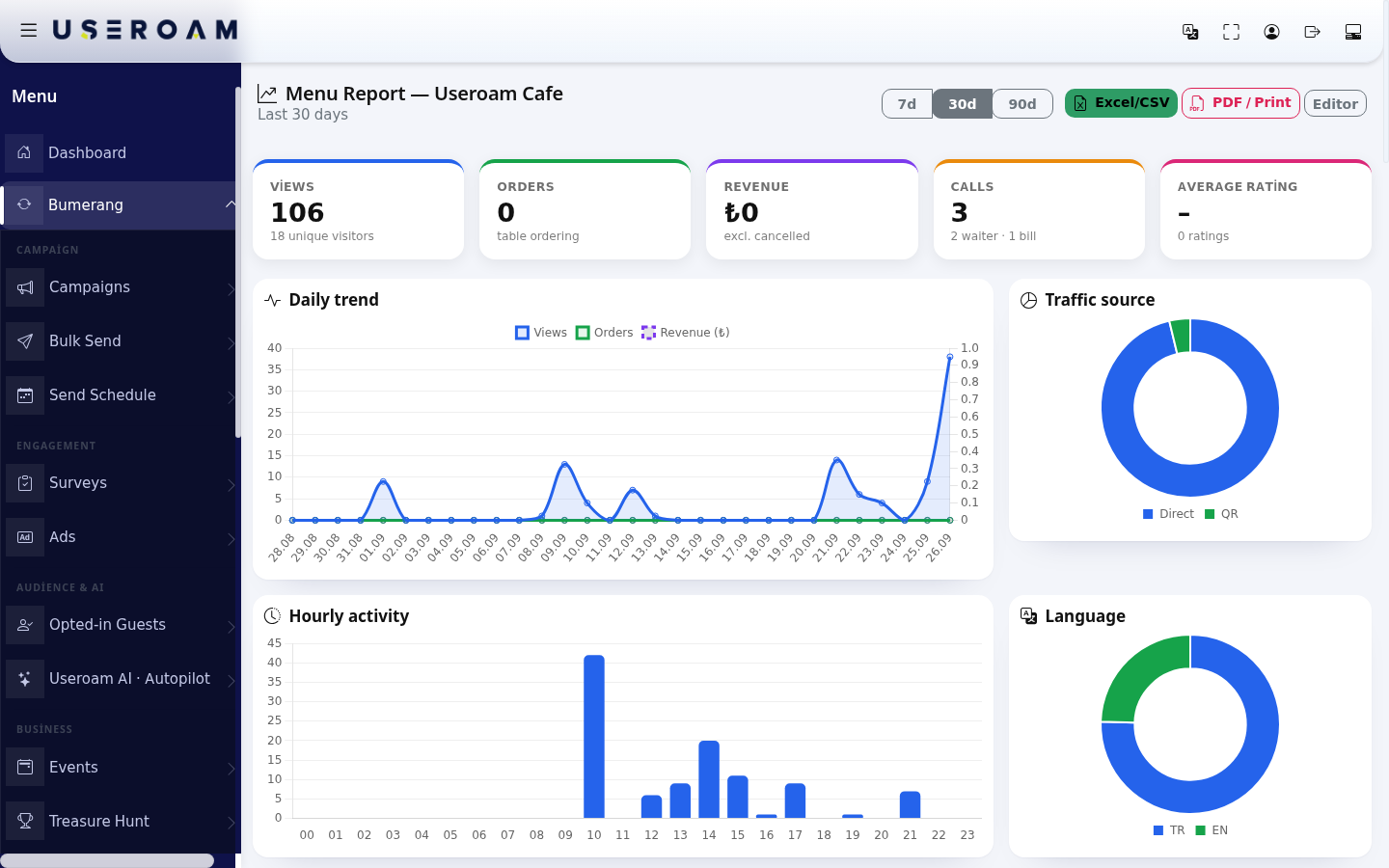
2.Summary Headlinecards figuresand charts
Card / chart What it shows Views:ViewsHow many timesoften the menu wasopened, withopened; unique visitorsunderneath.below- ("18 unique visitors").
Orders:OrdersOrders placedfromthetablestable.(table- ordering
); ordering off when disabled.Revenue:RevenueValue Totalofvaluetableexcludingorderscancellations.(excl.- cancelled
).Calls:CallsWaiter Total calls, split into waitercalls and billrequests.requests- ("2 waiter · 1 bill").
Average rating:ratingAverage If theproduct ratingsurveyandis enabled, the averagenumber ofitemratings.ratingsDaily trend Views, orders and howrevenuemanyperwereday.left.Traffic source Where
guests3.cameBreakdownsSix breakdowns sit under the headline figures:from:daily trendDirect,traffic source(QR, captive portal, campaign),hour of dayQR,language,best sellersCampaign and the Wi-Fi login page.tableHourly activityMenu opens by hour. Language The language guests opened the menu in. Table breakdown .Views Theper tablebreakdown only fills in once(when tableQRQRscodesareexist.used).Best sellers Product and quantity. ⭐ Star:Looked at often, ordered often.Keep it, feature it.🧩 Puzzle:Looked at often, rarely ordered.Review the price, description or photo.🐎 Plough horse:Rarely seen, ordered often.Move it further up the menu.🐕 Dog:Rarely seen, rarely ordered.Consider dropping it.- Ordered
together - Product
theinterestcheapest(detailform of cross-selling there is. - Feedback & Suggestions: messages from the welcome page box (Date, From or Anonymous, Feedback); new ones have a new badge, cleared with Mark all as read. With none: "No feedback yet." The box is switched on and off in Menu Settings.

- Product dwell time:
spenthow long guests stayed on a product's detail (Opens, People, Average, Longest, Total, Measured). Items viewed long but ordered rarely attract interest but something is missing. - Showcase performance: how long each item was visible in the
menulist and how often its detail was opened (peopleViews,averageAvg. look,longestDetail opens,totalConversion,measuredAssessment).AnAssessments:item"Seenwhosebutdetailnot opened: review photo, title and price", "Average interest: a richer description may help", "Strong interest: keep it near the top of the menu".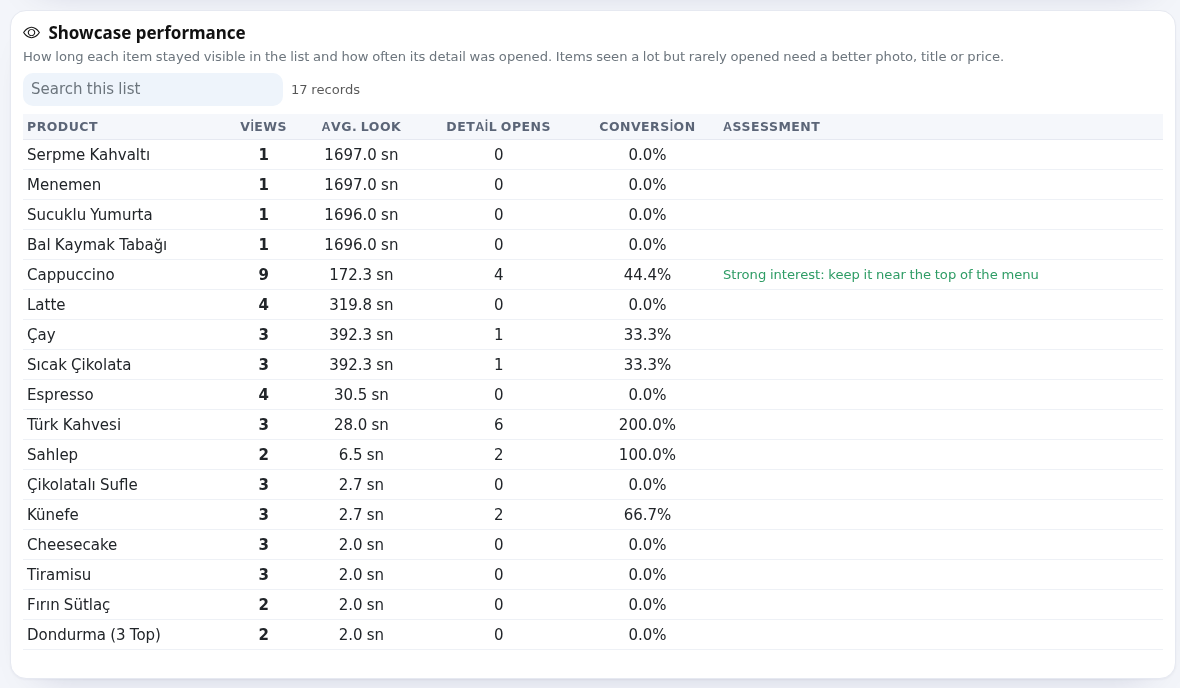
4. Menu engineeringEngineering
ThisFor iseach item the most valuable part of the report. Every item is plotted on a views × orders axis using the Kasavana–Smith matrix and falls into one of four classes:
The table columns are Item,shows Views (detail opens), Orders, Conversion and Class & adviceAdvice. TheClasses classfollow the Kasavana-Smith method; the threshold is not fixed — it is the median of views and ordersorders. of your own menu, so classes redistribute themselves asAbove the menutable grows.you see how many items fall in each class.
Useroam
| Class | Meaning | Advice |
|---|---|---|
| ⭐ | Many views, many orders. | Protect and highlight. |
| 🧩 Puzzles | Many views, few orders. | Review price, description and photo. |
| 🐎 Plowhorses | Low visibility, high sales. | Move it up the menu. |
| 🐕 Dogs | Low interest, low sales. | Consider removing it from the menu. |
Get AI advice readson the Useroam AI · Menu Advisor card analyses your menu throughwith the samethis matrix and produceswrites concrete, prioritised actions:advice which("Useroam itemAI tois feature,analyzing whoseyour pricemenu…"). toWith revisit,too whichlittle todata: remove."Not enough view/order data for meaningful advice yet."; if unavailable: "Useroam AI is unavailable right now, please try again shortly." or "Connection problem, please try again."
Other 5.sections
Together Lists(cross-sell item/ pairscombo that appear in the same order, underopportunity): ItemProduct A, ItemProduct B, Together (how many times) and, Opportunity. The(Combo suggestion is usually a combomenu or a "goes well with" suggestion). placementWith no data yet it fills up as guests order 2 or more products in theone menuorder.
—
6. Item and reading behaviour
The lower tables showopens): how often each item'product's detail view was opened,opened; items never opened are listed as Never viewed (consider promoting them or adding photos).
Search this list above the tables filters rows.
Frequently asked questions
Why are orders and revenue 0?
Table ordering is openedoff, or guests use the general QR instead of table QRs. Turn on Accept orders from the QR in Menu Settings and stick table QRs on the tables.
All items show as Dogs.
Orders)and
Related
pagespages:Restaurant